

A copyright warning can make any creator panic. That is exactly what scammers are counting on. They send official-looking DMCA emails, claim your channel faces a strike or lawsuit, and push you toward a fake case-review link.
The message is not a routine notice. It is a phishing trap built to steal your Google login, hijack your YouTube channel, or place malware on your computer.
Overview of the YouTube DMCA Email Scam
This campaign impersonates YouTube, Google and major rights holders such as Disney, Netflix and Warner Music. The email claims that copyrighted material was found on your channel and that you must respond within a short deadline, often 48 hours or seven days. It may threaten a copyright strike, channel termination, statutory damages or court action.
The legal vocabulary is deliberate. Words such as DMCA, infringement, claimant and statutory damages make the message feel serious enough that a creator may click before checking the details. The sender may also include a case number, a copied company logo and a button labeled Review Case or Submit Appeal.
The destination is the real danger. Instead of opening YouTube Studio, the button leads to a lookalike domain. The page may copy Google’s sign-in screen and ask for an email address, password and two-factor authentication code. Some versions deliver a file presented as evidence, a copyright report or a media sample. That attachment can install password-stealing malware.
A successful attack gives criminals more than a single password. A monetized channel can be renamed, used for fake cryptocurrency livestreams, sold to another criminal, or held for ransom. The attacker may also enter Gmail, Google Drive, saved passwords and advertising accounts linked to the same Google identity.
One of the clearest clues is that genuine channel enforcement is visible inside YouTube Studio. YouTube may send an email as well, but creators do not need to follow an unexpected external link to learn whether a strike exists.
The campaign also targets the public business addresses creators publish for sponsors. That makes the message feel personally selected even when it was sent automatically. Shared channels face extra risk because the first recipient may forward the warning to an editor or manager, giving the phish several chances to reach someone with account access.
How the Fake YouTube Copyright Strike Scam Works
Step 1: The scammer sends an urgent legal warning
The first email claims that your video uses protected music, film footage, artwork or another copyrighted asset. The sender may pretend to work for YouTube’s copyright team, Google Legal, a studio or a record label.
The message is usually broad enough to fit thousands of channels. Some campaigns even name a channel or video that the recipient does not own, revealing that the same script was sent in bulk.
Step 2: A deadline shuts down careful thinking
The email says you have only a few hours or days to respond. It may warn that silence will be treated as an admission, that multiple strikes are pending, or that legal proceedings will begin automatically.
Real legal processes have rules and verifiable records. Scammers replace that verification with a countdown because urgency makes people skip normal security checks.
Step 3: The Review Case link opens a lookalike page
The button does not lead to youtube.com, studio.youtube.com or a clearly verified rights-holder domain. It opens an address that places words such as youtube, dmca, copyright or legal inside an unrelated domain or unusual extension.
A copied Google logo and a padlock icon do not make the page legitimate. HTTPS only encrypts the connection; scammers can obtain certificates for their own phishing domains.
Step 4: The victim is asked to sign in or download evidence
A fake Google form captures the email address and password. A second screen may request the current two-factor code, backup code or phone approval. Other variants offer a ZIP, PDF, video codec or case file that actually contains malware.
The attacker often uses the stolen details immediately. If the victim approves a login prompt or shares a one-time code, the criminal can establish a session before the password is changed.
Step 5: The channel is taken over and monetized
Once inside, the attacker may change recovery options, add another owner, hide videos and replace the channel branding. High-subscriber channels are especially valuable because an existing audience makes fraudulent livestreams and promotions look credible.
The compromise can spread. Viewers may receive scam links from a channel they trust, sponsors may be contacted with fake invoices, and other team members can be targeted through shared access.
Red Flags in a Fake DMCA or Copyright Email
- The sender uses an unrelated address. A message claiming to represent YouTube arrives from a random mailbox, free email service or unrelated business domain.
- The link is not a genuine Google or YouTube address. Hover over it without clicking and read the full destination, especially the final registered domain.
- The email demands action outside YouTube Studio. A real strike should also appear in the Studio dashboard or Content tab.
- The message creates an unusually short deadline. Threats involving 48 hours, immediate termination or automatic court action are designed to produce panic.
- The alleged violation is vague or incorrect. The email may omit the exact video, copyrighted work and claimant, or mention content you never uploaded.
- An attachment is presented as proof. Genuine evidence does not require you to run an executable file, browser extension, codec or password-protected archive.
- The page asks for more than a normal sign-in. Requests for backup codes, recovery phrases, remote access or repeated two-factor codes are serious warning signs.
What a Real YouTube Copyright Notice Looks Like
The enforcement appears inside your account
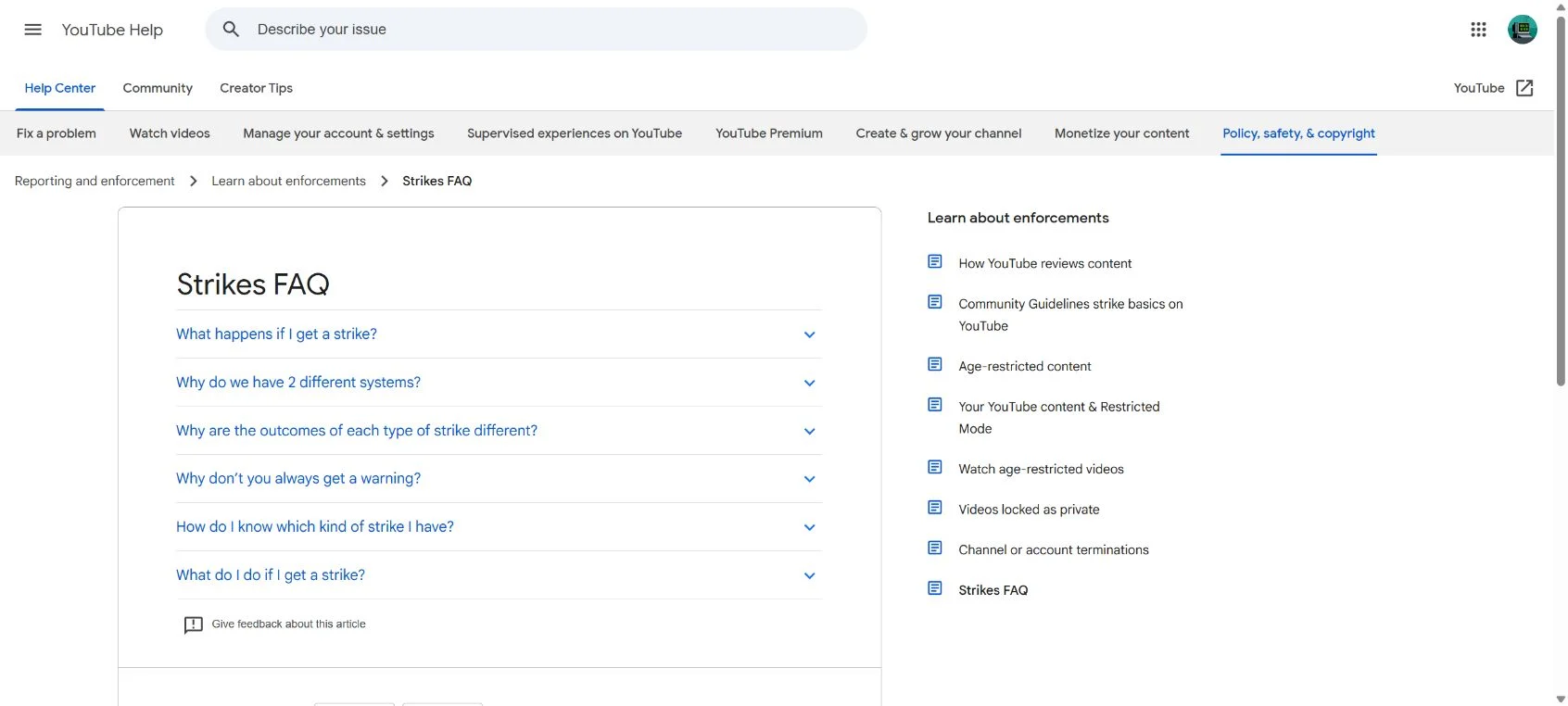
YouTube states that copyright and Community Guidelines strikes are visible in the Studio dashboard or within the Content tab. Open YouTube Studio yourself by typing the address or using a trusted bookmark. Do not use the button in the suspicious email.
The notice identifies the affected content
A genuine copyright action should identify the video and explain the type of restriction. Content ID claims and copyright strikes are not the same. A Content ID claim can affect monetization or availability without automatically giving the channel a strike.
Appeals stay within the official process
YouTube provides established options such as requesting a retraction or submitting a counter notification when appropriate. A rights holder does not need your Google password, two-factor code or remote access software to review an appeal.
What to Do If You Receive a YouTube DMCA Scam Email
- Do not click the link or open the attachment. Keep the message only long enough to examine and report it.
- Open YouTube Studio directly. Check the Dashboard and Content sections for an actual restriction or strike.
- Inspect the sender and destination. Expand the full email address and hover over every link. On mobile, press and hold the link to preview it without opening.
- Check the channel named in the message. If the email refers to a channel, video or brand relationship that is not yours, treat it as bulk phishing.
- Report the email as phishing. Use the report function in Gmail or your email provider so related messages can be filtered.
- Warn other channel managers. A team member may receive the same lure and assume someone else already verified it.
What to Do If You Clicked the Link
If you only opened the page
Close it and do not download anything. Clear any files the page saved automatically, then run a security scan. Opening a page does not always mean the account was compromised, but do not ignore unexpected downloads, extension prompts or browser notifications.
If you entered your Google password
Change the password immediately from a trusted device and sign out of unfamiliar sessions. Review recovery email addresses, phone numbers, app passwords, passkeys, connected apps and channel permissions. Remove anything you do not recognize.
If you reuse that password elsewhere, change those accounts too. Start with email, advertising, payment and social-media accounts because they can be used to recover other services.
If you shared a two-factor code or approved a prompt
Treat the account as actively compromised. Revoke unknown sessions, generate new backup codes and verify that the attacker did not add a passkey, security key or delegated channel owner. Contact YouTube account-recovery support if channel access has changed.
If you ran a downloaded file
Disconnect the computer from the network and scan it with reputable security software. From a separate clean device, change important passwords and invalidate active sessions. Password-stealing malware can copy browser cookies, which means a password change alone may not end every stolen login.
Frequently Asked Questions
Can a real copyright owner email me directly?
Yes, a rights holder may contact a creator, but an unsolicited email is not proof that the sender is genuine. Verify the company independently and check YouTube Studio before responding or sharing information.
Does a Google logo or HTTPS padlock prove the page is safe?
No. Logos are easy to copy and phishing sites can use HTTPS. The decisive detail is the actual registered domain and whether the issue is visible inside your authenticated YouTube account.
Can scammers bypass two-factor authentication?
They can trick a victim into providing a live code or approving a login prompt. Malware can also steal active browser sessions. Two-factor authentication remains important, but it cannot protect someone who deliberately hands the attacker the final approval.
The Bottom Line
The YouTube DMCA email described here is a channel-takeover scam, not a shortcut to a legitimate copyright case. Its power comes from urgency, legal language and familiar brand names.
Do not negotiate through the email and do not sign in through its link. Open YouTube Studio directly. If the alleged strike is not there, the threat has no business controlling your next click.

Join the discussion
0 commentsShare your experience or ask a question about this article.
Discussion
Start the conversation
Have a question or something useful to share? Add the first comment.