It's November 11, 2025, and for Windows home users on a budget, free AV is more crucial than ever with AI-phishing up 442% (IRONSCALES Q3 2025) and ransomware recovery costs averaging $1.5M (Sophos 2025). Microsoft Defender is the silent default, but third-party free tools bring web shields, extras, or on-demand cleanup.
Note: True "antivirus" means real-time protection; on-demand scanners like Malwarebytes, TotalAV Free, or AdwCleaner are great boosters but not full AVs – pair them with Defender for layered defense. ClamWin is open-source but lacks real-time, so it's niche.
Here’s the most up-to-date breakdown using AV-Test (Aug 2025), AV-Comparatives (Sept 2025), SE Labs (Q3 2025), PCMag (Sept 2025), and TechRadar (Nov 2025) — all tested on Windows 11 24H2. All are lightweight (<150MB RAM idle), with <2% CPU on scans.
Windows home users in 2025: Defender enough, or free third-party for shields/updates? Must-have: Phishing block? Multi-device? Share setups! (Win 11 24H2, 16GB, kids online?)
Note: True "antivirus" means real-time protection; on-demand scanners like Malwarebytes, TotalAV Free, or AdwCleaner are great boosters but not full AVs – pair them with Defender for layered defense. ClamWin is open-source but lacks real-time, so it's niche.
Here’s the most up-to-date breakdown using AV-Test (Aug 2025), AV-Comparatives (Sept 2025), SE Labs (Q3 2025), PCMag (Sept 2025), and TechRadar (Nov 2025) — all tested on Windows 11 24H2. All are lightweight (<150MB RAM idle), with <2% CPU on scans.
Microsoft Defender
- Labs: 100% online protection (AV-C Sept), perfect 6/6 in AV-Test Aug (0-day & prevalent), 2 false positives, 6/6 performance.
- Features: Cloud AI, SmartScreen, auto-updates, basic ransomware
- Impact: ~80MB RAM, <1% CPU during scans
- Pros: Zero install, no upsells, seamless with Windows
- Cons: No browser extension, no password manager, no rollback
- Best for: Clean, silent, “set-and-forget” users
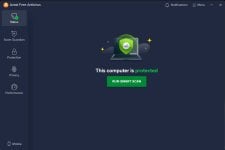
Avast One Basic / AVG Antivirus Free (shared engine)
- Labs: 100% AV-C Sept, 6/6 AV-Test Aug, 99.9% phishing block (SE Labs).
- Features: Email shield, web shield, software updater, basic ransomware, game mode
- Impact: ~120MB RAM, 5–7 min full scan
- Pros: Strong web/phishing protection, low false positives (1–2)
- Cons: Mild upsells, no VPN in free
- Best for: Heavy browsers, streaming, families
Bitdefender Antivirus Free
- Labs: 100% AV-Test Aug, Advanced+ AV-C Sept (99.97% online), 0 false positives.
- Features: Real-time cloud scanning, anti-phishing, behavioral detection
- Impact: <100MB RAM, silent mode
- Pros: Top zero-day blocking, no ads
- Cons: Windows-only real-time, no extras
- Best for: Lightweight, high-detection, no-nonsense
Avira Free Security
- Labs: 100% AV-Test Aug, 99.96% AV-C, 99.8% phishing.
- Features: 500MB/month VPN, password manager, ad/tracker blocker, software updater
- Impact: ~110MB RAM
- Pros: Only free with real VPN + PW manager
- Cons: 28 false positives (AV-C), McAfee upsells, data sharing (opt-out in settings)
- Best for: Privacy-conscious users who want extras
Kaspersky Security Cloud Free
- Labs: 100% AV-C April/Sept, 6/6 AV-Test April/Aug, 0 false positives, 100% SE Labs Q3.
- Features: Cloud-assisted, exploit blocker, basic web/email scan
- Impact: ~80MB RAM, minimal UI
- Pros: Best-in-class exploit/ransomware block
- Cons: US sales ban (June 2024), limited availability in some regions
- Best for: Max detection, privacy-focused (where available)
Panda Free Antivirus
- Labs: 99.8% AV-Test Aug, Approved AV-C Sept (99.5% online), low false positives; mixed hands-on (100% PCMag 2025 malware block, but no recent SE Labs).
- Features: Real-time scanning, USB protection, rescue kit, limited VPN (150MB/day), dark web scanner, gaming mode
- Impact: ~100MB RAM, cloud-based for speed (~2% CPU full scans)
- Pros: Unique extras like rescue kit & USB vaccinator, no ads
- Cons: No phishing/web shield, occasional upsells, inconsistent ransomware (no full protection)
- Best for: USB-heavy users, basic setups with recovery tools
Sophos Home Free
- Labs: 100% PCMag hands-on 2025, no recent AV-Test/AV-C.
- Features: Cloud dashboard, web filter, remote management (up to 3 devices)
- Impact: ~100MB RAM
- Pros: Family remote control, no ads
- Cons: Fewer lab scores, basic extras
- Best for: Multi-PC homes, parents
ZoneAlarm Free Antivirus
- Labs: 99.5% AV-Test July-Aug, Standard AV-C Sept, moderate phishing block.
- Features: Real-time AV + two-way firewall, OS firewall enhancement
- Impact: ~90MB RAM
- Pros: Strong firewall for network protection
- Cons: Dated UI, some false positives (5-10)
- Best for: Firewall-focused users, basic real-time
Comodo Free Antivirus
- Labs: 99.5% AV-Test July-Aug, Standard AV-C Sept (99.5% online), moderate hands-on for containment; mixed reviews (PCMag notes solid zero-day but no recent SE Labs).
- Features: Real-time scanning, sandbox for unknown files, behavior analysis, cloud-based updates, basic firewall
- Impact: ~90MB RAM, ~1-2% CPU scans
- Pros: Strong sandboxing for risky downloads, free real-time protection, no major upsells
- Cons: Dated UI, higher false positives (5-10), inconsistent updates, not as feature-rich as rivals
- Best for: Tech-savvy users wanting containment & basic real-time (1 device)
Quick Overview (Windows Home Users)
| Need | Best Free Pick |
|---|---|
| Zero hassle | Defender |
| Web/phishing shield | Avast / AVG |
| Max detection | Bitdefender or Kaspersky |
| VPN + PW manager | Avira |
| Family control | Sophos |
| USB/Network focus | Panda or ZoneAlarm |
| Sandbox/containment | Comodo Free Antivirus |
| Lightweight booster | Malwarebytes or TotalAV |
| Adware zapper | AdwCleaner |
| Open-source basics | ClamWin |
Windows home users in 2025: Defender enough, or free third-party for shields/updates? Must-have: Phishing block? Multi-device? Share setups! (Win 11 24H2, 16GB, kids online?)