Bitdefender Internet security autoscan issue

Status
Not open for further replies.

TheTRUTH

Level 1
Thread author
Verified
Feb 10, 2013
39
24
30
46
Recently installed BIS, ran full scan - no threat found. Although BIS runs autoscan every day ( Only when PC is idel) . I have changed from autopilot to manual mode but still its running everyday. Is there anyway to stop autoscan ??
 
Recently installed BIS, ran full scan - no threat found. Although BIS runs autoscan every day ( Only when PC is idel) . I have changed from autopilot to manual mode but still its running everyday. Is there anyway to stop autoscan ??
Have you turned "autoscan" off in the interface?
 
Last edited:
  • Like
Reactions: Koroke San
when i disable that it showing notification like "some issue require your attention" so i am not sure its good idea.
 
when i disable that it showing notification like "some issue require your attention" so i am not sure its good idea.
I only recommend you turn it off if you are experiencing performance issues,if not leave it on!
You can safely disregard the autoscan is off warning as it will not reduce your protection!
The other BD modules will protect you!;)

Hope this helps!:)
 
  • Like
Reactions: Koroke San
That's what you're asking, to disable Auto-Scan? You should be able to exclude Auto-scan being disabled from the notifications.. somehow.

Auto Scan is a light on-demand scan that silently scans all your data for malware and takes the appropriate actions for any infections found. Auto Scan finds and uses time-slices when system resource usage falls below a certain threshold to perform recurring scans of the entire system.

Benefits of using Auto Scan:
  • It has close to zero impact on the system.
  • By pre-scanning the entire hard-disk, future on-demand tasks will be completed extremely fast.
  • On-access scanning will also take significantly less time.
http://www.bdantivirus.com/bitdefender/antivirusplus/html/antivirus.scan.auto.html

How Auto-Pilot mode works? - http://www.bitdefender.com/support/...n-auto-update-are-randomly-disabled-1088.html

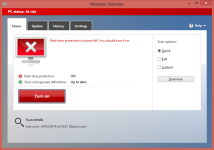
Almost every security product will notify the user, if one of their components are disabled.
For example, all I did was disable real-time.
upload_2014-3-27_0-28-23.png
 
  • Like
Reactions: Venustus
Status
Not open for further replies.