Hello,
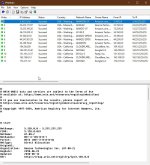
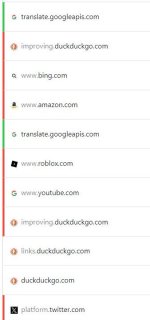
I am noticing strange connections my PC is making on outbound. For example, I am using the brave browser and I have only YouTube.com opened, and I notice multiple processes of brave is showing up and connecting to multiple IP addresses, one of which is YouTube but the others I have no idea what they are.


As I am monitoring these traffics, my brave browser only has Twitch.tv opened. What are these other connections? 151.101.194.167 is twitch.tv, I don't understand these other ips.
I also tried blocking these on firewall, and it does not work.
I am noticing strange connections my PC is making on outbound. For example, I am using the brave browser and I have only YouTube.com opened, and I notice multiple processes of brave is showing up and connecting to multiple IP addresses, one of which is YouTube but the others I have no idea what they are.
As I am monitoring these traffics, my brave browser only has Twitch.tv opened. What are these other connections? 151.101.194.167 is twitch.tv, I don't understand these other ips.
I also tried blocking these on firewall, and it does not work.
Last edited: