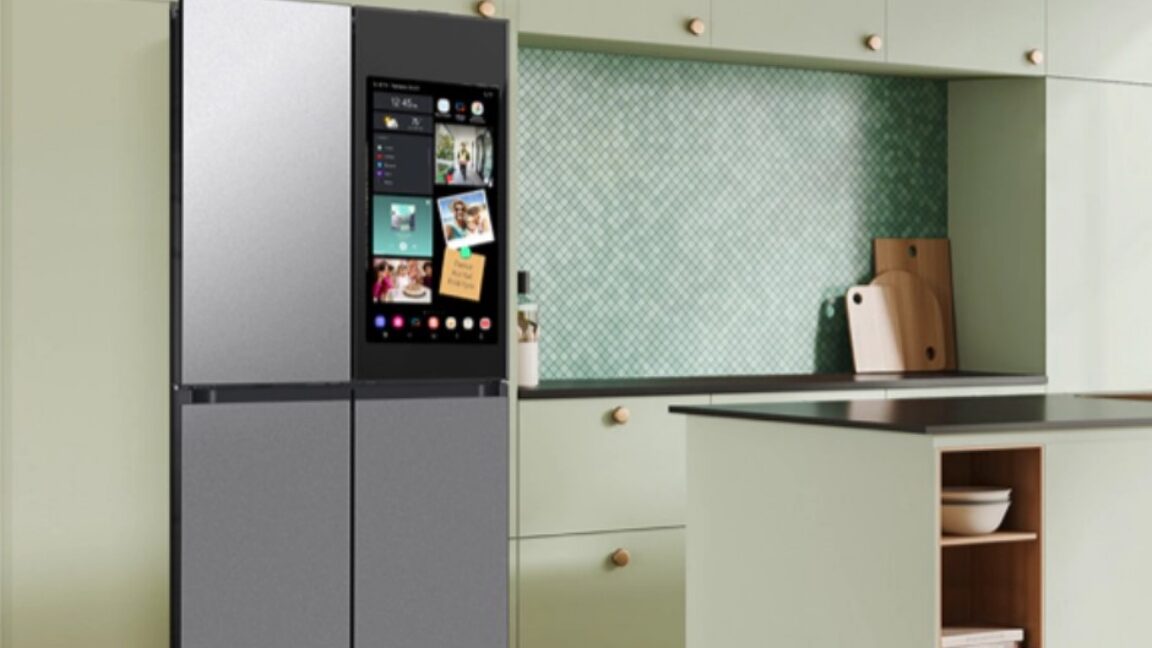
Can using ad-blocking DNS servers, such as NextDNS and ControlD, for modem router settings block ads dispalyed by Samsung smart fridges?
Samsung's "pilot program" is likely just the beginning.

arstechnica.com
Hey
@Parkinsond,
That's an interesting question, especially with the recent news about Samsung pushing ads to their smart appliances (thanks for linking that Ars Technica article—it's a good read on the topic). I'll break this down step by step and explain whether ad-blocking DNS servers like NextDNS or ControlD could help block ads on a Samsung smart fridge when configured at the modem/router level.
### How Ad-Blocking DNS Works
- DNS (Domain Name System) servers resolve website addresses (like "ads.example.com") into IP addresses. Ad-blocking DNS services like NextDNS or ControlD maintain blocklists of known ad-serving domains and prevent your devices from connecting to them.
- When you set your modem/router to use one of these (e.g., via DHCP settings), all devices on your network—including smart fridges—will typically use that DNS for lookups, unless the device has hardcoded DNS overrides (more on that below).
### Can This Block Ads on a Samsung Smart Fridge?
- **Potentially yes, but it depends on how the ads are delivered:**
- If the fridge fetches ads from third-party ad networks (e.g., domains like doubleclick.net or other common trackers), an ad-blocking DNS should block those requests at the network level. The fridge wouldn't be able to resolve the ad domains, so the ads might fail to load or display placeholders/errors.
- Samsung's smart fridges (like their Family Hub models) connect to the internet for features like screen displays, app integrations, and updates. If ads are served directly from Samsung's own servers (without relying on blocked third-party domains), DNS blocking might not fully stop them. However, many ads involve trackers or external CDNs, so it could still disrupt a good portion.
- **Real-world effectiveness:**
- Users on forums like Reddit and Samsung's community have reported mixed success with similar setups for blocking ads on Samsung TVs (which use similar tech). For fridges, it's less documented, but the principle is the same.
- From the Ars Technica article, it sounds like these ads are integrated into the UI (e.g., on the fridge's screen), so blocking at the DNS level could prevent loading if they're not embedded/static.
### Steps to Try This
If you want to test it out:
1. **Choose a DNS provider:** NextDNS is customizable (you can create blocklists), while ControlD is straightforward for ad-blocking. Both offer free tiers.
2. **Configure your router:**
- Log into your modem/router's admin page (usually at 192.168.1.1 or similar).
- Go to DNS settings and set the primary/secondary DNS to the provider's servers (e.g., NextDNS: dns.nextdns.io; ControlD has custom ones).
- Save and reboot the router. This applies to all connected devices.
3. **Test on the fridge:** Power cycle the fridge or restart its network connection, then check if ads still appear.
4. **Monitor and tweak:** Use the DNS provider's dashboard to see blocked queries. If ads slip through, add custom blocks for Samsung-related domains (but be careful not to break legit features like software updates).
### Potential Caveats and Limitations
- **Device overrides:** Some smart devices (including Samsung ones) might ignore router DNS and use hardcoded servers like Google's 8.8.8.8. In that case, you'd need advanced router features (e.g., DNS redirection via firewall rules) or a Pi-hole setup to force compliance.
- **HTTPS and DoH:** If the fridge uses DNS over HTTPS (DoH), it could bypass traditional DNS blocks. NextDNS supports DoH blocking, but it's not foolproof.
- **Not a complete solution:** This won't block ads that are pre-loaded or served via Samsung's app ecosystem. For fuller control, consider rooting the device (risky and warranty-voiding) or using network-level tools like a custom firewall.
- **Privacy bonus:** Even if it doesn't fully block fridge ads, it'll reduce tracking and ads across your whole network, which is a win for malware prevention and privacy.
If this doesn't work or you run into issues, feel free to share more details about your setup (e.g., router model or fridge model), and we can troubleshoot further. Has anyone else here tried something similar with smart appliances?
Cheers!