


Advanced Security Captain's Configuration 2025-2026
- Thread starter Captain Awesome
- Start date
You are using an out of date browser. It may not display this or other websites correctly.
You should upgrade or use an alternative browser.
You should upgrade or use an alternative browser.
- Last updated
- Dec 21, 2025
- How it's used?
- For home and private use
- Operating system
- Windows 10
- Other operating system
- Windows10LTSC
- On-device encryption
- BitLocker Device Encryption for Windows
- Log-in security
- Biometrics (Windows Hello PIN, TouchID, Face, Iris, Fingerprint)
- Basic account password (insecure)
- Security updates
- Allow security updates and latest features
- Update channels
- Allow stable updates only
- User Access Control
- Always notify
- Smart App Control
- On
- Network firewall
- Enabled
- Real-time security
- PC1: Kaspersky Free Anti-Virus(Max protection)
PC2: K7 Ultimate Infiniti Edition
- Firewall security
- Other - Internet Security (3rd-party)
- About custom security
- Max Security+Performance
PC1: Kaspersky Free Anti-Virus(Max Protection)
PC2: K7 Ultimate Infiniti Edition
Antivirus:Sentry: All Files or Specific Extensions(VBS,HTA & many more)
Add-Ons: Check Office Plugin.
System Monitor: High level of Protection
Unchecked Automatically allow all files that are Digitally signed/recognized by system Monitor.
Checked Always prompt if new software is installed when changes are found.
SCANNER: What to Scan: All Files
System Areas to Scan: Checked All blank space.
Data Locker: Add anything that you need to protect.like C:\User\captain\Desktop and C:\windows\System32
Untick Use Smart Analysis to discover trusted Applications.
Firewall: Applications: You can manually add safe applications.
For Extreme caution: Select Deny Access(I prefer this all the time)
Normal cases: Prompt for action
Checked the Show alert when denied box.
Intrusions: Checked all boxes.
General: Tick the Display Critical Alerts.
- Periodic malware scanners
- HITMAN PRO,EEK, Norton Power Eraser,KVRT
- Malware sample testing
- I do participate in malware testing. See details about my testing environment below.
- Environment for malware testing
- Browser(s) and extensions
- Secure DNS
- No DNS
- Desktop VPN
- 1.1.1.1 + WARP
- Password manager
- NONE
- Maintenance tools
- O&O Shutup10++, windows default cleaner
- File and Photo backup
- Macrium Reflect
- Subscriptions
- None
- System recovery
- Macrium Reflect
- Risk factors
- Browsing to popular websites
- Browsing to unknown / untrusted / shady sites
- Working from home
- Logging into my bank account
- Downloading software and files from reputable sites
- Downloading software and files from unknown / untrusted / shady sites
- Downloading malware samples
- Computer specs
- not interested
- Notable changes
- What I'm looking for?
Looking for maximum feedback.
- Notes by Staff Team
This setup configuration may put you and your device at risk!
We do not recommend that other members use this setup. We cannot be held responsible for problems that may occur to your device by using this security setup.
Update:Thinking of switching to linux in 2024
Any suggestion.
uUpdate:Kaspersky IS(21.3.10.391(K) legacy product Settings> attached
*Lazy to switch to Kaspersky's new security tiers.
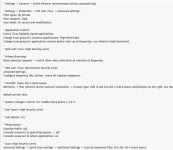
Any suggestion.
uUpdate:Kaspersky IS(21.3.10.391(K) legacy product Settings> attached
*Lazy to switch to Kaspersky's new security tiers.
Last edited:

- Apr 28, 2015
- 9,397
- 1
- 84,815
- 8,389
Update to K2021 21.14  Settings are the same.
Settings are the same.
100% but hindmost.Update to K2021 21.14

Overkill?uUpdate: OSArmor

What use is KVRT as 2nd opinion scanner with Kaspersky IS installed?
"I do not participate in malware testing"
"Risk factors: Downloading malware samples"
Which one is it?
Do you download malware samples directly to Host OS without any VM?
"I do not participate in malware testing"
"Risk factors: Downloading malware samples"
Which one is it?
Do you download malware samples directly to Host OS without any VM?
1.I have many Malware Removal Tools in my MR Toolbox. I don't have fixed AV always but my "MR ToolkitBox" is always with me in my pendrive.What use is KVRT as 2nd opinion scanner with Kaspersky IS installed?
"I do not participate in malware testing"
"Risk factors: Downloading malware samples"
Which one is it?
Do you download malware samples directly to Host OS without any VM?
2.In MalwareTips i don't participate in malware testing,But i do malware analysis.
3."NEVER" but sometime malware need real pcs too.
Last edited:
No,working perfectly fine.Overkill?
uUpdates: PC2: QUICK HEAL Total Security V.24(Testiing) MAX PROTECTION
Environment for malware testing:Virtual Machines,Deep Freeze S,Shadow Defender, Hex Editor
Environment for malware testing:Virtual Machines,Deep Freeze S,Shadow Defender, Hex Editor
Update:K7 Ultimate Security(30 day test)MAX PROTECTION+Unchecked allowed trusted digitally signed.
Update: This config will continue to 2025.  with Kaspersky+K7
 Advance Happy New Year...
with Kaspersky+K7 Advance Happy New Year...
Last edited:
@harlan4096 sorry for little late.Update to K2021 21.14
 UPDATE: Now finally time move to New Plan of Kaspersky but don't like the GUI of it.
PC1:Kaspersky IS(21.3.10.391) > Kaspersky Standard 21.19.7.527(b)

Last edited:
Update: PC2: Its all done for 30days trial of K7 Ultimate Solution, Now settled with K7 Ultimate Infiniti Edition. K7 keep my hopes with their service, extremely lightweight+Good protection, K7's "Extra Ordinary customer support."
Last edited:
Small change: From Kaspersky Standard >Kaspersky Premium
Big downgrade: switch to Windows 10 LTSC from Windows 11 23H2
I don't like Windows 11 24H2 at all Full of bugs. For stability I choose Windows 10 LTSC.
I don't like Windows 11 24H2 at all Full of bugs. For stability I choose Windows 10 LTSC.
Last edited:

Are you still using cloudflare warp? And If so do you Have Any problems with it?
Very rarely I used Warp now. No problem as such.Are you still using cloudflare warp? And If so do you Have Any problems with it?
Windscribe Vpn is my go to solution.
I have a current issue with WARP.Are you still using cloudflare warp? And If so do you Have Any problems with it?
I pretty sure it's either Kaspersky or WFC doing shenanigans.
Edit:
What do you miss out on when using LTSC?Big downgrade: switch to Windows 10 LTSC from Windows 11 23H2
I don't like Windows 11 24H2 at all Full of bugs. For stability I choose Windows 10 LTSC.
Last edited:

I have a current issue with WARP.
I pretty sure it's either Kaspersky or WFC doing shenanigans.
Edit:
What do you miss out on when using LTSC?
LTSB/LTSC has none of the Windows Store garbage, none of the Cortana garbage and none of the silly 'consumer experience' crap. Its built for stability. LTSC does not keep pace with hardware, feature and security enhancements
Example: Windows Defender ATP [Advanced Threat Protection]
Independent Hardware and Software Vendor support and limitations on LTSC
Non-security operating system fixes and enhancements may not get back-ported
LTSC does not support ConfigMgr Express Updates.The LTSC is designed for devices and use cases where features and functionality will not change.
You may also like...
-
 Security News Automated FortiGate Attacks Exploit FortiCloud SSO to Alter Firewall Configurations
- Started by Divergent
- Replies: 1
-
 Malware News APT28 Leverages CVE-2026-21509 in Operation Neusploit
- Started by Khushal
- Replies: 1
-
 App Review QuickHeal Total Security 2026
- Started by Shadowra
- Replies: 13
-
 AVLab.pl Advanced In-The-Wild Malware Test - September 2025
- Started by Adrian Ścibor
- Replies: 204
-
 Advanced Plus Security Devjit’s Gaming PC 2026
- Started by devjitdutta2025
- Replies: 44