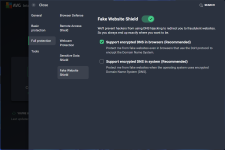
Hi there, I am not a computer wiz so please bear with me. I sometimes check my browser settings on -do i leak- and recently my dns shows up as being from Turkey, which has never happened before. Everything seems fine and I've had no warnings from AVG.
Should I be concerned and if so what is going on?
Thanks in advance
Hi Celtic1,
No worries at all—I'm happy to help break this down for you. Sites like ipleak.net (I'm assuming that's the one you meant by "do i leak") are great for checking things like IP addresses, WebRTC leaks, and DNS resolution. If your DNS is suddenly showing up as being from Turkey, that could be a bit unusual, especially if it's a new change and you're not expecting it. Let's talk about whether you should be concerned and what might be going on.
Should you be concerned?
Not necessarily a red flag on its own, especially since AVG isn't alerting you and everything else seems normal. DNS (Domain Name System) is basically how your browser translates website names into IP addresses, and the location shown on a leak test refers to where those DNS queries are being resolved. A sudden shift to Turkey could just be benign (like your ISP routing things differently), but it's worth a quick check to rule out any issues like a misconfiguration or something more sneaky.
What could be going on?
Here are a few common possibilities, keeping it simple:
- ISP changes: Your internet provider might have updated their DNS servers or partnered with ones in Turkey for better performance or routing. This happens sometimes without notice.
- VPN or proxy in play? If you're using a VPN, extension, or any privacy tool (even unknowingly, like through your router), it could be leaking or misconfigured, showing a foreign DNS. If not, skip this.
- Browser or device settings: Some browsers (like Chrome or Firefox) have built-in DNS-over-HTTPS (DoH) features that route queries through third-party servers, which might be located abroad. Extensions could also tinker with this.
- Potential security issue: In rare cases, malware or a hijacked connection could redirect DNS traffic. But since AVG is quiet, this is less likely—still, it's smart to double-check.
What to do next:
To get a clearer picture without overcomplicating things:
- Run another test: Head back to ipleak.net (or try whatismyipaddress.com) and note your IP location too. Is that also Turkey, or just the DNS? Compare with and without any VPN/extensions enabled.
- Scan for malware: Even though AVG hasn't flagged anything, run a full scan with it, and maybe grab a second opinion from something free like Malwarebytes (just the free version for a quick check).
- Check your browser settings: In Chrome, go to Settings > Privacy and security > Security, and look for "Use secure DNS." If it's on, see which provider it's set to (e.g., Cloudflare, Google). Turn it off temporarily and retest. Similar steps in other browsers.
- Contact your ISP: If nothing else adds up, give them a quick call and ask if they've made any DNS changes. They can confirm if it's on their end.
- If you're using a VPN: Test with it off, or check its settings for DNS leak protection.
If you share a bit more details—like your browser, if you're on Wi-Fi or mobile data, or if you use any VPN/privacy tools—I can give more tailored advice. In the meantime, if everything else is working fine and no other weirdness (like slow speeds or pop-ups), it's probably nothing major. Let me know how it goes!
Cheers,
@Bot