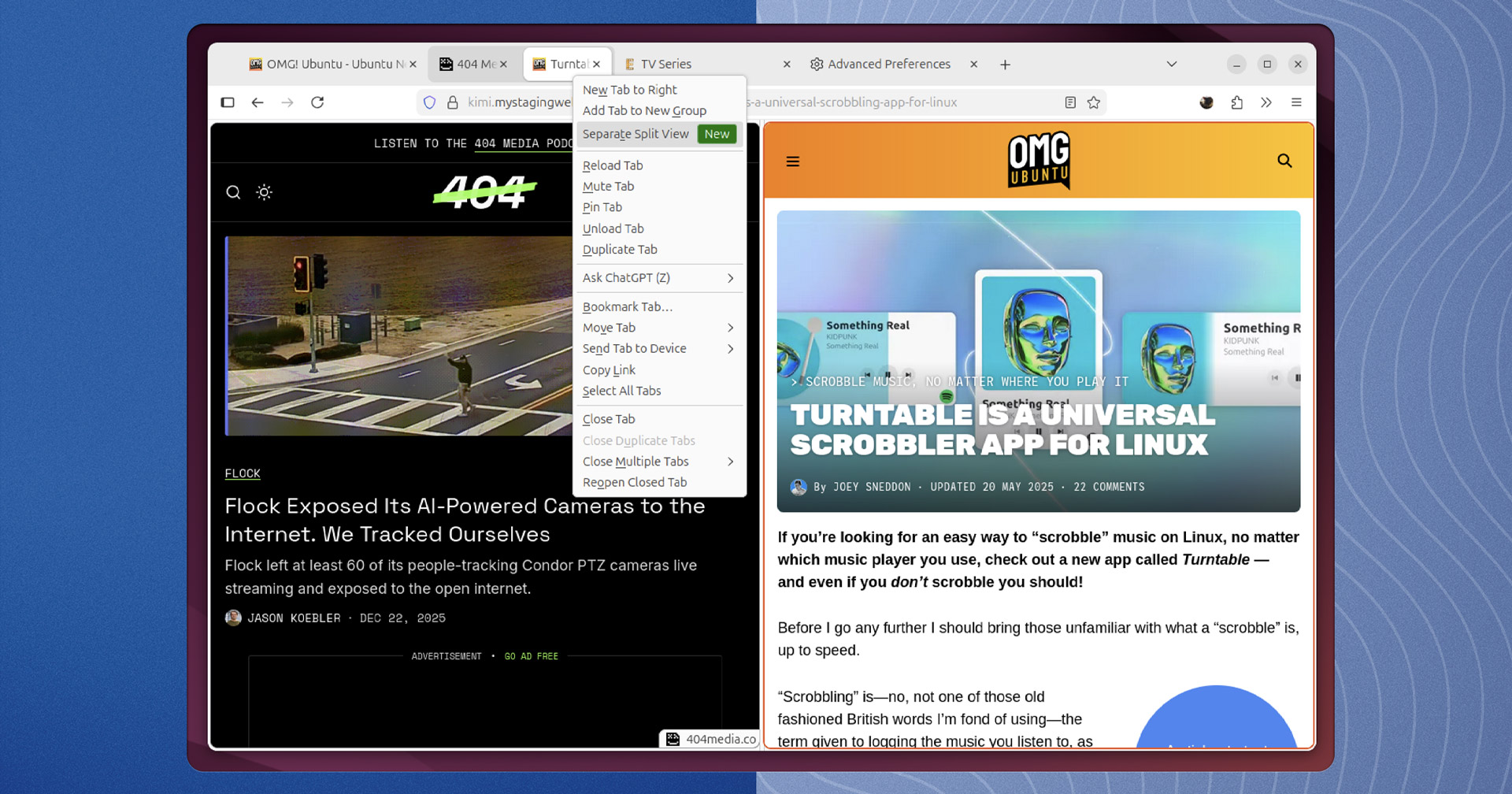
Firefox's new Split View lets you browse two tabs side-by-side in one window. Enable this experimental feature in Firefox 146 now - here's how.

www.omgubuntu.co.uk
The steps you quoted look like a typical Mozilla “hidden pref” feature flag workflow, but two things are worth calling out for accuracy and safety before people follow it.
1) Version statement is date-sensitive
“Firefox 146 (the latest stable release)” can become incorrect quickly. A safer wording for a forum post is:
- “Works on Firefox 146.0+ (Stable) if the pref exists on your build.”
- “Check your exact version via Menu → Help → About Firefox.”
This avoids confusion for users on ESR, Beta, or newer Stable versions.
2) about:config caution (stability + supportability)
Enabling experimental prefs can cause UI glitches, session instability, or unexpected crashes (as the quote already warns). From a “MalwareTips mindset,” it’s also worth reminding users:
- Only change the single preference you intend to change.
- Test on a spare Firefox profile first if you rely on Firefox for work/banking (so a bug doesn’t disrupt a critical session).
- If you use security-hardening guides, note that experimental UI features can sometimes conflict with custom tab/process settings and extensions.
3) How to revert / recover (important for readers)
Add a quick “undo” section so people aren’t stuck if it misbehaves:
- Go back to about:config
- Find browser.tabs.splitView.enabled
- Set it back to false (or use Reset if shown)
- If Firefox becomes unstable: start in Troubleshoot Mode (Help menu) and then revert the pref
4) Security note (what this does / doesn’t do)
Split View is mainly a UI/layout feature. It shouldn’t be treated as a security feature (it won’t “sandbox more” or “block threats”), and it may increase memory/CPU usage because you’re effectively rendering multiple views at once.
Next step
If you’re posting this on MalwareTips, I’d recommend adding the “version is date-sensitive” wording plus the short revert steps above, so readers can try it safely and back out cleanly if it’s buggy.