


Hitman Pro : Scans out Malware from a PC with Bitdefender
- Thread starter trainbus120
- Start date
You are using an out of date browser. It may not display this or other websites correctly.
You should upgrade or use an alternative browser.
You should upgrade or use an alternative browser.
- Status
- Not open for further replies.
- Product name
- Hitman Pro
- Pros
- Scanned out malware from a system which already has bitdefender installed
- CONS
- Testing under way
- BOTTOM LINE
- Seems very effective


Yup!!! Even I am.It doesn't look that severe, haha. Only one rogue registry entry, the rest is adware settings (not files), which BD doesn't detect.
Glad you've learnt the importance of a second-opinion scanner.

Yes, I agree. It seems it now only has a name to boost of.I was a BitDefender user for a long time (Total/IS), but a few moths ago I lost my trust in it almost completely (nasty malware got trough it).
There was a rouge registry key and several tracking cookies. A screenshot of the same has been provided in the posts above.Did you manage to remove the unwanted software from your PC?
OK, good to know you removed it.
Also can I note, your reviews appears to be very brief, could you elaborate more on the Pros/Cons?
Testing underway? What do you mean and how is this Bad?
Pros
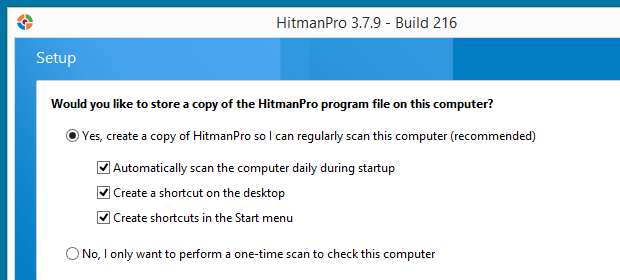
+ Free download, no registration, can be used as portable or installed.
+ Small download, multi-engine, cloud-based.
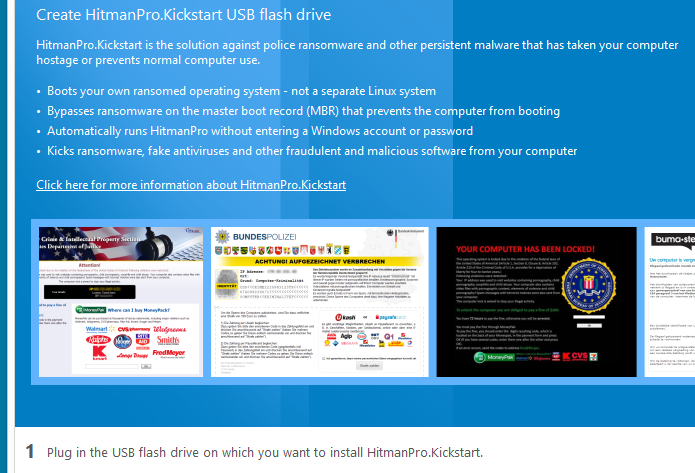
+ Anti-ransomware provided by KickStart.
+ No license required for report only scans.
+ You can set up scheduled start-up scans.
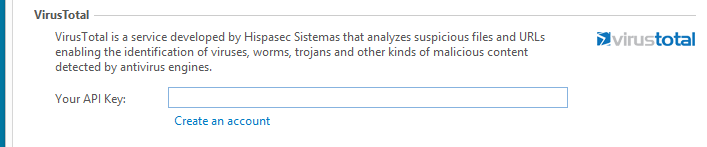
+ Option to enter your VirusTotal API key, if you have one.
+ Early Warning Score for expert users.
+ Can provide protection against the LNK exploit for Windows PCs that have not applied this security patch.
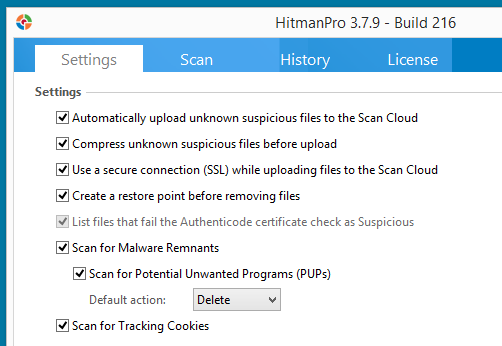
+ PUP detection enabled by default, many Antivirus software have this disabled and may allow unwanted software on your PC.
Cons
- Activation required for threat removal (starts 30-day trial).
- Context menu scan fails to scan sub-folders of selected folder.
- Some engines can create FPs, be careful before removal.
- Tracking cookies enabled by default, can be considered a scare tactic.
Limitations
- Cannot be used on certain corporate networks, ie. HMP is for home use only.
Screenshots:
Hope to see more detailed reviews.
Also can I note, your reviews appears to be very brief, could you elaborate more on the Pros/Cons?
The Good:
Scanned out malware from a system which already has bitdefender installed
The Bad:
Testing under way
Testing underway? What do you mean and how is this Bad?
Pros
+ Free download, no registration, can be used as portable or installed.
+ Small download, multi-engine, cloud-based.
+ Anti-ransomware provided by KickStart.
+ No license required for report only scans.
+ You can set up scheduled start-up scans.
+ Option to enter your VirusTotal API key, if you have one.
+ Early Warning Score for expert users.
+ Can provide protection against the LNK exploit for Windows PCs that have not applied this security patch.
+ PUP detection enabled by default, many Antivirus software have this disabled and may allow unwanted software on your PC.
Cons
- Activation required for threat removal (starts 30-day trial).
- Context menu scan fails to scan sub-folders of selected folder.
- Some engines can create FPs, be careful before removal.
- Tracking cookies enabled by default, can be considered a scare tactic.
Limitations
- Cannot be used on certain corporate networks, ie. HMP is for home use only.
Screenshots:
Hope to see more detailed reviews.
Okie... For sure.OK, good to know you removed it.
Also can I note, your reviews appears to be very brief, could you elaborate more on the Pros/Cons?
Testing underway? What do you mean and how is this Bad?
Pros
+ Free download, no registration, can be used as portable or installed.
+ Small download, multi-engine, cloud-based.
+ Anti-ransomware provided by KickStart.
+ No license required for report only scans.
+ You can set up scheduled start-up scans.
+ Option to enter your VirusTotal API key, if you have one.
+ Early Warning Score for expert users.
+ Can provide protection against the LNK exploit for Windows PCs that have not applied this security patch.
+ PUP detection enabled by default, many Antivirus software have this disabled and may allow unwanted software on your PC.
Cons
- Activation required for threat removal (starts 30-day trial).
- Context menu scan fails to scan sub-folders of selected folder.
- Some engines can create FPs, be careful before removal.
- Tracking cookies enabled by default, can be considered a scare tactic.
Limitations
- Cannot be used on certain corporate networks, ie. HMP is for home use only.
Screenshots:
View attachment 10153
View attachment 10154
View attachment 10155
View attachment 10156
Hope to see more detailed reviews.
- Status
- Not open for further replies.
You may also like...
-
Question I had to use a few second opinion scanners alongside Kaspersky premium. Any chance of Kaspersky corruption.
- Started by nonamebob567
- Replies: 18
-
 AVLab.pl Analysis of modules for protection of online banking and payments – 2026 edition
- Started by Adrian Ścibor
- Replies: 32
-
 App Review Bitdefender Total Security 2026
- Started by Shadowra
- Replies: 60
-

-
 Help Needed: Suspicious Activity & Possible Malware on Windows 10 PC
- Started by Thomas Ellias
- Replies: 4