This is my configuration I Like so much...
btw, in my configuration...
there is a givewaway software
hahahahhhaa, thank you
btw, in my configuration...
there is a givewaway software
hahahahhhaa, thank you


Using Baidu Antivirus with Kaspersky is really not necessary and will make your pc slow just keep kaspersky its more than enough!
Also its better to enable UAC
Kaspersky itselft is a very powerfull suite there is no need of Baidu & even Baidu has high false positive detection.
1. You need to remove Baidu Antivirus as Kaspersky is better overall
Disable UAC ? bad news
Pretty much what was said above. The most important thing is to enable UAC. Using two real-time AVs often hampers performance, I'd recommend using Kaspersky.
Great advice from the above members!!
Indeed using two av's in real time will hamper performance, but more importantly provide less protection as each av fights with the other thereby cancelling out the performance of each in terms of protection!
?
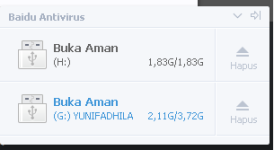
Kaspersky also has auto usb scan just activate by the settings.its very pleasure, thanks to all for advise
why i am install baidu antivirus
because of this
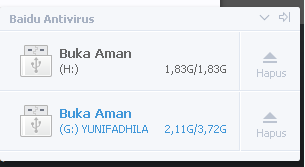
like zentimo...
for UAC, I am already administrator...
why UAC so important and really means?
I dont know..