


I forgot
&
360/ full portable(use 7-zip)
liebao - install profile c:\user.....
Okay, I'm still thanking you for your support!


I forgot
&
360/ full portable(use 7-zip)
liebao - install profile c:\user.....
reinstall /#9
English translation is not complete

"Cheetah Browser runs in Chinese by default, but deleting the file: C:\Users\YourName\AppData\Local\Liebao\x.x.x.x\Locales\zh-CN.pak enables English language."
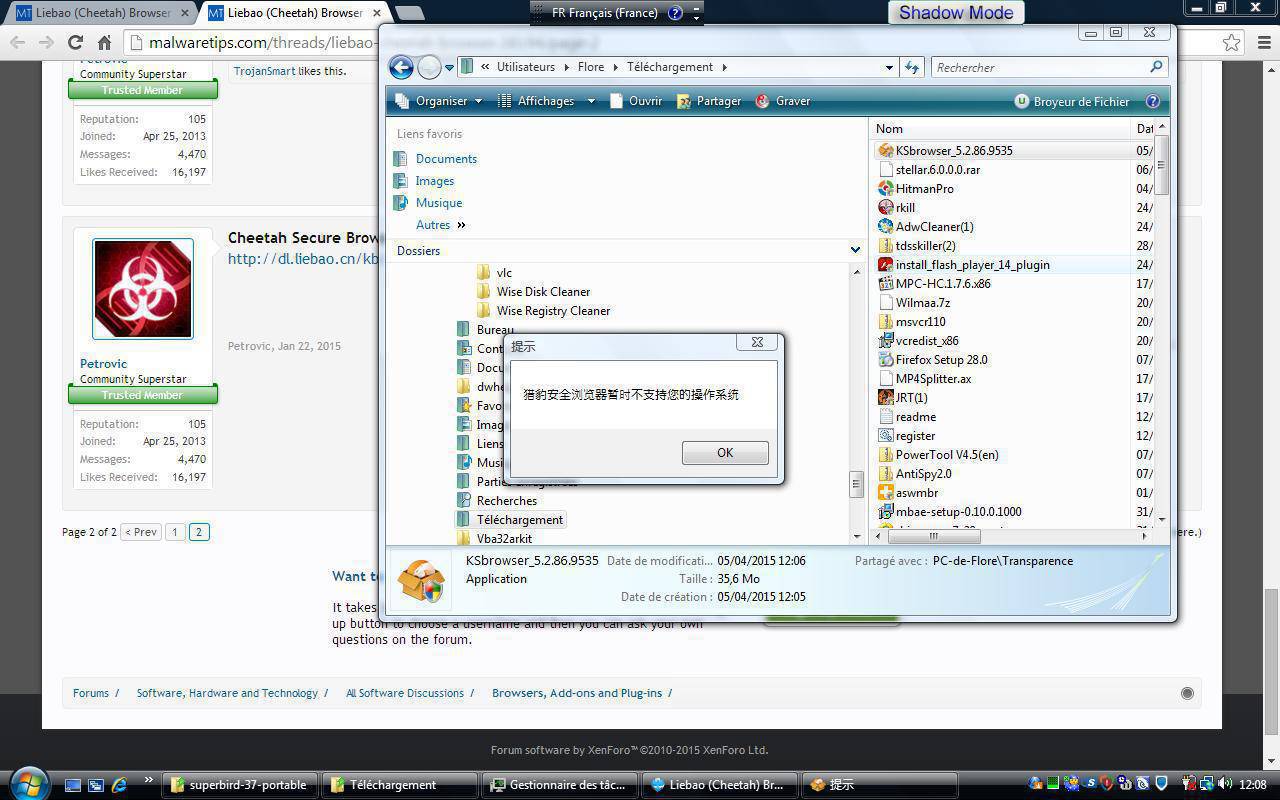
That seems to not work anymore. Just tested it and get a chinese error massage after click away Internet Explorer opens and redirect u to the kingsoft site. If anyone know if its still possible to make it in englisch would be realy nice.
installation works fine with chinses lounge. opens fine with chinese lounge. Than i deleted the file,tryed to open again and a chinese error massage poped up. win7 64Bit.Did you install it without any error ? Which OS, please ?
Error message occured when you ran it or during the installation ? Not clear.

