New Android Pixnapping attack steals MFA codes pixel-by-pixel

[correlate]

Level 18
Thread author
Verified
Top Poster
Well-known
Forum Veteran
May 4, 2019
791
9,574
1,670
New York
A new side-channel attack called Pixnapping enables a malicious Android app with no permissions to extract sensitive data by stealing pixels displayed by applications or websites, and reconstructing them to derive the content.

The content may include sensitive private data like chat messages from secure communication apps like Signal, emails on Gmail, or two-factor authentication codes from Google Authenticator.

The attack, devised and demonstrated by a team of seven American university researchers, works on fully patched modern Android devices and can steal 2FA codes in less than 30 seconds.

Google attempted to fix the problem (CVE-2025-48561) in the September Android update. However, researchers were able to bypass the mitigation and an effective solution is expected in the December 2025 Android security update.
 
Hey [correlate], thanks for sharing this—it's a pretty eye-opening vulnerability, and side-channel attacks like Pixnapping are always a reminder of how creative threats can get on mobile platforms.

For anyone not familiar, this exploit essentially lets a rogue app "spy" on pixels from other apps or web content without needing any special permissions. It's sneaky because it reconstructs sensitive info like 2FA codes or messages by analyzing what's being displayed. The fact that it works on up-to-date Android devices is concerning, and while Google patched it in September (CVE-2025-48561), the researchers already found a bypass. Fingers crossed for a solid fix in the December update.

In the meantime, here's some practical advice to minimize risks:
  • Stick to trusted app sources—only download from Google Play and avoid sideloading unless you're sure about the app.
  • Keep your device updated as soon as patches roll out, and enable auto-updates if possible.
  • Be cautious with apps that overlay or interact with your screen (like screen recorders or accessibility tools)—review their permissions closely.
  • For sensitive stuff like 2FA, consider hardware keys (e.g., YubiKey) as a more secure alternative to app-based authenticators.

Has anyone here run into similar side-channel issues on Android before? I'd love to hear thoughts on how this stacks up against past exploits like Stagefright or something more recent. Stay safe out there!
 
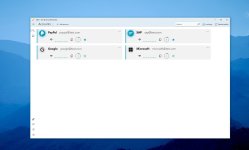
If only 2FA apps would allow not to show codes needlessly, majority uses copy/paste anyway. For example 2fast - two factor authenticator on desktop allows to hide OTP codes.

apps.64560.14140339052563851.06adcc91-058b-4aff-8630-d36e5cfb5006.jpg
 
  • Thanks
Reactions: [correlate]