

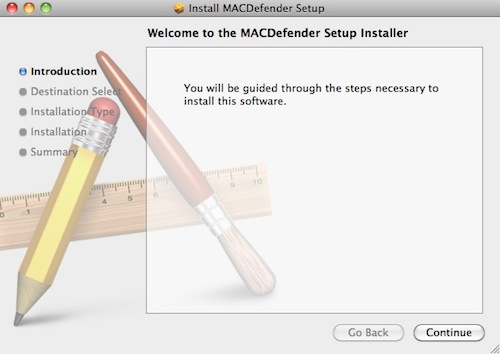
Antivirus firm Intego today noted the discovery of new malware known as "MACDefender" targeting Mac OS X users via Safari. According to the report, the malware appears to be being deployed via JavaScript as a compressed ZIP file reached through Google searches.
When a user clicks on a link after performing a search on a search engine such as Google, this takes them to a web site whose page contains JavaScript that automatically downloads a file. In this case, the file downloaded is a compressed ZIP archive, which, if a specific option in a web browser is checked (Open "safe" files after downloading in Safari, for example), will open.
More information is available in Apple's support communities (1, 2), where users report that the malware is popping up directly in Google image searches.
Users running administrator accounts and with the Safari option to open "safe" files automatically checked appear to be most at risk, with some claiming that no notification of installation was seen or password required. Only when a screen popped up asking for a credit card number to sign up for virus protection did they realize that malware had been installed on their systems.
For those infected with the MACDefender malware, the following steps are recommended:
1. Open Applications > Utilities > Activity Monitor and quit any processes linked to MACDefender.
2. Delete MACDefender from the Applications folder.
3. Check System Preferences > Accounts > Login Items for suspicious entries
4. Run a Spotlight search for "MACDefender" to check for any associated files that might still be lingering.
Full details on the malware and the simplest steps needed for its complete removal are still being investigated.
Users are of course reminded that day-to-day system usage with standard accounts rather than administrator ones, as well as unchecking the Safari option for automatically opening "safe" files, are two of the simplest ways users can enhance their online security, adding extra layers of confirmation and passwords in the way of anything being installed on their systems.
Link


