

Text Editor Pro

Brownie2019

Level 23
Thread author
Verified
Well-known
Forum Veteran
Mar 9, 2019
985
3,427
2,168
Germany
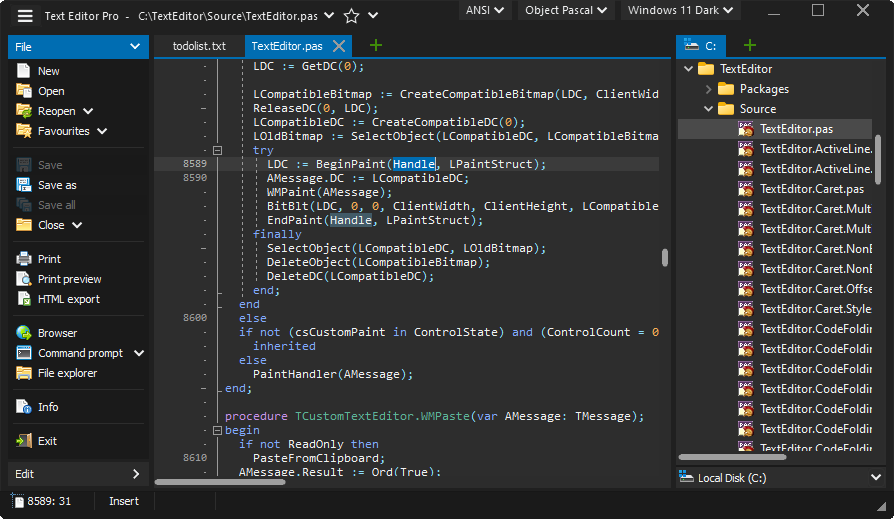
Powerful text editing tool with syntax highlighting support for programming languages and scripts, multi-caret and synchronized editing, code/tag/text folding, over 600 options for customizing, over 100 ready made skins, AI Chat, spell checker, image/PDF view,
 
Powerful text editing tool with syntax highlighting support for programming languages and scripts, multi-caret and synchronized editing, code/tag/text folding, over 600 options for customizing, over 100 ready made skins, AI Chat, spell checker, image/PDF view,

Text Editor Pro looks like a legitimate, long-running Windows text/code editor project (it’s the same author as the older “EditBone”, which was re-branded). ([texteditor.pro](https://www.texteditor.pro/support/faq/))

What it is / why it may interest MalwareTips users
  • Feature-wise, your summary matches the official description: syntax highlighting, multi-caret/synchronized editing, folding, lots of customization/skins, plus extras like spell checking and optional PDF viewing. ([texteditor.pro](https://texteditor.pro/))
  • It’s freeware under the project’s own license terms (free to use, but not “fully open-source”; only some components are shared). ([texteditor.pro](https://texteditor.pro/index.php?page=license))
  • The changelog shows active maintenance through late 2025 and includes an entry dated January 1, 2026 (v35.2.0). ([texteditor.pro](https://texteditor.pro/index.php?page=history))

Security / trust considerations (important)
  • No digital signature: The author states the program isn’t digitally signed due to cost. This means Windows SmartScreen/reputation warnings are more likely, and users should be extra careful to download only from the official source. ([texteditor.pro](https://www.texteditor.pro/support/faq/))
  • Privacy statement: The site’s privacy page claims the software “does not collect or transmit any personal information or data” when downloaded/used. ([texteditor.pro](https://texteditor.pro/index.php?page=privacy))
  • AI Chat feature: “AI Chat” typically implies sending text to an external AI provider. The privacy page doesn’t explicitly describe how AI Chat works or what data is transmitted for AI requests, so treat it as potentially sharing whatever text you submit. (That’s not a malware accusation—just standard caution with any AI-in-app feature.) ([texteditor.pro](https://texteditor.pro/))
  • Optional add-on modules: PDF viewing, SFTP, spell checker, etc. are delivered as separate downloadable packages, so you’re effectively adding more binaries/components—stick to the official downloads page for those as well. ([texteditor.pro](https://www.texteditor.pro/support/downloads/))

Safe way to evaluate it (practical steps)
  • Prefer the official ZIP/portable package first (lower risk than running an installer, and easier to remove). ([texteditor.pro](https://www.texteditor.pro/support/downloads/))
  • Upload the installer/ZIP to VirusTotal and share the VT link in the thread so others can review detections/behavior (and watch for false positives).
  • Install/test in a VM or Windows Sandbox first, especially because it’s not digitally signed. ([texteditor.pro](https://www.texteditor.pro/support/faq/))
  • If you don’t want any AI/network activity, disable/avoid the AI Chat feature and consider an outbound firewall rule for the app until you’re comfortable with what it contacts.

If you want the community to sanity-check the exact build you downloaded, the most useful next step is to post the VirusTotal link (and which package you used: EXE/MSI vs ZIP).
 

You may also like...