

A six-digit Amazon code appears on your phone even though you were not trying to sign in. Seconds later, another message or caller offers a convenient way to deny the attempt.
The code may be real. The warning around it may not be, and that difference is exactly what the scammer hopes you will miss.
Overview
An unexpected code can be bait or a warning
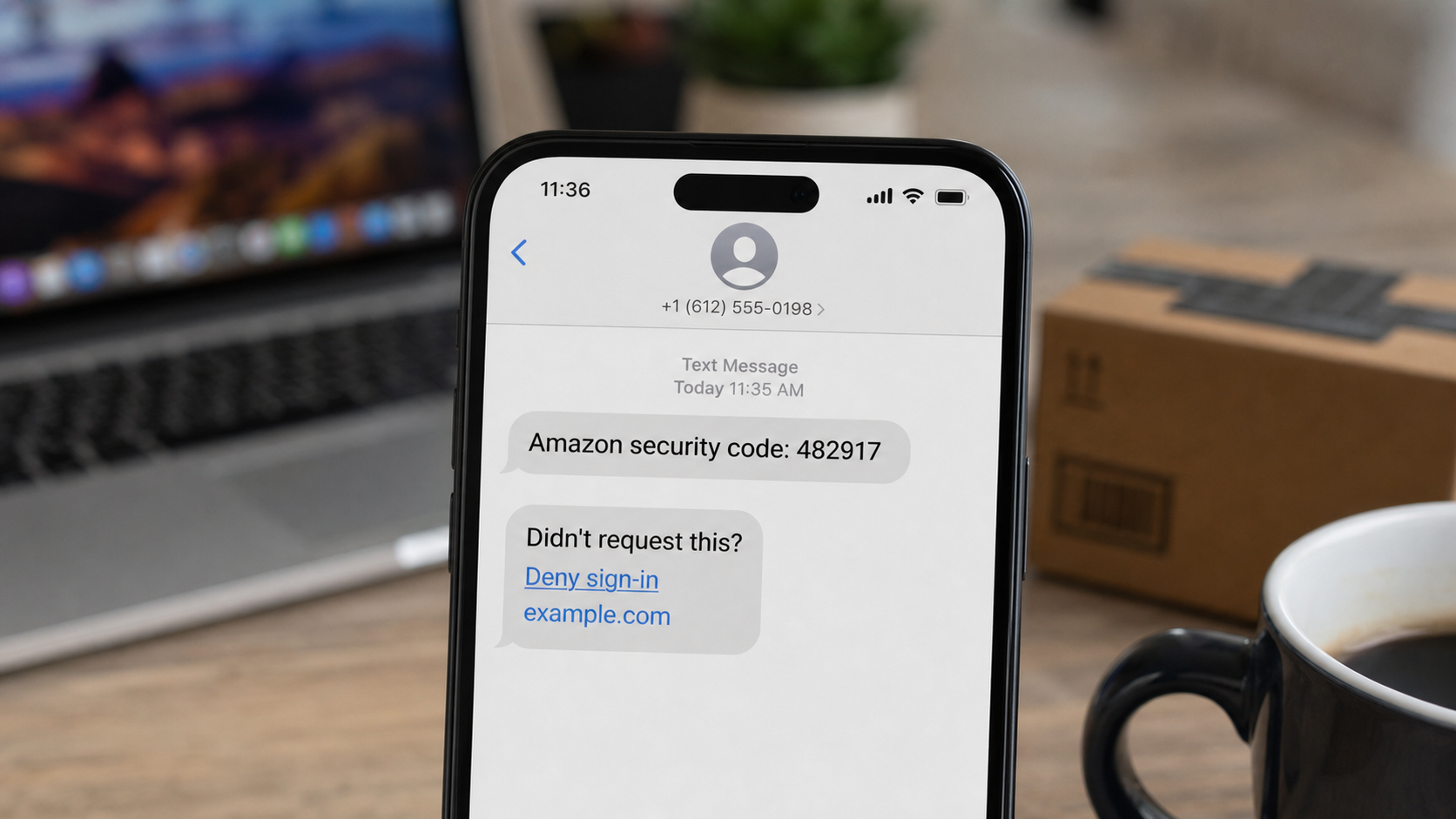
The Amazon verification code text scam targets people with an unexpected one-time password, often called an OTP. The message may contain a fake link, or a caller may immediately ask the recipient to read the code aloud.
There are two important possibilities. The entire text may be counterfeit and designed to send the reader to a phishing site. Alternatively, the code may be genuinely generated because someone is trying to access the real Amazon account.
In both cases, the safe response is the same. Do not click, do not share the code, and do not continue with a caller who contacted you unexpectedly.
The scam uses security itself as the disguise
People are taught to take login alerts seriously. Criminals exploit that advice by attaching a malicious “deny sign-in,” “secure account,” or “cancel order” action to a code notification.
Common warning signs include:
- A verification code you did not request
- A clickable link inside a supposed security-code message
- A follow-up caller claiming to represent Amazon security
- A request to read the code aloud or type it into an unfamiliar page
- A threat involving an expensive order or locked account
- Pressure to act before reviewing the real Amazon account
A sender name or short code is not enough to authenticate the surrounding conversation. Messages can be spoofed, and scammers can trigger real codes while speaking to the victim.
The objective is account access or a larger impersonation scam
If the victim enters credentials on a fake page, the attacker can try to sign in, view personal details, use saved payment methods, spend gift-card balances, place orders, or change recovery settings.
If the victim shares a real OTP, the code may complete a login, password reset, or sensitive account change already started by the attacker.
Some calls go further. The supposed Amazon agent claims the account is connected to identity theft, transfers the victim to a fake bank or government investigator, and demands that money be moved for protection.
Why the Verification Code Can Be Genuine
A criminal may know the victim’s email address, telephone number, or password from an unrelated breach. By trying to sign in or start account recovery, the attacker causes Amazon to send a real code to the legitimate owner.
The attacker cannot complete the action without that code, so a call follows. The caller says the code will cancel the attempt, verify the account owner, or prove that the fraud department reached the correct person.
Reading the code aloud does the opposite. It gives the attacker the factor they were missing and may allow them to pass the security challenge.
A genuine code proves only that a request reached Amazon’s system. It does not prove that the person asking for the code is an Amazon employee.
How the Amazon Verification Code Text Scam Works
Step 1: The attacker obtains one piece of account information
The criminal may collect an email address or phone number from a breach, public profile, marketing list, previous scam, or password-reuse database. A known identifier is enough to begin testing the account.
In a purely fabricated campaign, the sender may know nothing at all. Millions of messages can be sent in the hope that some recipients use Amazon and react.
Step 2: A code or fake alert reaches the victim
The victim receives a six-digit number and language suggesting a sign-in or security event. A counterfeit text may include a malicious denial link that a normal code notification would not need.
In the live-code version, the attacker triggers the actual message by attempting a login, password reset, or account-recovery action using the victim’s information.
Step 3: A second contact explains the supposed emergency
A caller, text, or email claims that an expensive order, new device, or unauthorized sign-in was detected. The contact may know the victim just received a code because the attacker caused it.
That timing makes the story feel convincing. The caller presents the code as evidence of an active fraud case and offers to stop it immediately.
Step 4: The victim is sent to a fake denial page
A link labeled “Deny,” “Not me,” or “Review activity” opens a phishing page. It can copy Amazon-style colors, menus, order details, and security language while using an unrelated domain.
The page asks for an Amazon login, card details, or the six-digit code. Each field can be captured as soon as it is entered, even if the final submit screen is never reached.
Step 5: The attacker asks for the real OTP
On a call, the fake agent may ask the victim to read the code. On a phishing page, a prompt asks for it as the last identity-verification step.
The attacker enters that code into the real Amazon session. If accepted, the criminal may gain account access before the victim finishes the call.
Step 6: Account settings and stored value are targeted
The intruder may change the password, email, telephone number, address, or two-step verification settings. Orders can be placed using saved cards or gift-card balances.
Digital purchases and gift cards are attractive because they can be delivered quickly. An attacker may also search order history and addresses for information useful in later impersonation.
Step 7: The story expands beyond Amazon
If the victim remains on the phone, the caller may claim that bank accounts, Social Security details, or other retailers are compromised. A transfer to a fake bank investigator makes the operation seem coordinated.
The final demand may involve remote access, a wire, gift cards, cryptocurrency, or moving funds to a “safe” account. None of those steps is required to secure an Amazon login.
How to Check the Account Without Using the Text
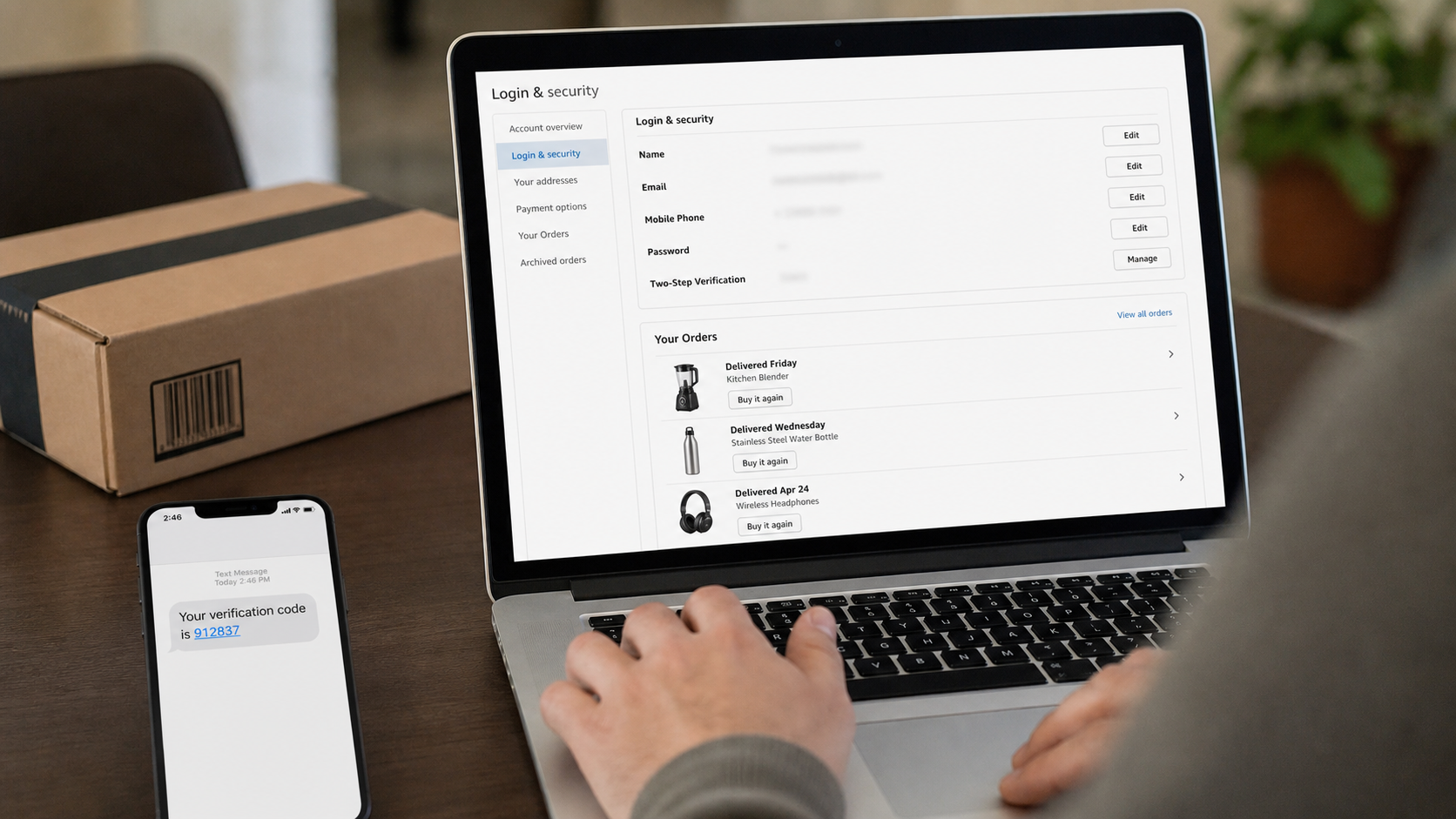
Close the message and open the Amazon app from its normal icon. You can also type amazon.com directly into a new browser window.
Review Your Orders, archived orders, digital orders, subscriptions, gift-card activity, payment methods, addresses, Login & Security, and messages inside the account.
If the password no longer works, use the recovery flow reached from the official site. Do not use a recovery link sent by the person who called or texted.
Amazon impersonation scams should be reported through Amazon’s own reporting options. If a caller claims an order exists but the account shows none, do not let the caller explain away that contradiction.
Company, Address, and Fulfillment Checks
The sender label does not identify Amazon
A text thread can display a familiar name, and a scammer can place Amazon in the message body. Authentication must come from account activity reached independently.
The link domain matters more than the page design
Copied colors, product images, and lock icons are easy to reproduce. A denial link on an unrelated domain is not an Amazon security page, regardless of how polished it appears.
A caller is not verified by knowing about the code
The attacker may know because they triggered the code. That timing is part of the manipulation, not proof that the caller can see an internal Amazon alert.
A real order should be traceable in the account
A legitimate purchase has an order number, item, payment record, shipping address, and account entry. A voice claim or text alone cannot replace those records.
What an Unexpected Code Actually Tells You
An unsolicited code can mean someone mistyped a phone number, tested an old password, started recovery, or sent a completely fake message. It does not automatically mean the account was entered successfully.
Do not panic, but do treat it as a reason to review account security. A unique password, current recovery details, two-step verification, and removal of unknown devices reduce the risk.
Check the connected email account too. If email access is compromised, an attacker may intercept password resets, delete alerts, create forwarding rules, and defeat later recovery attempts.
Never Move Money to “Protect” It
The Federal Trade Commission warns that Amazon impersonation stories can escalate from a suspicious purchase into claims of identity theft or criminal activity. The supposed helper then tells the victim to move savings.
No legitimate retailer, bank, or government agent will instruct you to transfer money to a stranger-controlled account for safekeeping. Gift cards, cryptocurrency, cash deposits, and secret wire transfers are not fraud-protection tools.
End the call and contact the real institution through a number you obtained independently. Talk to a trusted person before making any urgent financial move.
How to Handle Repeated Verification Codes
One unexpected code may come from a mistake. Several codes in a short period suggest that someone is repeatedly attempting a login, password reset, or recovery process with your information.
Do not reply to the messages and do not approve any push notification. Open Amazon independently, change the password to a unique one, and review the telephone number and email address attached to the account.
If codes continue after the password change, secure the connected email account and contact Amazon through official support. Record the times and sender information so you can describe the pattern accurately.
Password reuse deserves special attention. If the old Amazon password was used on another site, change it there too. A criminal may be testing the same email and password across shopping, email, payment, and social accounts.
Use a password manager to generate a different password for every important service. This prevents one unrelated breach from becoming the key to several accounts.
Do Not Confuse a Login Alert With a Purchase Confirmation
A verification code, order notice, and fraud alert describe different events. Scammers deliberately mix them together so the recipient assumes a code proves that an expensive order is already moving.
The code may only show that somebody reached a security checkpoint. A real order should appear in Your Orders and have a separate payment and delivery record.
Check each claim in the correct place. Review login settings for access attempts, order history for purchases, gift-card activity for stored value, and the card account for charges.
Keeping those records separate makes the caller’s story easier to challenge. If the operator cannot point to activity that exists in the independently opened account, end the conversation.
What to Do if You Have Fallen Victim to This Scam
- Stop communicating. Do not send another code, click a second link, or let the caller transfer you. Save the messages and call log before blocking the sender.
- Secure Amazon from an official route. Change the password, review Login & Security, remove unknown details and devices, inspect orders, and enable two-step verification.
- Protect the email account. Use a unique password, sign out unfamiliar sessions, remove forwarding rules, verify recovery information, and enable two-factor authentication.
- Contact payment providers. Report unfamiliar orders or charges to Amazon and the card issuer. Ask about canceling orders, replacing cards, disputing charges, and blocking further attempts.
- Act on any money transfer immediately. Call the bank or payment service and request a hold, recall, or dispute. Recovery is not certain, but delay makes it harder.
- Remove remote-access software. Disconnect the device if a caller controlled it. Uninstall the tool and change sensitive passwords from another trusted device.
- Run Malwarebytes. Perform a full scan if you downloaded a file, installed an app, or opened a suspicious site. Check for credential stealers, malicious extensions, and remote-control tools.
- Add protection against malicious links. AdGuard can block many known phishing sites, deceptive ads, and redirects. Continue opening important accounts independently.
- Report the incident. Use Amazon’s official scam-reporting options and submit financial impersonation fraud at ReportFraud.ftc.gov.
- Expect follow-up attempts. Attackers may pose as recovery agents, banks, or investigators. Do not pay an advance fee or share more security codes.
Frequently Asked Questions
Why did Amazon send a code I did not request?
Someone may have attempted a login or recovery action, another person may have mistyped information, or the text may be fake. Review the account independently.
Can I safely click “Deny sign-in” in the text?
Do not trust an unexpected link. Open the Amazon app or type amazon.com yourself, then review security activity from inside the account.
Is it safe to read the code to an Amazon agent?
No unexpected caller should receive your one-time code. It may authorize the attacker’s login, password reset, or account change.
Does receiving a code mean the attacker knows my password?
Not always. The code could result from recovery or a mistaken entry. Still, change any reused or weak password and review the connected email account.
What if I clicked but entered nothing?
Close the page, clear the tab, review account activity, and scan the device if anything downloaded. Remain alert for targeted follow-up messages.
Can Amazon reverse an order placed by an attacker?
Contact Amazon immediately through the official account and notify the card issuer. Cancellation and recovery depend on timing, fulfillment, and the payment method.
The Bottom Line
The Amazon verification code text scam makes a security code feel like an invitation to click or speak with a helper. The code may be fake, or it may be real because the attacker deliberately triggered it.
Never share the OTP or use the supplied link. Open Amazon independently, review account security and orders, and act quickly if credentials, payment details, or device access were exposed.








