

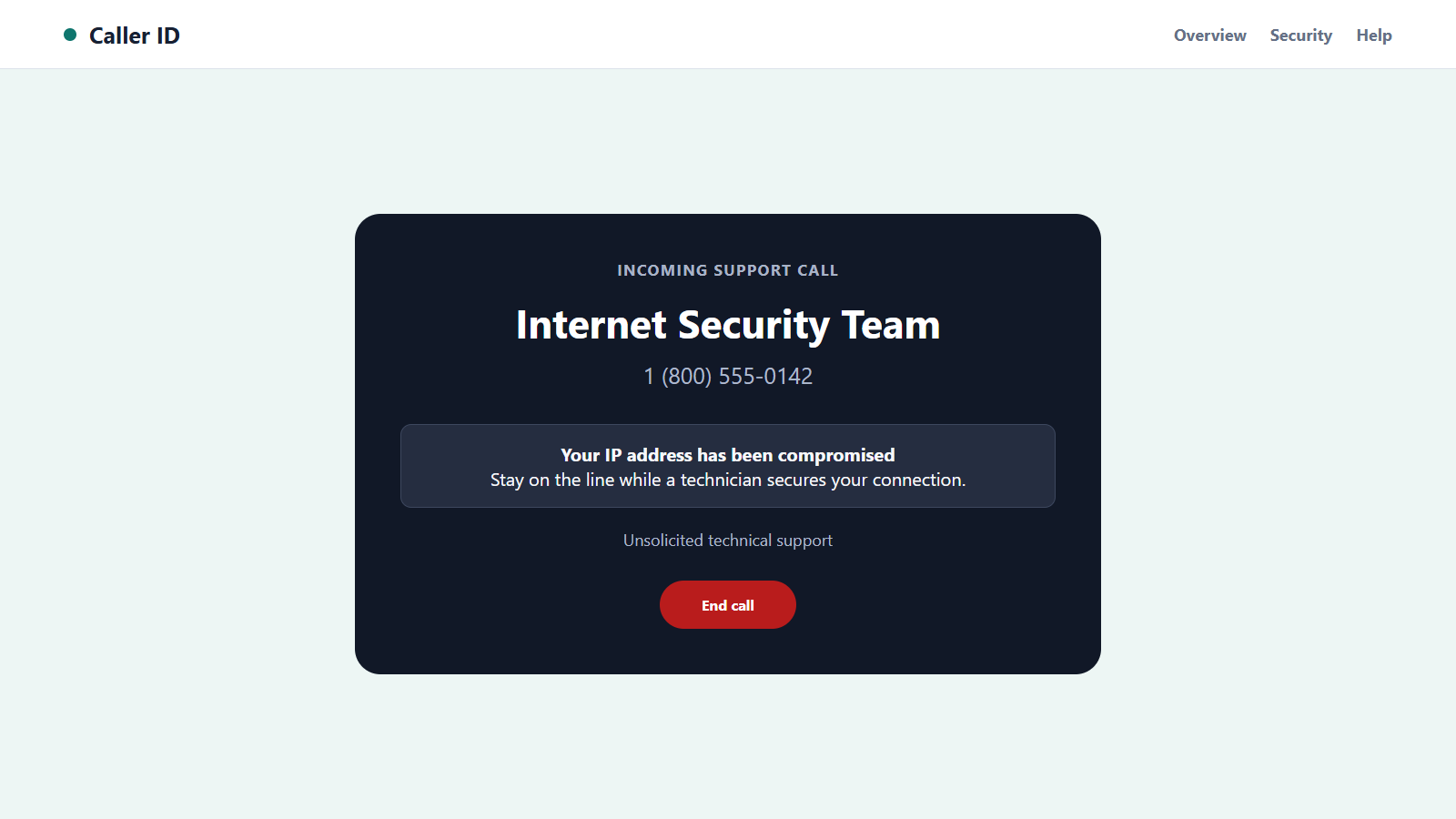
The caller says your modem is expiring, your IP address has been compromised, or hackers are using your internet connection. A technician is ready to fix everything if you stay on the line.
A fake ISP call scam sounds technical enough to discourage questions, yet the real danger usually begins with a very ordinary request. Understanding that transition makes the call much easier to stop.
Overview
The caller invents a problem only the provider can supposedly see
A fake ISP call scam begins with someone claiming to represent your internet, broadband, cable, or telephone provider. The caller says network monitoring detected malware, suspicious traffic, an expiring modem, or a compromised IP address.
Most people cannot independently see those technical claims, so the scammer takes control of the explanation. Ordinary connection issues, blinking router lights, or a slow website can be presented as proof.
The promised repair requires dangerous access
The supposed technician asks the victim to visit a website, install remote-support software, open a command window, or reveal a code. Those steps can give the caller control of the device.
Once connected, the scammer can view files, steal saved passwords, watch the screen, alter settings, and stage fake evidence. The call may later shift from network repair to banking protection.
Payment is only one part of the risk
Some callers demand a support fee, modem replacement charge, security subscription, or refund processing payment. Others use the device access to steal directly from financial accounts.
Warning signs include:
- An unsolicited caller reports a technical emergency you did not notice.
- The modem is said to expire within hours.
- Your public IP address is treated as proof of a private account problem.
- You are told to install a remote-access application.
- The caller wants you to open banking while screen sharing remains active.
- A refund requires you to receive, move, or return money.
- Payment must use gift cards, cryptocurrency, wire transfer, or cash.
- The technician objects when you offer to call the provider yourself.
End the call before performing any troubleshooting. A genuine issue can be checked again through the number on your bill or provider’s official site.
What an Internet Provider Can and Cannot See
An ISP can observe network and account information needed to deliver service, but a caller’s technical vocabulary does not prove access to those systems. Many details are easy to guess or obtain publicly.
Your public IP address is not a secret password. Websites and online services routinely see it, and it can change over time. A caller reciting it has not demonstrated control of your account.
A modem or router can become outdated or unsupported, but hardware does not normally announce a criminal deadline through an unsolicited call. Replacement should appear in the real customer account or documented provider process.
Connection faults can produce slow speeds, dropouts, or indicator changes. Those symptoms have many ordinary causes and do not establish malware, identity theft, or banking risk.
A legitimate support representative may guide a customer through settings after the customer requests help. The safer process begins with a call or chat opened from the provider’s verified contact information.
The FBI’s tech-support scam guidance notes that criminals impersonate cable and internet companies, ask for remote access, and use that access to steal information or money.
No provider needs your online-banking password or one-time code to test a router. A network repair also does not require you to hide the call from family or bank staff.
Caller ID cannot settle the question. Internet calling systems allow criminals to display a local number or a number associated with a real provider.
An account detail is not decisive either. Old bills, breached customer records, and earlier phishing forms can reveal service addresses, account fragments, and equipment brands.
The reliable test remains a fresh contact that you control. If the issue is real, the provider’s own support team can see it after the unsolicited caller is gone.
How the Fake ISP Call Scam Works
Step 1: The operation calls broad or targeted lists
Some campaigns dial numbers at random and claim to represent a major provider in the region. Others use breached customer details, public addresses, or marketing data to name the correct company.
A wrong guess may end the call, but a correct one feels like account knowledge. The victim may confirm the provider before noticing that the caller supplied no private evidence.
Step 2: A hidden network threat creates authority
The caller claims the account is sending spam, the IP address was compromised, the router is infected, or the modem licence has expired. The explanation sounds urgent and difficult to challenge.
Technical terms are used loosely. The scammer needs the victim to believe that waiting will cause disconnection, legal trouble, data loss, or financial theft.
Step 3: Simple commands are turned into fake proof
The victim may be asked to open a system log, command window, or settings page. Normal warnings, stopped services, network connections, and error records are described as active attacks.
Every computer contains technical entries that look alarming without context. The caller chooses the interpretation and prevents the victim from asking an independent technician.
Step 4: Remote-access software is installed
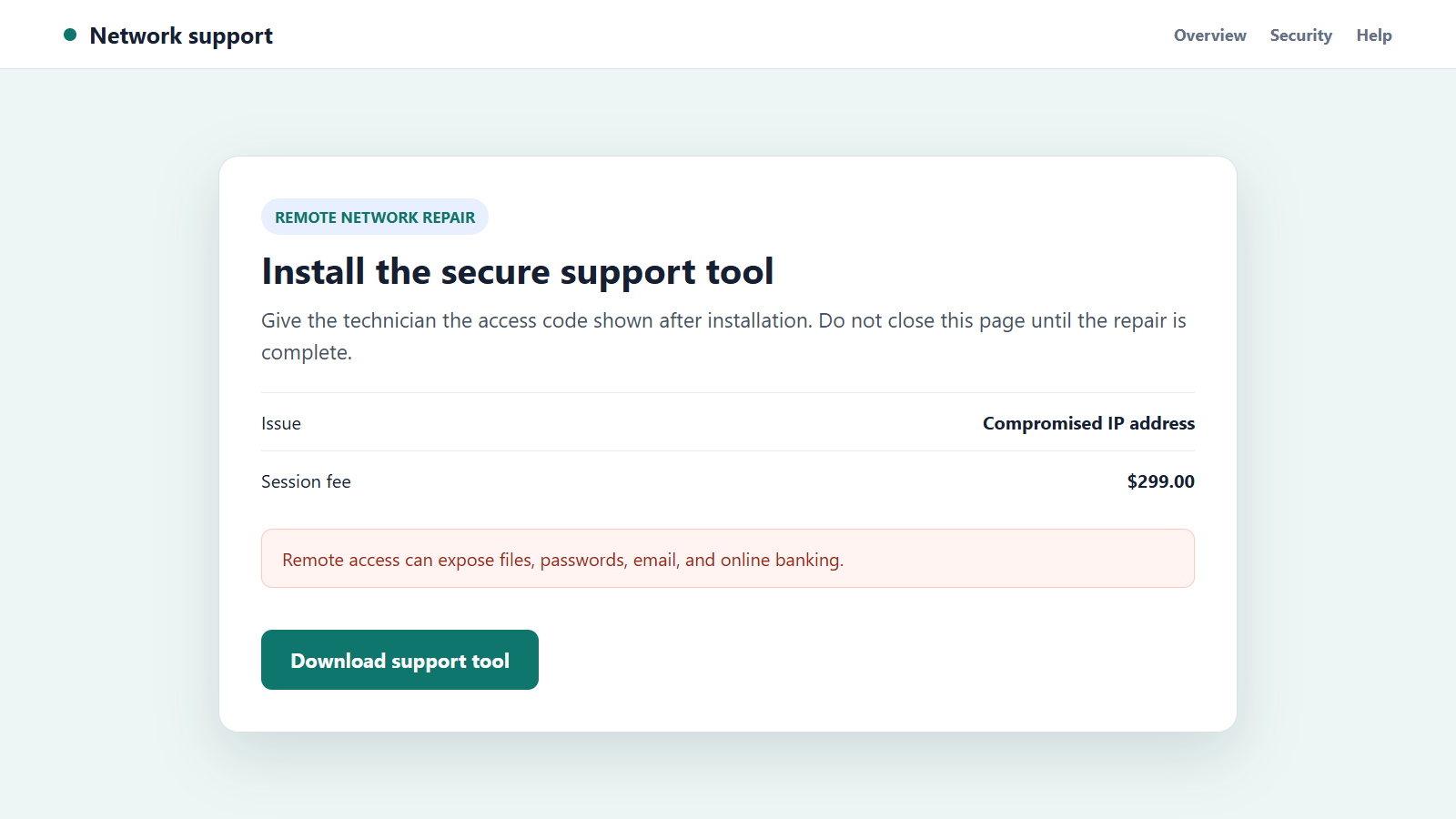
The caller directs the victim to a real remote-support product or a malicious copy. A session code gives the operator the ability to view or control the screen.
Legitimate remote software becomes dangerous when access is granted to an impostor. The product name alone does not make the session safe.
Step 5: The screen is manipulated to deepen the story
The scammer may hide the desktop, open system tools, create fake scan results, or show a text file listing invented threats. Files can be renamed or deleted to make the device appear damaged.
Some operators disable normal input while claiming the screen must stay private. That prevents the victim from seeing transfers, account changes, or copied information.
Step 6: The call shifts toward payment or banking
A fee is requested for security software, a new modem, extended support, or a lifetime network plan. A refund version claims the provider owes money and asks the victim to open online banking.
While the screen is shared, the scammer can see account balances and login details. A fake overlay may hide a real transfer or make a changed page appear to show an accidental overpayment.
Step 7: The victim is pressured to send irreversible funds
The supposed technician or billing manager demands gift cards, cryptocurrency, a wire, cash, or a payment-app transfer. The unusual method is explained as a secure company process.
Secrecy and speed keep the bank, provider, or family from interrupting. The scammer may remain connected until the money is confirmed.
Step 8: Persistent access supports later theft
Remote tools, browser extensions, new accounts, or malware may remain after the call. Saved passwords and documents can be copied for later identity fraud.
The victim may receive another call from a supposed bank, police unit, or recovery service. Information from the first session makes the second approach sound informed.
How to Verify an ISP Support Call Safely
Ask for the representative’s name and case number, but do not treat either as proof. End the call without following technical instructions.
Find the provider’s number on a recent bill, the official customer app, or the typed official website. Avoid sponsored search results, which can lead to impostor support pages.
Call from a clean device if remote access was already granted. Ask whether the account has an open case, equipment replacement, security notice, or unpaid balance.
Compare the modem model and serial number with information in the customer account. A real replacement program should identify the equipment and provide written instructions.
Check service status through the provider’s outage page. A local outage does not require remote access to your computer or payment to a technician.
If the caller mentioned suspicious traffic, ask the real provider what it observed and what customer-controlled steps are recommended. Do not reuse the number or website supplied in the call.
For persistent technical problems, choose a known local professional or provider appointment. A technician should explain the scope before accessing devices and should not require online banking.
When in doubt, leave the router powered and take time to verify. The scammer’s deadline is part of the pressure, not a property of your internet connection.
Company, Address, and Fulfillment Checks
The support company must match the bill and account
Confirm the legal provider name, account number, service address, and equipment through records you already possess. A caller who knows only the company name and city has not passed this check.
Third-party contractors should still be verifiable by the provider through an independently started contact.
The contact address must come from an official route
Use the domain printed on a bill or shown in the known app. A lookalike can add provider, broadband, support, or secure to an unrelated address.
Do not download tools from a link sent during an unsolicited call. The real provider can direct you to its documented support page after you reconnect independently.
The technician’s access must be limited and explained
Ask what will be viewed, changed, or installed and why. Remote access should not include email, personal documents, password managers, cryptocurrency wallets, or banking.
End the session if the screen is hidden, input is blocked, or the operator asks you to leave the device unattended.
The repair and charge must produce verifiable fulfillment
A real equipment order should appear in the customer account with a shipment or appointment. A real fee should appear on an official invoice and use the provider’s normal payment channel.
Gift cards, personal payment tags, crypto wallets, and cash couriers cannot be reconciled with a normal broadband repair.
Warning Signs During the Call
- The technical problem appeared only because the stranger called.
- The caller asks you to read normal system logs as proof of hacking.
- A remote tool must be installed before the account can be verified.
- The support session moves into email or online banking.
- The screen goes black while the caller claims to be working.
- A refund requires sending money back.
- Payment must be hidden from bank staff or family.
- The representative refuses to let you reconnect through official support.
The more technical the explanation becomes, the more important an independent contact is. Real support does not collapse when you hang up and call the provider yourself.
What to Do if You Have Fallen Victim to This Scam
- Disconnect the affected device from the internet. Turn off Wi-Fi or unplug the network cable. This can interrupt a live remote session while you assess what happened.
- Use another device to contact financial institutions. Report that a remote-access scammer may have seen credentials or initiated transfers. Ask the bank to secure accounts and recall payments.
- Call the real ISP. Use the number on your bill or official account. Confirm whether the provider contacted you and ask it to secure the customer profile.
- Remove remote-access tools. Uninstall every application or extension requested by the caller. Revoke unattended-access permissions and delete unknown user accounts.
- Run a complete security scan. Update and run Malwarebytes to detect malware, unwanted programs, and suspicious browser changes. Consider professional cleaning when banking was open during the session.
- Change passwords from a clean device. Begin with email, banking, password managers, and the ISP account. Use unique replacements and enable multi-factor authentication.
- Review the computer for persistence. Check startup items, installed applications, browser extensions, scheduled tasks, forwarding rules, and newly created administrator accounts.
- Preserve evidence. Save call times, numbers, voicemails, support URLs, session IDs, receipts, payment instructions, and the names of installed tools.
- Report the fraud. File at IC3.gov in the United States, ReportFraud.ftc.gov, local police when money was taken, and the national cybercrime service in your country.
- Reduce future phishing exposure. AdGuard can help block known malicious domains, deceptive ads, and trackers. It cannot remove software already installed by the caller.
- Monitor accounts and credit. Watch for new payees, password resets, transfers, credit applications, mobile-number changes, or mail redirection.
- Refuse recovery services that contact you. A caller who guarantees a refund or clean device for another advance payment may be connected to the first operation.
Frequently Asked Questions
Can my ISP detect malware on my computer?
A provider may detect unusual network activity, but an unsolicited caller still needs independent verification. Do not install software or share banking details during the incoming call.
Do modems expire?
Equipment can become obsolete or unsupported, but it does not suddenly expire because a stranger says so. Verify replacement notices in the official customer account.
Is remote-support software itself malicious?
Many remote tools are legitimate. The danger comes from giving control to an unverified caller or allowing unattended access after the session.
What if the caller knows my account number?
Correct details may come from a breach, discarded bill, or previous phishing. End the call and ask the real provider whether a case exists.
Should I reset the router after a scam call?
Ask the verified ISP or a trusted technician. A factory reset can remove settings, but it does not clean malware or stolen credentials from a computer.
Can the bank recover money sent during remote access?
Recovery is not guaranteed, but speed matters. Contact the bank immediately, describe the remote-access deception, and request a recall or freeze.
The Bottom Line
A fake ISP call scam uses technical confusion to turn an invented network problem into remote access, payment pressure, and sometimes direct financial theft.
Hang up before troubleshooting and restart the conversation through the provider’s official contact. No internet repair requires a stranger to watch your banking, collect security codes, or control your computer in secret.

Join the discussion
0 commentsShare your experience or ask a question about this article.
Discussion
Start the conversation
Have a question or something useful to share? Add the first comment.