Trump Push-Button Income Scam Exposed: Fake or Real? Full Investigation
Written by: Lapain Epuran
Published on:
A familiar face appears beside a promise that money can arrive almost automatically. The presentation looks political, exclusive, and unusually specific.
Before paying the small entry price, pause. Several details behind this offer deserve a much closer look.
Overview
The promotion borrows a famous name without proving any endorsement
The Trump push-button income scam uses Donald Trump imagery to promote an alleged automated earning system.
We found no official announcement connecting Donald Trump, his organization, or his verified accounts to this offer.
The promotional artwork presents that association as if it were already established.
That visual shortcut matters because viewers may trust the public figure before examining the seller.
The numbers sound precise, but the business model stays vague
The funnel reportedly promised average earnings of $473.95 each day after an initial $26.97 payment.
Precise figures can feel more believable than rounded claims, even when no supporting records accompany them.
The page did not provide audited performance, a verifiable trading history, or a clear explanation of revenue generation.
A real financial product should explain what happens to the customer’s money, who controls it, and what risks exist.
The missing proof is more important than the polished presentation
Logos, staged checks, dashboard graphics, and a countdown can make a simple sales funnel look like working technology.
None of those elements demonstrates that software trades, generates sales, or pays users.
The practical question is not whether the page looks impressive. It is whether the claimed system can be independently verified.
Key warning signs documented around the offer include:
A celebrity image appears without a traceable statement from the celebrity.
Daily earnings are presented as predictable despite unexplained risks.
A supposed account is described as already activated before registration.
Payment logos are used as decoration rather than evidence of approval.
A countdown pressures visitors to buy before checking the claims.
Testimonials rely on promotional graphics instead of independently confirmed customers.
The company operating the earning system is not clearly identified.
The initial fee is small enough to make hesitation feel unnecessary.
What the Trump Method Bot Offer Claimed
The documented landing page called the offer a private, automated money-generating system.
Visitors were told a personal bot had been confirmed and could produce $473.95 in average daily earnings.
The script expanded that figure into weekly, monthly, and yearly totals.
That arithmetic creates an illusion of financial planning, although every projection depends on the unproven daily amount.
The sales video reportedly described a simple push-button process requiring no specialized experience.
That promise removes the ordinary friction associated with building a business, learning a skill, or accepting investment risk.
The page also displayed familiar payment brands and media names.
A logo only shows that somebody inserted an image into a webpage. It does not establish sponsorship, verification, or editorial coverage.
The promotion reportedly referenced Shark Tank and well-known publications without showing a genuine episode, article, or attributable endorsement.
We found no reliable evidence that those organizations reviewed or approved the alleged system.
A promotional check made out to a supposed participant provided another dramatic proof point.
A check image is easy to fabricate and does not prove it cleared, reached the named person, or came from real earnings.
The most important evidence was absent.
There was no functioning product demonstration tied to a transparent company, no verifiable customer ledger, and no independently audited result.
Why the Fake Trump Association Is So Effective
Political figures command attention, even among people who strongly dislike them.
An advertisement can exploit that reaction before the viewer has time to inspect the underlying offer.
Supporters may interpret the imagery as an insider opportunity connected to business success.
Other viewers may click because the claim seems surprising or newsworthy.
Either reaction delivers traffic to the same sales funnel.
The public figure becomes emotional packaging for an unrelated transaction.
Artificially generated or edited media makes this tactic cheaper and more convincing.
A synthetic voice can narrate a polished pitch, while altered photographs create scenes that never occurred.
Viewers should look for the endorsement on the person’s verified website or established social accounts.
If the only evidence exists inside the seller’s advertisement, the claim has not been independently confirmed.
Celebrity impersonation also gives promoters a replaceable template.
When one name attracts scrutiny, the same funnel can return with another politician, entrepreneur, television host, or technology billionaire.
How the Trump Push-Button Income Scam Works
Step 1: A social advertisement creates the celebrity connection
The journey begins with a Facebook or Instagram advertisement styled like political or financial news.
Donald Trump imagery supplies instant recognition, while cash, checks, or bank lines suggest ordinary people are already benefiting.
The advertisement does not need to prove the endorsement. It only needs enough curiosity to earn a click.
Step 2: The landing page declares the visitor specially selected
After clicking, the visitor sees language implying access has already been approved.
A message such as “your bot has been confirmed” makes the opportunity feel personal and further along than it really is.
This framing discourages visitors from starting a fresh investigation.
They are guided to complete an alleged activation rather than decide whether the system exists.
Step 3: A video replaces verifiable product documentation
The sales presentation uses confident narration, earnings graphics, and familiar logos to maintain momentum.
It describes benefits repeatedly but avoids a testable explanation of the software, strategy, ownership, or risk controls.
Every claim remains inside material produced for the sale.
There is no independent account statement connecting a real user, a regulated platform, and the advertised results.
Step 4: Precise earnings make the fantasy feel calculated
The $473.95 figure sounds as though it came from measured performance.
Yet precision is not proof. A fabricated number can include cents just as easily as a genuine report.
The page then multiplies that amount into larger totals, encouraging the visitor to imagine debts disappearing or work becoming optional.
Those emotional projections distract from the absence of audited evidence.
Step 5: Urgency shortens the buyer’s verification window
A timer or access warning says the opportunity may be reassigned within minutes.
The visitor feels that searching the company, reading terms, or calling a bank could cost the supposed place.
When the page is reopened, the deadline may restart.
A repeating timer reveals sales programming, not limited capacity inside a financial system.
Step 6: The small payment opens the financial relationship
The reported $26.97 entry price appears modest compared with the promised income.
That contrast makes the purchase seem like a harmless experiment.
The checkout collects valuable information, including a name, contact details, billing address, and card data.
The risk therefore extends beyond the first charge.
Additional offers, unfamiliar billing descriptors, or future scam messages may follow after a buyer becomes a confirmed lead.
Step 7: The promised system fails to produce verifiable earnings
A buyer may receive generic training, a basic member page, or little useful content.
What remains missing is the advertised engine producing reliable daily payouts.
Refund efforts can become confusing when the sales domain, checkout provider, billing name, and actual promoter are different entities.
The operators can then replace the branding and advertise the same script to a new audience.
The $26.97 Price Is Part of the Persuasion
People naturally compare the small fee with the much larger promised return.
If the offer were genuine, recovering $26.97 would supposedly take only a few minutes.
That comparison is designed to make ordinary caution feel excessive.
However, the correct comparison is between the fee and the evidence delivered before payment.
A legitimate seller should identify the product, operator, refund process, and material limitations clearly.
An earnings program should also distinguish gross revenue, net profit, simulated results, and typical customer outcomes.
The Trump Method Bot promotion did not supply dependable evidence for its central promise.
Its low entry price can also identify responsive buyers.
A person who pays once may become a stronger target for upgrades, coaching, investment calls, or unrelated income schemes.
For that reason, a small loss should not be dismissed.
Monitoring the payment method and future messages is just as important as requesting the original refund.
Company, Address, and Fulfillment Checks
A checkout name does not identify the people making the claims
The documented checkout referenced Explodely LLC, while the marketing appeared through EasyProfitMethod.com.
That connection shows where payment processing was presented, but it does not establish who created every advertisement or earnings statement.
Buyers need one accountable legal entity whose name matches the sales terms, receipt, support channel, and card statement.
When those names differ, obtaining a refund and assigning responsibility becomes harder.
The listed Orlando address appears to be a mailing service
The checkout reportedly displayed 1317 Edgewater Drive, number 4648, Orlando, Florida 32804.
Research linked that location and unit format to a commercial mail-forwarding service.
A mailbox can be used lawfully, but it is not evidence of staffed offices, developers, traders, or customer-support personnel.
Promoters should not let a formal-looking address substitute for transparent ownership.
Support and refund wording must work outside the sales page
A guarantee has value only when customers can contact an accountable business and receive the promised remedy.
Before paying, send a specific question about cancellation, extra billing, and refund timing.
Save the answer together with the terms displayed on the purchase date.
Silence, automated loops, or instructions that never reach a decision-maker are serious warning signs.
The vanished offer makes the original promises harder to enforce
During our current check, EasyProfitMethod.com no longer displayed the documented Trump Method Bot sales presentation.
The address resolved to a generic ClickFunnels page instead.
That change does not prove who controlled every earlier advertisement.
It does show why buyers should preserve screenshots, confirmation emails, terms, and billing records immediately.
A disappearing funnel can leave victims arguing about a promise that is no longer publicly visible.
Why Payment and Media Logos Do Not Verify the Offer
Scam pages often arrange recognizable logos near a payment button.
The placement encourages visitors to assume the brands reviewed the entire business.
Usually, the conclusion does not follow.
A checkout option may only indicate that a transaction route was available at that moment.
It does not certify earnings, approve testimonials, or guarantee that the seller will honor refunds.
Media logos require the same skepticism.
A genuine article should be discoverable on the publication’s own domain, with an author, date, and text matching the claim.
A television endorsement should connect to an identifiable episode or official statement.
Cropped graphics saying “as seen on” provide none of that verification.
Open a separate browser tab and search the named organization directly.
Do not follow another link supplied by the same sales page, because it can lead to a second fabricated page.
What Regulators Say About AI Money-Machine Claims
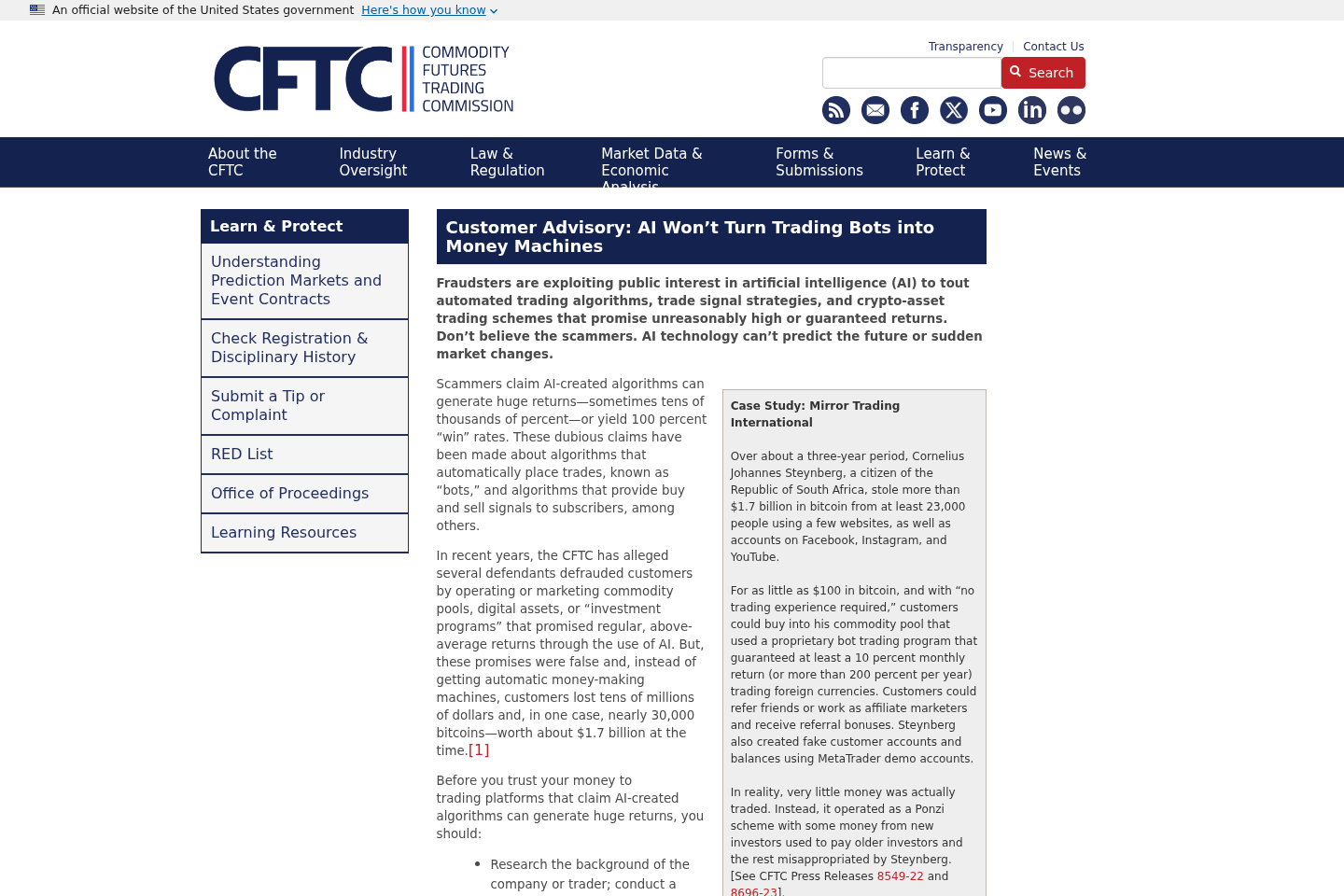
The Commodity Futures Trading Commission warns that fraudsters exploit interest in artificial intelligence to promote automated trading schemes with unreasonable or guaranteed returns.
The agency emphasizes that AI cannot predict sudden market changes or guarantee future performance.
That guidance addresses the central weakness in push-button income advertising.
Technology may automate a defined process, but it cannot remove commercial uncertainty, market losses, operating expenses, or human misconduct.
A seller still needs to explain the underlying activity.
If trading is involved, users should know the market, broker, custody arrangement, strategy, fees, and maximum loss.
If affiliate sales are involved, the promoter should disclose commissions and demonstrate typical results rather than exceptional screenshots.
If advertising revenue is involved, the business must explain traffic costs, platform rules, and payment conditions.
The phrase “AI powered” answers none of those questions.
It can describe a real feature, or it can be decorative language added to an old get-rich-quick funnel.
How to Check Similar Push-Button Income Offers
Begin by searching the advertised celebrity’s official channels.
Look for a direct announcement naming the program and linking to the exact domain.
Next, identify the legal seller before entering an email address.
The business name should appear consistently across the footer, terms, privacy notice, checkout, receipt, and refund policy.
Search the address independently and determine whether it is an office, residence, mailbox, registered-agent location, or unrelated business.
Then ask what measurable service the fee purchases.
Words such as bot, algorithm, automation, and artificial intelligence are not product specifications.
Request evidence that can be checked outside the promotional environment.
Useful evidence includes audited records, regulator registrations when applicable, realistic risk disclosures, and customer agreements naming the responsible company.
Reset the page or open it privately to test scarcity messages.
If the same final place and expiring timer return, the urgency was manufactured.
Finally, search key sentences from the pitch inside quotation marks.
Identical scripts appearing under unrelated names suggest a replaceable sales template rather than exclusive technology.
What to Do if You Have Fallen Victim to This Scam
Contact the card issuer promptly. Describe the advertised service, the amount authorized, and anything delivered. Ask about dispute options and blocking later charges.
Review every transaction. Examine statements from the purchase date onward for unfamiliar descriptors, repeat fees, test charges, or amounts that differ from $26.97.
Preserve the evidence. Save advertisements, checkout pages, receipts, emails, text messages, telephone numbers, terms, and screenshots before the websites change again.
Cancel through every available channel. Send a written cancellation to the seller and processor. Keep delivery confirmations, ticket numbers, and copies of each response.
Replace exposed credentials. If a reused password was entered, create a unique password and enable multifactor authentication on the affected account and its email.
Secure the device. If you downloaded a file or allowed remote access, disconnect that access and run a complete Malwarebytes scan.
Reduce malicious advertising. Install AdGuard and enable its phishing protections to limit repeat exposure while continuing to treat every new offer cautiously.
Watch for follow-up approaches. Ignore callers promising recovery, refunds, trading help, or account activation. Prior victims are frequently targeted with a second story.
Report the campaign. Notify the advertising platform, the FTC, and any relevant financial regulator. Provide saved evidence without publishing sensitive personal information.
Protect your identity. If identity data was supplied, review credit reports, consider a fraud alert or freeze, and monitor accounts for unauthorized changes.
Is Your Device Infected? Run a Free Malware Scan
Slow performance, constant pop-ups, or strange behavior? These are classic signs of a malware infection. The fastest way to find out is to scan your device with Malwarebytes Anti-Malware Free — one of the most trusted malware removal tools available.
The free version detects and removes the most common threats, including:
Adware — the cause of those annoying pop-ups
Browser hijackers — unwanted redirects and changed homepages
Trojans and spyware — hidden programs stealing your data
Potentially unwanted programs (PUPs) — software you never asked for
👉 Select your device below — Windows, Mac, or Android — then follow the simple steps to download Malwarebytes, scan your system, and remove any threats it finds. The whole process takes about 5 minutes.
Malwarebytes for WindowsMalwarebytes for MacMalwarebytes for Android
Run a Malware Scan with Malwarebytes for Windows
Malwarebytes is one of the most popular and trusted anti-malware tools for Windows — and it’s completely free for removing infections. It catches threats that many antivirus programs miss, including adware, browser hijackers, and trojans. Follow the steps below to scan and clean your PC in just a few minutes.
Download Malwarebytes
Click the button below to download the latest version of Malwarebytes for Windows from the official source. The free version is all you need — it will scan your computer and remove adware, browser hijackers, and other malicious software at no cost.
(The link opens in a new page where your download will start)
Install Malwarebytes
When the download finishes, open your Downloads folder and double-click the MBSetup file. If Windows shows a User Account Control pop-up, click “Yes” to allow the installation.
Follow the On-Screen Prompts to Install Malwarebytes
The setup wizard will walk you through a few quick screens:
Choose where you’re installing the program — “Personal Computer” or “Work Computer” — then click Next.
Malwarebytes will now install on your device. This usually takes under a minute.
When installation is complete, the “Welcome to Malwarebytes” screen will open automatically.
On the final screen, click Open Malwarebytes to launch the program.
Enable “Scan for Rootkits”
Before scanning, turn on rootkit detection so Malwarebytes can find even the most hidden threats. Click the Settings gear icon on the left side of the screen.
In the settings menu, find “Scan for rootkits” and click the toggle so it turns blue.
Done? Click “Dashboard” in the left pane to return to the main screen.
Start the Scan
Click the blue Scan button. Malwarebytes will automatically update its virus database and start checking your computer for malware.
Wait for the Scan to Finish
The scan checks your entire system for browser hijackers and other malicious programs, so it can take several minutes. Feel free to do something else — just check back occasionally to see the progress.
Quarantine the Detected Threats
When the scan is done, you’ll see a list of everything Malwarebytes found — malware, adware, and potentially unwanted programs. Click the “Quarantine” button to remove all of them at once.
Malwarebytes will now remove the malicious files and registry entries and move them safely into quarantine.
Restart Your Computer
Some threats can only be fully removed after a reboot. If Malwarebytes asks you to restart, click Yes. Once you’re logged back in, your PC is clean and you can continue with the next steps in this guide.
When the scan finishes, click Quarantine to remove everything Malwarebytes found. That’s it — your Windows PC is now clean of trojans, adware, and other malware, and should be back to running smoothly.
If your current antivirus allowed this malicious program on your computer, you may want to consider purchasing Malwarebytes Premium to protect against these types of threats in the future. If you are still having problems with your computer after completing these instructions, then please follow one of the steps:
Malwarebytes for Mac is a free on-demand scanner that removes the malware other security software tends to miss — adware, browser hijackers, and unwanted programs included. Cleaning an infected Mac with Malwarebytes has always been completely free, and it’s our go-to recommendation. Follow the steps below to scan and clean your Mac in just a few minutes.
Download Malwarebytes for Mac
Click the button below to download the latest version of Malwarebytes for Mac.
When the download finishes, open your Downloads folder and double-click the setup file to begin the installation.
Follow the On-Screen Prompts to Install Malwarebytes
The Malwarebytes for Mac Installer will guide you through a few quick screens. Click “Continue” and keep following the prompts until the installation completes.
When the installation is complete, Malwarebytes opens to the Welcome to Malwarebytes screen. Click “Get started“.
Select “Personal Computer” or “Work Computer”
Malwarebytes will ask what type of computer you’re installing it on. Click either Personal Computer or Work Computer, whichever applies.
Start the Scan
Click the “Scan” button. Malwarebytes will automatically update its detection database and begin checking your Mac for malware.
Wait for the Scan to Finish
Malwarebytes will scan your Mac for adware, browser hijackers, and other malicious programs. This can take a few minutes, so feel free to do something else — just check back occasionally to see the progress.
Quarantine the Detected Threats
When the scan is done, you’ll see a list of everything Malwarebytes found. Click the “Quarantine” button to remove all the threats at once.
Restart Your Mac
Malwarebytes will now remove all the malicious files it found. Some threats can only be fully removed after a reboot — if Malwarebytes asks you to restart, allow it. Once you’re logged back in, your Mac is clean.
Once the scan is done, remove every threat it detected. Your Mac is now free of adware, rogue browser extensions, and other potentially harmful software.
If your current antivirus allowed a malicious program on your computer, you might want to consider purchasing the full-featured version of Malwarebytes Anti-Malware to protect against these types of threats in the future. If you are still experiencing problems while trying to remove a malicious program from your computer, please ask for help in our Mac Malware Removal Help & Support forum.
Run a Malware Scan with Malwarebytes for Android
Malwarebytes for Android automatically detects and removes dangerous threats like malware and ransomware so you don’t have to worry about your most-used device being compromised. Aggressive detection of adware and potentially unwanted programs keeps your Android phone or tablet running smooth.
Download Malwarebytes for Android.
You can download Malwarebytes for Android by clicking the link below.
In the Google Play Store, tap “Install” to install Malwarebytes for Android on your device.
When the installation process has finished, tap “Open” to begin using Malwarebytes for Android. You can also open Malwarebytes by tapping on its icon in your phone menu or home screen.
Follow the on-screen prompts to complete the setup process
When Malwarebytes will open, you will see the Malwarebytes Setup Wizard which will guide you through a series of permissions and other setup options. This is the first of two screens that explain the difference between the Premium and Free versions. Swipe this screen to continue. Tap on “Got it” to proceed to the next step. Malwarebytes for Android will now ask for a set of permissions that are required to scan your device and protect it from malware. Tap on “Give permission” to continue. Tap on “Allow” to permit Malwarebytes to access the files on your phone.
Update database and run a scan with Malwarebytes for Android
You will now be prompted to update the Malwarebytes database and run a full system scan.
Click on “Update database” to update the Malwarebytes for Android definitions to the latest version, then click on “Run full scan” to perform a system scan.
Wait for the Malwarebytes scan to complete.
Malwarebytes will now start scanning your phone for adware and other malicious apps. This process can take a few minutes, so we suggest you do something else and periodically check on the status of the scan to see when it is finished.
Click on “Remove Selected”.
When the scan has been completed, you will be presented with a screen showing the malware infections that Malwarebytes for Android has detected. To remove the malicious apps that Malwarebytes has found, tap on the “Remove Selected” button.
Restart your phone.
Malwarebytes for Android will now remove all the malicious apps that it has found. To complete the malware removal process, Malwarebytes may ask you to restart your device.
After the scan, tap Remove Selected to delete all detected threats. Your Android phone is now clean — no more malicious apps, adware, or browser redirects.
If your current antivirus allowed a malicious app on your phone, you may want to consider purchasing the full-featured version of Malwarebytes to protect against these types of threats in the future. If you are still having problems with your phone after completing these instructions, then please follow one of the steps:
Restore your phone to factory settings by going to Settings > General management > Reset > Factory data reset.
Now that your device is clean, keep it that way. Most infections start with a malicious ad or a fake download button — so blocking them at the source is your best defense.
We recommend AdGuard, which blocks malicious ads, phishing pages, and dangerous redirects before they can reach you.
Is the Trump Method Bot a real earning application?
We found no verifiable application, operating records, or independent payouts supporting the advertised daily-income promise.
The documented material functioned as a sales funnel, not as transparent proof of a working earning system.
Did Donald Trump endorse this push-button system?
We found no credible endorsement from Donald Trump, the Trump Organization, or verified official channels.
His image appears to have been used to give an unrelated offer recognition and authority.
Can an AI bot guarantee $473.95 every day?
No legitimate system can guarantee that fixed result without explaining the activity, risk, capital, fees, and possible losses.
A precise amount displayed on a landing page is a claim, not independently verified performance.
Why did the offer ask for only $26.97?
A low entry fee reduces hesitation and can identify people willing to purchase income opportunities.
The customer may then face upsells, later billing, or more targeted offers, depending on how the funnel operates.
Is Explodely responsible for the Trump Method Bot advertising?
The documented checkout referenced Explodely LLC, but that alone does not prove who created every advertisement or claim.
Victims should give their bank the checkout record, receipt, billing descriptor, and sales evidence so responsibility can be investigated properly.
What if EasyProfitMethod.com now shows something different?
Domains can change, expire, redirect, or be repurposed after a campaign.
The current page does not erase earlier evidence, which is why dated screenshots and transaction records are important.
The Bottom Line
The Trump push-button income promotion relied on an unverified celebrity association, impossible certainty, artificial urgency, and a low entry fee.
No reliable evidence showed a working system capable of producing the advertised $473.95 daily return.
Avoid the offer, preserve any records you already have, and treat renamed versions of the same effortless-income story with equal caution.
10 Rules to Avoid Online Scams
Here are 10 practical safety rules to help you avoid malware, online shopping scams, crypto scams, and other online fraud. Each tip includes a quick “if you already got hit” action.
Stop and verify before you click, log in, download, or pay.
Most scams win by creating urgency. Verify using a trusted method: type the website address yourself, use the official app, or call a known number (not the one in the message).
If you already clicked: close the page, do not enter passwords, and run a malware scan.
Keep your operating system, browser, and apps updated.
Updates patch security holes used by malware and malicious ads. Turn on automatic updates where possible.
If you saw a scary “update now” pop-up: close it and update only through your device settings or the official app store.
Use layered protection: antivirus plus an ad blocker.
Antivirus helps block malware. An ad blocker reduces scam redirects, phishing pages, and malvertising.
If your browser is acting weird: remove unknown extensions, reset the browser, then run a full scan.
Install apps, software, and extensions only from official sources.
Avoid cracked software, “keygens,” and random downloads. During installs, choose Custom/Advanced and decline bundled offers you do not recognize.
If you already installed something suspicious: uninstall it, restart, and scan again.
Treat links and attachments as untrusted by default.
Phishing often impersonates delivery services, banks, and popular brands. If it is unexpected, do not open attachments or log in through the message.
If you entered credentials: change the password immediately and enable 2FA.
Shop safely: research the store, then pay with protection.
Be cautious with brand-new stores, “closing sale” stories, and prices that make no sense. Prefer credit cards or PayPal for dispute options. Avoid wire transfers, gift cards, and crypto payments.
If you already paid: contact your card issuer or PayPal quickly to dispute the transaction.
Crypto rule: never pay a “fee” to withdraw or recover money.
Common patterns include fake profits, then “tax,” “gas,” or “verification” fees. Another is a “recovery agent” who demands upfront crypto.
If you already sent crypto: stop paying, save evidence (wallet addresses, TXIDs, chats), and report the scam to the platform used.
Secure your accounts with unique passwords and 2FA (start with email).
Use a password manager and unique passwords for every account. Enable 2FA using an authenticator app when possible.
If you suspect an account takeover: change passwords, sign out of all devices, and review recent logins and recovery settings.
Back up important files and keep one backup offline.
Backups protect you from ransomware and device failure. Keep at least one backup on an external drive that is not always connected.
If you suspect infection: do not connect backup drives until the system is clean.
If you think you are a victim: stop losses, document evidence, and escalate fast.
Move quickly. Speed matters for disputes, account recovery, and limiting damage.
Stop payments and contact: do not send more money or respond to the scammer.
Call your bank or card issuer: block transactions, replace the card if needed, and start a dispute or chargeback.
Secure your email first: change the email password, enable 2FA, and remove unfamiliar recovery options.
Secure other accounts: change passwords, enable 2FA, and log out of all sessions.
Scan your device: remove suspicious apps or extensions, then run a full malware scan.
Save evidence: screenshots, emails, order pages, tracking pages, wallet addresses, TXIDs, and chat logs.
Report it: to the payment provider, marketplace, social platform, exchange, or wallet service involved.
These rules are intentionally simple. Most online losses happen when decisions are rushed. Slow down, verify independently, and use payment methods and account controls that give you recourse.
Hello! I'm Lapain Epuran, your go-to source for detailed and honest product reviews. From tech gadgets to miracle cures, I provide insights to help you make informed choices. Join me as we discover what's truly worth your time and money.