Fake Rosemary Alzheimer’s Cure Ads Exposed: Is the CBS-Style Story Real?
Written by: Lapain Epuran
Published on:
A polished report claims scientists uncovered a rosemary method that restores lost memories and reverses the process behind Alzheimer’s disease.
The video borrows the language of medical journalism and familiar public figures. What follows is not the independent news investigation it appears to be.
Overview
The rosemary breakthrough story is fabricated
The campaign presents a fake news report about researchers discovering an ancient rosemary treatment for dementia and Alzheimer’s disease.
It uses altered video and synthetic voices to depict experts and celebrities discussing a cure they did not endorse.
The promised household recipe eventually becomes a commercial supplement offer, currently associated with names such as CogniMary or BrainMary.
The fake report changes faster than the underlying script
One version imitates CBS News and features a fabricated interview with neurologist Dr. Dale Bredesen.
Other scenes depict medical correspondent Dr. Jonathan LaPook, researcher Dr. Randall Bateman, Robert De Niro, or Sally Field.
The people, network styling, product name, and domain can change while the rosemary narrative remains almost identical.
Why the campaign is dangerous
Memory loss can frighten both patients and relatives, especially when symptoms appear to be progressing.
The advertisement transforms that fear into false certainty, claiming a simple natural method succeeds where established treatment supposedly failed.
Key warnings include:
A website imitating a real news organization on an unrelated domain.
AI-generated speech attributed to doctors and actors.
A large clinical trial with no verifiable publication.
Claims that memory loss reverses within weeks.
A rosemary recipe withheld until the end of a long video.
A sudden switch from household ingredients to capsules.
Testimonials describing dramatic recoveries.
A checkout that may favor bundles or recurring delivery.
The Page Looks Like News, but It Is a Sales Funnel
The copied layout is one of the campaign’s strongest tools.
A network-style masthead, breaking-news strip, article headline, video player, and medical imagery create an immediate sense of legitimacy.
Many readers scan those familiar visual signals before checking the actual domain in the address bar.
The counterfeit page is not hosted on cbsnews.com and does not provide a genuine newsroom investigation.
Its apparent article does not link to the claimed study, university announcement, clinical-trial registration, or peer-reviewed paper.
Instead, prominent buttons direct the visitor into a lengthy video presentation.
Navigation links may reload the same page, jump to the offer, or lead nowhere.
Comments beneath the article can be static marketing content rather than a live community discussion.
This design gives an advertisement the appearance of confirmation from a separate publisher.
In reality, the ad, fake article, video, and checkout serve one commercial path.
A genuine report would identify editors, publication dates, corrections, sources, study authors, and links that can be checked independently.
How the Fake Rosemary Alzheimer’s Cure Scam Works
Step 1: The social ad identifies a vulnerable audience
The video appears to people who search for memory support, dementia information, caregiving advice, or senior health topics.
Its headline describes a secret cleaning system, forgotten herb, or discovery that doctors were told to hide.
Rosemary is familiar, inexpensive, and associated with cooking, which makes the opening feel safer than an unfamiliar pill.
The advertisement does not reveal immediately that a supplement sale waits at the end.
Step 2: A counterfeit broadcast supplies authority
The click opens a page modeled after a trusted television newsroom.
Logos, colors, menus, and headline typography are arranged to encourage quick recognition rather than careful inspection.
The domain is the decisive clue. A lookalike page on an unrelated address does not become legitimate because its design resembles CBS News.
The page’s commercial purpose becomes clearer when every route points toward the same video.
Step 3: AI depicts experts saying things they never said
Dr. Dale Bredesen may appear to explain a rosemary protocol that activates the brain’s natural cleaning process.
Dr. Jonathan LaPook or Dr. Randall Bateman may appear to validate the discovery.
The footage can include unnatural lip movement, oddly smooth skin, flat emotion, blurred background text, or a voice that lacks normal breathing.
Those artifacts are useful clues, but a convincing deepfake can avoid them. Independent source verification is more reliable.
Step 4: Celebrity stories turn possibility into certainty
Altered clips depict Robert De Niro or Sally Field describing severe memory problems and rapid recovery.
The stories include emotional details about forgetting lines, losing independence, or hiding symptoms from family.
Specific detail makes a fabricated testimonial feel personal and difficult to dismiss.
No original interview from the celebrity, broadcaster, or verified representative supports these endorsements.
Step 5: An invented clinical trial removes remaining doubt
The narration may claim thousands of Americans participated in the largest trial of its kind.
It describes brain scans, cognitive tests, and reversal across every disease stage.
A legitimate trial of that scale would have investigators, institutions, eligibility criteria, methods, outcome measures, registration, and published results.
The advertisement supplies dramatic numbers but no complete record that specialists can examine.
Step 6: The rosemary recipe disappears behind a product
After viewers invest substantial time, the presentation says ordinary rosemary is insufficient or must be prepared through a proprietary process.
The supposed recipe becomes capsules named CogniMary, BrainMary, NeuroMary, or another newly created brand.
This change is intentional. People who expected a free kitchen method are now told the packaged product is the only practical version.
A new product name also creates fresh search results before consumer warnings catch up.
Step 7: Checkout design pushes quantity and possible refills
The buyer reaches a page emphasizing multi-bottle discounts, limited inventory, and a money-back guarantee.
Some supplement checkouts include preselected terms, continuity programs, or post-purchase upsells.
Do not assume the transaction is one-time. Read the order summary for renewal frequency, shipment quantity, and future price.
Save the policies before paying because domains and product names used by these campaigns can disappear quickly.
Why the Claimed Rosemary Trial Does Not Pass Basic Verification
The advertisement reportedly describes more than 4,000 participants across multiple stages of disease.
That scale would require extensive coordination, ethical review, patient consent, safety monitoring, statistical analysis, and public documentation.
Searchable evidence should include a ClinicalTrials.gov entry or another recognized registry.
Researchers should describe the rosemary preparation, dose, comparison group, treatment duration, diagnostic criteria, and adverse events.
The report should explain whether outcomes involved memory tests, daily functioning, biomarkers, imaging, or caregiver observations.
Instead, the ad offers only conclusions. It skips the methods needed to determine whether those conclusions are credible.
Celebrity anecdotes cannot fill that gap, especially when the clips themselves are manipulated.
Even promising laboratory or small human studies involving plant compounds would not prove a commercial supplement reverses Alzheimer’s disease.
What Medical Authorities Say About Alzheimer’s Supplements
The Alzheimer’s Association states that no food, beverage, ingredient, vitamin, or supplement has been proven to prevent, treat, or cure Alzheimer’s disease.
It also explains that dietary supplements do not undergo the same rigorous review process as approved drugs.
The National Institute on Aging says evidence has not shown that eating or avoiding a specific food prevents Alzheimer’s or age-related cognitive decline.
No vitamin or supplement is currently recommended for preventing Alzheimer’s disease.
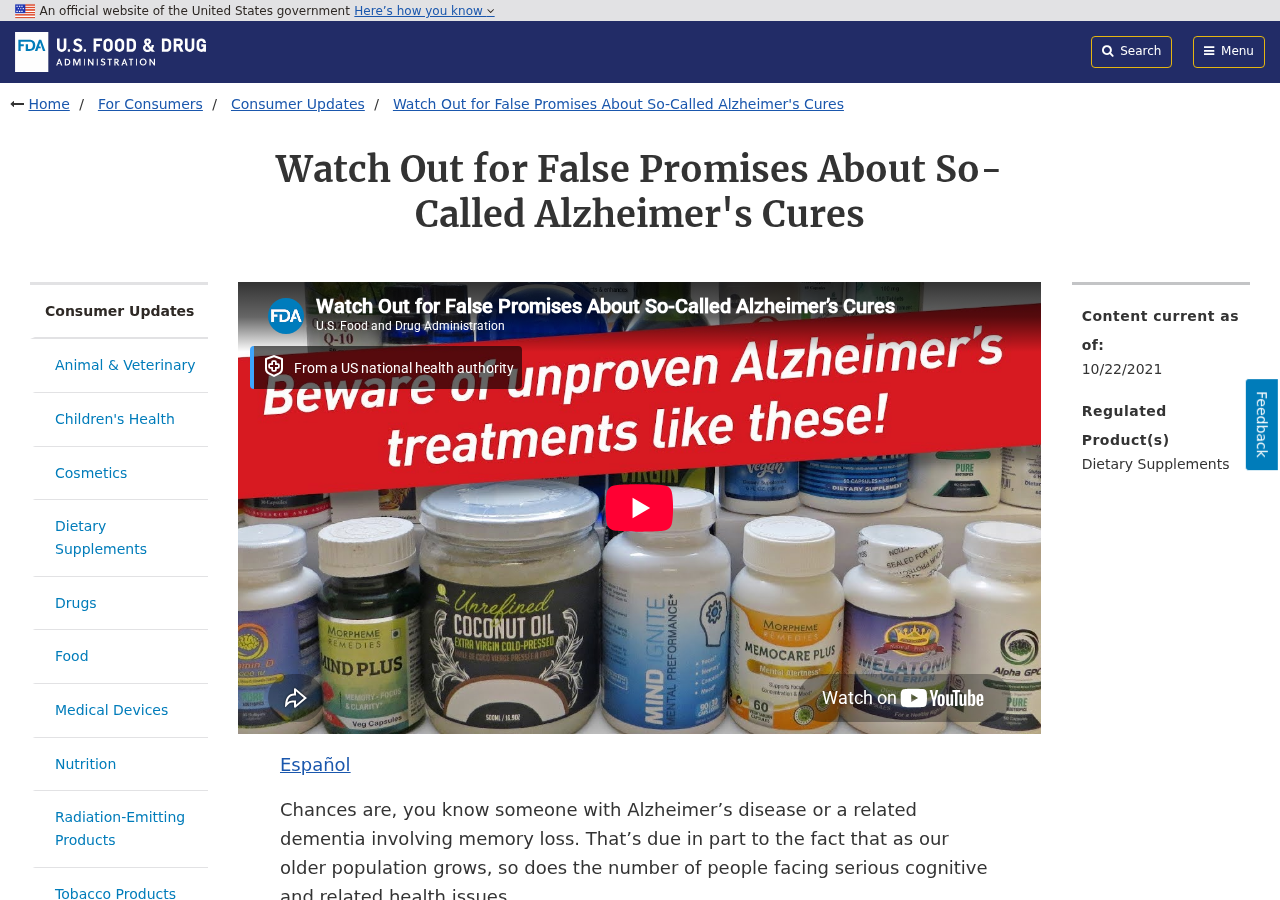
The FDA warns that sellers prey on families with false promises about prevention, treatment, delay, or cure.
Unproven products may waste money, interact with medication, or delay diagnosis and appropriate care.
There are approved treatments that can help symptoms or, for eligible patients, affect disease progression.
Those treatments require professional assessment and carry benefits, limitations, monitoring requirements, and risks that an online advertisement cannot personalize.
Anyone experiencing new memory loss should seek a proper evaluation because many conditions can affect thinking and memory.
Medication effects, depression, sleep disorders, vitamin deficiency, thyroid problems, infections, and other causes may require different responses.
Deepfake Clues That Viewers Can Check
Watch the mouth during consonants such as “b,” “p,” and “m.” Lip closure may not match the sound.
Listen for identical pacing across emotional sentences, clipped breaths, strange emphasis, or pronunciation inconsistent with the real speaker.
Pause on hands, teeth, eyeglass edges, jewelry, and background text, which may change shape or become unreadable.
Search a memorable sentence inside quotation marks. A genuine major interview should appear through the broadcaster or another credible archive.
Check the speaker’s verified website and social accounts for the endorsement.
Do not rely only on visible defects. Modern synthetic video can look convincing at mobile size.
The strongest check remains provenance: who first published the clip, on which domain, with what complete original recording?
How the Story Targets Families Searching for Hope
Memory decline affects entire families, not only the person experiencing symptoms.
Caregivers may be exhausted, frightened, and searching late at night for anything that sounds easier than an uncertain medical journey.
The fake report recognizes that emotional moment and offers a story with a villain, a breakthrough, and an urgent solution.
It portrays doctors or pharmaceutical companies as obstacles, then presents the advertisement as suppressed information finally reaching ordinary families.
That framing discourages healthy skepticism. Doubting the page can feel like abandoning a loved one’s opportunity.
Celebrity stories add familiarity, while fabricated patient accounts supply the emotional ending viewers desperately want.
The result is pressure disguised as hope. A compassionate tone does not make the underlying medical promise reliable.
Families should pause together before buying, compare the claim with trusted medical guidance, and involve the clinician treating the symptoms.
How to Check a Claimed Alzheimer’s Clinical Trial
A trial involving 4,000 people would not exist only inside one sales article.
Large human studies normally identify investigators, institutions, enrollment criteria, comparison groups, endpoints, dates, and a registration number.
Search ClinicalTrials.gov using the product, ingredient, sponsor, and named researcher.
Then look for the results in a peer-reviewed journal and confirm that the publication describes the same formula and dose.
Do not accept a laboratory reference about rosemary compounds as proof that an oral supplement reverses Alzheimer’s disease.
Cell experiments, animal studies, observational findings, and randomized human trials answer very different questions.
Check whether the study measured a meaningful clinical outcome or only a short-term biomarker chosen for advertising.
Also inspect conflicts of interest, participant numbers after dropouts, adverse events, and whether other researchers reproduced the result.
If the page withholds these basics, its impressive percentages are assertions rather than verifiable evidence.
Why the Advertised Product Name Keeps Changing
The campaign’s central asset is the rosemary cure narrative, not a durable supplement brand.
Operators can connect the same video to a different bottle after complaints, payment problems, domain suspensions, or declining conversion rates.
A new label also makes older warnings harder to find when a shopper searches the current name.
That is why this investigation focuses on the story, media impersonation, medical claims, and checkout behavior rather than one package.
The logo may change while the fake broadcast, miracle timeline, countdown clock, bulk discount, and guarantee language remain nearly identical.
Save the complete destination URL and order page, not only the bottle name shown inside the video.
Those details can reveal connections between supposedly unrelated offers and help banks understand the disputed transaction.
Company, Address, and Fulfillment Checks
The fake article does not identify an accountable publisher
A copied news layout may display a familiar-looking masthead while hiding the real domain owner.
There is usually no legitimate editor, newsroom address, corrections policy, or contact desk connected to the story.
A generic contact form cannot verify an alleged medical investigation.
The product name is designed to be replaceable
CogniMary and BrainMary are examples of names connected to this rosemary pitch.
Another campaign can keep the script and replace only the bottle label, checkout address, and support email.
Research the legal merchant shown on the final payment page, not only the temporary brand advertised in the video.
Returns addresses may reveal only a warehouse
A parcel can ship from a domestic fulfillment center even when the brand has no meaningful office there.
Search the address and compare it with the terms, privacy policy, receipt, package label, and card statement.
A returns warehouse does not prove who formulated, manufactured, or tested the capsules.
Phone and email support must answer specific questions
Before buying, ask whether the order renews, how much each renewal costs, where products are made, and which company guarantees refunds.
Ask for the full Supplement Facts panel, lot testing, manufacturer, and adverse-event contact.
If support avoids those questions, do not expect the refund process to become clearer after payment.
What to Do if You Have Fallen Victim to This Scam
Save every page and message. Capture the fake news domain, video, endorsement claims, checkout, policies, confirmation, and card descriptor.
Contact the seller in writing. Cancel the order and any continuity plan. State that no additional shipment or charge is authorized.
Call the card issuer. Explain that altered celebrity endorsements and a counterfeit news presentation influenced the purchase.
Keep return evidence. Obtain authorization, photograph the contents, use tracked shipping, and preserve delivery confirmation.
Do not stop prescribed treatment. Speak with the treating clinician before changing dementia medication or adding the supplement.
Report adverse effects. Contact a healthcare professional and submit serious supplement reactions through FDA MedWatch.
Report the advertising. Send the URLs and screenshots to the FTC, FDA, social platform, and impersonated broadcaster.
Protect exposed accounts. Change reused passwords, enable multifactor authentication, and monitor statements for recurring charges.
Inspect the device after suspicious activity. Run Malwarebytes for unwanted software and use AdGuard to block malicious advertising and tracking requests.
Is Your Device Infected? Run a Free Malware Scan
Slow performance, constant pop-ups, or strange behavior? These are classic signs of a malware infection. The fastest way to find out is to scan your device with Malwarebytes Anti-Malware Free — one of the most trusted malware removal tools available.
The free version detects and removes the most common threats, including:
Adware — the cause of those annoying pop-ups
Browser hijackers — unwanted redirects and changed homepages
Trojans and spyware — hidden programs stealing your data
Potentially unwanted programs (PUPs) — software you never asked for
👉 Select your device below — Windows, Mac, or Android — then follow the simple steps to download Malwarebytes, scan your system, and remove any threats it finds. The whole process takes about 5 minutes.
Malwarebytes for WindowsMalwarebytes for MacMalwarebytes for Android
Run a Malware Scan with Malwarebytes for Windows
Malwarebytes is one of the most popular and trusted anti-malware tools for Windows — and it’s completely free for removing infections. It catches threats that many antivirus programs miss, including adware, browser hijackers, and trojans. Follow the steps below to scan and clean your PC in just a few minutes.
Download Malwarebytes
Click the button below to download the latest version of Malwarebytes for Windows from the official source. The free version is all you need — it will scan your computer and remove adware, browser hijackers, and other malicious software at no cost.
(The link opens in a new page where your download will start)
Install Malwarebytes
When the download finishes, open your Downloads folder and double-click the MBSetup file. If Windows shows a User Account Control pop-up, click “Yes” to allow the installation.
Follow the On-Screen Prompts to Install Malwarebytes
The setup wizard will walk you through a few quick screens:
Choose where you’re installing the program — “Personal Computer” or “Work Computer” — then click Next.
Malwarebytes will now install on your device. This usually takes under a minute.
When installation is complete, the “Welcome to Malwarebytes” screen will open automatically.
On the final screen, click Open Malwarebytes to launch the program.
Enable “Scan for Rootkits”
Before scanning, turn on rootkit detection so Malwarebytes can find even the most hidden threats. Click the Settings gear icon on the left side of the screen.
In the settings menu, find “Scan for rootkits” and click the toggle so it turns blue.
Done? Click “Dashboard” in the left pane to return to the main screen.
Start the Scan
Click the blue Scan button. Malwarebytes will automatically update its virus database and start checking your computer for malware.
Wait for the Scan to Finish
The scan checks your entire system for browser hijackers and other malicious programs, so it can take several minutes. Feel free to do something else — just check back occasionally to see the progress.
Quarantine the Detected Threats
When the scan is done, you’ll see a list of everything Malwarebytes found — malware, adware, and potentially unwanted programs. Click the “Quarantine” button to remove all of them at once.
Malwarebytes will now remove the malicious files and registry entries and move them safely into quarantine.
Restart Your Computer
Some threats can only be fully removed after a reboot. If Malwarebytes asks you to restart, click Yes. Once you’re logged back in, your PC is clean and you can continue with the next steps in this guide.
When the scan finishes, click Quarantine to remove everything Malwarebytes found. That’s it — your Windows PC is now clean of trojans, adware, and other malware, and should be back to running smoothly.
If your current antivirus allowed this malicious program on your computer, you may want to consider purchasing Malwarebytes Premium to protect against these types of threats in the future. If you are still having problems with your computer after completing these instructions, then please follow one of the steps:
Malwarebytes for Mac is a free on-demand scanner that removes the malware other security software tends to miss — adware, browser hijackers, and unwanted programs included. Cleaning an infected Mac with Malwarebytes has always been completely free, and it’s our go-to recommendation. Follow the steps below to scan and clean your Mac in just a few minutes.
Download Malwarebytes for Mac
Click the button below to download the latest version of Malwarebytes for Mac.
When the download finishes, open your Downloads folder and double-click the setup file to begin the installation.
Follow the On-Screen Prompts to Install Malwarebytes
The Malwarebytes for Mac Installer will guide you through a few quick screens. Click “Continue” and keep following the prompts until the installation completes.
When the installation is complete, Malwarebytes opens to the Welcome to Malwarebytes screen. Click “Get started“.
Select “Personal Computer” or “Work Computer”
Malwarebytes will ask what type of computer you’re installing it on. Click either Personal Computer or Work Computer, whichever applies.
Start the Scan
Click the “Scan” button. Malwarebytes will automatically update its detection database and begin checking your Mac for malware.
Wait for the Scan to Finish
Malwarebytes will scan your Mac for adware, browser hijackers, and other malicious programs. This can take a few minutes, so feel free to do something else — just check back occasionally to see the progress.
Quarantine the Detected Threats
When the scan is done, you’ll see a list of everything Malwarebytes found. Click the “Quarantine” button to remove all the threats at once.
Restart Your Mac
Malwarebytes will now remove all the malicious files it found. Some threats can only be fully removed after a reboot — if Malwarebytes asks you to restart, allow it. Once you’re logged back in, your Mac is clean.
Once the scan is done, remove every threat it detected. Your Mac is now free of adware, rogue browser extensions, and other potentially harmful software.
If your current antivirus allowed a malicious program on your computer, you might want to consider purchasing the full-featured version of Malwarebytes Anti-Malware to protect against these types of threats in the future. If you are still experiencing problems while trying to remove a malicious program from your computer, please ask for help in our Mac Malware Removal Help & Support forum.
Run a Malware Scan with Malwarebytes for Android
Malwarebytes for Android automatically detects and removes dangerous threats like malware and ransomware so you don’t have to worry about your most-used device being compromised. Aggressive detection of adware and potentially unwanted programs keeps your Android phone or tablet running smooth.
Download Malwarebytes for Android.
You can download Malwarebytes for Android by clicking the link below.
In the Google Play Store, tap “Install” to install Malwarebytes for Android on your device.
When the installation process has finished, tap “Open” to begin using Malwarebytes for Android. You can also open Malwarebytes by tapping on its icon in your phone menu or home screen.
Follow the on-screen prompts to complete the setup process
When Malwarebytes will open, you will see the Malwarebytes Setup Wizard which will guide you through a series of permissions and other setup options. This is the first of two screens that explain the difference between the Premium and Free versions. Swipe this screen to continue. Tap on “Got it” to proceed to the next step. Malwarebytes for Android will now ask for a set of permissions that are required to scan your device and protect it from malware. Tap on “Give permission” to continue. Tap on “Allow” to permit Malwarebytes to access the files on your phone.
Update database and run a scan with Malwarebytes for Android
You will now be prompted to update the Malwarebytes database and run a full system scan.
Click on “Update database” to update the Malwarebytes for Android definitions to the latest version, then click on “Run full scan” to perform a system scan.
Wait for the Malwarebytes scan to complete.
Malwarebytes will now start scanning your phone for adware and other malicious apps. This process can take a few minutes, so we suggest you do something else and periodically check on the status of the scan to see when it is finished.
Click on “Remove Selected”.
When the scan has been completed, you will be presented with a screen showing the malware infections that Malwarebytes for Android has detected. To remove the malicious apps that Malwarebytes has found, tap on the “Remove Selected” button.
Restart your phone.
Malwarebytes for Android will now remove all the malicious apps that it has found. To complete the malware removal process, Malwarebytes may ask you to restart your device.
After the scan, tap Remove Selected to delete all detected threats. Your Android phone is now clean — no more malicious apps, adware, or browser redirects.
If your current antivirus allowed a malicious app on your phone, you may want to consider purchasing the full-featured version of Malwarebytes to protect against these types of threats in the future. If you are still having problems with your phone after completing these instructions, then please follow one of the steps:
Restore your phone to factory settings by going to Settings > General management > Reset > Factory data reset.
Now that your device is clean, keep it that way. Most infections start with a malicious ad or a fake download button — so blocking them at the source is your best defense.
We recommend AdGuard, which blocks malicious ads, phishing pages, and dangerous redirects before they can reach you.
Did CBS News report a rosemary cure for Alzheimer’s?
No verified CBS News report supports the campaign described here. The lookalike page uses an unrelated domain and sales links.
Did Dr. Dale Bredesen endorse CogniMary?
We found no reliable original source showing that he endorsed CogniMary or the advertised rosemary cure.
Are the Robert De Niro and Sally Field testimonials real?
No authentic interviews support those product testimonials. The campaign uses manipulated video and synthetic audio.
Can rosemary reverse memory loss?
No reliable evidence shows a rosemary recipe or supplement reverses Alzheimer’s disease. New symptoms require professional evaluation.
Why does the product name keep changing?
New names let the same sales script continue on fresh domains and temporarily avoid warnings associated with older brands.
What should I check at the supplement checkout?
Check quantity, total, recurring billing, renewal date, legal seller, support contacts, guarantee deadline, and return requirements.
The Bottom Line
The fake rosemary Alzheimer’s cure campaign is an advertising funnel disguised as trusted medical journalism.
Its network styling, AI experts, celebrity testimonials, invented trial, and rotating supplements create authority that the evidence does not support.
Do not buy from the video or change treatment. Save the ad, verify every source independently, and discuss memory concerns with a qualified clinician.
10 Rules to Avoid Online Scams
Here are 10 practical safety rules to help you avoid malware, online shopping scams, crypto scams, and other online fraud. Each tip includes a quick “if you already got hit” action.
Stop and verify before you click, log in, download, or pay.
Most scams win by creating urgency. Verify using a trusted method: type the website address yourself, use the official app, or call a known number (not the one in the message).
If you already clicked: close the page, do not enter passwords, and run a malware scan.
Keep your operating system, browser, and apps updated.
Updates patch security holes used by malware and malicious ads. Turn on automatic updates where possible.
If you saw a scary “update now” pop-up: close it and update only through your device settings or the official app store.
Use layered protection: antivirus plus an ad blocker.
Antivirus helps block malware. An ad blocker reduces scam redirects, phishing pages, and malvertising.
If your browser is acting weird: remove unknown extensions, reset the browser, then run a full scan.
Install apps, software, and extensions only from official sources.
Avoid cracked software, “keygens,” and random downloads. During installs, choose Custom/Advanced and decline bundled offers you do not recognize.
If you already installed something suspicious: uninstall it, restart, and scan again.
Treat links and attachments as untrusted by default.
Phishing often impersonates delivery services, banks, and popular brands. If it is unexpected, do not open attachments or log in through the message.
If you entered credentials: change the password immediately and enable 2FA.
Shop safely: research the store, then pay with protection.
Be cautious with brand-new stores, “closing sale” stories, and prices that make no sense. Prefer credit cards or PayPal for dispute options. Avoid wire transfers, gift cards, and crypto payments.
If you already paid: contact your card issuer or PayPal quickly to dispute the transaction.
Crypto rule: never pay a “fee” to withdraw or recover money.
Common patterns include fake profits, then “tax,” “gas,” or “verification” fees. Another is a “recovery agent” who demands upfront crypto.
If you already sent crypto: stop paying, save evidence (wallet addresses, TXIDs, chats), and report the scam to the platform used.
Secure your accounts with unique passwords and 2FA (start with email).
Use a password manager and unique passwords for every account. Enable 2FA using an authenticator app when possible.
If you suspect an account takeover: change passwords, sign out of all devices, and review recent logins and recovery settings.
Back up important files and keep one backup offline.
Backups protect you from ransomware and device failure. Keep at least one backup on an external drive that is not always connected.
If you suspect infection: do not connect backup drives until the system is clean.
If you think you are a victim: stop losses, document evidence, and escalate fast.
Move quickly. Speed matters for disputes, account recovery, and limiting damage.
Stop payments and contact: do not send more money or respond to the scammer.
Call your bank or card issuer: block transactions, replace the card if needed, and start a dispute or chargeback.
Secure your email first: change the email password, enable 2FA, and remove unfamiliar recovery options.
Secure other accounts: change passwords, enable 2FA, and log out of all sessions.
Scan your device: remove suspicious apps or extensions, then run a full malware scan.
Save evidence: screenshots, emails, order pages, tracking pages, wallet addresses, TXIDs, and chat logs.
Report it: to the payment provider, marketplace, social platform, exchange, or wallet service involved.
These rules are intentionally simple. Most online losses happen when decisions are rushed. Slow down, verify independently, and use payment methods and account controls that give you recourse.
Hello! I'm Lapain Epuran, your go-to source for detailed and honest product reviews. From tech gadgets to miracle cures, I provide insights to help you make informed choices. Join me as we discover what's truly worth your time and money.