


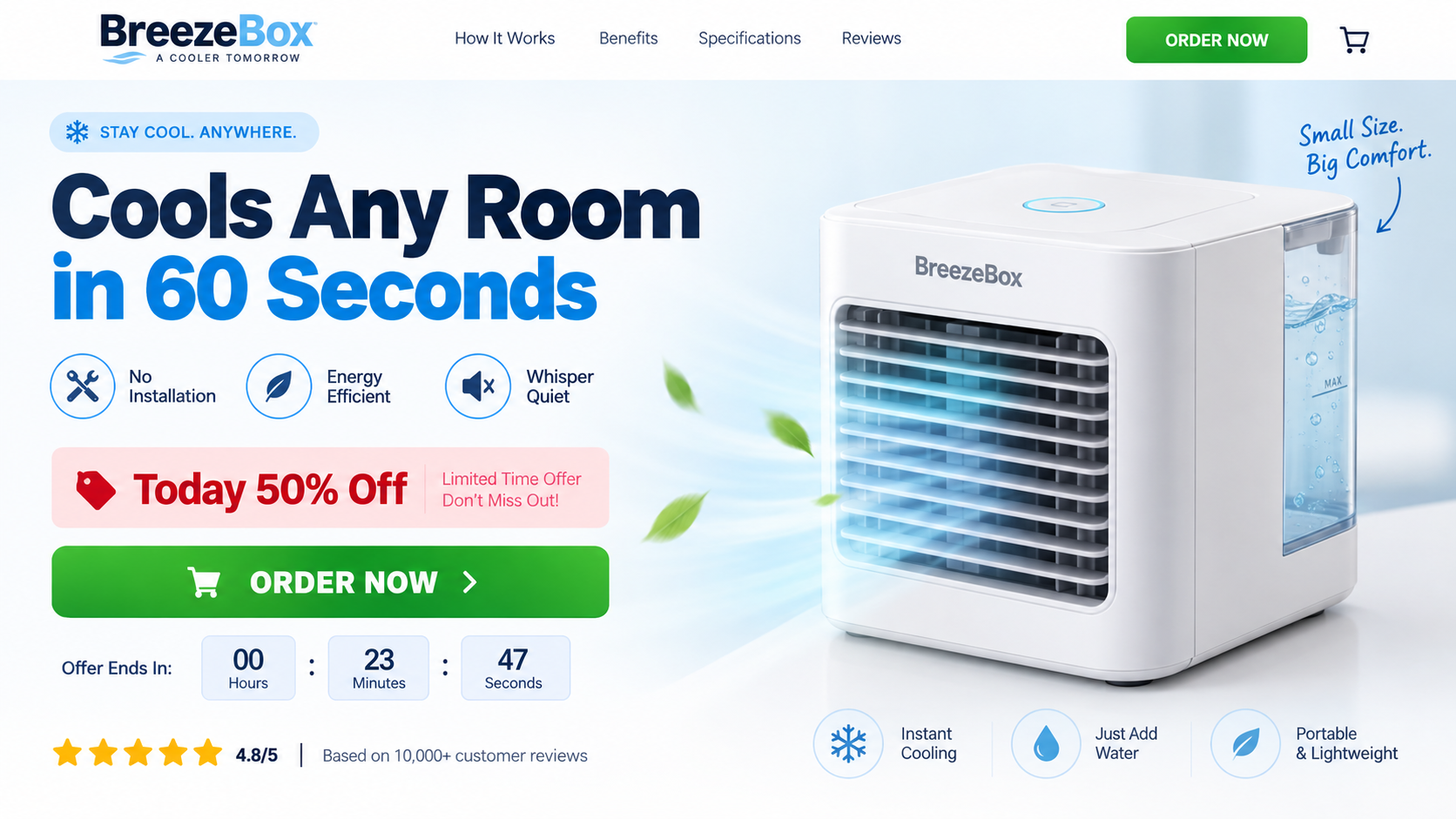
A small box that promises relief from summer heat without a window hose, installation, or painful electricity bill is easy to want.
BreezeBox enters that moment with confident advertising, but understanding what the device actually does changes the purchase decision considerably.
Overview
BreezeBox is not a compressor air conditioner
BreezeBox appears to be a compact evaporative personal cooler. It moves air through a damp cartridge, using evaporation to make the immediate airflow feel cooler.
A true portable air conditioner uses refrigerant, a compressor, and an exhaust hose to remove heat from a room. BreezeBox lacks that heat-removal system.
Calling both products AC units hides an important physical difference. A small water fan can improve comfort nearby without controlling an entire room’s temperature.
The advertised performance depends heavily on climate
Evaporative cooling works best when air is hot and dry. As humidity rises, the air accepts less additional moisture and the cooling effect shrinks.
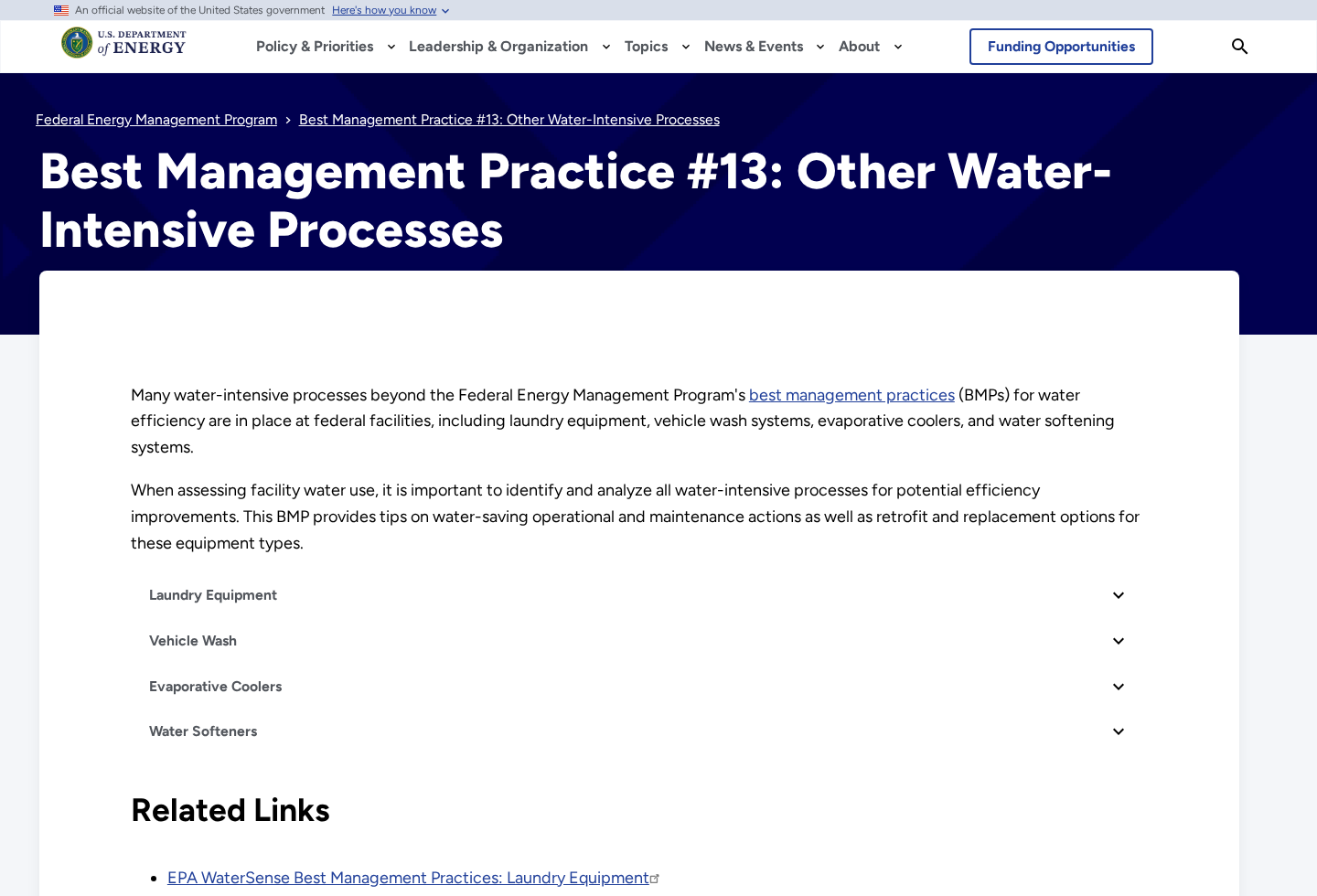
The U.S. Department of Energy describes evaporative coolers as equipment that cools and humidifies air through wet pads, with strongest performance in arid climates.
A buyer in a dry inland area may feel a useful breeze at a desk. A buyer in humid coastal weather may experience little beyond a fan.
The sales and return trail is less simple than the advertisement
BuyBreezeBox.com previously carried the sales story, while Onninest pages and external checkout links handled product and policy details. The original domain now appears redirected or parked.
Different pages have displayed different business names, addresses, email accounts, and phone numbers. That fragmentation can complicate support when a buyer needs an authorization.
Return language reportedly requires unused, brand-new condition, original packaging, prior approval, and sometimes a 10% restocking fee. Testing the device may conflict with unused requirements.
- BreezeBox uses evaporation and airflow, not a compressor or refrigerant loop.
- It may provide personal cooling in dry conditions but cannot replace central or window air conditioning.
- The compact format limits water capacity, airflow, battery duration, and the area affected.
- Advertising has described the device as outperforming traditional systems without independent comparative testing.
- Brand-reported ratings and sales counts are not the same as independently audited customer evidence.
- Support details have varied across Onninest, BreezeBox, Vita O2, and checkout pages.
- The offer deserves scrutiny for exaggerated expectations and return friction, not because evaporation itself is fictional.
What a Small Evaporative Cooler Can Realistically Do
Evaporation absorbs heat. When dry air passes across wet material, some water becomes vapor and lowers the temperature of the outgoing air.
The process is real, simple, and widely used. Its effectiveness depends on air temperature, relative humidity, airflow, pad saturation, water quality, and ventilation.
A desktop unit can direct a cooler-feeling stream toward one person. The benefit drops quickly as distance increases or the air mixes through a larger room.
Unlike a compressor AC, an evaporative device does not collect indoor heat and discharge it outdoors. The energy remains in the space while moisture increases.
That is why an open window can help an evaporative cooler. Fresh dry air replaces increasingly humid indoor air and gives evaporation more capacity.
In a sealed humid room, performance weakens over time. Added moisture can also make occupants feel sticky, even when the outgoing stream measures slightly cooler.
A real AC usually publishes BTU capacity, room size, energy efficiency, refrigerant, noise, and exhaust requirements. Small water coolers often emphasize vague rapid-cooling phrases instead.
BreezeBox advertising has described quick cooling, dust filtering, humidity regulation, portability, and energy savings. Each claim needs measurement under stated conditions.
A sponge or cartridge can catch some particles, but that does not make the unit a certified air purifier. Buyers should ask for filter ratings and test methods.
Battery operation adds convenience but limits fan speed and runtime. A tiny battery cannot provide the energy or airflow expected from room-scale climate equipment.
The Claims That Need the Most Skepticism
The phrase cool any room is the largest concern. Room cooling requires a measurable temperature reduction across a defined space, not a pleasant breeze near the outlet.
A claim such as 300% more efficient also needs a baseline. Efficiency can mean airflow per watt, perceived comfort, temperature change, or marketing arithmetic.
Comparing electrical consumption with central AC is incomplete. A desk fan naturally uses less power because it delivers a much smaller amount of cooling.
Claims about nearly one million units sold should be supported by verifiable records. A number printed on an advertorial is not an audited sales report.
Green rating blocks can resemble Trustpilot without linking to an actual company profile. Familiar colors and stars can create trust even when the source is unclear.
AI-looking portraits and polished testimonials may further imply a large customer base. The crucial question is whether reviews can be traced to verified purchases.
The product name may not appear on the physical unit. White-label goods frequently use generic packaging while marketing pages supply a temporary brand.
None of these points proves every BreezeBox fails. They show why performance should be evaluated through physics, specifications, and refund terms rather than presentation.
How the BreezeBox Marketing Funnel Works
Step 1: The advertisement begins with electricity anxiety
Summer bills, heat waves, noisy window units, and installation costs create a receptive audience. The offer positions a small gadget as an escape from every drawback.
The comparison is emotionally effective because real air conditioning can be expensive. It remains technically unfair when the products deliver different levels of heat removal.
A personal cooler can supplement comfort. Presenting it as a complete replacement sets expectations that the device’s size and mechanism cannot reliably meet.
Step 2: An advertorial tells an invention story
The visitor may land on a page written like a personal discovery, technology report, or consumer breakthrough. The sales relationship appears only in smaller disclosure text.
An advertorial can describe engineers, shortages, extraordinary demand, and a new device disrupting the industry. Those narrative elements are not independent product testing.
BuyBreezeBox.com disclosed that it received compensation and redirected purchasers elsewhere. Many readers focus on the headline long before reaching that relationship statement.
Step 3: Evaporative airflow becomes portable AC
The funnel uses air-conditioning language while showing a water reservoir and small fan. The terminology encourages the shopper to imagine room-scale performance.
Technical detail is often replaced by benefits such as instant cooling, regulated humidity, dust filtration, and quiet operation. Exact airflow and tested temperature reduction remain obscure.
A buyer should ask whether the unit cools only the outgoing air, a personal zone, or a defined room. Those outcomes are not interchangeable.
Step 4: Ratings, discounts, and timers create confidence
High star scores, large review counts, percentage discounts, low-stock messages, and expiring timers collectively tell the visitor that hesitation risks missing a popular bargain.
Check whether the ratings link to an independent platform. Confirm whether the timer resets. Search the product photo to find visually identical units under other names.
The crossed-out price should also be compared with ordinary evaporative coolers sold by established retailers, including warranty and return costs.
Step 5: Bundles increase the transaction
One small cooler may be offered at the highest per-unit price, while two, three, or four units appear much cheaper. The structure pushes buyers toward larger orders.
If the device disappoints, multiple units multiply return postage, packaging requirements, and disputed value. A household does not need several untested coolers to evaluate the concept.
Buy one only after confirming climate suitability, total cost, power method, reservoir size, cartridge availability, and the exact merchant accepting payment.
Step 6: The guarantee meets restrictive conditions
A 90-day guarantee sounds generous, but the surrounding conditions matter. Policies have required prior authorization, original packaging, and brand-new, unused condition.
Those conditions create a practical conflict. Cooling performance cannot be evaluated without adding water, running the fan, and using the cartridge.
Some policy descriptions also mention a possible 10% restocking fee and refund processing lasting up to 90 days after the return arrives.
Ask support in writing whether a tested unit remains refundable. If the answer is vague, treat the guarantee as uncertain before ordering.
Company, Address, and Fulfillment Checks
The advertising and selling roles are split
BuyBreezeBox.com identified itself as an affiliate marketplace rather than the manufacturer. It stated that purchases could redirect to an external authorized reseller.
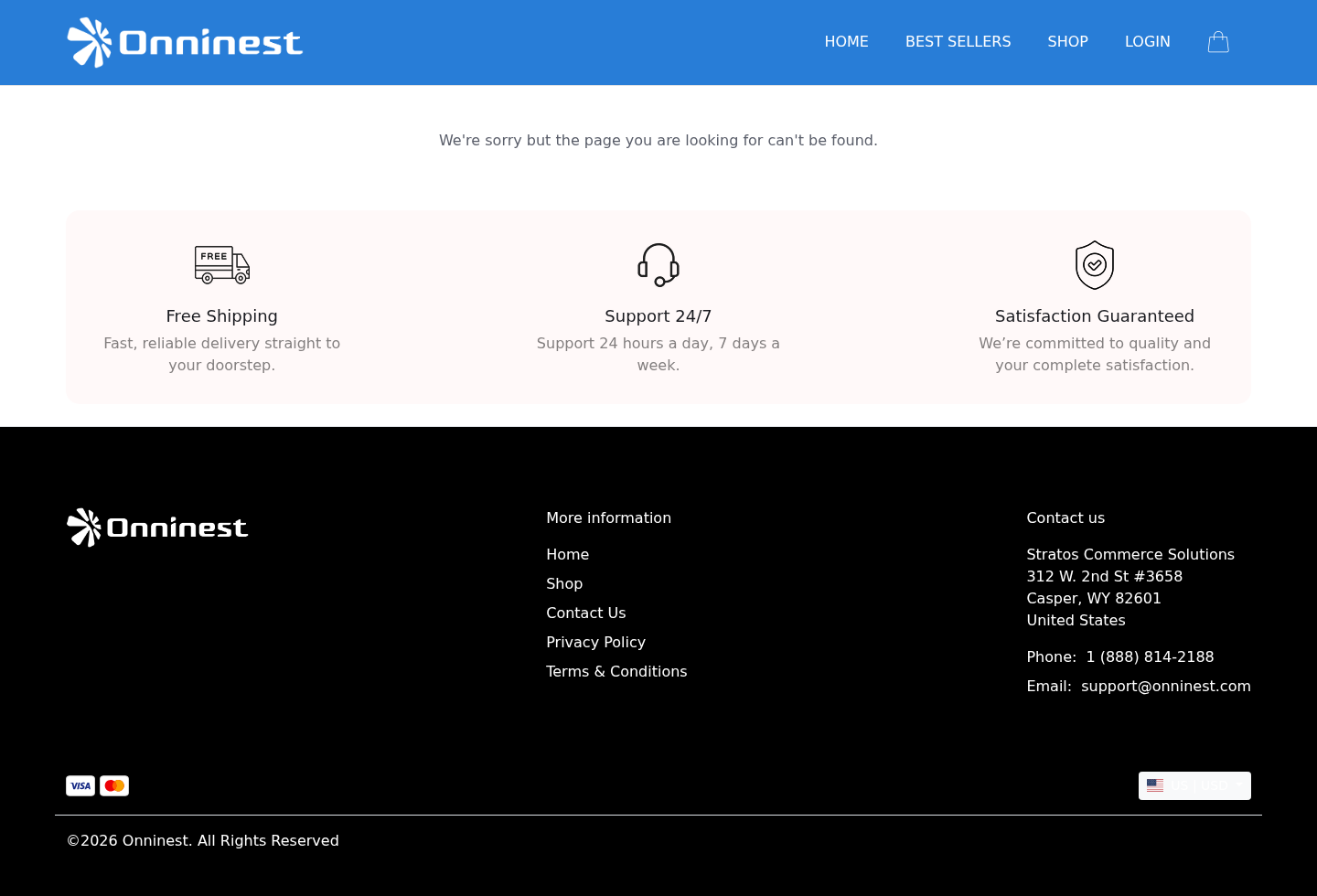
Onninest appears across product, checkout, contact, and return materials. Some BreezeBox-specific pages have also identified Vita O2 in the operating or returns trail.
This structure is not automatically improper. It becomes a consumer risk when each participant points elsewhere after delivery, billing, or refund trouble.
Addresses conflict across the available pages
An earlier advertorial displayed OnniNest LLC at 2160 Barranca Parkway, number 1106, Irvine, California 92606. A current Onninest footer shows a Casper, Wyoming address.
Other return information may direct customers to a facility supplied only after authorization. An address can represent a mailbox, registered agent, office, or fulfillment partner.
Before ordering, ask which legal entity charges the card and which address receives authorized returns. Save the answer with the checkout terms.
Phone and email details have changed
Public materials have displayed 888-814-2188, 888-836-0984, and 888-851-9719, alongside different Onninest and BreezeBox email addresses.
Several numbers may serve separate campaigns, but customers need one accountable support route. The order confirmation should identify the correct merchant and case process.
Call before purchasing and ask about a tested return, restocking fee, refund timing, replacement cartridge, and statement descriptor. Preserve the representative’s written response.
The device origin is not clearly documented
The marketing does not prominently identify the original factory, model number, electrical certification, battery-cell supplier, test laboratory, or importer responsible for the exact unit.
Visual similarity to inexpensive marketplace coolers suggests private-label sourcing, but it does not establish a specific country or manufacturer by itself.
Demand a model-specific manual, certification marks, importer identity, warranty provider, and replacement parts before trusting broad claims about engineering or durability.
What the Return Policy Means in Practice
A guarantee should let a reasonable customer evaluate the advertised benefit. If opening, wetting, or using the product destroys eligibility, the promise offers limited practical protection.
Contact support immediately if performance is disappointing. Do not wait while experimenting with ice, new cartridges, or different rooms until the deadline approaches.
Request a return merchandise authorization and the precise destination. Policies may reject parcels sent to a website footer or the address printed on the shipment.
Ask whether original shipping, return postage, restocking, inspection, and foreign transaction fees are refundable. Calculate the likely net amount, not only the headline guarantee.
Take photographs before packing. Record the condition, serial markings, accessories, packaging, authorization number, shipping label, carrier receipt, delivery, and refund communication.
A card dispute is not guaranteed because the product performed below expectations. Strong evidence shows the advertised claim, policy, test result, and seller’s response.
If the unit was materially different, the wrong quantity arrived, or billing exceeded authorization, describe those specific facts separately from dissatisfaction.
Keep the device dry after deciding to return it. Empty the reservoir, allow the cartridge to dry, prevent leakage, and follow carrier rules for lithium batteries.
How to Evaluate Any Portable AC Advertisement
- Look for a compressor, refrigerant, exhaust hose, BTU rating, room-size rating, and recognized electrical certification.
- If water is added to a sponge or cartridge, the device is probably an evaporative cooler rather than an air conditioner.
- Check local afternoon humidity during the hottest months, not only temperature. High humidity sharply limits direct evaporative performance.
- Compare airflow, tank volume, measured noise, battery runtime, and distance from the outlet where cooling remains noticeable.
- Search the product photo and physical shell. Identical units under several names can reveal private-label pricing and recycled advertising.
- Ignore efficiency percentages without a named test, baseline product, measurement method, and conditions.
- Verify review counts on the claimed platform instead of trusting colored stars embedded inside the sales page.
- Read the return policy before adding water. Confirm whether testing is allowed and how long refunds take after receipt.
- Purchase one unit, not a bundle, until its performance and support have been proven in your home.
- Use a credit card with dispute protections and avoid payment methods that are difficult to reverse.
BreezeBox may provide a pleasant close-range breeze in the right climate. That modest use case is very different from cooling any room in seconds.
The product should be judged as a personal evaporative cooler. Any price comparison with a compressor system must acknowledge the enormous difference in output.
When an advertisement avoids that distinction, the problem is not evaporation. It is the expectation created around ordinary hardware.
What to Do if You Have Fallen Victim to This Scam
- Capture the version you saw. Save the video, advertorial, discount, star claims, cooling promises, checkout, confirmation, policy, merchant name, and any claim that the unit replaces air conditioning.
- Measure the mismatch clearly. Note your room size, temperature, humidity, distance from the outlet, operating duration, water use, and whether only the immediate airflow changed.
- Identify the actual seller. Compare the confirmation, card descriptor, shipping label, terms, Onninest contact, and BreezeBox return page. Direct the request to the entity that accepted payment.
- Request authorization immediately. Ask whether a used unit qualifies, whether 10% will be deducted, where it must go, and when reimbursement starts. Demand written answers.
- Reject unwanted bundle additions. If the quantity or accessories exceed your selection, state the exact authorized total and disputed difference. Do not describe every charge merely as fraud.
- Return safely and document everything. Drain the tank, dry the cartridge, photograph the condition, package the battery correctly, use tracked shipping, and retain delivery evidence.
- Contact the card issuer before deadlines expire. Provide the advertisement, return request, policy conflict, delivery proof, and merchant response. Explain whether the issue is misrepresentation or unauthorized billing.
- Protect the device used for ordering. Run Malwarebytes if redirects delivered unusual files or browser notifications. Use AdGuard to block malicious advertising chains while removing suspicious permissions.
- Report materially misleading claims. U.S. consumers can file with the FTC and their state attorney general. Include climate claims, merchant contacts, addresses, refund conditions, and complete amounts.
- Choose replacement equipment by mechanism. For room cooling, select a correctly sized compressor unit. For dry-climate personal comfort, buy a clearly labeled evaporative cooler from a return-friendly retailer.
Is Your Device Infected? Run a Free Malware Scan
Slow performance, constant pop-ups, or strange behavior? These are classic signs of a malware infection. A quick way to check is to scan your device with Malwarebytes Free, one of the most trusted malware removal tools available. If you only visited a scam page and didn’t download or install anything, this scan is optional.
The free version detects and removes the most common threats, including:
- Adware — the cause of those annoying pop-ups
- Browser hijackers — unwanted redirects and changed homepages
- Trojans and spyware — hidden programs stealing your data
- Potentially unwanted programs (PUPs) — software you never asked for
👉 Select your device below — Windows, Mac, or Android — then follow the simple steps to download Malwarebytes, scan your system, and remove any threats it finds. The scan usually takes 5 to 20 minutes.
Run a Malware Scan with Malwarebytes for Windows
Malwarebytes is one of the most popular and trusted anti-malware tools for Windows — and it’s completely free for removing infections. It catches threats that many antivirus programs miss, including adware, browser hijackers, and trojans. Follow the steps below to scan your PC and remove what Malwarebytes finds.
Download Malwarebytes
Click the button below to download the latest version of Malwarebytes for Windows from the official source. The free version is all you need — it will scan your computer and remove adware, browser hijackers, and other malicious software at no cost.
Download MalwarebytesOfficial installer for Windows 11 and 10. Your download starts right away.Want real-time protection? See Malwarebytes Premium Malwarebytes Free for WindowsScans and removes malware at no cost
-
Install Malwarebytes
When the download finishes, open your Downloads folder and double-click the MBSetup file. If Windows shows a User Account Control pop-up, click “Yes” to allow the installation.

Follow the On-Screen Prompts to Install Malwarebytes
The setup wizard will walk you through a few quick screens:
-
Choose where you’re installing the program — “Personal Computer” or “Work Computer” — then click Next.

-
Malwarebytes will now install on your device. This usually takes under a minute.

-
When installation is complete, the “Welcome to Malwarebytes” screen will open automatically.

-
On the final screen, click Open Malwarebytes to launch the program.

-
Optional: Check for rootkits with a Custom Scan
You don’t need to change any settings for a normal scan. The standard Threat Scan in the next step is enough for most problems, so you can go straight to it.
If you also want to check for rootkits, use a Custom Scan. In current versions of Malwarebytes, rootkit scanning is only available there:
- On the Scanner tile, click the three-dot menu and select Advanced Scan.
- Choose Custom Scan. In its options, check Scan for rootkits.
- Select your system drive (usually C:\) as the location to scan, then start the scan. It takes longer than a Threat Scan.
- When it finishes, review and quarantine the results as described in the steps below.
Rootkit scanning isn’t available on Windows devices with ARM processors.
Start the Scan
Click the blue Scan button. Malwarebytes will automatically update its virus database and start checking your computer for malware.

-
Wait for the Scan to Finish
The scan checks your entire system for browser hijackers and other malicious programs, so it can take 5 to 20 minutes depending on your computer. Feel free to do something else — just check back occasionally to see the progress.

-
Quarantine the Detected Threats
When the scan is done, you’ll see a list of everything Malwarebytes found — malware, adware, and potentially unwanted programs. Click the “Quarantine” button to remove all of them at once.

Malwarebytes will now remove the malicious files and registry entries and move them safely into quarantine.

-
Restart Your Computer
Some threats can only be fully removed after a reboot. If Malwarebytes asks you to restart, click Yes. Once you’re logged back in, Malwarebytes has finished removing the threats it found.

When the scan is done, check whether the problems you noticed have stopped. If they continue, see the options below.
If you are still having problems with your computer after completing these instructions, then please follow one of the steps:
- Run a computer scan with ESET Online Scanner
- Ask for help in our Windows Malware Removal Help & Support forum.
Run a Malware Scan with Malwarebytes for Mac
Malwarebytes for Mac is a free on-demand scanner that removes the malware other security software tends to miss — adware, browser hijackers, and unwanted programs included. Cleaning an infected Mac with Malwarebytes has always been completely free, and it’s our go-to recommendation. Follow the steps below to scan your Mac and remove what Malwarebytes finds.
-
Download Malwarebytes for Mac
Click the button below to download the latest version of Malwarebytes for Mac.
Download MalwarebytesOfficial installer for macOS. Your download starts right away.Want real-time protection? See Malwarebytes PremiumMalwarebytes Free for MacScans and removes malware at no cost -
Open the Malwarebytes setup file
When the download finishes, open your Downloads folder and double-click the setup file to begin the installation.

-
Follow the On-Screen Prompts to Install Malwarebytes
The Malwarebytes for Mac Installer will guide you through a few quick screens. Click “Continue” and keep following the prompts until the installation completes.



When the installation is complete, Malwarebytes opens to the Welcome to Malwarebytes screen. Click “Get started“.
Malwarebytes needs Full Disk Access to check your whole Mac. When it asks, open System Settings > Privacy & Security > Full Disk Access, turn on Malwarebytes (it may be listed as Malwarebytes Protection), and confirm with your password or Touch ID. Then return to Malwarebytes. On macOS Monterey and earlier, this setting is in System Preferences > Security & Privacy > Privacy.
-
Select “Personal Computer” or “Work Computer”
Malwarebytes will ask what type of computer you’re installing it on. Click either Personal Computer or Work Computer, whichever applies.

-
Start the Scan
Click the “Scan” button. Malwarebytes will automatically update its detection database and begin checking your Mac for malware.

-
Wait for the Scan to Finish
Malwarebytes will scan your Mac for adware, browser hijackers, and other malicious programs. This can take a few minutes, so feel free to do something else — just check back occasionally to see the progress.

-
Quarantine the Detected Threats
When the scan is done, you’ll see a list of everything Malwarebytes found. Click the “Quarantine” button to remove all the threats at once.

-
Restart Your Mac
Malwarebytes will now remove all the malicious files it found. Some threats can only be fully removed after a reboot — if Malwarebytes asks you to restart, allow it. Once you’re logged back in, check whether the problems you noticed have stopped. If they come back, save the scan report and ask for help in our forum.

If the problems you noticed continue after the scan, see the options below.
If you are still experiencing problems while trying to remove a malicious program from your computer, please ask for help in our Mac Malware Removal Help & Support forum.
Run a Malware Scan with Malwarebytes for Android
Malwarebytes for Android scans your phone or tablet for malware, adware, and potentially unwanted apps. The free version scans only when you start a scan. Real-time protection, which checks apps automatically, is part of the paid Premium version.
-
Download Malwarebytes for Android.
You can download Malwarebytes for Android by clicking the link below.
Get Malwarebytes for AndroidOpens Google Play in a new tab.Want real-time protection? See Malwarebytes Premium for AndroidMalwarebytes for AndroidScans your phone and removes malware at no cost -
Install Malwarebytes for Android on your phone.
In the Google Play Store, tap “Install” to install Malwarebytes for Android on your device.

When the installation process has finished, tap “Open” to begin using Malwarebytes for Android. You can also open Malwarebytes by tapping on its icon in your phone menu or home screen.

-
Follow the on-screen prompts to complete the setup process
When Malwarebytes opens, it walks you through a short setup. Tap Get started and follow the prompts. If you see an offer for a trial or a paid plan, read it before you accept. You can skip it and keep using the free scanner.
Malwarebytes will ask for permission to access the files on your phone so it can scan them. Tap Allow, or turn on the permission in the Android screen that opens, then return to Malwarebytes.
-
Run a scan with Malwarebytes for Android
On the main screen, tap Scan now. In some versions, you open the menu, tap Scanner, and then tap Run a scan.
-
Wait for the Malwarebytes scan to complete.
Malwarebytes will now start scanning your phone for adware and other malicious apps. This process can take a few minutes, so we suggest you do something else and periodically check on the status of the scan to see when it is finished.

-
Remove the detected apps.
When the scan has been completed, you will see a list of the threats that Malwarebytes for Android has detected. Next to each detected item, tap the menu icon (three dots), then choose to uninstall the app or delete the file. Android then asks you to confirm. Tap OK or Uninstall to remove the app.
-
Restart your phone.
When the detected apps are removed, restart your phone if Malwarebytes asks you to. Then check whether the problems you noticed have stopped.
If the problems you noticed continue after the scan, see the options below.
If you are still having problems with your phone after completing these instructions, then please follow one of the steps:
- Ask for help in our Mobile Malware Removal Help & Support forum.
- Only as a last resort, reset your phone to factory settings. Read the warning below first.
- Back up your photos, videos, files, and messages, for example to your Google account or a computer.
- Make sure you know your Google account email and password. The phone asks for them after the reset. If you changed the password recently, Google recommends waiting 24 hours before you reset.
- On a Samsung phone, also make sure you know your Samsung account password.
- If you use an authenticator app for two-step verification, move your accounts to another device or save your backup codes first.
Stay Protected: Block Ads and Malicious Sites
No scan can prove a device is completely clean, so it helps to block threats before they reach you. Most infections start with a malicious ad or a fake download button — so blocking them at the source is your best defense.
We recommend AdGuard, which blocks malicious ads, phishing pages, and dangerous redirects before they can reach you.
👉 Download AdGuard and browse safely
Frequently Asked Questions
Is BreezeBox a real air conditioner?
No in the conventional compressor sense. It appears to be a small evaporative cooler that uses water and airflow, without refrigerant or an exhaust hose.
Can BreezeBox cool an entire room?
Its compact size makes personal-zone cooling more realistic. Whole-room results depend heavily on dry air, ventilation, airflow, room volume, and the distance from the unit.
Why does humidity matter so much?
Evaporation slows when air already contains substantial moisture. The outgoing stream loses cooling power while the device continues adding humidity to the room.
Is BreezeBox completely useless?
Not necessarily. It may create a refreshing nearby breeze in hot, dry conditions. That does not validate claims equating it with compressor air conditioning.
Who handles BreezeBox returns?
Onninest and BreezeBox-specific materials have displayed different entities and contacts. Use the confirmation and current authorized-return page before shipping anything.
Does the 90-day guarantee ensure a full refund?
No. Conditions may involve unused status, original packaging, prior authorization, tracked shipping, a possible 10% fee, and a lengthy processing period.
The Bottom Line
BreezeBox is best understood as a compact evaporative cooler, not a revolutionary replacement for central, window, or compressor-based portable air conditioning.
The marketing becomes misleading when personal airflow is presented as rapid room cooling, while climate limits, modest capacity, changing contacts, and restrictive returns receive less attention.
Buy only if that narrow use fits your climate, the complete price is competitive, and the seller confirms in writing that realistic testing will not cancel refund eligibility.

Join the discussion
0 commentsShare your experience or ask a question about this article.
Discussion
Start the conversation
Have a question or something useful to share? Add the first comment.