

A small HDMI puck promises to tame rising entertainment bills, simplify every app, and breathe new life into a television that still works perfectly well.
PLAYVERO may look like an inexpensive shortcut. Its real value depends on details the advertising leaves frustratingly unclear, including what the device actually does.
Overview
PLAYVERO appears to be a real HDMI device
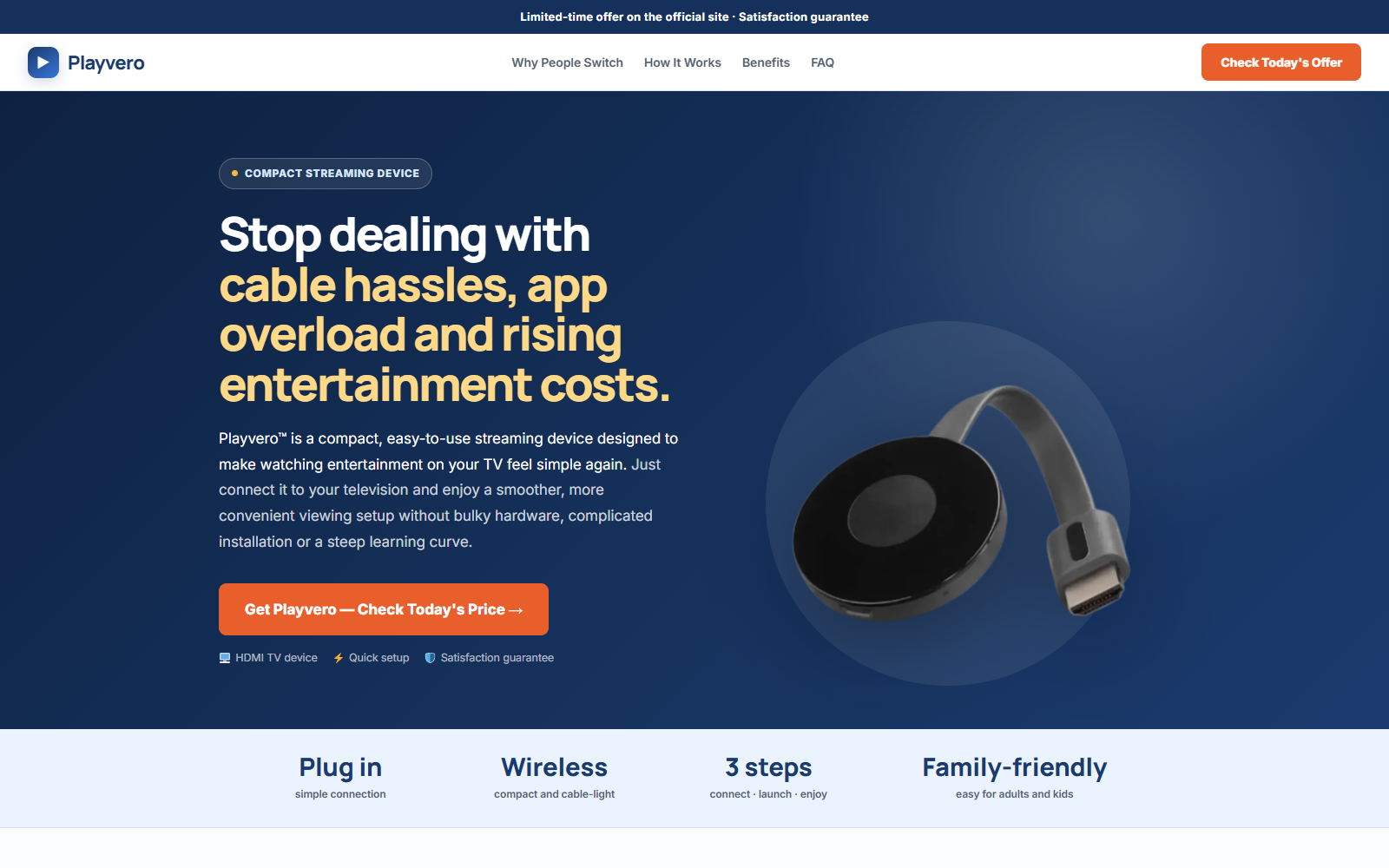
The seller presents PLAYVERO as a compact device that plugs into a television’s HDMI port and connects through Wi-Fi for movies, shows, sports, and other entertainment.
Product imagery resembles a common wireless casting receiver rather than a full streaming box. The visible materials do not provide a model number or complete technical specification.
That missing distinction matters. A casting receiver mirrors content from another device, while a streaming stick runs supported apps with its own operating system.
Free premium entertainment is not substantiated
Promotional material has referred to thousands of channels and platforms, completely free viewing, and entertainment without subscription hassles or passwords.
No channel lineup, licensing explanation, supported-app directory, or manufacturer documentation was located that proves the device includes paid streaming services.
A $28.99 HDMI accessory cannot legally replace content licenses merely by connecting to a television. Paid services generally still require valid accounts and compatible apps.
The commercial details are more concrete than the technical details
PLAYVERO is associated with Cartwell Global Inc. and langleyretail.com. The same seller, pricing, support details, and promotion network have also appeared around EZStream.
The current written terms provide a refund route and do not describe recurring device billing. They do include consent language for recurring marketing contacts.
- One device has been advertised at $28.99.
- Two and three-unit packages reduce the per-unit price.
- No clear manufacturer or model number is displayed.
- No independently verified channel list is provided.
- The promotional guarantee and written return language require comparison.
What Kind of Device Is PLAYVERO?
The pictured hardware has a round receiver body attached to a short HDMI cable. This design is commonly used for screen-mirroring devices.
A mirroring receiver normally displays video sent from a phone, tablet, or computer. It does not automatically contain Netflix, Disney+, sports packages, or premium television channels.
A true streaming stick normally identifies its operating system, processor, memory, storage, supported resolution, app ecosystem, update policy, Wi-Fi standard, remote, and power requirements.
PLAYVERO’s visible materials do not clearly state those details. They also alternate between saying apps are simplified and instructing users to open favorite streaming content.
Ask the seller one direct question before ordering: “Does PLAYVERO run apps independently, or does it mirror a separate phone, tablet, or computer?”
If support cannot answer with a model number and manual, assume the marketing description is incomplete.
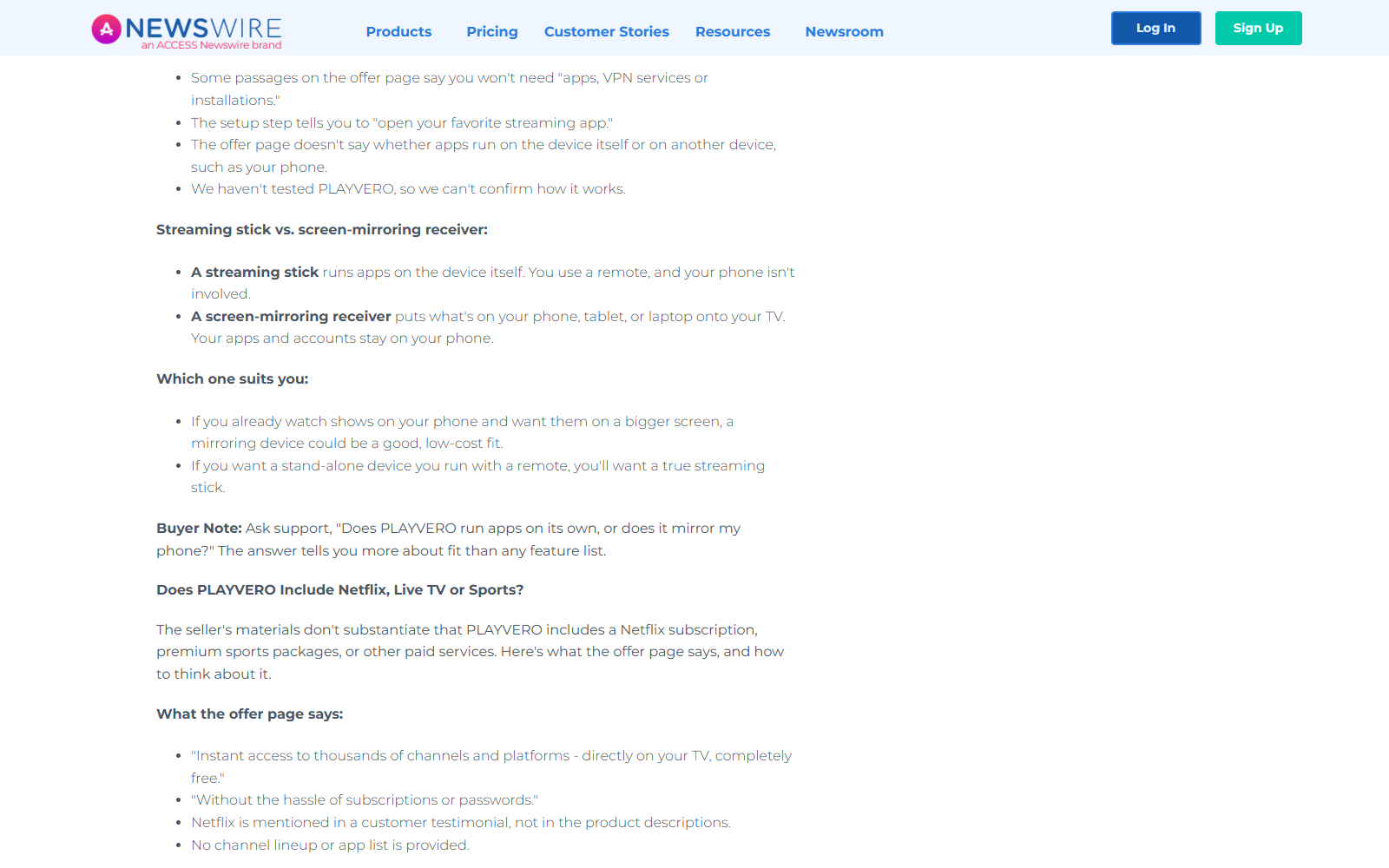
The difference determines whether the device meets the buyer’s purpose. Someone wanting simple phone mirroring may accept basic hardware that disappoints a buyer expecting a Roku alternative.
It also determines privacy and compatibility. Casting protocols, digital-rights protections, hotel Wi-Fi, older phones, and certain paid apps can limit what appears on screen.
Without exact specifications, buyers cannot check those limitations before payment. “Works with any TV” is less useful than a verified compatibility list.
Why “Free Netflix and Disney” Claims Need Immediate Skepticism
Netflix, Disney+, Max, and other paid services license their content and control access through accounts, supported devices, and subscription plans.
An HDMI receiver can help display an authorized stream. It cannot grant a lawful subscription to a separate company’s paid catalog without an explicit commercial agreement.
The PLAYVERO page does not present such agreements. It also does not list which free, ad-supported channels are included or whether “thousands” refers to apps, web streams, or claims.
Free television does exist. Over-the-air broadcasts, Tubi, Pluto TV, and other ad-supported services can be accessed through compatible hardware without paying a monthly service fee.
Those services remain free on many mainstream devices. Their availability does not make PLAYVERO unique, nor does it establish access to paid catalogs.
Never cancel existing subscriptions based on an advertisement. Test the exact services you use while the return window remains open and preserve the original packaging.
How the PLAYVERO Offer Works
Step 1: Social ads attack subscription fatigue
The advertisement begins with a real frustration. Households juggle rising bills, multiple apps, forgotten passwords, and different interfaces.
PLAYVERO is framed as the simple answer: one compact device, quick setup, and more entertainment at a low one-time price.
This emotional contrast makes buyers compare the device with years of cable charges instead of comparing it with a basic casting receiver.
Step 2: Broad entertainment language invites assumptions
Words such as movies, live TV, sports, apps, channels, and platforms appear together. The visitor naturally imagines the specific services they already pay to use.
The seller does not provide a binding lineup beside those claims. Testimonials and lifestyle copy can mention familiar experiences without guaranteeing included subscriptions.
Buyers must ask service by service. “Can it show Netflix?” is different from “Does the purchase include a Netflix plan?”
Step 3: A low entry price anchors the decision
The single-unit offer has been shown around $28.99, with crossed-out comparison pricing and discounts up to 70% for larger packages.
The percentage looks dramatic, but the meaningful number is the final total. A three-unit bundle costs more overall even when each device appears cheaper.
No evidence was found that PLAYVERO intentionally changes one requested unit into several. Still, verify quantity before payment because bundle cards can be visually persuasive.
Step 4: The checkout moves to the seller’s commerce system
Promotional pages and Facebook accounts may send traffic toward convert4betterlife.com and then a langleyretail.com checkout operated by Cartwell Global Inc.
The advertising publisher, offer domain, seller, payment processor, and warehouse are not automatically the same organization.
Save the final cart. It should show quantity, price, shipping, tax, extras, and whether any item renews.
Step 5: The current terms govern more than the banner
PLAYVERO promotion materials have referenced a 60-day guarantee. Current Langley Retail terms provide refund contact details and a return address for unused products.
Different captured versions have described different windows and support numbers. That inconsistency makes a dated screenshot of the terms attached to your order essential.
The current general terms also contain arbitration, jury-trial waiver, and class-action waiver provisions. Those are easy to miss beneath a simple gadget offer.
Step 6: Performance can be judged only after setup
Picture quality, delay, app compatibility, Wi-Fi reliability, and mirroring restrictions cannot be verified from a product render.
Test the device promptly with the television, router, phone, and services you actually use. Do not wait until the return period is nearly over.
If it does not perform as represented, contact support in writing and request return authorization before shipping.
The PLAYVERO and EZStream Connection
PLAYVERO and EZStream have been promoted through the same commercial ecosystem. Both have been linked with Cartwell Global Inc., Langley Retail, and similar pricing.
They also share support information and promotional infrastructure. That establishes a business connection, but it does not prove the internal hardware is identical.
No manufacturer model, chipset, or FCC identifier was located that would let buyers compare the two devices at the component level.
Ask support whether they are the same device under different names. Request the exact model number and manual for each.
If the answer is yes, a new label may be refreshing interest in existing hardware. If the answer is no, the seller should explain the technical difference.
Company, Address, and Fulfillment Checks
The named seller is Cartwell Global Inc.
Public PLAYVERO materials identify Cartwell Global Inc. as the company operating langleyretail.com. This is more information than anonymous one-page gadget stores provide.
A named seller still does not establish product performance. Compare that entity with the name on the card statement and order confirmation.
The published business address appears to be a commercial mailing location
Promotional research lists 25 SE 2nd Ave, Suite 550 #3036, Miami, Florida 33131 as the business address.
A suite and mailbox-style identifier may provide correspondence handling without being the electronics manufacturer, engineering office, or warehouse.
The returns address serves a fulfillment role
Current Langley Retail terms list unused returns at 3601 N Dixie Highway, Bay 14, Boca Raton, Florida 33431.
That is useful for logistics, but buyers should not ship unannounced. Obtain written authorization and confirm the correct address for the specific order.
The missing manufacturer remains the largest technical gap
No clear factory, model number, operating system, chipset, or compliance identifier is presented in the promotional material reviewed.
Do not assume Chinese manufacture merely because the device resembles generic hardware. Ask for the country of origin and manufacturer, then verify the label upon arrival.
Without those details, buyers cannot compare the product with visually identical receivers sold elsewhere for less.
What the Terms Say About Billing and Marketing
No device subscription or $49.99 monthly membership was found in the current PLAYVERO-related Langley Retail terms. It would be inaccurate to claim one without checkout evidence.
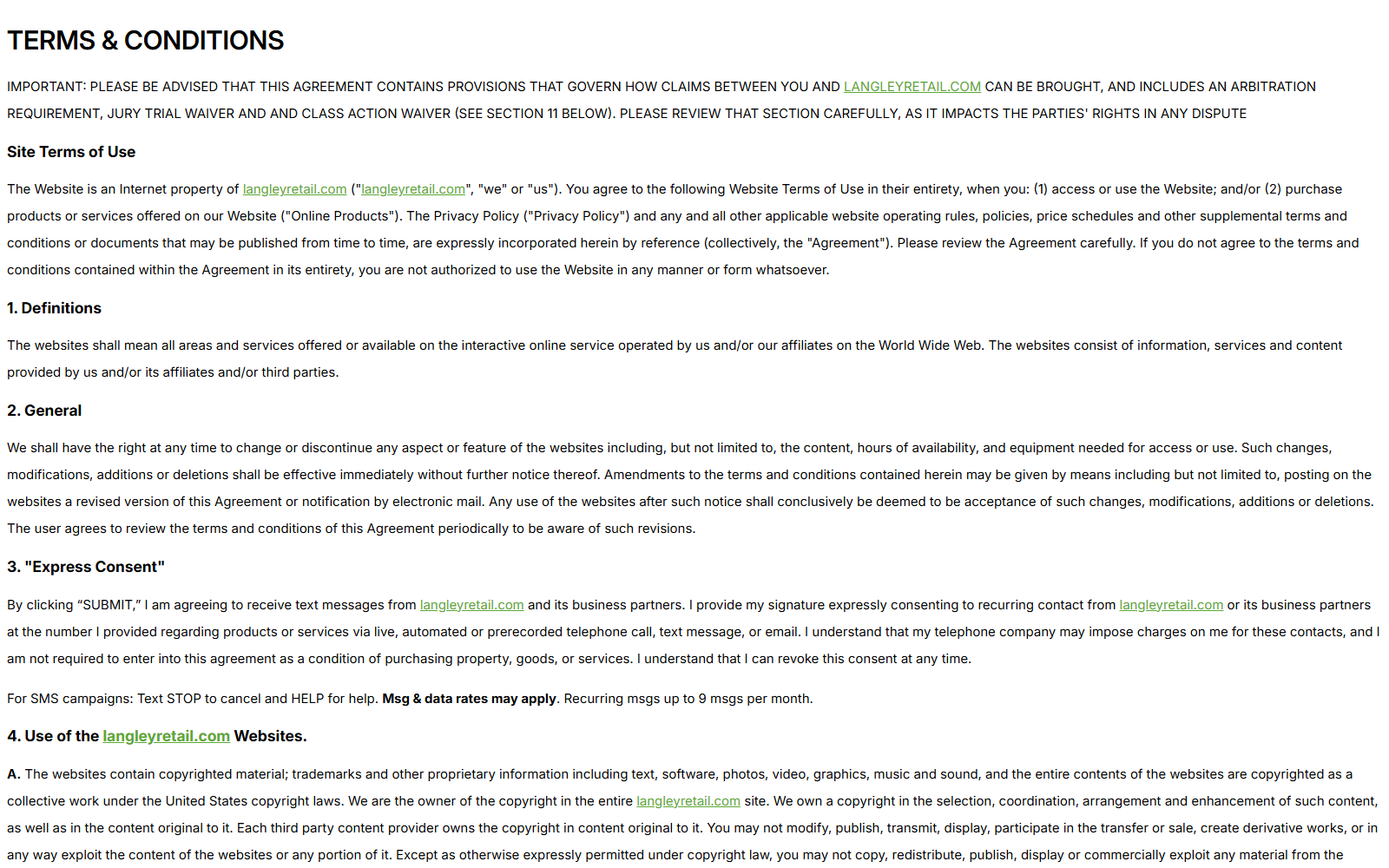
The terms do contain “Express Consent” language for recurring contact from the seller and business partners through calls, texts, or email.
That is marketing consent, not proof of recurring product billing. Buyers should still inspect the live order summary because checkout options can change independently from general terms.
Search future statements for the exact merchant descriptor. If a recurring charge appears, compare it with the saved checkout and request the underlying authorization.
The terms say unused products can be returned after contacting support. “Unused” matters because testing a streaming device normally requires opening and connecting it.
Ask in writing whether opened devices qualify, which guarantee period applies, who pays postage, and whether original shipping is refundable.
Questions to Send the Seller Before Buying
- What is the manufacturer and exact model number?
- Does it run apps or mirror another device?
- Which operating systems and casting protocols are supported?
- What is the maximum resolution and frame rate?
- Are a remote, power cable, and adapter included?
- Which services are included without separate accounts?
- How is any advertised premium programming licensed?
- Does the 60-day or another return window govern this order?
- Can an opened and tested device be returned?
- Is PLAYVERO identical to EZStream?
A seller of a reliable electronics product should answer these basic questions. Vague lifestyle promises are not a substitute for a specification sheet.
What to Do if You Have Fallen Victim to This Scam
- Save the original offer. Keep screenshots showing the price, quantity, free-content claims, guarantee, checkout total, and advertised capabilities.
- Inspect the package before setup. Photograph the label, model, contents, condition, instructions, country of origin, and any compliance identifiers.
- Test promptly and methodically. Try the exact phone, television, Wi-Fi network, resolution, and streaming services you bought it to use.
- Document each failure. Record setup errors, app restrictions, delay, disconnections, missing accessories, and any difference from the advertisement.
- Request return instructions in writing. Contact support before shipping. Ask which window, address, authorization, product condition, and postage rules apply.
- Use tracked return shipping. Photograph the packed item, save the receipt, and monitor delivery. Request written confirmation when the warehouse receives it.
- Review the payment statement. Confirm quantity and total. Challenge unauthorized extras or future charges through the merchant and card issuer.
- Protect account credentials. Change passwords if the device or an unofficial app collected streaming logins. Sign out unknown sessions from each service.
- Check connected devices. Run Malwarebytes if setup required unknown downloads or browser extensions. AdGuard can reduce deceptive ads leading to similar offers.
- Report materially false claims. Provide the ad and purchase record to the platform, FTC, card issuer, or state consumer agency.
Do not install unofficial streaming applications simply to make an advertised promise work. Pirated apps can expose passwords, payment details, home-network devices, and personal files.
Keep the product dispute separate from any content subscription. Canceling PLAYVERO does not cancel Netflix, Disney+, or another service billed by its own provider.
Frequently Asked Questions
Is PLAYVERO TV Box a scam?
Evidence supports a real device offer from a named seller, so a categorical scam verdict is not justified. The marketing leaves major technical and licensing questions unanswered.
Does PLAYVERO include free Netflix or Disney+?
No reliable evidence shows that the purchase includes those paid subscriptions. Ask the seller for a written service list and licensing explanation.
Is PLAYVERO a streaming stick or mirroring receiver?
The pictured design resembles a mirroring receiver, but the seller’s visible materials do not clearly settle the question. Request the model number and manual.
Does PLAYVERO have a monthly fee?
No recurring device fee was found in the current general terms. Paid content services may still require separate subscriptions, and the live checkout must be checked.
Are PLAYVERO and EZStream the same product?
They share a seller, pricing, support details, and promotional infrastructure. Identical hardware has not been confirmed because no verifiable model comparison was available.
Can I return an opened PLAYVERO device?
The current terms mention unused returns, while promotion materials reference a satisfaction guarantee. Get written confirmation about opened-device eligibility before ordering or testing.
The Bottom Line
PLAYVERO may function as an inexpensive HDMI receiver, but the offer asks buyers to imagine far more than the technical information proves.
Do not buy it expecting free premium subscriptions. Require a model number, app list, licensing explanation, final total, and written return conditions first.
The strongest documented concern is not a hidden monthly device fee. It is the gap between sweeping entertainment promises and the missing specifications needed to evaluate them.








