

A link offers a special version of a familiar video app. It promises extra features or says the ordinary download will no longer work. Installing one file seems faster than checking whether the claim is real.
That shortcut is the heart of the TikTok Pro APK scam. The name sounds like an upgrade, but the installation route deserves far more attention than the promise on the page.
Overview
A fake upgrade name was used to distribute Android malware
Security company Lookout analyzed a malicious application called TikTok Pro in 2020. It appeared during confusion about access to the genuine TikTok app in India and was promoted through SMS, social media, and messaging services. Lookout classified the analyzed app as toll fraud malware.
This is an important time distinction. The published technical analysis documents a real malicious app from 2020. It does not, by itself, prove that the identical file or campaign is active in September 2026. New pages using the same name should be judged on their own evidence.
The download leaves the trusted store path
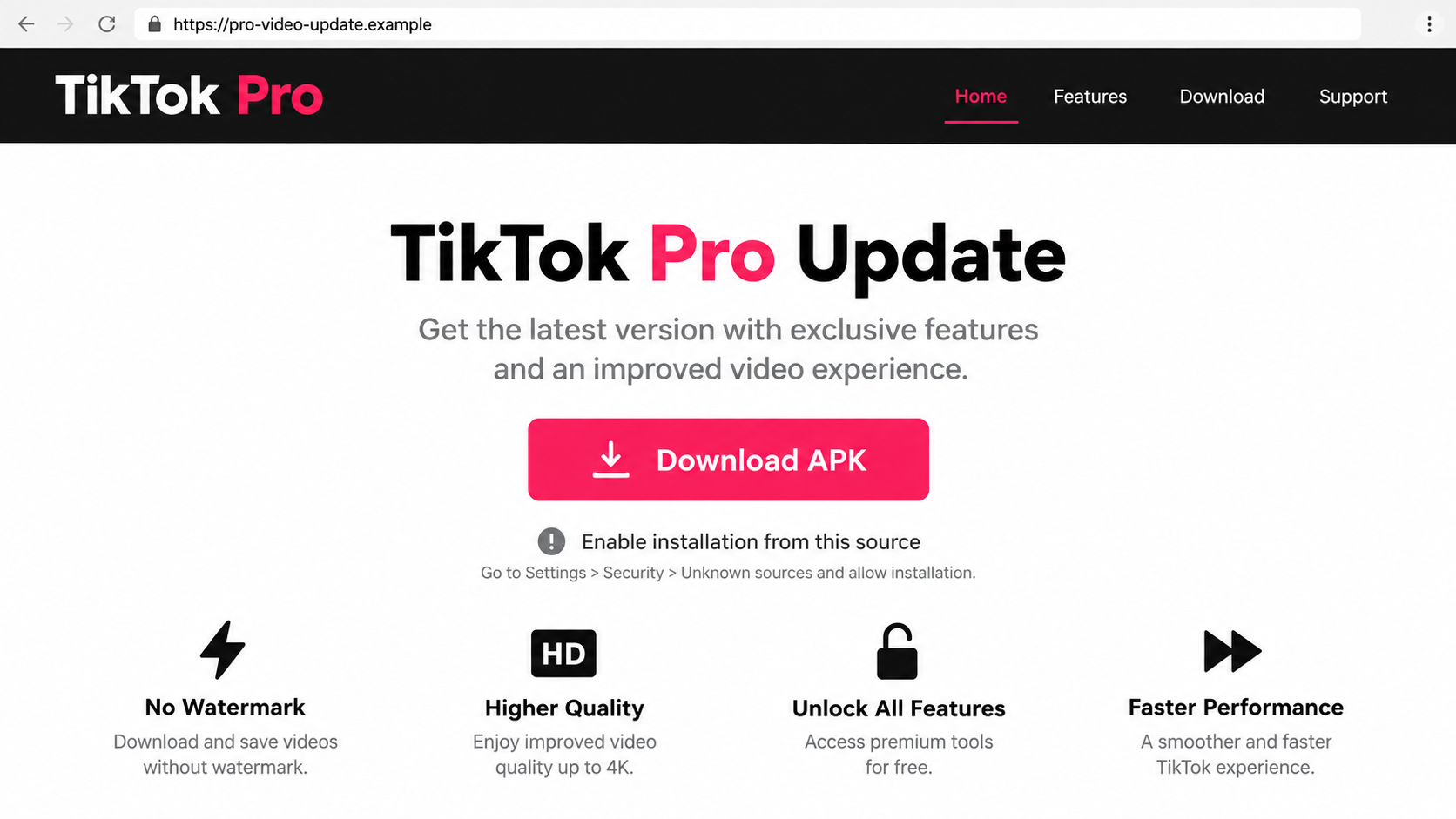
The pitch asks an Android user to download an APK from a website or message rather than obtaining an app through a verified store. The installer may then ask the user to allow installation from that source. That change weakens a normal checkpoint and can make an unfamiliar file feel like a routine update.
Not every APK installed outside a store is malicious, and a store listing is not a perfect guarantee. In this case, the combination of an unsolicited link, a supposed special TikTok edition, and a request to bypass normal distribution is the warning.
The observed harm was premium-message billing
Lookout found that the sample did not function as a usable video app after installation. Instead, it could send premium-rate text messages to Indian numbers without the user’s knowledge. The financial damage came through the phone account rather than a fake checkout page.
Readers should separate what was observed from what is merely possible in other fake-app campaigns:
- Lookout documented an Android TikTok Pro sample in 2020.
- The analyzed sample was delivered by sideloading, outside a normal app-store installation.
- Its confirmed behavior included premium SMS activity.
- Other fake apps may steal data or show ads, but those behaviors require evidence for the specific file.
- A new link using “TikTok Pro” is not automatically the same specimen Lookout studied.
Why the “Pro” Label and Update Story Work
People are used to apps offering premium tiers, creator tools, and business features. “Pro” therefore sounds like a product name rather than an obvious warning. A scammer can exploit that expectation without building a convincing working application.
The 2020 campaign also used uncertainty about TikTok availability. When a platform’s status changes or headlines suggest a ban, people may search for alternate downloads. A page claiming it has the one version that still works can catch someone who would normally ignore an unsolicited attachment.
Lookout said the malicious file was much smaller than the genuine TikTok app at the time of its analysis. File size can be a clue, but it is not a safe standalone test. A legitimate app can be small, and a harmful one can be large. Provenance and behavior matter more.
A name on an installation prompt is also easy to set. The installer may display “TikTok Pro” even when the code inside belongs to an unrelated actor. Treat the name as an allegation made by the package, not as an endorsement by TikTok.
How the TikTok Pro APK Scam Works
Step 1: A message creates a reason to seek a different app
The lure can say the ordinary app has been banned, a security update is required, or special creator features are available in a separate Pro edition. The exact wording can change. The purpose is to move the user from the app they know to a new file chosen by the sender.
In Lookout’s documented case, the malicious app appeared shortly after a genuine ban of TikTok in India. That real-world context made alternate-download claims more persuasive. A present-day message should still be checked against current, official platform guidance rather than believed because it echoes an old news story.
Step 2: The link opens a page that imitates software distribution
The landing page may show an app name, version number, download button, and claims about faster video or unlocked tools. Those are easy to fabricate. A website is not an app-store listing, and an attractive design does not verify the file it serves.
Look at the destination address, the publisher, and where the download actually comes from. An unknown domain that supplies an APK directly should be treated as a separate software vendor, regardless of the words or colors used on the page.
Step 3: The user is guided to allow the unknown source
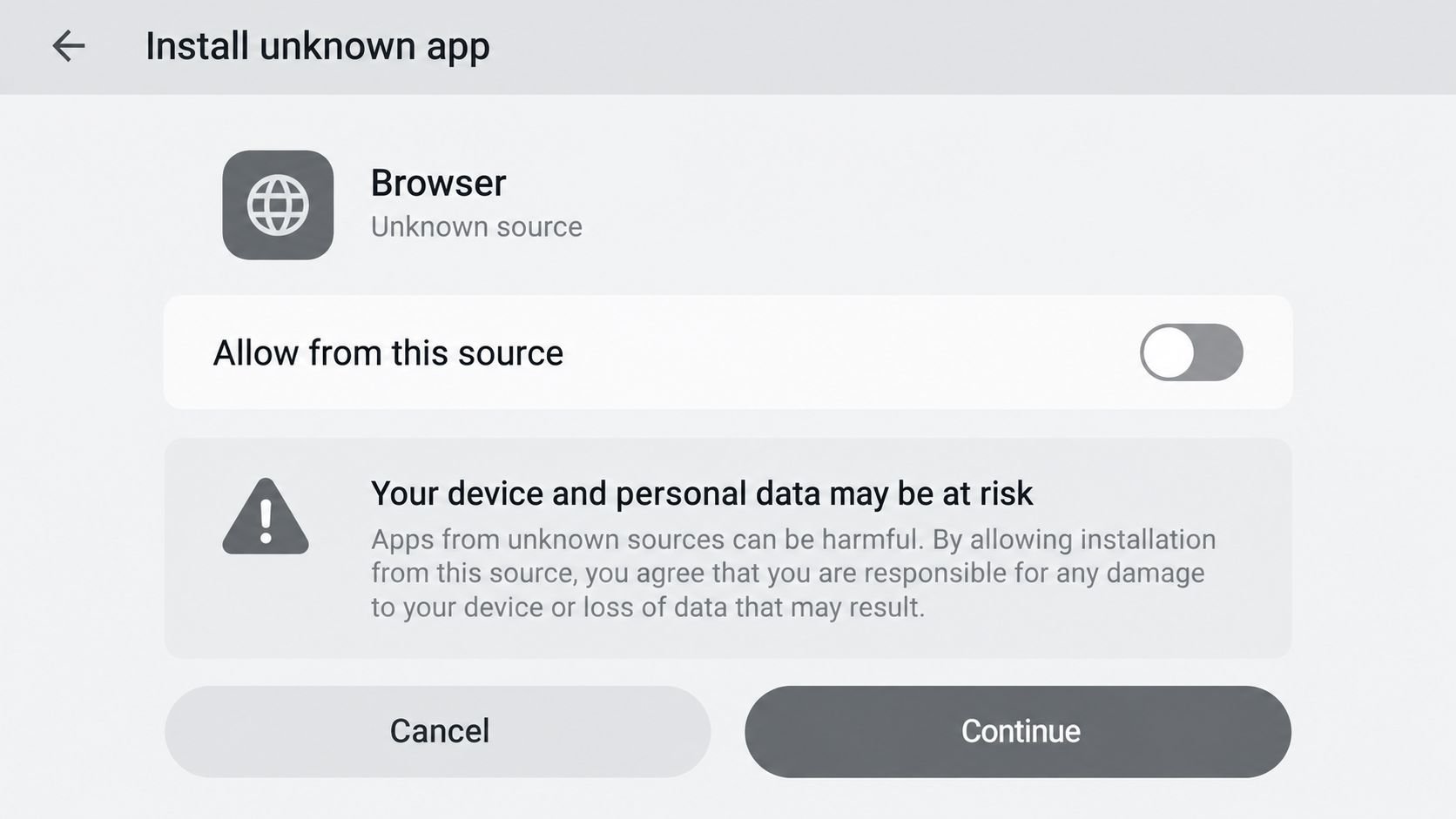
Android may display a warning before installing an app from a browser or messaging client. The scam instructions can portray that warning as an annoying setting to disable. In reality, it is a moment to reconsider whether the sender deserves permission to install software.
Google explains that Android requires users to opt in to installs from unknown sources, and that Play Protect can check suspicious apps. A request to weaken or ignore those checks is not proof of malware by itself, but it raises the stakes of trusting the link.
Step 4: The installer seeks capabilities unrelated to watching video
Permissions can be technical and easy to skim. The studied TikTok Pro app requested access similar to the legitimate app, including location and contacts, according to Lookout. The danger is not simply that a permission exists; it is that an unverified publisher gets access under a borrowed identity.
For a suspected fake app, do not approve sensitive access just to make the warning disappear. Check whether the requested capability is needed for the stated function, and remember that a malicious package can do harm after installation even if its icon looks familiar.
Step 5: The app fails to deliver its promise but runs code
Lookout reported that the analyzed TikTok Pro sample could not be opened as a normal app. That is a telling mismatch: the advertised service is absent, but the installed program still has opportunities to act in the background.
The confirmed behavior in that case was sending premium text messages to Indian numbers. That can add charges to a mobile bill without a recognizable purchase screen. It is different from an online subscription charge, so victims may not notice until the next statement.
Step 6: Confusion delays removal and billing checks
A user may assume a failed launch means the installation did nothing. The icon might be missing, the screen might close, or the app may appear broken. Those symptoms do not establish that the underlying package has stopped.
The safer response is to identify the installed app in Android settings, remove it, review permissions and device security, and contact the mobile carrier about unexpected premium messages. Keep a record of the download link and package name if you can do so without reopening a dangerous page.
App, Publisher, Support, and File Checks
The app name is not the publisher identity
“TikTok Pro” printed on a webpage or APK proves only what the distributor chose to call it. Check the publisher through the genuine app’s official channels and the approved store listing for your region. A direct file in a message has not passed that simple identity test.
The download domain is the distribution address
A random site may carry logos or a convincing version history, but its registered domain is still the source of the file. Do not assume it is authorized because a social post, search ad, or friend forwarded it. Accounts can be compromised and ads can lead to impostor pages.
The “help” instructions may be part of the trap
If installation help tells you to disable protections, ignore warnings, or grant unusual permissions, pause. Real troubleshooting should not require blind trust in a stranger’s APK. Seek guidance from Android and TikTok through independently located support pages.
The file needs independent technical evidence
A package name, size, or screenshot is not a malware verdict. Lookout’s 2020 findings apply to the sample it analyzed. If a new file is circulating, its hash, publisher signature, permissions, and observed behavior need fresh analysis before anyone can claim it is the same malware.
How to Tell a Fake App Warning From a Real Update
Begin with the official app already installed or its store listing. If it needs an update, the normal store or platform notice should show that. Do not let an unrelated message dictate a new installation method.
Check whether a “Pro” feature is actually a setting or subscription inside the legitimate service. A separate file promising to unlock all features for free is not the same as a documented account feature. Search the vendor’s own help pages rather than an ad that benefits from your click.
Be especially skeptical of instructions claiming you must sideload immediately to keep your account. Access policies vary by location and can change. An authentic change can be confirmed through official announcements and your device’s app marketplace; a rushed third-party download cannot verify itself.
Finally, distinguish the risk of clicking from the risk of installing. Opening a page is not identical to running an APK. If you never downloaded or installed anything and supplied no information, your response is simpler than for someone who granted permissions and incurred charges.
What to Do if You Have Fallen Victim to This Scam
- Stop using the suspicious application. Do not enter credentials or approve more prompts. If it is installed, find it in Android Settings under apps and uninstall it. If you cannot identify it, note the approximate installation time and inspect recently added apps.
- Run a trusted security check. Use Google Play Protect and a reputable mobile security scanner such as Malwarebytes to look for remaining threats. Update Android and installed apps. If an app resists removal or device behavior remains abnormal, seek help from a trusted technician before restoring sensitive accounts on that device.
- Review the mobile bill and contact your carrier. Ask specifically about premium SMS, third-party billing, or unusual international text activity. Request blocks where available and dispute charges you did not authorize. Lookout’s documented TikTok Pro sample used premium messages, so this check is central, not optional.
- Change passwords only if you entered them or suspect account access. Use a clean device or verified app to secure email, TikTok, banking, and other important accounts. Turn on multifactor authentication. Review sign-in history and revoke unfamiliar sessions where the service provides that option.
- Keep evidence for support and reporting. Save the original message, URL, download name, carrier statement, and security-scan result. Do not redistribute the APK to friends. If a security professional needs the file, use a safe transfer process they recommend rather than forwarding it casually.
- Reduce future exposure without treating a blocker as a cure. AdGuard can help block malicious advertising and known scam pages, but it cannot make an untrusted APK safe after installation. Keep unknown-source installation disabled unless you have a specific, verified reason to use it.
- Report the incident and refuse recovery fees. Report the fraudulent link to the messaging platform or browser and follow your carrier’s fraud process. In the United States, you can report financial loss at ReportFraud.ftc.gov. Anyone promising to remove the malware or recover charges only after an upfront payment should be independently verified.
Frequently Asked Questions
Was TikTok Pro actually malware?
Lookout analyzed a fake TikTok Pro Android app in 2020 and classified that sample as toll fraud malware. The label should not be extended automatically to every later file with the same name without examining it.
Does this prove a new TikTok Pro campaign in 2026?
No. The published technical evidence cited here describes the 2020 sample. A newly shared link may be risky, but it needs its own investigation before being called part of the same campaign.
What did the documented app do?
According to Lookout, it could not function as a normal video app and sent premium text messages to Indian numbers without the device owner’s knowledge.
Is installing any APK outside Google Play automatically unsafe?
No. Some legitimate developers distribute apps directly. The risk rises when the sender is unverified, the download is unsolicited, and the instructions ask you to bypass warnings or grant sensitive access.
Will deleting the app remove the phone charges?
Removing the app can stop further activity, but it does not automatically reverse charges already posted. Contact your carrier, review the bill, and ask about blocking premium services.
What if I only opened the download page?
If you did not install a file, approve permissions, or enter credentials, the confirmed toll-fraud behavior described by Lookout would not have run through an installed app. Close the page and avoid the link; check downloads if you are unsure whether a file was saved.
The Bottom Line
The TikTok Pro APK scam turns a believable upgrade name into a reason to install software from an untrusted source. A documented sample used that path to create premium-message charges instead of delivering a working video app.
Do not judge a download by its name or a polished page. Verify the publisher and route first, and if you installed the file, remove it, scan the device, and review the phone bill.








