

A banking link arrives in a message. The page opens with familiar colors, account menus, and a sign-in button that looks close enough to the real thing.
The address may even show a widely trusted web-hosting name. That detail can feel reassuring until you look at who actually controls the page.
Overview
A familiar bank, an unfamiliar address
GitBait is a multi-bank phishing operation documented in Mexico. Its pages copy the appearance of financial institutions and ask visitors to enter banking credentials and other sensitive details.
Some of those pages sit on GitHub Pages, a legitimate website-hosting feature. The criminals exploit that hosting reputation, but GitHub did not create or endorse the fraudulent bank pages.
A page can also be reached through one of many campaign domains. The address and path can change while the same underlying login trap remains.
What the investigation established
Group-IB’s research identified pages impersonating at least 12 financial institutions and more than 100 domains associated with the campaign.
Researchers traced stages that collect customer identifiers, passwords, payment-card details, and other information. They observed stolen submissions routed through a spreadsheet service and, in one variant, a Telegram bot.
The operation was maintained over time. Repository history showed multiple contributors and changes to the destination used for collecting submissions.
The important uncertainty
Group-IB could not confirm one universal delivery channel. Texts and chat links are plausible routes, but the investigation did not prove every victim received the same kind of message.
Nor does the count of domains tell us how many people lost money. The count establishes infrastructure, not a verified victim or loss total.
For a reader, the essentials are simpler:
- A cloned bank page is not the bank, even when it looks convincing.
- A
github.ioaddress is not an official banking address. - A secure connection does not verify the organization behind a page.
- A link preview can display a bank logo and still lead elsewhere.
- Never supply a banking password, card number, or code after following an unexpected link.
Why GitHub Pages Is an Effective Disguise
GitHub Pages lets anyone publish a website from a repository. Developers, documentation teams, and hobbyists use it every day for legitimate purposes.
That openness is also useful to criminals. A fraudulent page can borrow the platform’s HTTPS connection and recognizable address while presenting a copied bank interface.
A visitor may notice the GitHub name and assume the page has been reviewed. Hosting and endorsement are different things. The bank must still control the sign-in destination.
GitBait was not limited to one repository. Researchers found duplicated pages across independent repositories and paths, making individual takedowns less decisive.
The page paths could carry themes such as support or cancellation. Those words explain why a worried customer might click, but they do not establish a real bank request.
Group-IB reported the phishing pages it identified to GitHub. A takedown may remove a particular copy without eliminating all related links already circulating in messages.
The defensive habit is to ignore the entire supplied route. Open the bank’s app or saved address instead of trying to evaluate each clone.
How the GitBait Bank Phishing Scam Works
Step 1: A link is delivered with a banking pretext
A victim encounters a link that appears connected to account support, cancellation, or another routine banking task. The precise delivery method varies or remains unconfirmed.
That uncertainty is not a loophole in the scam finding. The fraudulent destination and data-collection code were documented directly.
Some pages were configured with link-preview information that could show a polished title, description, and image in messaging apps. A preview is presentation, not authentication.
Step 2: The link opens a copied institution page
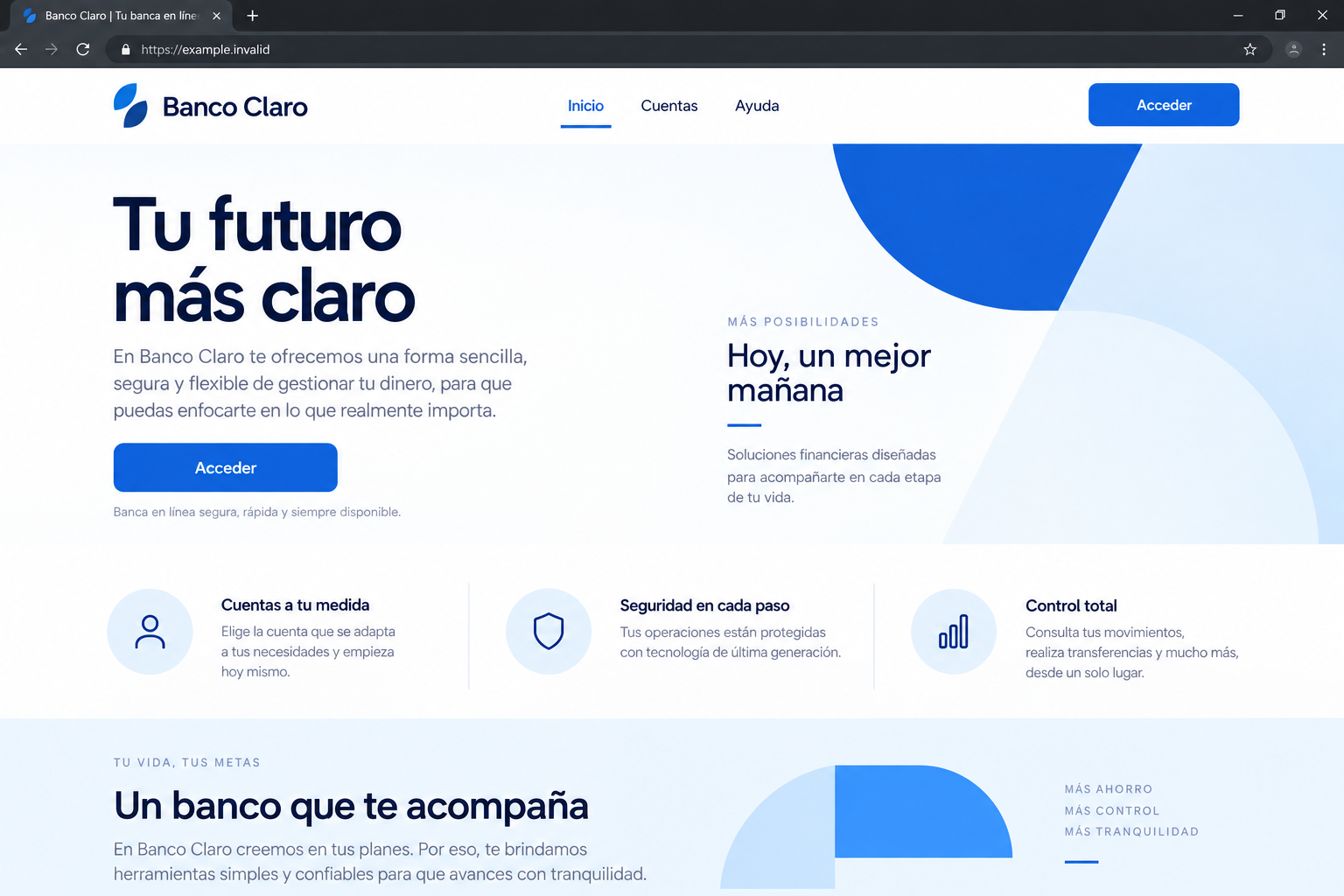
The landing page borrows a real financial institution’s branding, layout, and navigation cues. It may look plausible on both a desktop and a phone.
The bank named on the page is being impersonated. The criminals can switch templates to target a different institution without rebuilding the whole operation.
That flexibility explains why searching only one bank name may miss related pages. The underlying kit is the common element, not the visible logo.
Step 3: The visitor is pushed toward a sign-in form
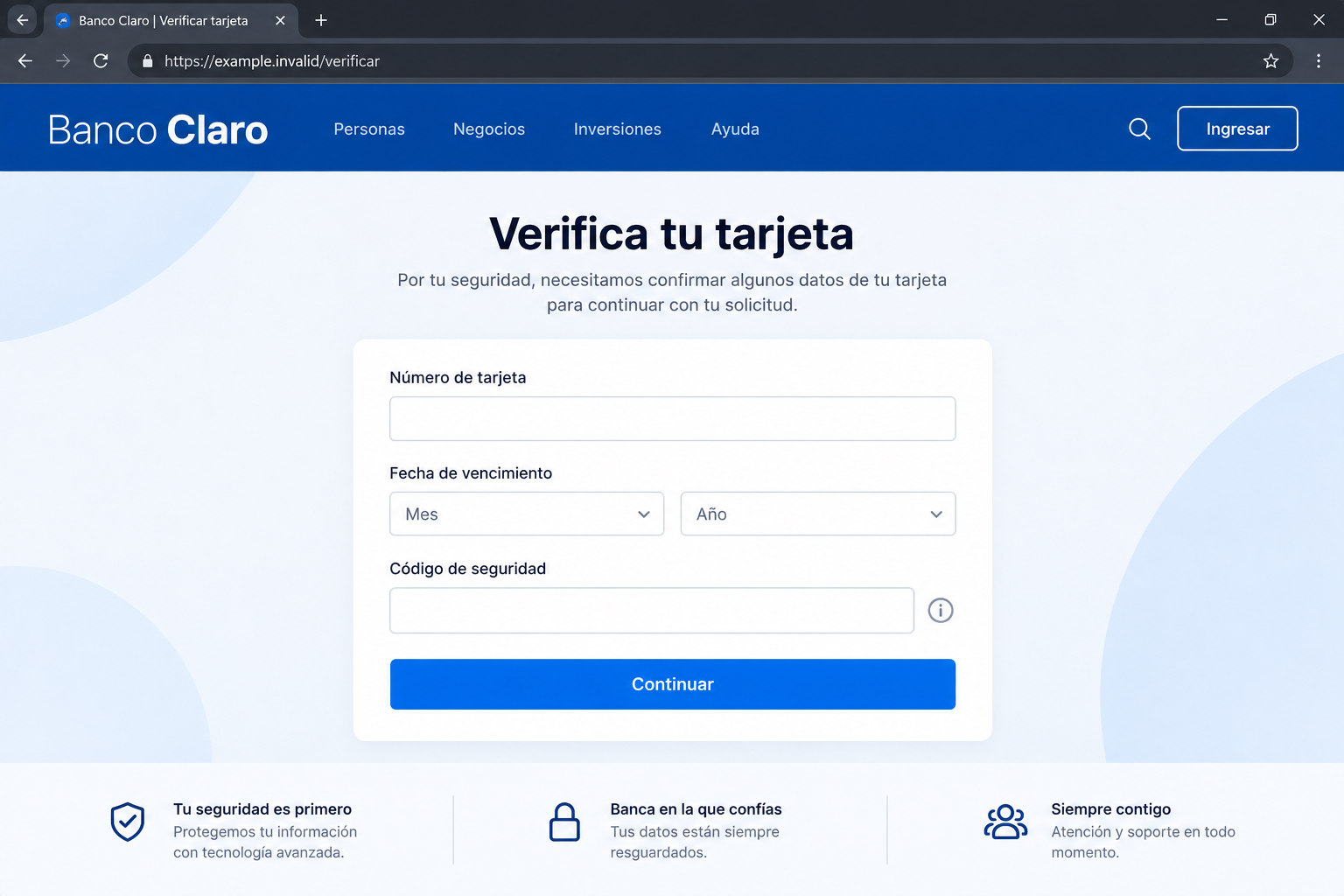
The landing page leads into a dedicated authentication screen. It asks for details that belong only in the bank’s real app or verified site.
The forms observed by Group-IB sought customer IDs, usernames, passwords, and in some variants card information. Those fields are the point of the operation.
A phrase like “verify your account” can sound routine. The decisive question is whether the page was opened independently through a trusted bank channel.
Even an apparently normal error can be part of the flow. A rejected entry may encourage another attempt, providing a second password or card for the operator.
Step 4: The submitted details leave the page
Researchers found code sending collected information to the SheetBest API, which can connect a web form to a spreadsheet. The service itself is legitimate.
In this case, the destination was attacker-controlled. Submissions could land in a Google Sheet without the criminals maintaining an obvious collection server.
One variant sent data to a Telegram bot instead. That alternative shows the operators had more than one way to receive information.
Neither platform’s ordinary use makes the bank form legitimate. The abusive configuration and the destination matter.
Step 5: The infrastructure rotates
GitHub repositories and domain paths can be replaced. Group-IB observed ongoing maintenance and changes to the endpoint used for collecting submitted details.
That is why blocking a single web address is not a complete response. A victim’s credentials remain exposed even if one page later disappears.
The site may also load important behavior from obfuscated external scripts. That can complicate quick inspection and let operators adjust the trap.
Step 6: Stolen details can be used beyond the page
A captured bank password can be tested against the real bank. A card number can be used or sold. Reused passwords can endanger other accounts.
Those are possible consequences, not a claim that every visitor suffered each one. The documented certainty is that the forms were built to collect sensitive financial data.
Act quickly if you entered anything. Waiting to see a charge can give an attacker more time to use the information.
What the Screenshots Prove and What They Do Not
The two interface images here are non-functional reconstructions. They show the kind of landing and form stages investigators described without reproducing a live phishing destination.
The research itself includes captures of multiple bank-themed pages and code observations. Those authenticate the campaign, not the invented example bank in these illustrations.
It matters to keep that boundary visible in the text. A fabricated illustration should never be presented as evidence of a specific bank’s involvement.
The evidence for GitBait comes from the real repositories, domains, page structure, and collection code examined by Group-IB.
The researchers described at least 12 institutions being copied. That does not mean every customer of those institutions received a message or lost money.
The report also did not verify a single universal SMS or email script. An article that supplied one as fact would be filling a gap with invention.
How to Verify a Bank Request Safely
The link preview is part of the sales pitch
GitBait landing pages carried metadata that could make a shared URL display a branded preview. That preview can appear before you ever open the page.
In a busy message thread, the preview may get more attention than the address underneath it. A bank logo or professional title can tip the decision toward clicking.
The researchers also found instructions telling search engines not to index certain credential pages. That fits an operation expecting direct visits, not ordinary search traffic.
Neither clue proves a particular messaging app delivered every link. Together, they explain why a polished preview can be part of a private-link phishing campaign.
If someone forwards a banking link, ask where it came from. A friend may have received the same deceptive preview without knowing the destination was fraudulent.
The first screen is not the only screen
A landing page might have working navigation and familiar product descriptions. The dangerous request may appear only after a visitor selects support or sign-in.
Some paths identified by Group-IB used words associated with cancellation and help. Those labels invite a worried customer to continue instead of opening the bank app.
Do not use a harmless-looking homepage as permission to trust the later form. The point of a multi-stage flow is to earn that trust gradually.
Once a password is typed, the page can send it away immediately. A later redirect, error, or blank screen does not establish that the information stayed local.
A bank may legitimately ask for identity details in its own app. This scam takes those ordinary requests and moves them to an address controlled by someone else.
That difference is more useful than memorizing every temporary domain. Domains disappear and return; independent navigation keeps the attacker out of the route.
For families, a simple shared rule helps: nobody signs in to a financial account through a link received in a text or chat, even from a familiar contact.
For businesses, the same rule applies to customer-service teams receiving screenshots. Staff should send customers to verified channels, not repeat the suspicious link.
Start with the address, not the logo. Read the registrable domain carefully, including the part immediately before the first slash.
If the bank’s sign-in form is hosted on github.io or a domain you do not recognize, do not enter credentials.
Some banks use outside providers for selected services. If a link seems unusual, ask the bank through its official app or a number from your card.
Do not rely on the message sender alone. Display names can be copied, and a forwarded link can look more trustworthy than its destination.
Do not rely on a preview card. A preview can be designed to show a logo or page title chosen by whoever controls the link.
Use a password manager carefully. If it does not recognize the site for your saved bank login, stop and check the domain instead of pasting manually.
Look up the request inside the real app. A genuine account problem should be verifiable there or through official support.
Never enter a one-time banking code into a page reached through a message link. Codes can be used immediately, even when they arrive from the real bank.
What to Do if You Have Fallen Victim to This Scam
- Leave the page. Close the tab. Do not try another card, password, or verification method if the form claims your first attempt failed.
- Contact your bank directly. Use its official app or a number printed on your card. Explain which details you entered and when.
- Change the exposed password. Use a clean session on the verified bank site. Change any other account that shares the same password.
- Tell the bank about codes. A one-time code entered on a fake page may have helped an attacker complete a real sign-in.
- Secure your card if needed. If you entered card details, ask the issuer about replacement, monitoring, and disputes for unauthorized transactions.
- Review account activity. Check recent logins, transfers, recipients, profile changes, and alerts. Report anything you do not recognize promptly.
- Save evidence safely. Keep the message and a screenshot of the address. Do not revisit the fraudulent page to collect additional screenshots.
- Report the link. Send it to the impersonated institution and the service that delivered it. GitHub provides an abuse-reporting route for fraudulent Pages.
- Check your device if you downloaded files. The documented GitBait mechanism is phishing, not a proven malware install. Scan with Malwarebytes if a download or suspicious extension was involved.
- Use link protection as backup. AdGuard can block some known malicious pages, but no filter verifies an unfamiliar bank link as thoroughly as independent navigation.
If a transfer occurred, tell the fraud team immediately and ask what recall or dispute options remain. Speed can matter, but no recovery is guaranteed.
Ignore strangers promising to recover money for an upfront payment. Such offers are often a second attempt to exploit someone already worried about a loss.
Frequently Asked Questions
Is GitHub Pages itself a scam?
No. It is a legitimate hosting service. The scam is the fraudulent banking content criminals placed on sites they controlled through that service.
Did investigators confirm a specific text-message script?
No. Group-IB identified the phishing infrastructure and noted likely direct-link channels, but did not establish one exact distribution message for every victim.
Does a GitHub address make a login safer?
No. HTTPS and a familiar hosting name secure the connection to that page. They do not prove a bank owns or approves its content.
What if I typed a password but did not submit it?
Risk depends on the page’s code. If you are unsure, change the password through the bank’s real app and tell its fraud team what happened.
Are the bank names in the screenshots real targets?
The images in this article are reconstructions using a fictional name. The investigation documented multiple real institutions being impersonated, but these illustrations do not identify them.
Why should I report a page that is already gone?
The link, domain, message, and time can help the bank or platform connect it to related infrastructure. A removed page does not undo submitted data.
The Bottom Line
GitBait turns trusted hosting and copied bank design into a collection route for financial credentials. The borrowed platform and familiar colors are not proof of ownership.
When a bank link arrives unexpectedly, leave it unopened. Start inside your bank’s official app or verified address, and contact fraud support quickly if you entered information.








