

MapXplorer promises a calmer drive, fewer surprises, and a helpful AI copilot. It is an appealing pitch when your usual navigation app has just sent you in circles.
Before tapping through the offer, it helps to understand what follows the download. The small details matter most when a navigation tool becomes a paid commitment.
Overview
The main issue is the subscription, not whether the app exists
Our MapXplorer review found a real navigation service with public app-store links and a named operator. That does not make every offer a good deal.
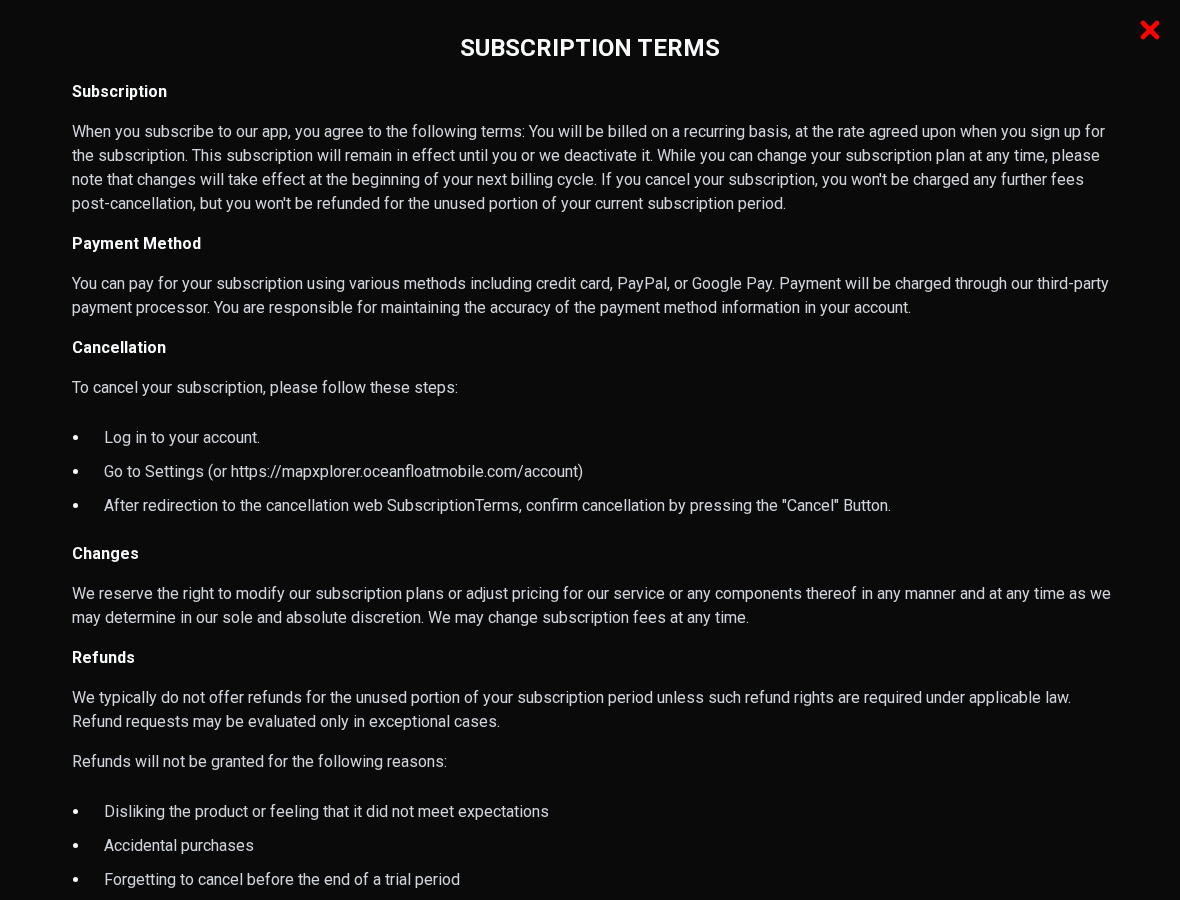
The clearest concern is financial: its published terms describe ongoing billing, while its refund policy excludes several situations that commonly leave buyers regretting a subscription.
This is a subscription-risk investigation, not proof that MapXplorer is a fake app or that every charge is fraudulent. The distinction matters when deciding how to respond.
If you cannot identify the renewal amount, billing interval, and cancellation route before paying, leave the offer alone. A navigation app should not require financial guesswork.
What the public policies actually establish
The subscription continues until deactivated. The policy directs customers to their account settings and a final cancellation confirmation, rather than treating removal of the app as cancellation.
It also restricts refunds for unused time. Accidental purchases, unmet expectations, and forgetting a trial deadline are specifically excluded in the version reviewed.
- Future billing and refunds for past payments are separate issues.
- A web purchase may require a different cancellation route from an app-store purchase.
- A technical-failure complaint needs specific evidence, not just a statement that the app was disappointing.
- The exact price and renewal schedule must come from your purchase screen or receipt, not another customer’s offer.
What remains unverified
We did not purchase a plan, test navigation accuracy, or enter account credentials. We cannot verify a particular customer’s checkout disclosure, cancellation outcome, or refund refusal.
The assessment concerns the public offer and policies checked on October 6, 2026. Different purchase routes, regions, and later policy versions may produce different terms.
Do not confuse a disappointing route with proof of a billing scam. Equally, do not dismiss an unexplained payment just because a functioning app exists.
Why a Small Initial Payment Can Become a Bigger Problem
Navigation is often an occasional need. You might want help during one trip, download a tool, and assume the cost belongs to that single journey.
A recurring plan works differently. The payment buys an interval of access, then another interval begins unless renewal has been stopped through the appropriate billing system.
The crucial question is not simply, “What does it cost today?” It is, “What amount can be charged next, on which date, and how often?”
For example, a hypothetical $10 weekly plan costs $40 over four billing cycles. That illustration is not a verified MapXplorer price; it shows why frequency matters.
A large annual price can look worse at first glance than a small weekly amount, even when the weekly plan becomes more expensive over continued use.
Read the entire offer as a payment schedule. A trial, introductory discount, and regular renewal are three different numbers, not interchangeable descriptions of one price.
How the MapXplorer Subscription Journey Works
Step 1: The marketing focuses on driving confidence
The homepage promotes navigation, camera warnings, route efficiency, and AI assistance. These features appeal to drivers who dislike missed turns, traffic, or unexpected road restrictions.
The public site links both to app stores and a quiz-based web route. That creates more than one possible path into the service.
Which path you used matters later. Installing an app from an official store does not automatically mean that store processed a separate web subscription.
We could not safely complete the linked onboarding route during this review. No specific payment-screen layout, preselected plan, or introductory price is claimed here.
Step 2: Access becomes a recurring payment agreement
The public subscription policy is explicit about renewal. Once subscribed, the arrangement remains active until the customer or operator deactivates it.
Before authorizing payment, locate the plan duration, full renewal charge, trial ending date if applicable, and whether taxes or other charges appear in the total.
Do not rely on a colorful button to summarize the contract. Read the text around it, including smaller wording beside the plan selection.
If the payment screen is unclear, stop. Taking a screenshot and asking support for clarification is easier than trying to reconstruct the offer after billing.
Step 3: Stopping use does not necessarily stop charges
You may stop opening the app after a trip. That changes your usage, not necessarily the state of the subscription.
Google’s official guidance confirms that uninstalling an app does not cancel a Google Play subscription. A separate cancellation action remains necessary.
A web-billed subscription also needs its own account cancellation. Removing an app, deleting a shortcut, or signing out should not be treated as proof that renewal stopped.
Look for an explicit canceled status, expiration date, or confirmation message. “I no longer use it” is not the same as a recorded cancellation.
Step 4: The correct billing route determines the remedy
A receipt from Apple, a Google Play receipt, and a direct merchant receipt point to different payment systems. Start with the evidence from your actual purchase.
For direct subscriptions, MapXplorer’s policy describes account settings followed by a final Cancel button. That last confirmation is important.
For store-billed subscriptions, use the relevant controls, including Apple’s subscription settings. A website request does not automatically prove the store has stopped renewal.
If the subscription is absent from one account, check which account appears on the receipt. Do not start another paid plan while trying to recover access.
Step 5: A refund request faces separate restrictions
Canceling future renewals does not automatically reverse a payment already collected. MapXplorer’s public policy distinguishes those outcomes.
Its exclusions cover disappointment, accidental purchase, and forgetting to cancel a trial. Technical malfunction may receive exceptional consideration, but approval is not promised.
Applicable consumer rights may still matter. A company’s posted policy does not settle every legal question about authorization, disclosure, or a service that failed.
Describe the actual problem accurately. An unrecognized charge, a failed cancellation, and a feature you disliked require different evidence and different complaints.
Company, Address, Billing, and Support Checks
The legal operator is named, but the receipt still matters
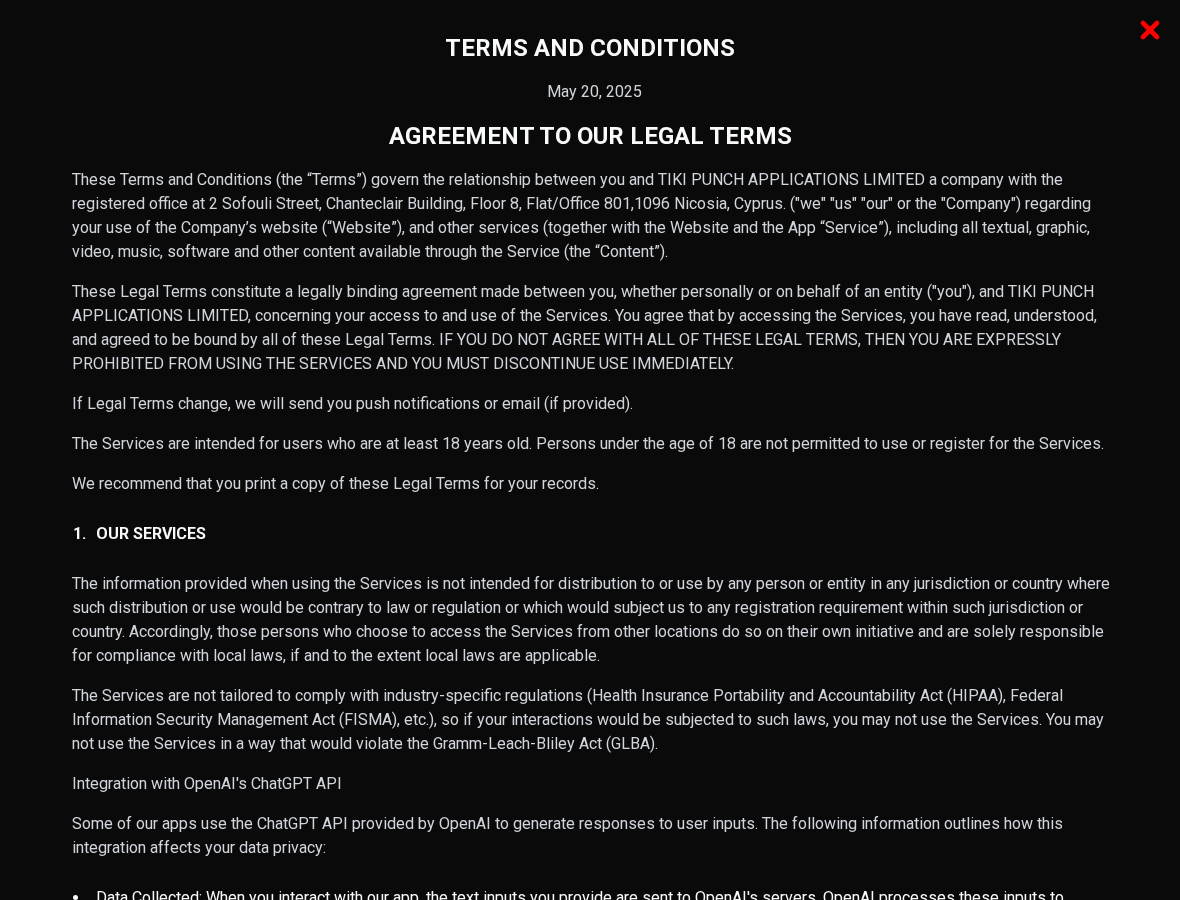
The public legal terms name TIKI PUNCH APPLICATIONS LIMITED. The brand shown on your phone and the merchant wording on your statement may not be identical.
Compare the receipt, account email, statement descriptor, and policy name. Ask support to explain any mismatch before assuming an unrelated charge belongs to MapXplorer.
A payment processor can appear within transaction details without being the seller. Identify who controls cancellation rather than sending requests to every company mentioned.
The Cyprus address is a declared office, not a physical audit
The terms list a Nicosia office at 2 Sofouli Street, Chanteclair Building, Floor 8, Office 801. We did not independently verify the premises or staffing.
That means the address should be described as declared by the operator. It is not evidence of a fake office, warehouse, or anonymous operation.
For a digital service, the immediate practical issue is whether the identified business can resolve your account and billing dispute through a traceable channel.
The support mailbox is public, but responsiveness is untested
MapXplorer lists support@mapxplorer.io. We did not send a message or test response times, so no claim of unanswered support is made.
Send a concise request containing the subscription email, receipt reference, charge date, and requested outcome. Never attach your full card number or banking password.
Keep the original message and any ticket number. A written record is more useful than repeatedly describing the issue without dates.
Billing evidence matters more than reassurance
If support says the subscription is canceled, request the effective date and whether another payment is scheduled. Save the answer beside your receipt.
If a refund is approved, ask for its amount and processing timeframe. A canceled account and an approved refund should not be left as vague promises.
Do not share a verification code with someone who calls unexpectedly claiming to help. Use contact information from the official account or public policy.
Navigation Claims Need a Reality Check Too
A camera alert is not permission to ignore road signs
Marketing about avoiding fines can encourage the wrong expectation. A navigation tool cannot guarantee that every restriction, camera, or temporary change will be detected.
Follow posted limits and conditions, even when an app is silent. Never interpret the absence of a warning as confirmation that a maneuver is legal or safe.
Navigation errors should be reported with location, time, app version, and route details. Avoid collecting screenshots while driving; ask a passenger or stop safely.
Test usefulness before committing to a long plan
If a no-payment experience is available, try familiar journeys first. Check whether address search, spoken directions, and route choices actually solve your problem.
Do not buy a lengthy subscription solely because the feature list sounds more advanced than the app you already use.
A useful comparison asks what changed: fewer navigation errors, clearer directions, or a feature you regularly need. “AI-powered” alone answers none of those questions.
Permission requests should match your needs
Location access can be necessary for navigation. That does not mean every optional permission or background setting is needed for the way you use the app.
Review permissions through your phone’s settings and consider whether background location is useful. Restricting a permission may affect features, but it does not cancel billing.
Keep privacy controls and financial controls separate. You can reduce data access while still having an active paid plan that requires its own cancellation.
What to Do If MapXplorer Charged You
- Identify the payment before taking action.
Find the receipt and compare the amount, date, merchant descriptor, and account email. Check whether Apple, Google Play, PayPal, or a direct merchant processed it.
Do not assume every unfamiliar navigation-related charge is the same subscription. Establish the correct transaction first so your cancellation reaches the right system.
- Stop renewal through the billing channel you used.
For direct billing, follow the account-settings procedure described in the subscription policy and complete the final confirmation. Capture the resulting status.
For Apple billing, open Settings, your account name, then Subscriptions. For Google Play billing, use Payments and subscriptions, then Subscriptions, under the purchasing account.
- Preserve proof instead of relying on memory.
Save your purchase offer if available, receipt, cancellation confirmation, support messages, and relevant statement entry. Write a brief timeline while the dates are easy to reconstruct.
Redact unrelated purchases and sensitive details before sharing evidence. A cropped statement entry usually communicates the issue without exposing your wider financial history.
- Request any refund separately and explain the reason.
If the service malfunctioned, describe the failure and include screenshots or error details. If cancellation preceded the charge, provide the confirmation timestamp.
Do not describe an authorized purchase as stolen merely to fit a complaint category. Explain what actually happened and ask what remedy is available.
- Escalate an unresolved billing problem promptly.
Contact the payment provider or card issuer if a charge remains unexplained, authorization is disputed, or billing continued after documented cancellation.
Ask about dispute deadlines and options for stopping further recurring transactions. A chargeback or refund is not guaranteed, and replacing a card is not a complete cancellation strategy.
- Check the next expected billing date.
Review the account and statement around the former renewal date. If another charge appears, attach the previous confirmation to the follow-up rather than starting from scratch.
Uninstall the app if you no longer need it, but only after recording the cancellation outcome. Device cleanup and subscription termination are different tasks.
Frequently Asked Questions
Is MapXplorer a scam?
The reviewed evidence does not establish a fake app or systematic fraud. It does establish recurring billing and restrictive refund terms that deserve close attention before purchase.
Does deleting MapXplorer cancel the subscription?
Do not assume that. Uninstalling does not cancel Google Play subscriptions, and direct web subscriptions require the operator’s cancellation procedure. Confirm the canceled status separately.
Why is the subscription missing from Apple or Google?
You may have paid on the website or used another account. Follow the receipt and statement to identify who billed you instead of guessing from the download source.
Can I get a refund after forgetting a trial deadline?
The public policy reviewed excludes that reason. You can still ask about your circumstances and applicable rights, but do not expect cancellation to automatically reverse the payment.
Does MapXplorer guarantee that I will avoid traffic fines?
No such guarantee should be inferred from camera-warning marketing. Road signs, restrictions, and safe driving remain your responsibility regardless of whether an alert appears.
Should I replace my card to stop payments?
Ask your issuer about recurring-payment controls and disputed charges. Card replacement alone may not stop an existing billing agreement, so document cancellation through the appropriate provider too.
The Bottom Line
The practical finding in this MapXplorer review is straightforward: treat the offer as a recurring contract, not a one-trip download.
Do not subscribe until the renewal cost, frequency, and cancellation route are clear. If charged, identify the biller, stop renewal, and handle any refund request separately.
A real app can still be the wrong purchase. Your decision should rest on useful features and understood terms, not a promise of effortless driving.








