

A Ledger Staking Rewards offer appears to promise a sensible next step for your Ethereum. The familiar name makes the page worth a second look.
Owning a hardware wallet can feel reassuring. Before clicking into this particular staking offer, understand what that protection does and does not cover.
Overview
The staking offer impersonates Ledger
The Ledger Staking Rewards scam is an impersonation page, not a finding that the real Ledger company or all Ethereum staking services are fraudulent.
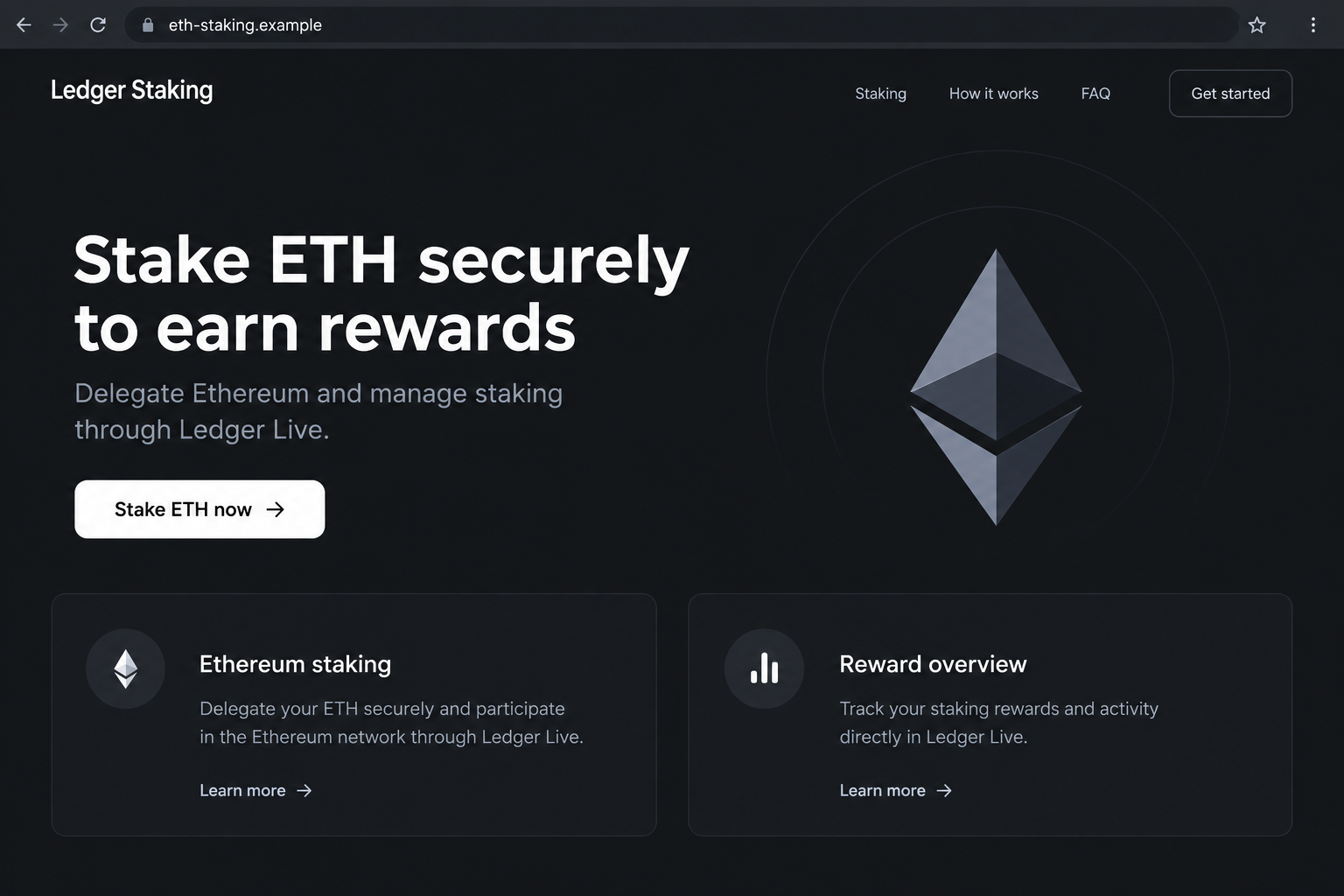
A reported example appeared at ledger-staking.pages[.]dev. It borrowed Ledger’s identity and promoted an ETH staking journey described as working through Ledger Live.
The page’s purpose was reported as crypto theft through a deceptive wallet interaction. Do not treat it as an authorized staking service or follow its instructions.
Our concern is the false affiliation and subsequent authorization risk. We have not independently verified its exact contract, transaction methods, current availability, or total losses.
The wallet picker makes the offer feel widely supported
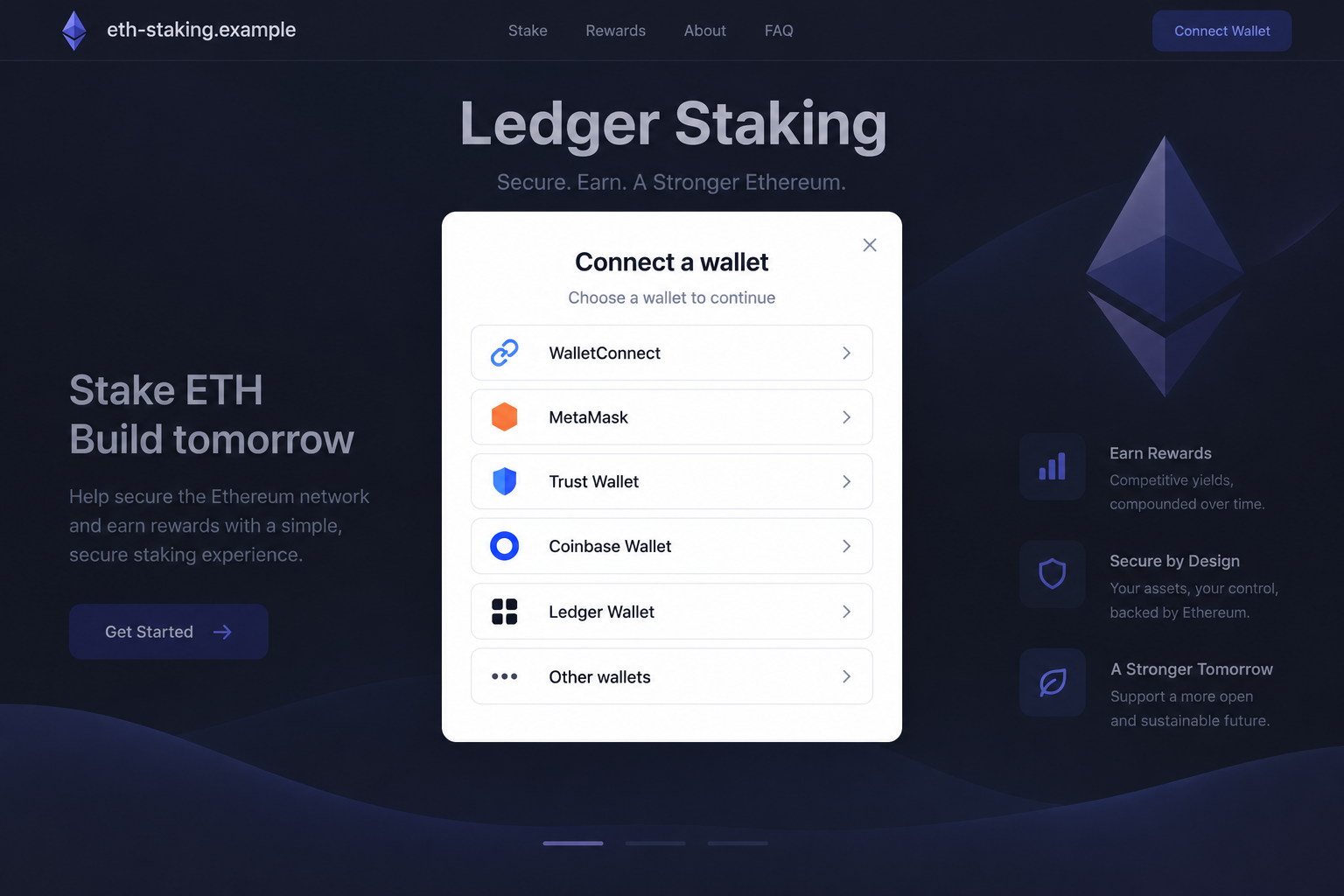
The reported page opens a wallet-selection dialog after the staking button. It lists familiar wallet products and connection options rather than asking only about a Ledger device.
That breadth can look like compatibility. However, a wallet’s name inside a menu does not show that its developer vetted, endorsed, or operates the website.
A fake site can request interaction from genuine wallet software. The software handling a request is not the same thing as the requester being legitimate.
- The website claims an official relationship that must be checked independently.
- A hosting-platform address includes Ledger’s name without proving Ledger controls it.
- The ETH rewards pitch leads into a multi-wallet connection journey.
- A subsequent transaction or permission must be evaluated independently of the page’s branding.
A hardware wallet does not authenticate the website
A hardware wallet protects cryptographic keys and mediates signing. It cannot make a malicious recipient, spending permission, or misleading website harmless.
Simply connecting a standard wallet does not ordinarily drain it. The theft risk arises from additional authority, a harmful transfer, or exposure of wallet secrets.
The images illustrate the landing page and selection stage with a fictional hostname. They are explanatory visuals, not evidence of a captured backend or completed theft.
Why a Staking Story Is Different From a Fake Wallet Update
The pitch invites an investment action rather than an emergency repair
Some Ledger impersonations threaten a security problem and demand recovery words. This one starts with an opportunity to earn rewards through an apparently familiar service.
That approach can reach someone who would reject a panic-inducing security email. A calm staking offer sounds like something they might already be considering.
The reader’s motivation is not necessarily greed. They may simply want to understand an ordinary feature they have heard about in legitimate crypto discussions.
Real staking can involve real costs and constraints
Ethereum staking is a genuine activity, but different arrangements involve different providers, contracts, fees, custody arrangements, and risks. A branded page cannot erase those distinctions.
An advertised rate is not a guaranteed outcome. Rewards can vary, and a service’s terms may describe conditions affecting withdrawals, fees, and participation.
Ledger’s own service terms should be read alongside the terms of the actual staking provider. This article is not an investment endorsement.
Even an authentic staking integration deserves careful review. The separate problem here is that an impersonator borrows that genuine activity to introduce an unverified destination.
Old product wording is not the proof of fraud
The reported example uses the name Ledger Live. Product names and interfaces can change, so older wording by itself is not a reliable authenticity test.
Check the current official Ledger site and application instead. The authorized route and actual transaction details matter more than matching a screenshot’s exact words.
A real name can be copied perfectly. An imperfect description can also appear in an outdated legitimate article. Neither situation settles who operates the page.
How the Ledger Staking Rewards Scam Works
Step 1: The visitor encounters an apparently familiar staking opportunity
The offer presents ETH rewards alongside a recognized hardware-wallet identity. The affiliation claim encourages visitors to assume the next steps belong to a trusted ecosystem.
A person can arrive from a post, message, advertisement, or other external link. We have not confirmed one exclusive distribution channel for every copy.
Think of someone researching what to do with ETH they already hold. The branding can make an unfamiliar page seem like a convenient answer.
That example is a practical illustration, not testimony from a documented buyer. The point is how borrowed trust can replace independent verification.
Step 2: The landing page connects its promise to Ledger’s software
The reported page describes delegating ETH and managing the activity through Ledger Live. That association gives the offer a plausible connection to real wallet features.
However, describing a legitimate application is not proof that the application leads to this website. The direction of the link matters.
An independently opened official app may provide verified integrations. A random website claiming to work with that app starts from the opposite, unverified direction.
Do not let a copied interface answer the ownership question. Find the service through Ledger’s official channels rather than accepting the landing page’s own assurances.
Step 3: A familiar wallet-selection menu lowers resistance
The staking control reportedly opens a picker containing recognizable wallets and connection methods. The visitor chooses the option they already use.
At this stage, the process can resemble routine decentralized-app access. That resemblance is why the menu is persuasive, not why it should be trusted.
WalletConnect and listed wallet products are not themselves the scam. Their names can be placed inside a deceptive interface without authorization.
Read the requesting site’s identity in the genuine wallet window. Reject the interaction if its origin does not match the independently verified service you intended to use.
Step 4: The staking label conceals the meaning of a wallet request
A website can describe an action as staking while requesting a different transfer or permission. What the wallet authorizes is more important than the button label.
A direct transfer has a destination and amount. A spending approval grants a spender authority over a token within a specified scope.
Some signatures can also authorize consequential actions. Not every signature is dangerous, but an unfamiliar request should never be accepted merely because it avoids an obvious payment screen.
The available report does not establish which exact method every visitor received. Treat the next request as unverified, rather than assuming one uniform drain mechanism.
Ledger’s phishing guidance discusses the danger of deceptive approvals. A genuine signing process can still authorize an action you did not intend.
Step 5: Signing can expose funds despite intact hardware security
If you approve an attacker-controlled transfer or usable spending permission, the resulting loss does not necessarily require extraction of the hardware wallet’s private keys.
This distinction surprises people. The device may have performed its cryptographic role correctly while the person was misled about what they were authorizing.
Recovery words create a different exposure. If you entered them into a website, an attacker may no longer need the hardware device for accounts derived from that phrase.
No legitimate staking research requires pasting those words into a web form. Refuse that request regardless of which brand, support agent, or rewards offer introduces it.
Domain and Authorization Checks That Matter
A familiar name before a hosting domain is not ownership proof
The reported address used a pages[.]dev hostname containing the Ledger name. Such text does not establish that Ledger created or approved the page.
A hosting platform is not automatically fraudulent because a deceptive page appears there. The relevant issue is the specific page’s claimed affiliation and behavior.
Likewise, a secure connection says something about encryption, not whether the business identity is genuine. Confirm the route from Ledger’s own independently accessed website.
Verify the request on the device and in the official app
Compare the account, network, recipient, asset, and amount with the action you intended. For a contract interaction, understand the contract and requested authority before signing.
If a device cannot display enough meaningful details, that is not permission to skip the review. Cancel and consult official documentation for the specific interaction.
Do not enable a less transparent signing mode because a stranger says it is required. A demand to bypass warnings changes the risk, not the legitimacy.
Keep support and recovery phrases strictly separate
Ledger’s phishing information warns against recovery-phrase disclosure and directs users toward genuine software. Follow that route, not a pop-up support chat.
A claimed support representative cannot validate themselves by mentioning your public address. Blockchain balances and transactions can be visible to people who never accessed your device.
When worried, slow down the next interaction. Refusing another request is safer than accepting an urgent rescue promise from the same unverified page.
A useful support explanation should distinguish device security from transaction security. “Your keys stayed offline” does not answer whether an approved spender can move a token.
Keep a written list of what you signed. That record makes a support conversation more useful than a general statement that the staking page looked legitimate.
If nothing was signed and no secret was entered, say that clearly. Do not let an unsolicited helper invent a compromise that requires an immediate paid repair.
What to Do if You Have Fallen Victim to This Scam
- Separate a visit from an authorization.
Record whether you viewed the page, connected an address, signed a message, approved a contract, sent ETH, or disclosed recovery words.
Keep the relevant transaction hashes and network names. A website’s status message does not establish that an on-chain action failed or that a wallet remained untouched.
- Review permissions and activity through trusted wallet tools.
Disconnect the unverified site. Then inspect any permissions or transactions on the affected networks using the official wallet app and guidance for the relevant chain.
A site connection is not an on-chain spending allowance. MetaMask’s revocation guide explains this distinction for supported token approvals.
Do not assume revocation undoes a transfer already confirmed. It addresses future use of a permission when that permission can be revoked.
- Treat a disclosed recovery phrase as compromised.
Generate a genuinely new wallet through trusted software or official device instructions in a clean environment. Reusing the old phrase does not restore its secrecy.
Seek verified guidance about safely moving remaining assets. Do not repeatedly deposit transaction fees into an address from which funds are being swept away.
Changing the app password or hardware PIN alone cannot make an exposed phrase unknown to someone who already has it.
- Contact Ledger through its real support channel.
Reach support from the official Ledger website. Describe the page and actions taken, but never include recovery words, private keys, or secret authentication information.
Support can help assess safe next steps. It cannot simply cancel a confirmed blockchain transaction or guarantee that stolen funds will return.
- Check software if the page asked you to install anything.
A fake staking page might introduce a wallet download or browser extension. If that occurred, stop using the suspect installation and examine the device.
An updated Malwarebytes scan is useful for relevant downloads or persistent redirects. Obtain wallet applications through official channels, not the offer’s installation instructions.
AdGuard may reduce exposure to malicious advertising and some known deceptive sites. Its protection does not override a signature or repair compromised recovery words.
- Preserve records and report the impersonation.
Save the original promotion, hostname, dates, screenshots, affected public address, and transaction identifiers. Report the page to the hosting platform and the promotion’s platform.
For US fraud reports, use the FTC’s reporting portal. Contact law enforcement or an involved exchange when appropriate, without expecting a guaranteed recovery.
- Reject paid rescue schemes and unsolicited helpers.
A recovery agent demanding a deposit, secret phrase, or fresh wallet authorization can create another loss. Public transaction details do not establish that person’s authority.
Do not send more ETH to activate a refund or unlock rewards. Keep subsequent decisions within independently verified channels and retain copies of any follow-up demands.
Frequently Asked Questions
Is Ledger itself running this staking scam?
No. This warning concerns a page impersonating Ledger. The legitimate company and the wallets named in the picker are not made fraudulent by that misuse.
Can a Ledger device protect me from a transfer I approve?
Hardware security protects keys, but signing a harmful transaction can still move funds. You must verify the action and destination before authorizing it.
Does the pages[.]dev address prove the site is fake?
A hosting address alone does not prove fraud. Here, the reported page misuses Ledger’s identity. Confirm any claimed affiliation from the official company’s channels.
Is connecting through WalletConnect the same as staking ETH?
No. Establishing a connection is separate from transferring funds or authorizing a contract. Examine the subsequent request rather than assuming the connection completes a legitimate stake.
Should I enter my 24 recovery words to claim rewards?
Never enter wallet recovery words into a staking website. They are not a rewards verification credential and should remain outside any unverified online process.
Can Ledger reverse a confirmed transfer to the scammer?
It cannot reverse a confirmed blockchain transfer on demand. Report the incident and secure remaining assets, while treating anyone promising certain recovery with caution.
The Bottom Line
The Ledger Staking Rewards scam borrows a trusted wallet identity to sell an unverified ETH opportunity. The hardware device cannot certify the page’s affiliation.
Use official routes, inspect the requested authority, and reject unexplained signing. If you already interacted, base recovery on the permissions, transfers, or secrets actually exposed.








