

The caller says something is wrong with your broadband or computer security. They sound ready to help, and they want you to follow a few instructions.
Virgin Media scam calls use that helpful opening to hold your attention. Before troubleshooting with a stranger, check who controls the conversation and the proposed connection.
Overview
The false support claim can lead to access or financial disclosure
These calls impersonate Virgin Media and use a broadband fault or security concern to obtain private information, payment, or control of a device.
The provider is legitimate. The deceptive caller and unverified support process are the scam, not the fact that a company might contact customers about service.
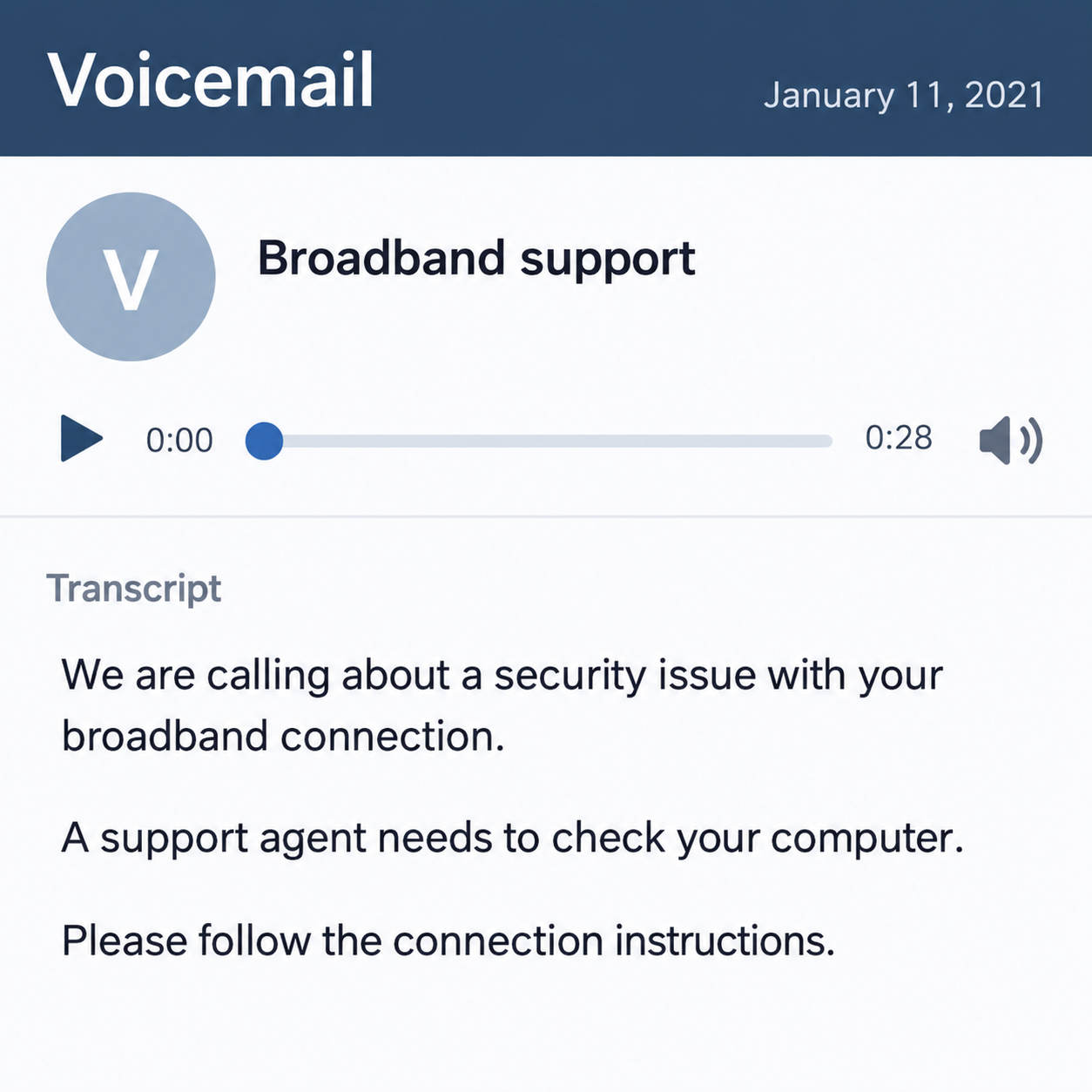
The historical warning used here dates to January 2021. Current Virgin Media guidance still explains how to distinguish genuine contact from impersonation; we have not recorded a new call.
An unfamiliar call deserves checking, but surprise alone is not a fraud verdict. What the caller requests, and how you verify them, are the important parts.
Genuine calls and genuine support tools can exist
Virgin Media’s current call guidance lists legitimate account, billing, fault, and support reasons for contact. It also warns about remote-access pressure and full-password requests.
A remote-support application can be real software yet be used by an impostor. Its recognizable name does not authenticate the person asking you to install or approve it.
Support you initiated through a verified channel is a different situation from a cold caller choosing the tools and instructions. Keep those relationships separate.
A displayed number can also be spoofed. Knowing an account-related detail or sounding professional does not remove the need for an independent check.
End the call before deciding whether to grant access
- Do not install software simply because the caller claims a fault exists.
- Keep complete passwords, banking PINs, and access codes private.
- Use the provider’s official contact route to verify the matter.
- Check any real service issue through your genuine account.
- Respond promptly if an untrusted person already controlled the device.
The images are invented interface examples, not a recorded voicemail or actual support session. They show the approach and the permission being requested.
Why Virgin Media Scam Calls Sound Plausible
Most people have had a connection problem before
A slow page, dropped connection, or unreliable Wi-Fi can make a caller’s story feel familiar. The caller does not have to prove that today’s problem exists.
The recipient may supply the connection themselves: perhaps this explains last week’s slowdown. A plausible concern can take the place of an actual support record.
Ask whether you reported anything and whether your real account shows a related case. A stranger’s certainty is not a diagnostic result.
If there is a genuine fault, you can still seek support independently. Ending an unverified call does not require ignoring a service problem.
The caller makes staying on the line feel like the safest choice
A security claim adds pressure to an ordinary connection issue. The person may worry that hanging up will leave a threat active or cause service interruption.
That fear gives the caller room to request actions one at a time. An installation, connection approval, and payment can each be described as another helpful step.
You do not need to complete their sequence to check the story. A legitimate provider can be reached through its own published channels.
Do not judge authenticity by accent, confidence, background noise, or whether the conversation sounds scripted. Fraudsters can sound polished, and genuine calls can have imperfect audio.
How the Virgin Media Scam Works
Step 1: The caller claims a service or computer-security problem
The opening presents the issue as something the provider noticed. The caller may say your connection needs inspection or that a computer problem has been reported.
That statement is not evidence of monitoring, infection, or an open support ticket. Ask yourself what independent record could confirm it.
A caller might have obtained a name or contact detail from public information or another source. Correctly naming you does not establish their employment.
You can note their claim without accepting their instructions. Do not volunteer extra account information just to help them prove the story.
Step 2: Small instructions establish a troubleshooting routine
The contact may ask you to inspect settings, visit a website, or open a tool. Those tasks can make the call resemble normal support.
But familiar actions do not authenticate the person directing them. A device screen can display ordinary information that a scammer describes as a serious fault.
Stop if the explanation does not make sense or the requests go beyond the service issue. You do not need technical expertise to refuse unverified control.
Do not weaken security settings to follow the caller’s plan. A claimed need to bypass warnings is another reason to verify the support route.
Step 3: A software or connection request changes the level of trust
The caller may ask you to download a remote-support program, share your screen, or approve a connection. That creates exposure beyond answering a question.
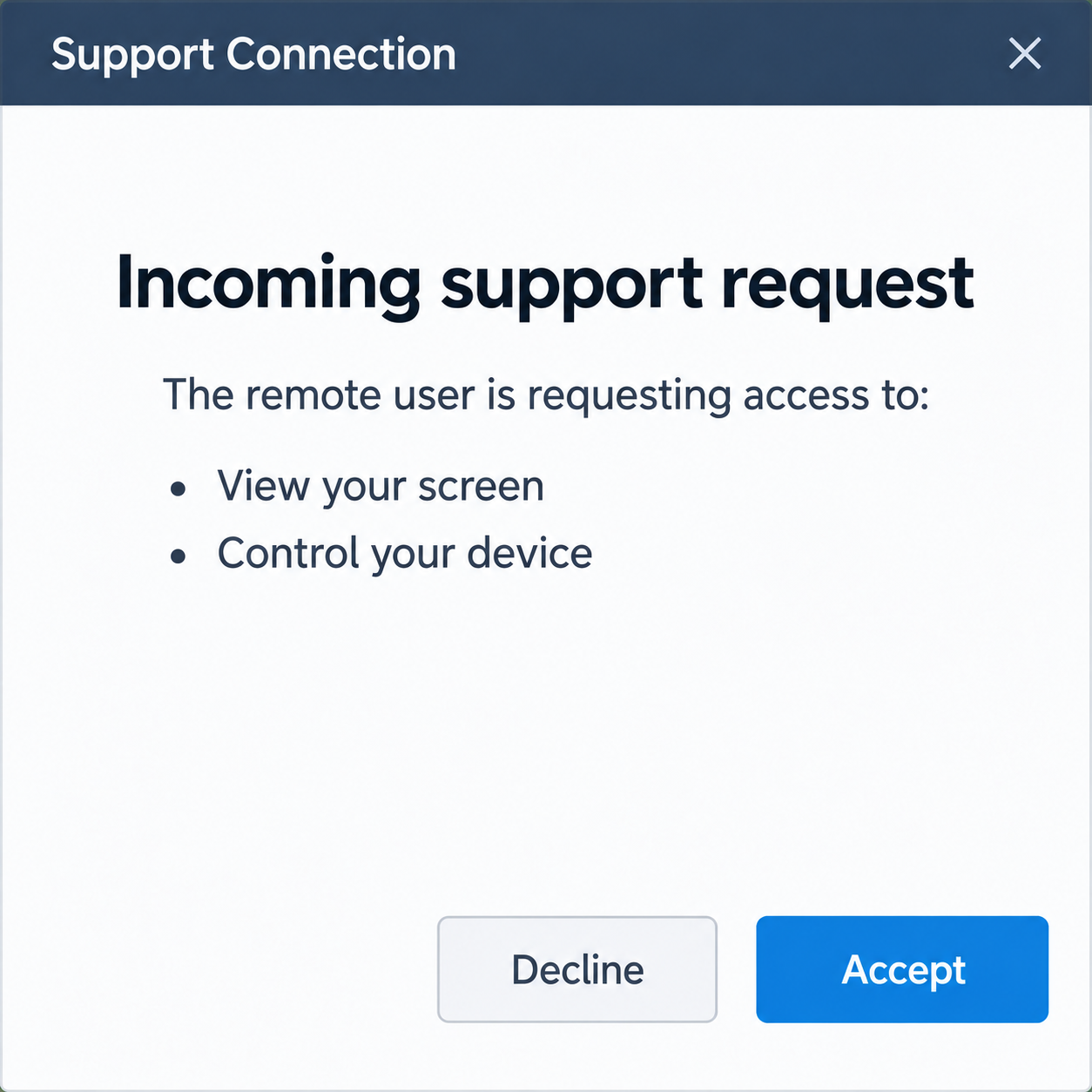
Read the permission carefully. Viewing a screen and controlling a device are different capabilities, and neither should be granted to an unverified cold caller.
A genuine application’s consent dialog is not a certificate of the remote person’s identity. You are deciding who gets access, not merely whether the software is recognizable.
The fictional dialog below makes that decision visible. It contains no working connection or session code, and readers should not treat it as a support instruction.
Step 4: The supposed repair can become a payment or account request
An impostor may ask you to open banking, pay for a repair, confirm a card, or disclose a code. Those requests need scrutiny even during a convincing support conversation.
A payment provider’s real approval message describes the action being authorized. The caller cannot turn that action into something harmless by calling it a connection test.
If remote access is active, information may be visible without being spoken aloud. A private page already open on the device can matter to the exposure assessment.
These are potential outcomes, not a claim that every call follows every stage. Record what happened in your own interaction and stop any ongoing untrusted access.
Step 5: A repair or refund promise encourages further cooperation
The caller can describe any uncertainty as another problem to fix. A failed payment, incomplete repair, or promised credit supplies a reason to stay connected.
Do not accept another connection or transfer to resolve the previous one. The person who introduced the unverified process is not an independent recovery adviser.
You can finish the call and seek genuine support. A real technical issue remains separate from the security problem created by granting an impostor access.
If money moved, the bank or payment provider needs the actual transaction record. A caller’s promise to reverse it is not evidence that a refund exists.
Verify a Virgin Media Caller Independently
Use a published route rather than a callback number
Virgin Media’s official guidance lists 150 from a Virgin Media phone and 0345 454 1111 from another phone for checking the contact.
Find those details on the company’s own site or genuine correspondence before calling. Do not use a number supplied by the person whose identity you are checking.
If you are concerned about the line or device, use another phone or an independently opened verified account. Keep control of how the new conversation begins.
Match the call with a real support or account matter
Ask the genuine provider about the specific fault, account issue, or support reference. You do not need to repeat an impostor’s conclusions as established facts.
A real appointment notification could also be mistaken or sent to the wrong number. That alone does not prove the entire message is a payment scam.
Verify before making changes to a booked visit or responding to an unfamiliar text. Do not let a separate appointment message authenticate the cold caller.
Keep identity checks proportional to verified contact
Legitimate customer support may need appropriate account verification. That does not justify giving an unexpected caller your full password, bank PIN, or security codes.
Use the verification process the genuine provider presents through an established channel. If uncertain, ask what is needed and why before supplying sensitive information.
A request for remote access is especially significant. The provider’s own guidance distinguishes verified support you initiated from accepting a stranger’s unsolicited instructions.
Remote Access Is Not the Same as a Fake Login Form
A session can expose what the device already displays
You may not have typed a password into a phishing website. That does not settle the risk if another person could view or operate your computer.
Record whether banking, email, private files, or account settings were opened during the session. Say what you know, and distinguish it from what might have been visible.
A scanner finding no malware does not prove the remote operator saw nothing. Legitimate support software may not be detected as a malicious program.
Repairing a device and protecting accounts are separate tasks
Removing unwanted remote software addresses future access. It does not automatically undo a payment, restore an altered account, or erase information already observed.
Microsoft’s tech-support scam guidance explains recovery after an untrusted interaction. Use account and financial support alongside appropriate device review.
On a work device, involve the IT team promptly. Avoid improvised changes that could interfere with legitimate management tools or incident evidence.
What to Do if You Have Fallen Victim to This Scam
-
End the call and stop ongoing untrusted access. Do not approve another session, code, or payment while the caller promises to finish the repair.
If access is still active, disconnect that device from the internet while seeking trusted help. Use a separate trustworthy device or phone for urgent contacts.
-
Contact financial providers if payment or banking was involved. Use established bank details and describe any transfer, card disclosure, or banking page opened during remote access.
Ask about immediate protection and review of pending or completed activity. Do not move funds to a new account because the caller calls it safe.
Recovery options depend on the actual events. Keep the provider’s directions separate from the impostor’s refund promises.
-
Review remote-support software with trusted assistance. Identify what was installed or approved and remove access you did not knowingly authorize.
For a managed computer, let the IT team handle changes. A legitimate application name does not settle whether the session was appropriately authorized.
-
Check the device for related threats. Update genuine security software and assess suspicious downloads or changes with trusted technical support.
Malwarebytes can assist with malware detection. AdGuard can reduce exposure to malicious advertisements and risky destinations, but it does not cancel a remote session or recover money.
Do not treat a clean scan as proof that no private information was seen. Account and transaction reviews remain important when they were involved.
-
Secure affected accounts from a trustworthy device. Change exposed passwords and review recovery contacts, unfamiliar sessions, and recent activity.
Prioritize email and financial accounts if the caller interacted with them. Avoid entering new credentials on a device that still has unresolved untrusted access.
-
Preserve a concise record of the interaction. Note the call time, displayed number, claimed issue, software name, session approvals, and actual payments.
Keep receipts and account alerts privately. A spoofed number is evidence of what was displayed, not proof that its legitimate owner made the call.
-
Report the impersonation through the right provider channel. Contact Virgin Media’s genuine Customer Services team to validate and report the caller.
Its NetReport page explains that the network-abuse form is not the appropriate route for every fraudulent-call report. Follow the specific published instructions.
If financial fraud occurred, use the relevant UK reporting service: Police Scotland for Scotland, or Report Fraud for England, Northern Ireland, and Wales.
-
Follow up on a real service problem separately. Ask the genuine provider about any actual broadband fault without reconnecting to the unsolicited caller.
Decline paid recovery offers and repeat remote sessions from unknown contacts. The NCSC’s response guidance helps match further action to the exposure.
Frequently Asked Questions
Does Virgin Media ever make genuine calls?
Yes. Its guidance describes real account, billing, fault, and support contact. Verify the particular call independently rather than declaring every unexpected call fraudulent.
Does a familiar caller ID prove the person works there?
No. Numbers can be spoofed. Use the company’s published contact route to confirm the issue instead of relying on what your telephone displays.
Is every remote-support application malware?
No. Real tools can be abused by impostors. The important questions are who receives access, why it is needed, and whether you verified the support relationship.
Can a clean scan prove the caller saw no account information?
No. Screen viewing or control can expose information through legitimate software. Review the affected accounts and transactions as well as the device.
Should I change an engineer appointment based on the cold call?
Check the genuine appointment through Virgin Media first. A mistaken notification or unrelated support matter does not authenticate a stranger’s instructions.
Can I report every scam caller through NetReport?
Its published page distinguishes network-abuse reporting from fraudulent calls. Use genuine Customer Services for the caller check and follow the appropriate financial-fraud route if needed.
The Bottom Line
Virgin Media scam calls turn a believable connection or security problem into pressure for access and information. Helpful language does not authenticate the person directing the repair.
End unverified contact and check the real provider independently. If access was granted, protect the device, accounts, and any affected payments as separate tasks.








