


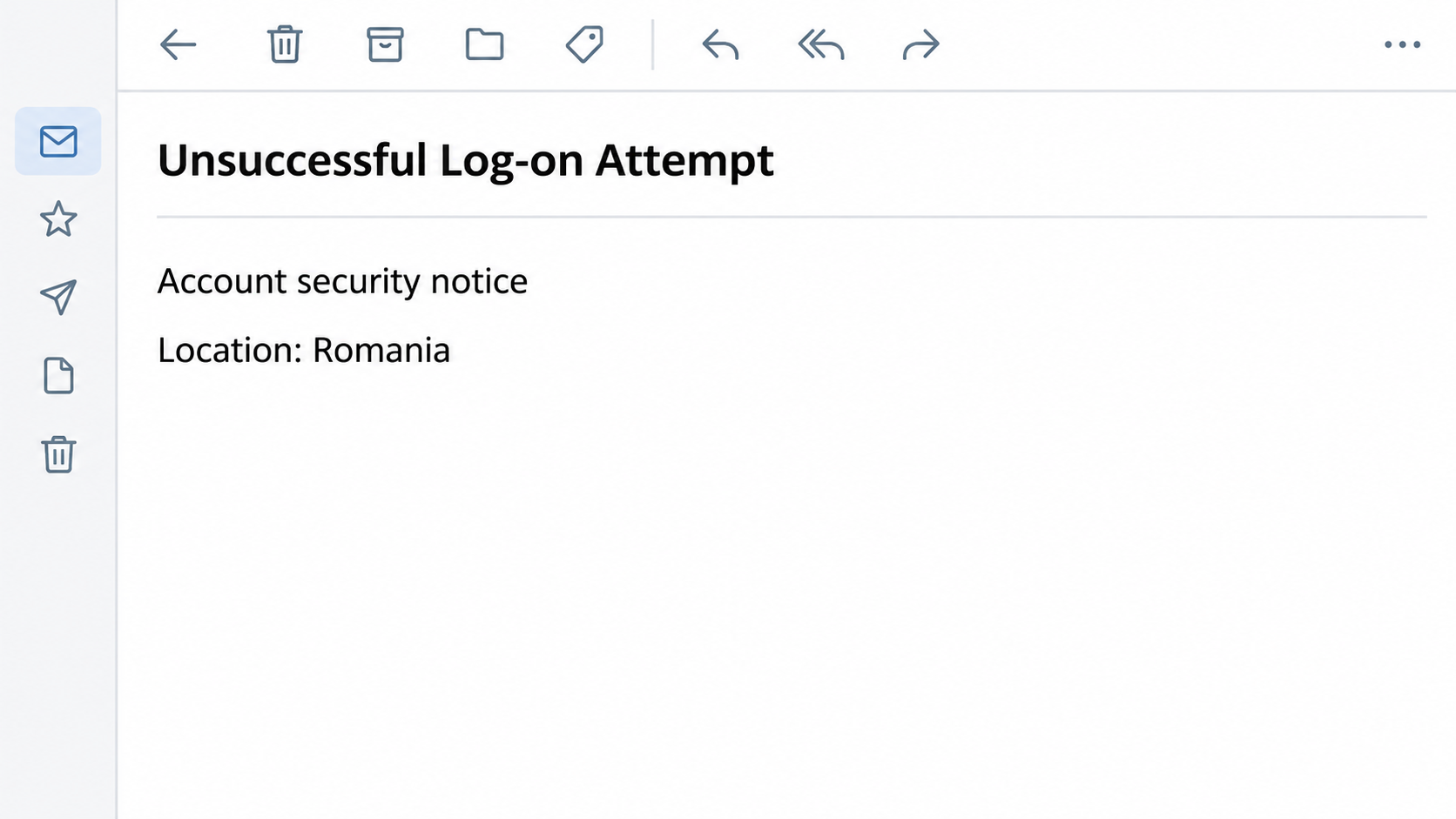
An email says someone tried to sign in to your American Express account. It even names Romania, a place you may have no reason to associate with your card.
The sign-in supposedly failed, but the message says you still need to do something. Before following that instruction, take a closer look at what the email can actually prove.
Overview
A security notice that asks you to sign in again
The American Express “Unsuccessful Log-on Attempt” email is a phishing message, not a security notification from the card issuer. It claims several failed attempts came from an unknown address.
The sample makes the claim look specific by listing a country, a region and what appears to be an IP address. The country named in that example is Romania.
The email doesn’t show a valid IP address. More importantly, the verification link points away from American Express, so you don’t know who would receive your login.
The claimed problem isn’t the part you should answer
You’re supposed to think about whoever might be trying to get in. But the immediate risk comes from you supplying account details on a page reached through the message.
The card issuer does send genuine security alerts and verification prompts. This warning is about the documented imitation, not a claim that every unexpected Amex notice is fake.
You can take a real alert seriously without using its link. Open your account through the app or call the number on your card to check the particular claim.
Separate the email from your actual account activity
- A location label in an email is not a record from the card issuer.
- The phrase “unsuccessful” does not prove there was an attempt or that every transaction is safe.
- Your card issuer can check a charge or account change without the sender’s verification page.
- If you supplied a password or code, report what you actually entered rather than guessing what was taken.
The fraudulent address doesn’t identify the sender’s location. Romania is part of the story told to the recipient, not evidence about who sent the message or where they were.
How the American Express Failed Sign-In Scam Works
Step 1: A failed attempt raises a problem you want to fix
A successful login from a stranger would be an emergency. A failed one feels more manageable, and that makes a supposed protective step sound like something you can handle yourself.
The subject also matches the sort of warning people expect from a financial company. You might never have seen this wording before and still recognize the situation it describes.
The email can’t authenticate its own record. Ask the card issuer what the account shows, rather than treating the message as a reliable sign-in history.
Step 2: Technical details make the warning look personal
The email puts the location alongside a supposed network address. That combination looks like a record assembled from information you wouldn’t expect an ordinary sender to know.
In this example, the address format itself is wrong. You don’t need to learn how IP addresses work to act on that clue. A separate account check is quicker.
Even a correctly formatted address wouldn’t make the email authentic. Anyone writing a message can add a plausible-looking number, a city name and a line about recent security activity.
Step 3: Protecting the account becomes a reason to use a link
The message offers to verify your identity and block the supposed access. That framing makes opening its link sound like the responsible thing to do for a card you use.
But a link doesn’t become part of your bank account because the email calls it a safety check. It takes you to a destination chosen by the sender.
The link led outside American Express. The reported destination was no longer active when researchers checked it, so don’t open it to test the warning.
Step 4: The requested login becomes the valuable part
The documented aim was to get American Express credentials. If somebody obtains those details, they can try accessing the account, checking the information it contains or posing as support later.
A password isn’t a card number or a payment approval. Tell the issuer which information you provided so it can address the right kind of exposure.
If a later message asks for a code, don’t let it complete the first request. A real code from the issuer can still be misused when someone else prompts it.
Check the Alert Without Using the Alert
Start with the app or a trusted number
Use the Amex app you already have or an established bookmark. If you can’t log in, call the number on your physical card rather than searching for emergency support.
Describe the subject line and claimed location. Ask whether the issuer sees any corresponding activity and whether there are pending changes or transactions you should check.
The American Express scam guidance recommends using the number on the card when you’re unsure about a message. You don’t lose a chance to protect the account by checking independently.
Watch for an actual login or purchase prompt
A real approval request can arrive while you’re reading a fake email. It might concern an unrelated transaction or an action somebody initiated without you.
Read what the app wants you to approve. If you haven’t started that login or purchase, don’t confirm it just because an email says verification is needed.
Decline anything you didn’t initiate and ask the issuer what happened. Don’t share the prompt or read a temporary code to an incoming caller.
Check what changed, not just whether a charge posted
Check contact information, alerts and recent transactions in the genuine account. If support can review new devices or access attempts, ask it to do that as well.
A stolen login can be a problem before an unfamiliar charge appears. A changed email address or phone number might redirect an alert you expected to receive yourself.
Conversely, seeing no suspicious entry after merely reading the email is reassuring. The demand for a password was in the fake route, not a condition you need to satisfy.
What to Do If You Responded to the Log-on Email
-
If you only received it: Use your email app’s phishing control. Keep a private copy if the issuer asks to see what the impersonation looked like.
Don’t reply with the last digits of your card to see whether the sender can match them. You can make any account inquiry through verified support.
-
If you clicked but entered nothing: Close the page and don’t reopen it. Think about whether the browser downloaded anything or asked for a permission you actually granted.
Simply landing on the site doesn’t prove your card or password was stolen. If you ran a download, describe that as a separate device concern when you seek help.
-
If you disclosed a login: Contact American Express through the card or app and reset the password through the genuine account. Use a trusted device to make the changes.
Ask whether existing sessions or trusted devices need review. If you use the same password on other services, start replacing it with independent passwords, beginning with email.
-
If you approved a request or supplied a code: Call promptly and describe what the actual prompt said, if you remember. Tell the issuer whether you authorized anything else.
The code itself isn’t useful evidence to share with an incoming caller. The time it arrived and the action described in the prompt are more relevant to the fraud team.
-
If you supplied card details: Report the disclosure even if the account shows no new charge yet. Ask what protections fit the exposure and whether the card needs replacement.
Write down the amount and merchant name of any transaction you don’t recognize. Clarify whether you approved it after being misled or had no knowledge of it at all.
-
If somebody contacts you again: End the call or stop replying. A caller may know the details you entered, but that does not make them a real investigator.
Use the original case reference when you call verified support yourself. Don’t advance money or share a new code so a stranger can purportedly help you recover the account.
What to Keep for a Useful Fraud Report
Start with the subject, receipt time and what you did. The fraudulent message and the actual activity shown in your account belong in different parts of that timeline.
Keep the original email if possible. An image may omit the actual sender information and link destination. There’s no need to open either link again to retrieve it.
If you took a screenshot of an app alert, use it to describe what the notice concerned. Don’t share a full card number or one-time code in a public report.
If you changed your password, note when you did it. That helps put later notifications into context and makes it easier to tell your own actions from unfamiliar ones.
American Express publishes its phishing reporting options in its Security Center. If money or access is at risk, call verified support without waiting for a reply.
If the Email Appears Near a Real Purchase
Maybe you paid for something online just before the message arrived. That timing is easy to connect in your mind, but it doesn’t link the email to your transaction.
Find the purchase in the real app and check the amount, seller and status. If the purchase is yours, you still don’t have to interact with the email.
It’s also possible to have a genuine unrelated account problem. If an actual charge or change looks wrong, report that immediately instead of dismissing it because the email was fake.
In a household with additional cardholders, ask whether somebody recognizes the purchase. Don’t assume that different merchant wording proves a charge is unauthorized without checking the details with the issuer.
For business cards, contact whoever manages the account. A travel booking in another employee’s name might explain a charge, but it can’t authenticate the email.
Why a Login Warning Isn’t the Same as a Card Decline
A card decline concerns an attempted payment. A sign-in notice concerns access to the account. The text on the fake email tries to make those two problems feel interchangeable.
Start with what you actually saw. Did the store decline the payment, did the real app show a transaction, or was the warning only in the email?
Each answer calls for a different check. Confirm the purchase status with the store if needed, then check the actual account activity with the issuer rather than using the email.
Look at whether the notice names an action you’ve started, like signing in yourself or confirming an online order. If it describes something unfamiliar, use the card number for help.
Ask an additional cardholder to check with you through a known contact. Don’t share a password between cardholders or assume you can safely forward the verification link to them.
Ask the issuer whether the entry is a temporary authorization or a final charge. Those records matter more than the warning in your inbox.
A canceled card, a reset password and a declined purchase solve different problems. Support can tell you which, if any, is necessary once you’ve explained what you did.
If a follow-up arrives during the case, check it in the real app or call back with your reference. Don’t settle the issue by replying to email.
Frequently Asked Questions
Did American Express send the “Unsuccessful Log-on Attempt” email?
The specific message describing failed sign-ins from Romania and leading to an unrelated verification page was an impersonation. Check any genuine security event independently through American Express.
Does the listed location mean someone in Romania had my password?
The country was part of the email’s claim. It doesn’t establish the location of an attempted login or of the sender, and the listed IP format was not valid.
Can the real issuer send fraud alerts by email?
American Express does send account notifications. The safe distinction is whether you independently verify the activity, not whether you recognize the design or know that real alerts exist.
Should I cancel my card if I only read the email?
Reading the message doesn’t show that anyone obtained card details. Call the issuer if you submitted payment information, approved something unfamiliar or find charges you do not recognize.
Can a temporary login code also authorize a purchase?
Read the notice rather than assuming what a code does. An incoming request can concern a purchase or login you didn’t initiate, even when the notification itself is genuine.
What should I do if I can’t get back into the account?
Do not use the email as a recovery route. Call verified American Express support with the number on your card and explain what you entered and when access stopped working.
The Bottom Line
Don’t use the verification link in the American Express failed sign-in email. The country and supposed IP record are there to make an unrelated password request sound urgent.
Open the real app to check your account. If you gave away a login, card detail or code, contact the issuer directly and say exactly what happened.

Join the discussion
0 commentsShare your experience or ask a question about this article.
Community experiences
Did this happen to you?
Your experience could help someone recognize the same scam. Submit a private report for our team to review.
I experienced this tooReports are reviewed before publication. Sharing publicly is always your choice.
Discussion
Start the conversation
Have a question or something useful to share? Add the first comment.