


Author · 61,136 articles · page 1223

Stelian

Stelian is a malware and virus removal expert with more than 15 years of experience. Stelian leads malware analysis and removal at MalwareTips, writes the step-by-step removal guides and helps readers recognize and avoid online scams.

How to remove InfoKeeper [Removal Guide]

What is InfoKeeper?

InfoKeeper is a fake system security software that is considered as a Rogue. Rogues are malicious programs that hackers use to trick users by displaying false threats and problems that it claims to have detected. In reality, none…


How to remove Windows Oversight Center [Removal Guide]

What is Windows Oversight Center?

Windows Oversight Center is a fake system security software that is considered as a Rogue. Rogues are malicious programs that hackers use to trick users by displaying false threats and problems that it claims to have…

How to remove Security Shield [Removal Guide]

What is Security Shield?

Security Shield is a fake system security software that is considered as a Rogue. Rogues are malicious programs that hackers use to trick users by displaying false threats and problems that it claims to have detected. In real…

How to remove MacDefender [Removal Guide]

What is MACDefender?

MACDefender is a fake system security software that that targets Mac OS users and is considered a Rogue.
Rogues are malicious programs that hackers use to trick users by displaying false threats and problems that it claims to …

How to remove Antivirus Center [Removal Guide]

What is Antivirus Center?

Antivirus Center is a fake system security software that is considered as a Rogue. Rogues are malicious programs that hackers use to trick users by displaying false threats and problems that it claims to have detected. In re…

How to remove Fake BitDefender 2011 [Removal Guide]

What is BitDefender 2011?

BitDefender 2011 is a fake system security software that is considered as a Rogue. Rogues are malicious programs that hackers use to trick users by displaying false threats and problems that it claims to have detected. In re…

How to remove Windows Recovery [Removal Guide]

What is Windows Recovery?

Windows Recovery is a fake system security software that is considered as a Rogue. Rogues are malicious programs that hackers use to trick users by displaying false threats and problems that it claims to have detected. In re…

How to remove Fake "Windows Security Alert"[Removal Guide]

What is “Windows Security Alert”?

“Windows Security Alert” is a fake system security software that is considered as a Rogue. Rogues are malicious programs that hackers use to trick users by displaying false threats and problems that it claims to have …

How to remove Antivirus Protection Trial [Removal Guide]

What is Antivirus Protection Trial ?

Antivirus Protection Trial is a fake system security software that is considered as a Rogue. Rogues are malicious programs that hackers use to trick users by displaying false threats and problems that it claims to…

How to remove Antimalware Tool[Removal Guide]

What is Antimalware Tool?

Antimalware Tool is a fake system security software that is considered as a Rogue. Rogues are malicious programs that hackers use to trick users by displaying false threats and problems that it claims to have detected. In re…

bufferzone logo

BufferZone Pro 4.0 Beta Released

Trustware announced the opening of beta registration for the BufferZone Pro beta version that includes support for 64-bit Windows installations. 64-bit compatible means that BufferZone … Read more

How to remove System Cleaner[Removal Guide]

What is System Cleaner?

System Cleaner is a fake system security software that is considered as a Rogue. Rogues are malicious programs that hackers use to trick users by displaying false threats and problems that it claims to have detected. In reality…

How to remove E-Set Antivirus 2011[Removal Guide]

What is E-Set Antivirus 2011?

E-Set Antivirus 2011 is a fake system security software that is considered as a Rogue. Rogues are malicious programs that hackers use to trick users by displaying false threats and problems that it claims to have detected…

1

VIPRE Antivirus Premium 4 and Firewall Alerts

This morning my brother’s subscription to Kaspersky Internet Security has expired, soI had to install a new antivirus. I thought about what product to install and I wanted to try something different, so I chose VIPRE Antivirus Premium. I have personally tested this product dozens of times without problems and with great results. But this time I made ​​a mistake.What mistake? Well I should … Read more

A padlock

Secure Passwords Guide

A padlockA password is a form of authentication represented by a string of characters that the user can easily provide, but it is hard to guess. In front of the registration form people use obvious passwords such as the names of their children or their house number in order not to forget them or simply because they can’t come up with better ones. Their importance is often ignored – at least until the account gets hacked. This guide will show you how to choose secure passwords and still be able to remember them, you’ll find links to software that might help and hopefully you’ll be determined to change your passwords to more secure ones.

Read more

1 second Linux boot!

This is seriously impressive – 1 second Linux boot to a Qt application from a cold boot!

ecommerce1

How to Safely Shop Online

Why do online shoppers have to take special precautions? The internet offers a convenience that is not available from any other shopping outlet. From … Read more

uac howto 1

How to turn off User Account Control prompts safely

The usual way of turning User Account Control off described on blogs is by dropping the slider in UAC Settings to Never notify. This turns UAC off completely and it has a couple of disadvantages. Windows 7 users have a better way to get rid of the prompts they perceive as annoyances.

Read more

UAC Credential Prompt

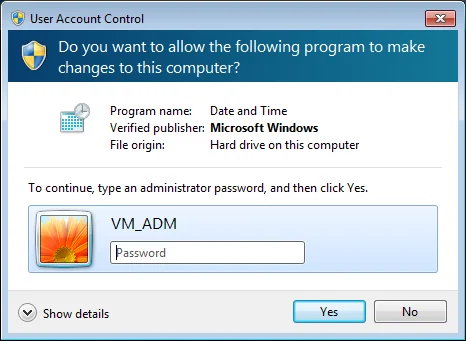
Windows 7 User Account Control Guide

This article tries to describe in detail the User Account Control (referred to as UAC) under the Windows 7 operating system and it is targeted at novice users that might not be accustomed to this feature. It also discusses UAC-s efficiency under an administrator account and proposes a more secure way to turn off the prompts.

Read more