

BitTorrent is a popular peer-to-peer file sharing protocol that allows users to distribute and download large files quickly and efficiently. It has gained significant popularity over the years due to its decentralized nature and ability to handle high traffic loads. However, there are concerns about the legality and security of using BitTorrent, leading many users to question whether they should remove it from their systems. In this article, we will explore what BitTorrent is, how it works, its legal implications, and whether you should consider removing it from your computer.
Understanding BitTorrent
BitTorrent is a protocol that enables users to distribute and download files over the internet. Unlike traditional file sharing methods where files are hosted on a central server, BitTorrent uses a decentralized approach. When a user wants to download a file, they connect to a network of other users who have the same file. Instead of downloading the entire file from a single source, BitTorrent breaks the file into smaller pieces and downloads them from multiple sources simultaneously.
This decentralized approach offers several advantages. First, it allows for faster download speeds since users can download different parts of the file from multiple sources. Second, it reduces the strain on any single server, making it more efficient for distributing large files. Lastly, BitTorrent is resilient to failures since the file is available from multiple sources, even if some users go offline.
Legal Implications of BitTorrent
While BitTorrent itself is a legal technology, the way it is used can have legal implications. BitTorrent has gained a reputation for being associated with piracy and copyright infringement due to its widespread use for sharing copyrighted material without permission. Many users utilize BitTorrent to download movies, music, software, and other copyrighted content without paying for it.
It is important to note that not all BitTorrent usage is illegal. There are legitimate uses for BitTorrent, such as distributing open-source software, sharing large files, or distributing content with the copyright owner’s permission. However, it is crucial to be aware of the legal implications and potential consequences of using BitTorrent to download copyrighted material without authorization.
Security Risks of BitTorrent
While BitTorrent itself is not inherently malicious, there are security risks associated with using it. Since BitTorrent relies on a decentralized network of users, it is difficult to verify the authenticity and integrity of the files being shared. This opens the door for malicious actors to distribute malware-infected files disguised as legitimate content.
Downloading files from untrusted sources through BitTorrent can expose your computer to various types of malware, including viruses, ransomware, and spyware. These malware infections can compromise your privacy, steal sensitive information, or even render your computer unusable.
To mitigate the security risks associated with BitTorrent, it is essential to exercise caution and follow best practices:
- Only download files from trusted sources and reputable websites.
- Read user reviews and comments to gauge the legitimacy of the file.
- Scan downloaded files with reliable antivirus software, such as Malwarebytes Free, before opening them.
- Keep your operating system and antivirus software up to date to protect against known vulnerabilities.
Should You Remove BitTorrent?
Whether you should remove BitTorrent from your computer depends on your individual circumstances and intended use. If you primarily use BitTorrent for legal purposes, such as downloading open-source software or sharing files with the copyright owner’s permission, there may be no need to remove it.
However, if you are concerned about the legal implications or security risks associated with BitTorrent, you may consider removing it from your system. Removing BitTorrent can help mitigate the risk of accidentally downloading copyrighted material without authorization or falling victim to malware-infected files.
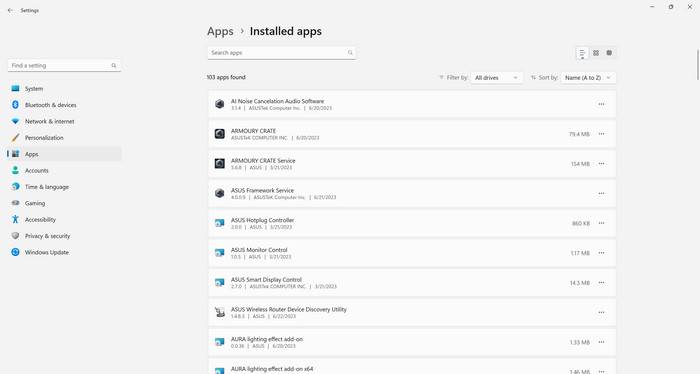
If you decide to remove BitTorrent, you can follow these steps:
- Open the Control Panel on your computer.
- Select “Uninstall a program” or “Add or remove programs.”
- Locate BitTorrent in the list of installed programs.
- Right-click on BitTorrent and select “Uninstall” or “Remove.”
- Follow the on-screen instructions to complete the uninstallation process.
After removing BitTorrent, it is recommended to perform a thorough scan of your computer using reliable antivirus software, such as Malwarebytes Free, to ensure that no malware or potentially unwanted programs are left behind.
Conclusion
BitTorrent is a powerful file sharing protocol that offers fast and efficient distribution of large files. However, it is important to be aware of the legal implications and security risks associated with using BitTorrent. While BitTorrent itself is legal, its association with piracy and copyright infringement raises concerns. Additionally, the decentralized nature of BitTorrent makes it susceptible to malware-infected files.
If you use BitTorrent for legal purposes and exercise caution when downloading files, there may be no need to remove it. However, if you are concerned about the legal or security risks, removing BitTorrent from your system can help mitigate these risks. Remember to follow best practices, such as downloading from trusted sources and scanning files with reliable antivirus software, to protect yourself from potential threats.
Ultimately, the decision to remove BitTorrent should be based on your individual circumstances and risk tolerance. By understanding the legal and security implications, you can make an informed decision that aligns with your needs and priorities.

Join the discussion
0 commentsShare your experience or ask a question about this article.
Discussion
Start the conversation
Have a question or something useful to share? Add the first comment.