

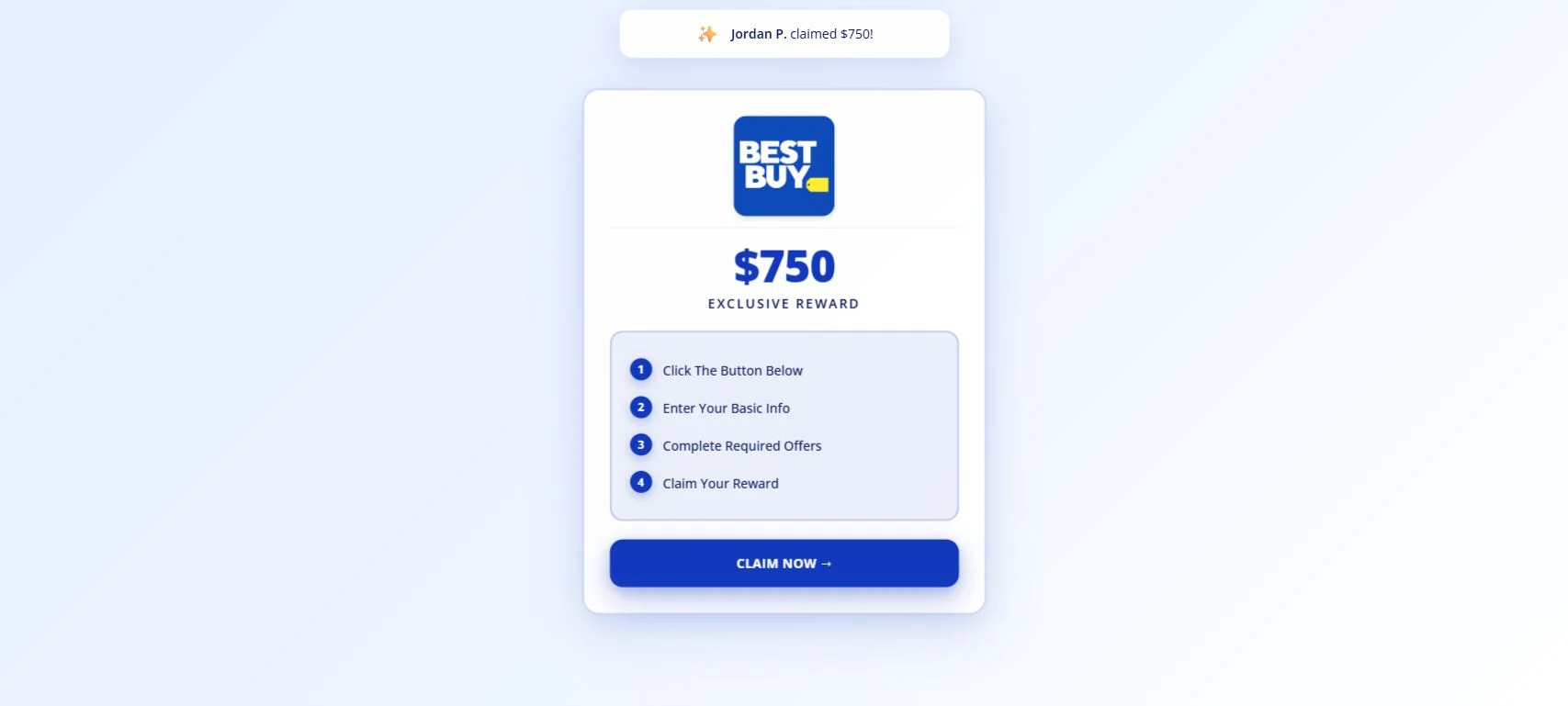
A $750 Best Buy gift card can make a social media link hard to ignore. StudentDealHub.com surrounds that promise with a recognizable logo, four simple steps, and pop-ups suggesting other people are successfully claiming the same reward.
The page is not an official Best Buy promotion. Its button records an affiliate referral and redirects visitors to unrelated surveys and casino offers, while historical captures show the same domain repeatedly changing the brand and reward on display.
Overview
The StudentDealHub scam is a rotating-brand affiliate funnel that currently advertises a $750 Best Buy gift card. The live page says the visitor only needs to click the button, enter basic information, complete required offers, and claim the reward.
Nothing on that simple screen explains which offers are required, how many must be completed, what they cost, who fulfills the gift card, or how Best Buy is involved. The main call to action leads to trksy.org, not to bestbuy.com.
The tracking URL contains offer_id=3004 and aff_id=157286. When we followed it, the browser passed through the affiliate system and landed on an “Opportunity Search” page customized to our location.
That page did not contain a Best Buy gift card claim. It promoted paid surveys and online casino bonuses. A footer disclosure said the page was part of an advertisement and that brand appearance did not imply affiliation, sponsorship, or endorsement.
This disconnect is the central problem with StudentDealHub. The famous retailer and $750 amount appear before the click, where they are most effective. The non-affiliation language and unrelated commercial offers appear later, after the referral has already been recorded.
StudentDealHub has used several different brands
Best Buy is only the latest identity displayed by StudentDealHub.com. Public URLScan history documents earlier versions of the same domain.
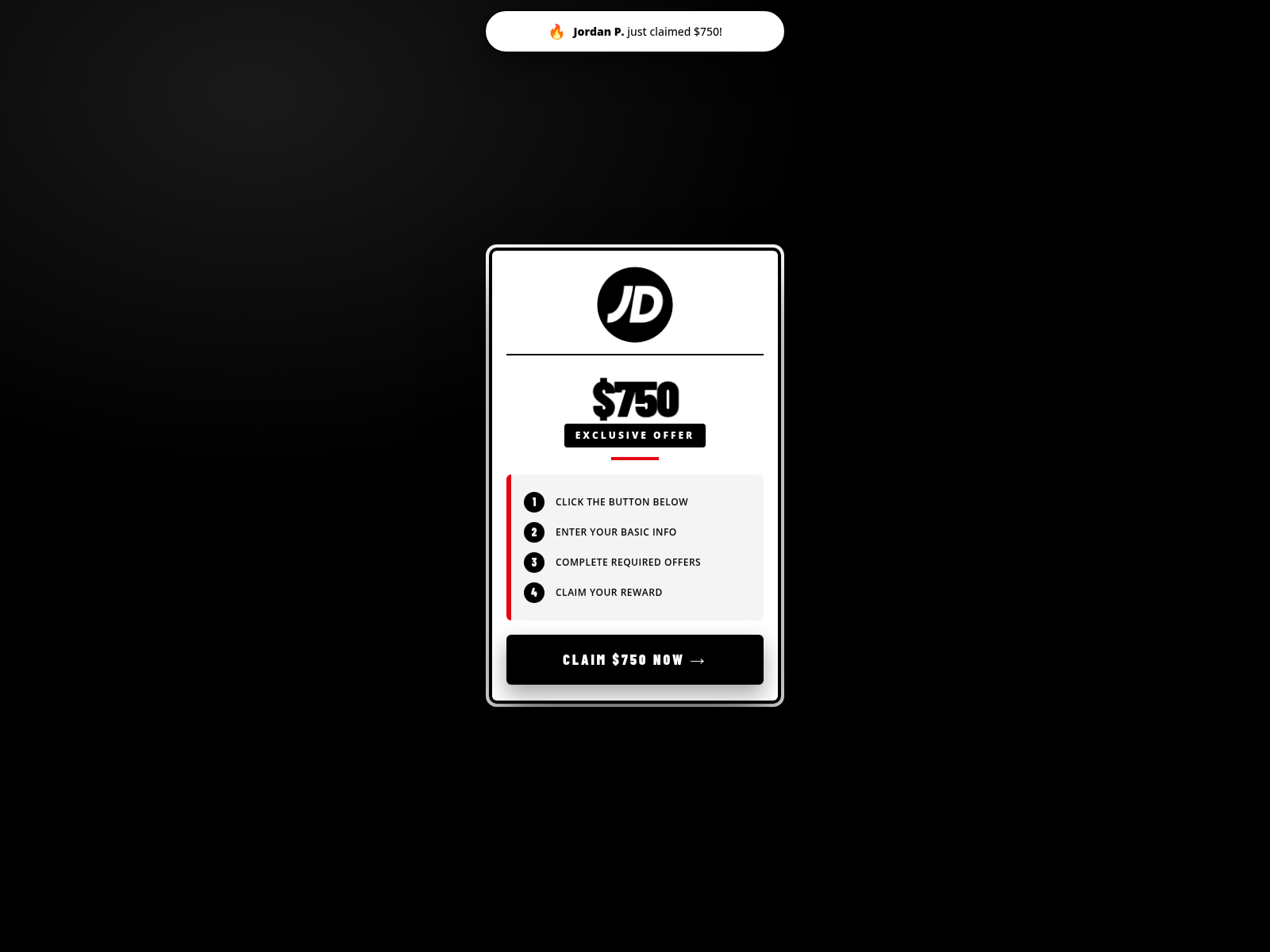
On July 28, 2026, a captured page used JD Sports branding and the title “Claim Your $750 JD Sports Exclusive Offer.” The four-step claim structure was materially the same as the one now used for Best Buy.
An older URLScan capture from January 12, 2026 shows a Rhode-themed page promising a $500 gift card. The amount, styling, and retailer changed, but the domain remained StudentDealHub.com.
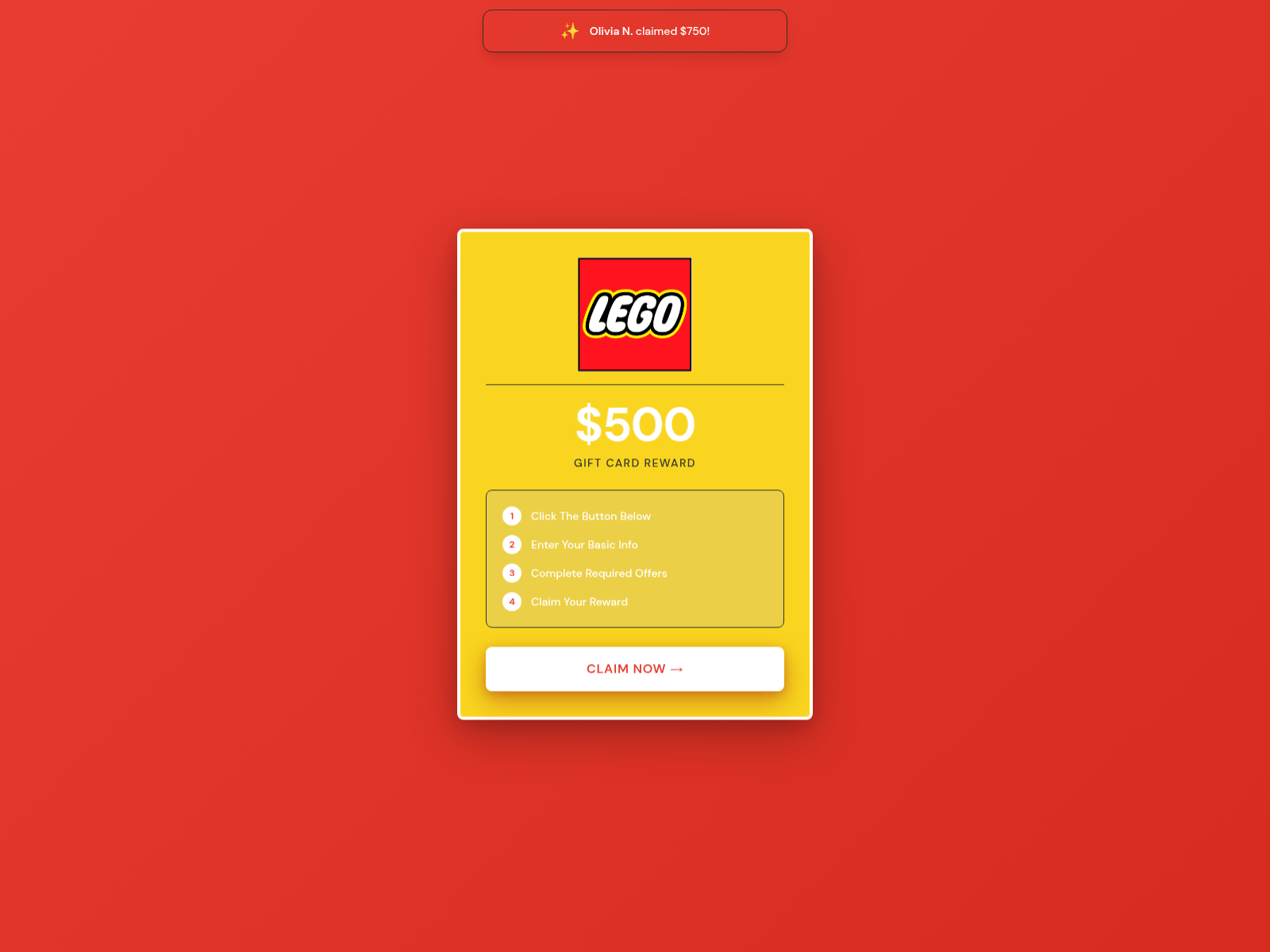
Other third-party crawler records have recently labeled the domain “Lego Landing Page Design.” These records reinforce the pattern, although the captures we rely on most directly are the dated Rhode and JD Sports screenshots and our current Best Buy inspection.
Best Buy, JD Sports, Rhode, and LEGO are not accused of operating StudentDealHub. Their identities appear to be interchangeable trust signals used by an independent marketer.
The claimant notifications are not live proof
The Best Buy version displayed “Sarah M. claimed $750!” shortly after loading. Similar notifications can create fear of missing out and make the reward appear active and widely successful.
We inspected the JavaScript delivered by StudentDealHub. It contains a fixed list of names: Sarah M., Jessica L., Emily R., Ashley K., Madison T., Taylor S., Morgan B., and Jordan P.
The script selects one of those names at random, displays it beside the fixed $750 amount, hides it after a few seconds, and repeats the process on a timer. It does not retrieve a real claim record from a customer account or fulfillment system.
The alert is therefore generated marketing content. A visitor cannot verify that “Sarah M.” exists, completed the required offers, or received a Best Buy card.
Where the Best Buy claim button really goes
Our click ended at a page headed “Opportunity Search” and a location-based banner saying that special offers were available in Constanța. Three affiliate offers were visible during the test.
- Surveoo, described as a community for earning money through paid surveys.
- Slotoro, promoting a €2,500 casino bonus plus 250 free spins.
- Lussurio, promoting a 550% bonus up to €3,400 plus 400 free spins.
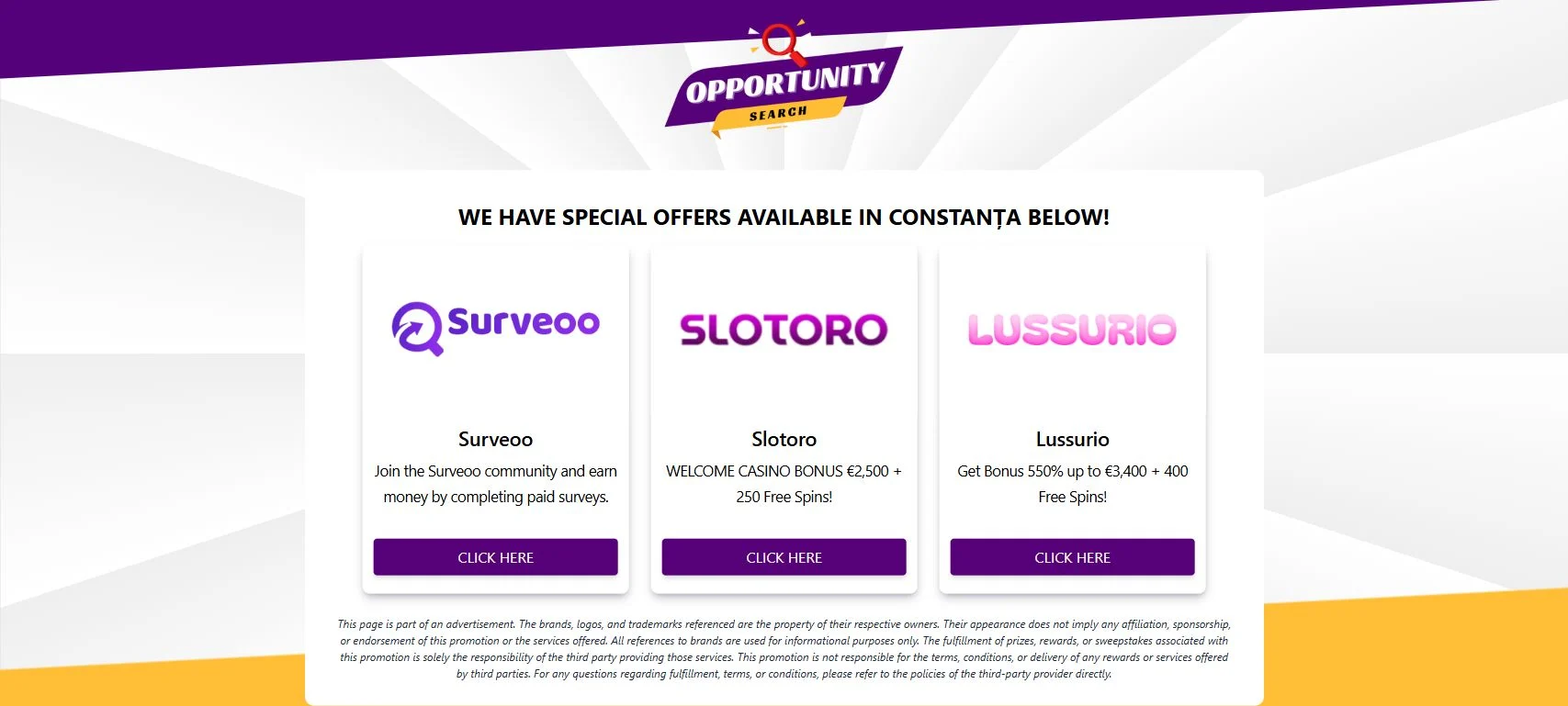
The exact mix is not permanent. Affiliate offer walls can select different advertisers according to country, device, availability, campaign rules, and the visitor’s prior activity.
A person in another location might see app installations, subscriptions, sweepstakes, insurance quotes, or other lead-generation forms. The common feature is that the visitor leaves StudentDealHub and enters third-party commercial funnels.
A direct link to StudentSavingsHub
StudentDealHub shares a revealing technical detail with StudentSavingsHub.com, another rotating retailer-reward page.
StudentDealHub’s button used aff_id=157286. StudentSavingsHub’s John Lewis version also used aff_id=157286, although it had a different offer ID and first tracking domain.
An affiliate ID generally tells the tracking platform which referring account should receive attribution. The matching ID connects the two campaigns at the affiliate level and supports the user-observed pattern that these sites feed the same kind of redirect operation.
The sites use different visual templates and hosting tools, so the shared ID is more meaningful than their appearance. It still does not reveal the legal identity of the person or organization controlling the affiliate account.
The domain is new and the offer changes quickly
StudentDealHub.com was registered on January 12, 2026. The first public URLScan capture appeared the same day and already showed the Rhode reward page.
By late July, the domain had become a JD Sports promotion. In early August, its live code and logo changed to Best Buy. The Best Buy logo asset referenced by the site was created on August 4, 2026.
A recently registered domain can host a legitimate project, so age is not proof by itself. Here, age matters because the site repeatedly presents itself through the identities of older, well-known companies while providing no stable business identity of its own.
Why the “student” name does not match the destination
The domain name suggests a hub for student deals. The live page does not verify student status, explain an education discount, or provide a catalog of ordinary student savings.
Instead, it presents one large reward and sends the visitor to an affiliate offer wall. The destination may include gambling promotions that are unsuitable for minors and have no inherent connection to student discounts.
The friendly domain name can lower suspicion by making the site sound like a consumer resource. Visitors should judge it by the actual destination and disclosed operator, not by the words “student” and “deal” in the address.
How the affiliate model makes money
Affiliate advertising pays for measurable actions. Depending on the advertiser, the qualifying action might be a click, email submission, completed survey, installed app, account registration, purchase, subscription, or casino deposit.
StudentDealHub supplies the initial motivation. The promise of $750 from a familiar retailer persuades the visitor to enter the referral chain. The offer wall then presents actions that may earn commissions.
The affiliate can receive value before the visitor receives any gift card. A person may complete forms, subscribe to services, or deposit money without finding a clear path back to the Best Buy reward promised at the start.
This imbalance is why the headline should be evaluated skeptically. If the gift card were truly the primary product, the page would clearly identify the sponsor, fulfillment rules, eligibility, number and cost of required offers, and support process before asking the visitor to leave the site.
Privacy and financial risks
The landing page itself is only one part of the journey. Every redirect and partner offer can introduce a separate privacy policy, marketing consent, payment arrangement, and cancellation procedure.
- Email and phone spam: Lead forms can place contact details into marketing databases and trigger follow-up offers.
- Recurring charges: Free trials and subscriptions may bill automatically after an introductory period.
- Gambling losses: Casino bonuses can require deposits, wagering, identity verification, and compliance with local rules.
- Credential reuse: Creating multiple accounts with the same password can expose other services if one provider suffers a breach.
- Tracking: Affiliate cookies, campaign parameters, location, and device details can follow the visitor across several domains.
- Identity exposure: Some financial or gambling services request a date of birth, address, phone number, and identification documents.
The Federal Trade Commission warns that some affiliate marketers use exaggerated claims to get clicks and that free trials can convert to paid subscriptions. It recommends reading the complete terms and cancellation instructions before giving a card number.
Warning signs on StudentDealHub.com
- The page uses a retailer logo but is hosted on an unrelated domain.
- The same domain has rotated between Rhode, JD Sports, Best Buy, and other themes.
- The reward amount is prominent while the required offers remain undefined.
- “Just claimed” alerts are randomly produced from a fixed name list.
- The CTA contains affiliate tracking parameters rather than an official retail URL.
- The destination promotes surveys and casino bonuses instead of the advertised gift card.
- The later disclaimer says brand appearance does not imply affiliation.
- The site provides no clear independent company identity or reward support path.
- Student branding is used even though the page does not verify student eligibility.
These signs are consistent with a deceptive affiliate landing page, not a transparent Best Buy rewards program.
How The Scam Works
The logos and offers can change, but the mechanism remains stable. Here is the StudentDealHub funnel from the first advertisement to the possible financial consequences.
1. A social media post advertises an unusually large gift card
The campaign begins with a short, visual promise such as “Claim Your $750 Best Buy Gift Card.” Ads can appear on social networks, low-quality websites, sponsored-content widgets, or messages shared between users.
A $750 amount is large enough to create excitement but familiar enough to resemble an online gift-card promotion.
2. The visitor lands on a retailer-themed page
StudentDealHub displays the current brand logo, reward amount, and a short list of steps. There is little navigation or long-form information that might distract from the claim button.
The page can be re-skinned quickly. Changing the logo, page title, and currency turns the same funnel into a different retailer promotion.
3. A generated notification creates social proof
Within seconds, a name appears beside a message saying the $750 reward was claimed. The alert makes the campaign feel busy and successful.
Because the names come from a hard-coded array and are selected randomly, the notification is not evidence of a real person or payout.
4. The visitor clicks before seeing the full conditions
The button says “Claim Now,” not “View Sponsored Advertisements.” Essential details about costs, data sharing, and fulfillment are absent from the decision screen.
This labeling encourages the visitor to understand the next page as part of the gift-card claim even when it is an affiliate offer wall.
5. The affiliate tracker records the referral
The trksy.org link records the offer ID and affiliate ID. It can also pass campaign and device information through later redirects.
Once the referral is attributed, the network can measure which visitor actions qualify for payment.
6. A redirect system chooses available offers
The visitor is sent to EdgeOffers or another destination selected by the campaign. Location detection helps choose advertisers that accept traffic from that country.
This selection process explains why the original retail brand can vanish immediately while a survey or casino promotion appears in its place.
7. Each partner tries to convert the visitor
Survey sites request profiles and responses. Subscription offers request a card. Apps may require installation and continued use. Casino offers may require registration, age verification, a deposit, and wagering.
Each completed action can have value to the advertiser and affiliate network, regardless of whether the original $750 gift card is ultimately received.
8. Small commitments accumulate
The first form may only ask for an email address. The next asks for a phone number. A later offer requires a card or identity check.
Gradual escalation feels easier than one page requesting everything at once. By the time a paid action appears, the visitor may already feel invested in the process.
9. Follow-up marketing continues after the visit
Contact details and tracking data can trigger promotional emails, texts, calls, retargeted ads, and reminders. Different partners may contact the visitor independently.
An increase in messages does not mean the gift card is getting closer. It often means the submitted information has entered more marketing systems.
10. The front page switches to another brand
When the current campaign stops converting, is reported, or loses advertiser support, the operator can replace Best Buy with another popular name.
The next visitor sees a fresh offer while the same domain, affiliate account, and monetization structure continue underneath.
What To Do If You Have Fallen Victim
The right response depends on how far you went. Work through the relevant steps calmly, beginning with any payments or sensitive information.
- Stop the offer chain. Close all tabs opened from StudentDealHub. Do not make another deposit, purchase, or subscription payment in the hope that it will unlock the $750.
- Document the path. Save the original ad, StudentDealHub page, tracking address, destination domains, confirmation emails, receipts, and screenshots of any promises or terms.
- List every company that received information. Browser history and email can help identify survey sites, apps, casinos, subscription providers, and merchants. Note what data each one received.
- Cancel trials and subscriptions one by one. Use each provider’s official account or support page. Save proof of cancellation and check whether the cancellation ends future billing immediately.
- Contact the card issuer if you paid or entered card details. Call the number printed on the card, explain the misleading reward funnel, identify disputed transactions, and ask whether the card should be replaced.
- Review casino deposits separately. Contact the licensed operator through its official site, request account closure or limits if needed, and use local gambling-support resources if the promotion led to harmful spending.
- Change reused passwords. Create a unique password for every account, beginning with email and banking. Enable multi-factor authentication wherever it is available.
- Remove unwanted apps and permissions. Cancel related subscriptions before uninstalling. Revoke notification, location, contact, and tracking permissions that are no longer needed.
- Prepare for spam and impersonation attempts. Block unwanted callers, mark marketing email as spam when appropriate, and be skeptical of messages claiming a reward is waiting or an account must be verified.
- Protect identity documents. If you uploaded identification to a questionable destination, follow guidance from IdentityTheft.gov and monitor for suspicious account activity.
- Report the campaign. Report the social media ad to the platform and file a detailed report at ReportFraud.ftc.gov. Include the rotating brand, affiliate URL, destination, and financial loss.
- Do not pay a recovery service. Anyone who contacts you unexpectedly and promises a guaranteed gift card or refund for an upfront payment may be attempting a second scam.
If you only opened StudentDealHub and closed it without entering information, downloading an app, or accepting notifications, you generally do not need to replace cards or passwords. Report the ad and avoid returning.
If a file, extension, or app installed unexpectedly, remove it, update the operating system and browser, review permissions, and run a scan with trusted security software.
The Bottom Line
StudentDealHub is not an official Best Buy gift card promotion. The domain has rotated through several brands, generates fake claimant notifications from a fixed list, and sends visitors through an affiliate link to unrelated surveys and casino offers.
Do not chase the promised $750. Verify every promotion through the retailer’s official website, and treat any reward page that hides its real sponsor, costs, and destination as a reason to leave.

Join the discussion
0 commentsShare your experience or ask a question about this article.
Discussion
Start the conversation
Have a question or something useful to share? Add the first comment.