

When it comes to computer security, it’s important to stay informed about the various software and modules installed on your system. One such module that you may have come across is the Cisco EAP-FAST Module. In this article, we will explore what the Cisco EAP-FAST Module is, its purpose, and whether or not you should consider uninstalling it.
Understanding the Cisco EAP-FAST Module
The Cisco EAP-FAST Module is a software component developed by Cisco Systems, a leading provider of networking solutions. EAP-FAST stands for Extensible Authentication Protocol – Flexible Authentication via Secure Tunneling. It is a protocol designed to provide secure and efficient authentication for wireless networks.
EAP-FAST is primarily used in enterprise environments where secure authentication is crucial. It offers a robust and flexible authentication framework that can be used with various authentication methods, including passwords, digital certificates, and smart cards.
Why is the Cisco EAP-FAST Module Installed on My System?
If you have the Cisco EAP-FAST Module installed on your system, it is likely because you have installed Cisco networking software or hardware that requires it. The module is commonly bundled with Cisco’s wireless network adapters, routers, and other networking devices.
The Cisco EAP-FAST Module enables your system to communicate securely with Cisco wireless networks that utilize EAP-FAST for authentication. It ensures that your connection to these networks is encrypted and protected from unauthorized access.
Should I Uninstall the Cisco EAP-FAST Module?
Whether or not you should uninstall the Cisco EAP-FAST Module depends on your specific needs and usage of Cisco networking products. Here are a few factors to consider:
1. Do You Use Cisco Networking Products?
If you do not use any Cisco networking products or connect to Cisco wireless networks, you may not need the Cisco EAP-FAST Module. In such cases, uninstalling it can help reduce unnecessary software clutter on your system.
2. Security Concerns
While the Cisco EAP-FAST Module is designed to enhance security, like any software, it is not immune to vulnerabilities. If you have concerns about potential security risks associated with the module, you may consider uninstalling it.
However, it’s important to note that removing the module may prevent you from connecting to Cisco wireless networks that require EAP-FAST authentication. If you frequently connect to such networks, it is advisable to keep the module installed.
3. Performance Impact
Uninstalling the Cisco EAP-FAST Module may have a minimal impact on system performance. However, if you have limited storage space or are experiencing performance issues, removing unnecessary modules can help optimize your system.
How to Uninstall the Cisco EAP-FAST Module
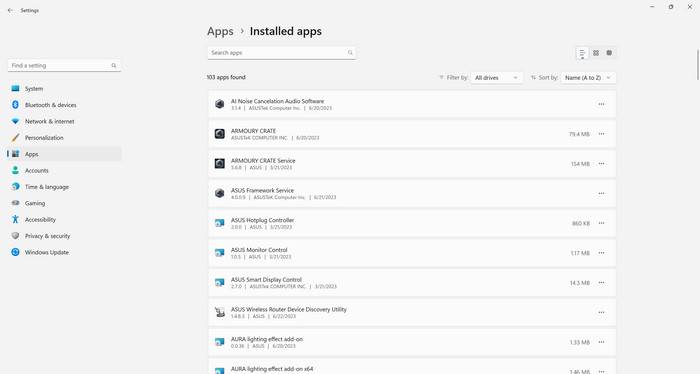
If you have decided to uninstall the Cisco EAP-FAST Module, here’s how you can do it:
- Open the Control Panel on your Windows system.
- Select “Programs” or “Programs and Features.”
- Locate the Cisco EAP-FAST Module in the list of installed programs.
- Right-click on the module and select “Uninstall” or “Remove.”
- Follow the on-screen instructions to complete the uninstallation process.
After uninstalling the module, it is recommended to restart your system to ensure that all changes take effect.
Conclusion
The Cisco EAP-FAST Module is a software component that provides secure authentication for Cisco wireless networks. Whether or not you should uninstall it depends on your specific needs and usage of Cisco networking products.
If you do not use Cisco networking products or have concerns about security vulnerabilities, uninstalling the module may be a viable option. However, if you frequently connect to Cisco wireless networks that require EAP-FAST authentication, it is advisable to keep the module installed.
Remember, if you decide to uninstall the Cisco EAP-FAST Module or any other software, it’s always a good idea to scan your system for malware using a reliable security tool like Malwarebytes Free. This will help ensure that your system remains protected from any potential threats.

Join the discussion
0 commentsShare your experience or ask a question about this article.
Discussion
Start the conversation
Have a question or something useful to share? Add the first comment.