

A familiar AI subscription can make a bank charge look routine. That is exactly why a string of unexpected Claude credit purchases may be missed until the total becomes impossible to ignore.
Claude AI credit card fraud does not begin with a dramatic ransom demand. It often hides behind a recognizable merchant, repeated charges, and the assumption that an account owner must have changed a plan or used extra credits.
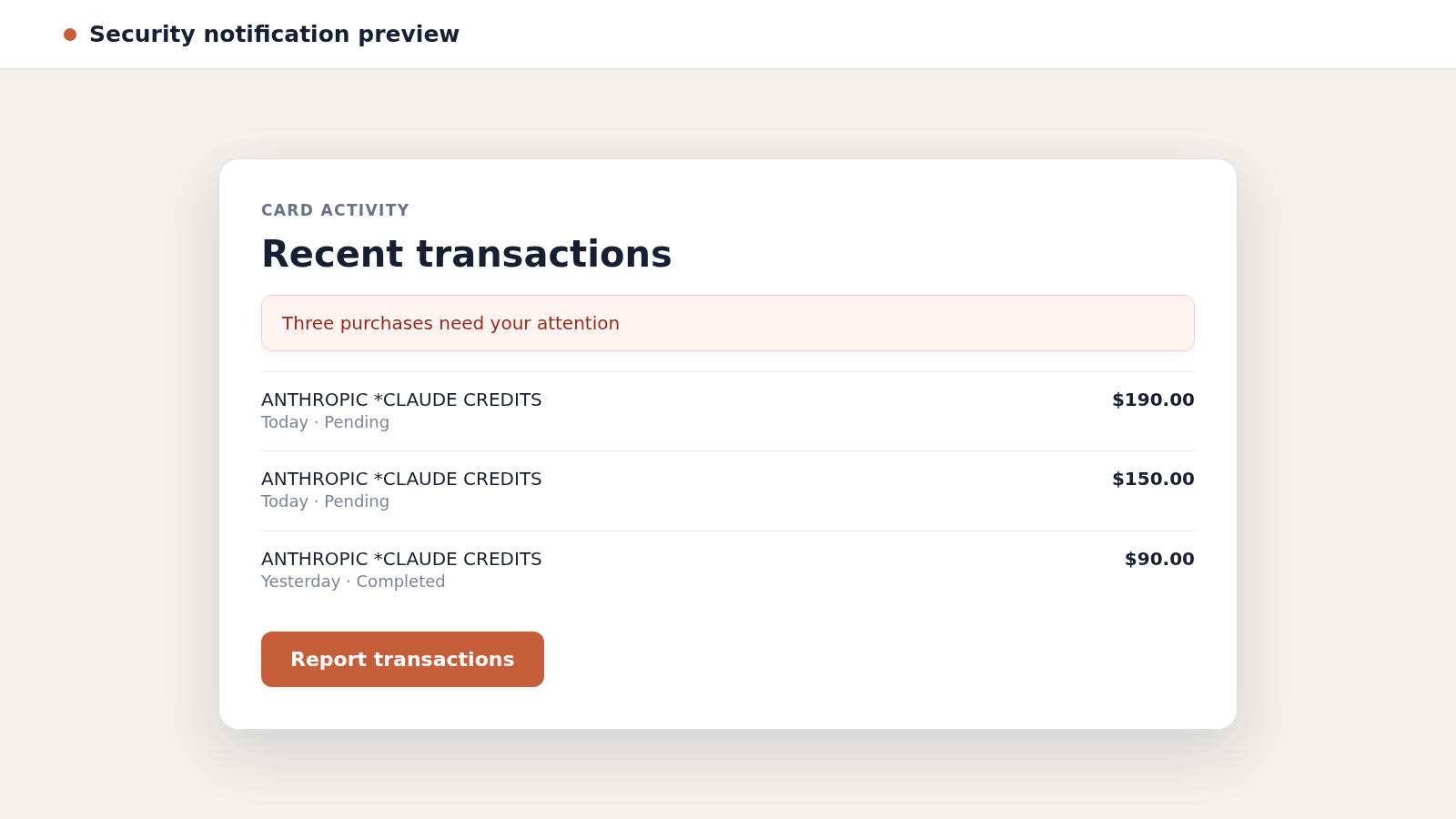
Overview
Criminals use a real service as the payment destination
Claude is a legitimate AI service made by Anthropic. In reported fraud cases, criminals used payment details associated with real customers to buy Claude usage credits or other account products without permission.
The merchant name can therefore look genuine on a statement. The fraud lies in who authorized the purchase, not necessarily in the name that processed it.
Repeated purchases can create a much larger loss
Instead of one obviously impossible purchase, an attacker may submit a series of smaller card-not-present transactions. A familiar merchant and prior legitimate subscription can make automated detection more difficult.
One public case involved many credit purchases continuing after the customer rejected an early transaction alert. It shows why declining one payment is not the same as confirming that the card and account are fully secured.
The first warning may be a statement or fraud alert
Some victims notice a bank notification. Others discover the problem while reviewing pending activity, an AI account balance, an invoice email, or a sudden card decline caused by the accumulated spending.
Warning signs can include:
- Multiple Anthropic or Claude charges you do not recognize
- Credit purchases that do not match your normal subscription
- A plan upgrade or gift transaction you did not request
- New sessions, users, API keys, or account activity
- Bank alerts followed by additional charges
- Password reset messages you did not initiate
- A card decline despite ordinary personal spending
Anthropic has said in a reported incident that it found no evidence the affected card details came from its systems. An unfamiliar charge proves unauthorized use, but it does not by itself prove where the information was exposed.
What Unauthorized Claude Charges May Look Like
The statement description may contain Anthropic, Claude, or wording related to AI credits. Exact descriptors vary by bank, country, payment processor, and the product purchased.
A legitimate monthly subscription should follow a predictable schedule. Fraudulent activity may appear as several irregular amounts, rapid purchases, a large credit top-up, a gift plan, or an upgrade that does not match the account owner’s behavior.
Do not dismiss a charge merely because the merchant is familiar. A criminal can exploit a stored payment method at a merchant the cardholder has used before.
Also avoid assuming that every unfamiliar descriptor is fraud. Family members, business teammates, taxes, currency conversion, and delayed settlement can change how a purchase appears. Check the real account billing page before disputing it.
If the account shows no matching invoice or credit balance, contact the bank and Anthropic through independently opened official channels. Do not call a number found in a search advertisement, social media reply, or unsolicited refund message.
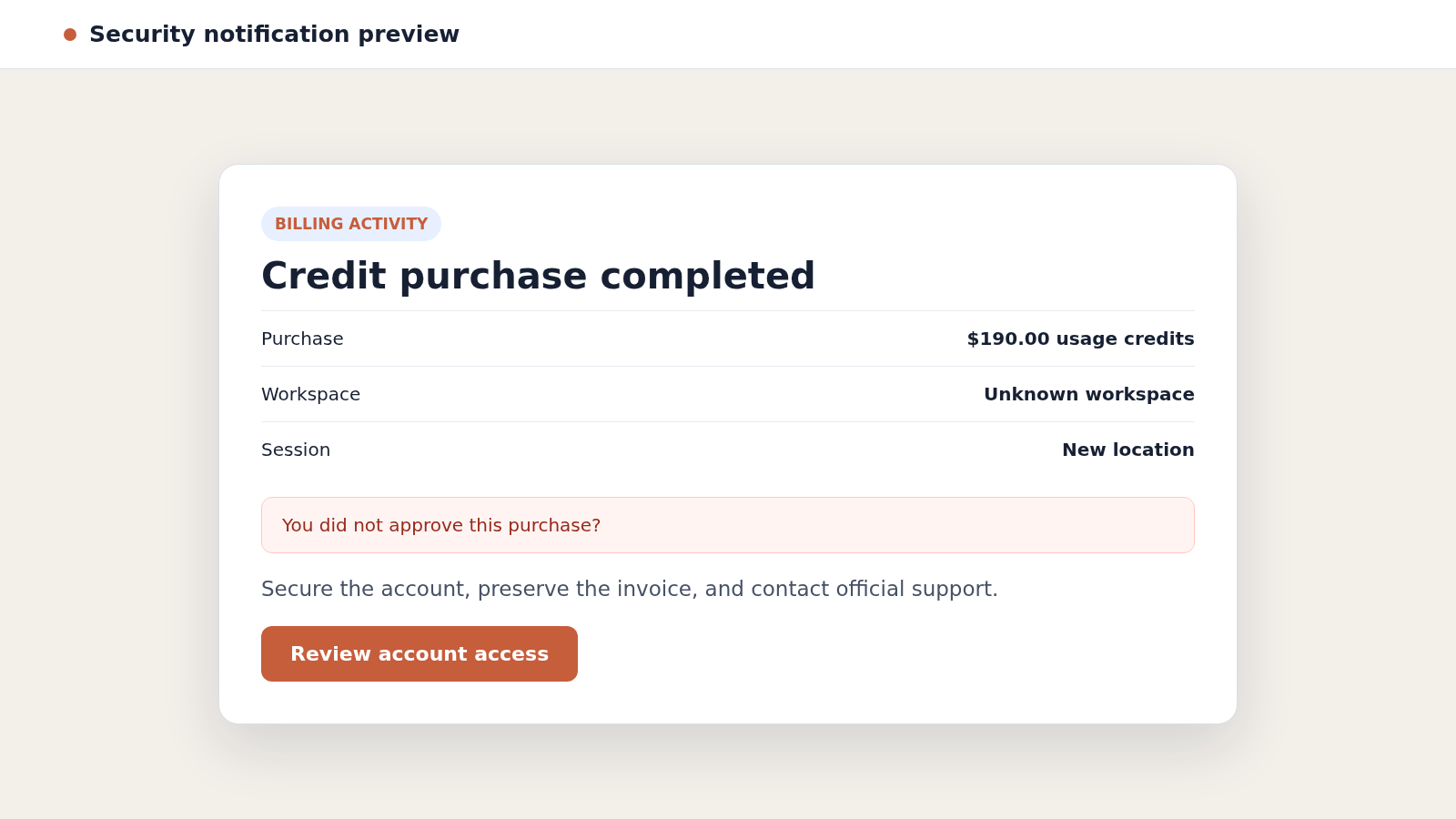
How Claude AI Credit Card Fraud Works
Step 1: Payment or account access is obtained
The attacker first needs a usable route to payment. That may be stolen card data, a compromised Claude account, access to an email account, an infostealer infection, password reuse, or information acquired through an unrelated breach.
The precise source is often unknown. A victim should investigate each realistic route rather than treating the merchant name as proof of a specific breach.
Step 2: The criminal tests what the account will allow
An attacker may try a subscription change, a small credit purchase, or another transaction that is less likely to trigger an immediate block. A successful authorization confirms that the payment route works.
Failed attempts matter too. Declined purchases, unfamiliar verification prompts, and password reset emails can reveal an attack before money leaves the account.
Step 3: Claude credits or account products are purchased
Once payment succeeds, the criminal buys something that can be consumed or transferred through an account they control. AI usage credits have immediate utility and may support automated work performed at someone else’s expense.
Depending on the available features, the attacker may also attempt plan upgrades, gift purchases, or repeated top-ups. The legitimate service becomes the checkout, while the stolen payment method funds the activity.
Step 4: Repeated charges blend with a known merchant
If the cardholder already pays for Claude, additional charges do not arrive under a completely foreign merchant. That context can reduce the surprise that normally prompts an instant call to the bank.
Criminals may make several purchases quickly or vary the amounts. The goal is to capture as much value as possible before the card, account, or merchant profile is restricted.
Step 5: A bank alert tests the cardholder’s response
The bank may send a genuine fraud question asking whether a transaction was authorized. Answering accurately is important, but the reply should be followed by a direct check that the card is frozen or replaced.
A rejected transaction may be blocked individually while other authorizations continue. The customer should not assume the entire payment instrument is safe unless the bank confirms the scope of the action.
Step 6: The attacker tries alternate amounts or payment paths
After one attempt fails, automated or coordinated attackers can retry with a different amount, account, product, or timing. Pending and completed transactions may therefore continue to change after the first notification.
This is why monitoring should continue for several days. A replaced card can also receive recurring-payment updates through card-network services, so the bank must understand that the merchant authorizations are disputed.
Step 7: Purchased value is consumed before intervention
Digital credits can be used quickly. The faster the value is consumed, the more complicated the merchant’s investigation and the dispute evidence may become.
A criminal may also remove traces by deleting sessions, changing account details, or abandoning the account. Billing records, bank timestamps, and security emails help reconstruct what happened.
Step 8: The victim faces recovery scams and account risk
After a public complaint, fake support accounts may offer refunds or priority escalation. They ask for a card number, login, verification code, remote access, or an advance fee.
Real recovery begins with the bank and the service provider. Anyone who guarantees a refund through a private message or asks for payment to release one is creating a second problem.
Why These Charges Can Be Difficult to Spot
Subscriptions train people to expect recurring merchant names. A busy user may see Anthropic on a statement, remember having a Claude plan, and overlook that the amount or timing is wrong.
Business accounts create another complication. Several employees may legitimately generate usage, and the person reviewing the card may not know what each project required.
Pending card activity can also move, combine, disappear, or settle under slightly different wording. The temporary appearance of a refund does not always mean a dispute is closed.
A strong review compares three records: the bank statement, the official Claude billing history, and the organization’s internal authorization. A mismatch between them deserves immediate investigation.
Warning Signs of Unauthorized AI Credit Purchases
- The amount is much higher than the normal plan price.
- Several purchases appear within minutes or hours.
- The billing page shows credits you never ordered.
- A gift or higher-tier plan appears without approval.
- Account emails mention a new login or password change.
- An unfamiliar user, workspace, key, or session is present.
- The bank asks about a transaction you did not make.
- Support contact arrives through a social media message.
- A supposed refund agent asks for a one-time code.
- Charges resume after you believed the card was blocked.
One sign alone may have an innocent explanation. Several signs together, especially unmatched invoices and unknown account access, justify treating the situation as active fraud.
How to Verify a Claude or Anthropic Charge Safely
Type the official Claude address yourself or use a trusted bookmark. Sign in without following a link from an unexpected message, then review the plan, invoices, credit purchases, workspace members, sessions, and API activity available to you.
Compare dates, amounts, currency, and invoice identifiers with the bank record. For a company card, ask the billing owner and relevant team members whether anyone approved the purchase.
Contact the bank through its app or the number printed on the card. Ask whether the transaction is pending or settled and whether other attempts from the same merchant are waiting.
Use Anthropic’s official support route to report unauthorized activity. Include transaction dates and amounts, but do not send a complete card number, password, or authentication code in ordinary correspondence.
Take screenshots before changing the account. Evidence can disappear when sessions are revoked, a plan is corrected, or pending charges change status.
How to Protect AI Accounts and Stored Payment Methods
Use a unique password for the AI account and its connected email. A password manager makes uniqueness practical and prevents a breach at one service from opening another.
Enable the strongest authentication the account offers. Store recovery codes securely and never read a one-time code to someone claiming to investigate a charge.
For business use, keep ownership and spending responsibilities clear. Remove former team members promptly, review API keys, apply available spending limits, and monitor invoices more often than the monthly statement cycle.
Bank controls can add another layer. Transaction alerts, card locks, virtual cards, and merchant-specific limits reduce the time between unauthorized use and intervention.
Company, Address, and Fulfillment Checks
Confirm the merchant through the real billing account
A bank descriptor can be abbreviated. Match it to an invoice and purchase record inside the official account rather than relying on the statement name alone.
Open support from an address you verify independently
Search advertisements and social media replies can impersonate customer service. Navigate from the company’s official site and inspect the complete domain before sharing case information.
Check whether the digital value reached your account
A charge without a matching plan, invoice, gift, or credit balance is a clear discrepancy. If value appears but you did not request it, preserve the record and do not consume it.
Separate a real company from unauthorized use
A genuine merchant name does not make the purchase authorized. At the same time, the charge alone does not establish how card details were compromised or prove that the merchant’s own systems leaked them.
What to Do if You Have Fallen Victim to This Scam
- Freeze the affected card immediately. Use the bank’s trusted app or call the number printed on the card. Ask the representative to stop new authorizations, not merely decline one transaction.
- Report every unauthorized charge. Identify pending and completed items, request the bank’s card-fraud process, and ask how provisional credits and chargebacks will be handled.
- Replace the payment credentials. Request a new card number when appropriate. Tell the bank that repeated merchant charges are disputed so automatic recurring-payment updates do not create confusion.
- Secure the Claude account. Change its password, sign out unknown sessions, remove unfamiliar users or keys, review billing, and contact Anthropic through the official support site.
- Secure the connected email. Change the email password, enable strong authentication, review forwarding rules and recovery details, and remove sessions you do not recognize.
- Preserve the timeline. Save statements, alerts, invoices, account activity, support case numbers, and the exact times you contacted the bank and merchant.
- Scan for credential-stealing software. Run a complete check with Malwarebytes if you opened suspicious files, installed software, or suspect an infostealer captured passwords or card data.
- Block malicious pages. AdGuard can reduce exposure to known phishing pages and deceptive ads, but it cannot reverse a purchase or secure an account already compromised.
- Report identity misuse. If personal information beyond the card was exposed, create a recovery plan at IdentityTheft.gov and follow the steps relevant to your accounts.
- Reject refund impersonators. Do not trust private messages promising recovery. Real support will not need your password, one-time code, remote control, or a fee to release a refund.
Frequently Asked Questions
Is Claude AI itself a scam?
No. Claude is a legitimate AI service from Anthropic. The issue described here is unauthorized use of payment details or an account to buy real digital products.
Does an Anthropic charge prove my Claude account was hacked?
No. The purchase may involve account access, stolen card details used elsewhere, a business teammate, or billing confusion. Check both account and bank records before deciding what occurred.
Why did more charges appear after I rejected one?
A bank may block a particular authorization without freezing the entire card. Confirm directly what was restricted and keep monitoring pending activity.
Should I contact the bank or Anthropic first?
Freeze the payment route immediately, then contact both. The bank handles card protection and disputes, while Anthropic can investigate the account and associated purchases.
Can a pending unauthorized charge disappear on its own?
It may expire, settle, or change description. Preserve it and notify the bank instead of assuming a temporary disappearance closes the matter.
Will replacing the card solve everything?
It stops one payment route, but the email, Claude account, passwords, sessions, and devices may still need attention. Complete the wider account review.
The Bottom Line
Claude AI credit card fraud can hide behind a merchant the victim genuinely recognizes. Repeated credit purchases, irregular amounts, and account changes deserve attention even when the statement name looks legitimate.
Freeze the card, compare bank and billing records, secure the connected accounts, and report the activity through official channels. A real company name never substitutes for your authorization.

Join the discussion
0 commentsShare your experience or ask a question about this article.
Discussion
Start the conversation
Have a question or something useful to share? Add the first comment.