

In a credit union parking lot, a stranger asks for your phone. The request may seem brief, awkward, or easier to satisfy than argue about.
What happens after the phone leaves your hand can be much harder to see. A recent federal case shows why this small moment matters.
Overview
The first target was the device, not a card number
Federal prosecutors say a group targeted credit union members in publicly accessible places around Hampton Roads, Virginia, beginning by at least January 2023.
Through deceit and intimidation, the perpetrators persuaded victims to hand over mobile devices, according to the U.S. Justice Department.
The official summary does not specify one universal script or claim every victim was approached in exactly the same way. The common step was gaining control of the phone.
That difference matters. Inventing a detailed street conversation would make the warning less accurate, not more useful.
Access to the phone became access to financial accounts
Once the device was in their hands, the perpetrators accessed victims’ bank accounts and personal information, prosecutors said.
The documented actions included unauthorized loan applications, financial disputes, transfers, and withdrawals. These are not merely attempts to read a text message.
An unlocked device can contain banking apps, saved email sessions, password-reset messages, and account notifications. The exact path in each victim’s case is not public.
The danger is the concentration of access. A phone can be both the account interface and the device receiving security prompts meant to protect it.
Eleven defendants were sentenced
The September 2026 Justice Department release says eleven people were sentenced for roles in the Hampton Roads scheme.
That is a documented criminal case, not a hypothetical viral warning. It also does not mean every person asking to borrow a phone is part of this group.
The lesson is narrower and practical:
- Keep control of an unlocked phone near banks and other public places.
- Do not reveal the device passcode to a stranger.
- Report unexpected loan or transfer activity immediately.
- Review email, phone number, and recovery settings after any loss of control.
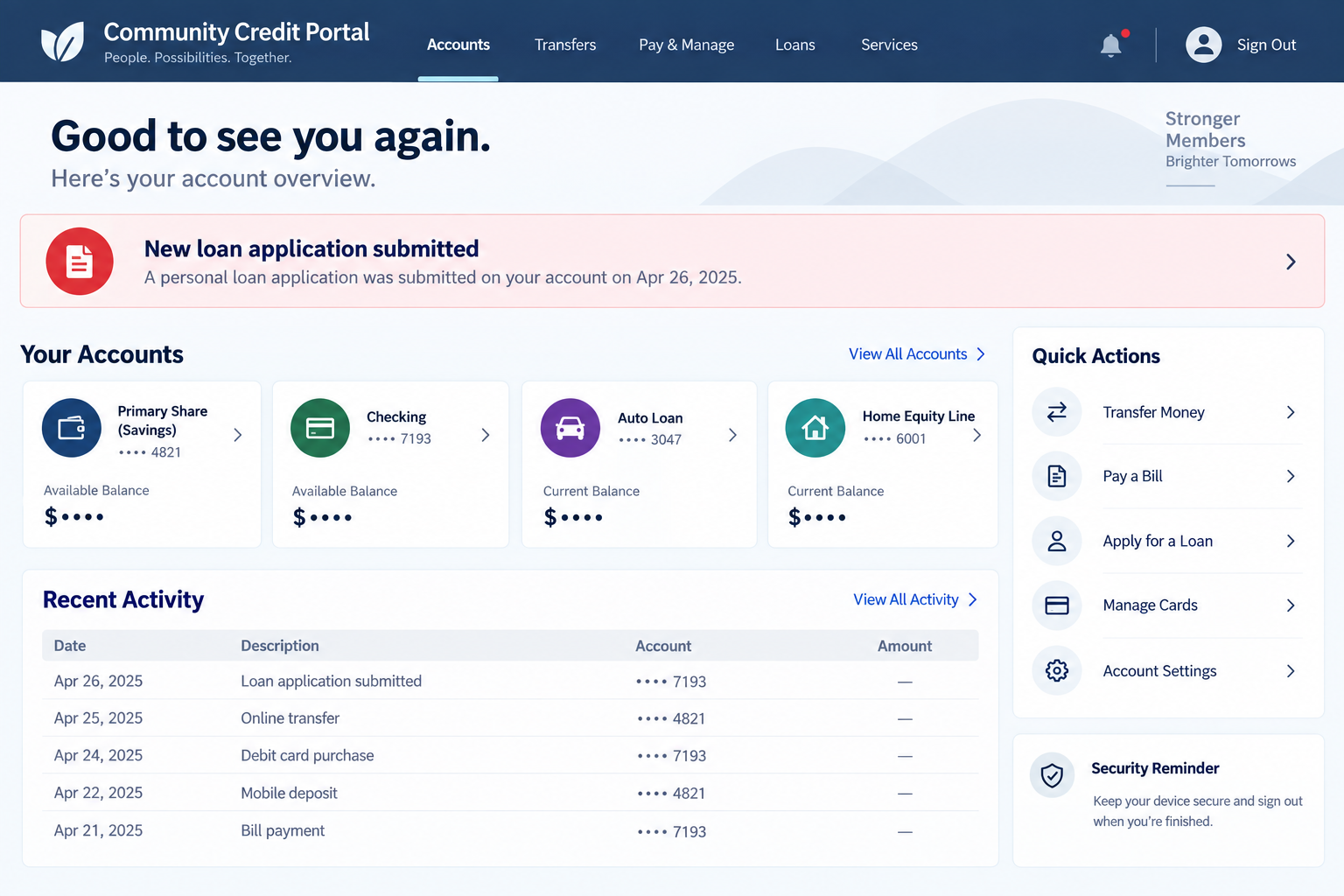
The images in this article are fictional account-screen illustrations. They show possible warning signs, not screenshots recovered from the defendants or victims.
Why an Unlocked Phone Can Carry So Much Financial Authority
Many people think of a banking password as the main barrier. In practice, a signed-in app may allow account activity before another login is required.
Email on the same device may receive account notices or reset links. Text messages may deliver one-time codes. A payment app may remain open from an earlier task.
Security varies by institution and device settings, so possession does not automatically mean full account access. Still, the prosecuted scheme shows what can happen.
The account holder may not see the first unauthorized action. A loan application, dispute, or contact change might be hidden among routine notifications.
That is why the response should cover the whole account, not just the balance visible today. Future debt and identity misuse can outlast the immediate incident.
Prosecutors described unauthorized financial disputes as one part of the scheme. Such actions can complicate transaction history and require careful correction.
Ask the institution for a complete activity review, including device registrations, profile changes, loan applications, pending transfers, and filed disputes.
Do not assume a fraudulent loan is harmless because its funds never reached your checking account. A false debt can still create collection and credit problems.
The FTC’s IdentityTheft.gov recovery guidance explains how to address loans opened through identity theft and inaccurate credit reporting.
A member may also need to review linked payment services. A transfer initiated through another app might not appear in the same place as an ordinary withdrawal.
Check whether unfamiliar devices remain trusted in your account settings. Revoking a session can matter even after the original phone is back in your possession.
Keep a separate note of which institution received each report. When accounts are linked, one credit union cannot necessarily freeze an outside payment account.
How the Credit Union Parking Lot Phone Scam Worked
Step 1: Victims were approached where trust was already focused on money
Prosecutors say the targets were in publicly accessible places in the Hampton Roads area. The case is often described as a credit union parking-lot scam.
That location matters because a member may have just completed a transaction, opened a banking app, or be thinking about their account.
The public release does not say whether every victim had an app open. Treat that as a risk to consider, not a proven detail in each case.
Step 2: Deceit or intimidation got the device into someone else’s hands
The government describes both deceit and intimidation. It does not publish a single line of dialogue, so a reader should not memorize one supposed script.
Instead, recognize the boundary: someone you do not know is asking for physical control of an unlocked device that carries your accounts.
If a stranger needs help making a call, you can offer to contact emergency services yourself while keeping the phone in your hand.
If you feel threatened, prioritize personal safety. Move toward staff or other people and contact local emergency services when safe.
Step 3: Possession opened a window into financial apps and personal data
After taking control, the perpetrators accessed bank accounts and personally identifiable information, according to the DOJ.
A device may already be authenticated. Even when an app asks again, email or text access can sometimes support account recovery attempts.
We do not know which credential or bypass was used in each prosecuted incident. The case summary supports the outcome, not a universal technical recipe.
Step 4: The account was used for more than one kind of fraud
Prosecutors listed loan applications, disputes, transfers, and withdrawals. Each can hurt a victim differently and may appear in a different part of the account.
A transfer can remove money quickly. A loan can add debt. A false dispute can make the account record confusing during the investigation.
That range is why “I checked my balance and it looks fine” is not enough. Review credit inquiries, messages, and pending activities too.
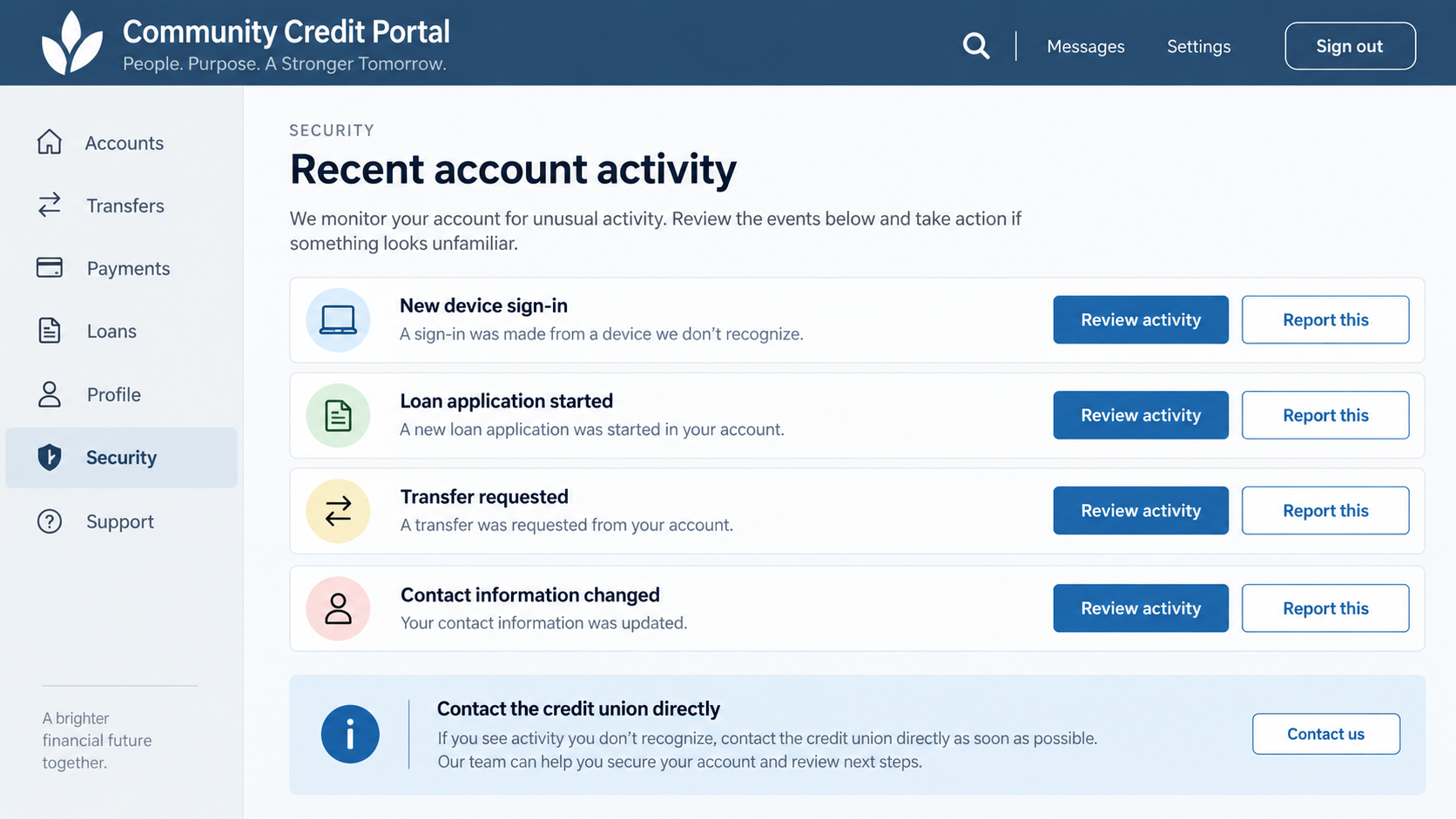
The second image groups warning signs a member should look for. It is not a record of any specific Hampton Roads account.
Some alerts may arrive late or go to a contact method the intruder tried to change. Ask the credit union to review its internal audit trail.
Preserve legitimate records before a compromised device is erased. Your bank can often provide a reliable transaction history directly.
Step 5: Money and identity information moved beyond the phone
The DOJ says the perpetrators made withdrawals and transfers and accessed personal information. That extends the risk beyond immediate device possession.
Even if the phone is returned, accounts may remain exposed. New sign-in devices, changed recovery settings, or identity details can support later attempts.
Act as though the account and device need independent checks. The physical return of the phone does not prove its digital access was restored.
Someone might also use personal information later to impersonate the member during a support call. Tell the institution exactly what information may have been seen.
If notifications stopped arriving, check whether the account email or phone number changed. Silence can be a sign of altered settings, not an all-clear.
How to Verify a Branch Claim and Trace the Damage
The person near the branch is not automatically staff
A credit union building or parking area can lend credibility to a stranger standing nearby. Their location does not make them an employee.
Ask staff inside the branch for help if someone claims to represent the institution. Do not hand the phone to an unverified person outside.
The release does not describe the defendants as credit union employees. Do not attribute the criminal acts to the institutions whose members were targeted.
The public location creates a brief handover opportunity
A parking lot is not a controlled service counter. There may be no reliable record of a conversation or who had the device.
If safe, note the time, place, descriptions, and any vehicle information after an incident. Do not confront or follow anyone to collect evidence.
Ask the branch to preserve available security footage promptly. Whether footage exists or can be shared depends on the institution and investigation.
Use real support channels after the incident
Call the number printed on your card or listed in the credit union’s official app or website, using a different trusted device if possible.
Do not call a number provided by the person who handled your phone. A follow-up “security helper” could be part of the same problem.
Tell support specifically that someone held your unlocked phone and that you need a full review, not merely a replacement debit card.
Trace loans, disputes, transfers, and withdrawals separately
Ask for a written list of all recent account changes. Include loan applications, payee additions, disputed transactions, contact updates, and new device sessions.
Different departments may handle each issue. Keep one timeline and case number so the institution can connect related activity.
If identity information was taken, check credit reports as well as bank statements. A transfer investigation will not automatically remove a fraudulent loan.
How to Reduce the Risk Without Blaming the Victim
People respond to sudden requests in different ways, especially when intimidation is involved. The responsibility for the crime belongs to the perpetrators.
Still, a few habits can shorten the window of access. Lock the screen before putting the phone away, even when walking between a branch and vehicle.
Use a strong device passcode and biometric protection where appropriate. Avoid sharing the passcode aloud or displaying it while someone is watching.
Enable bank alerts for new loans, transfers, profile changes, and new-device sign-ins where offered. Alerts help only if you review them promptly.
Use separate account recovery options that an intruder holding the phone cannot easily change. Ask your institution which extra protections it supports.
If an iPhone is stolen, Apple recommends marking it as lost quickly. Android users can use Google’s Find Hub security tools.
Do not attempt to recover a device from a suspected thief yourself. Use the platform’s protective controls and coordinate with law enforcement.
Review the bank’s daily transfer limits and any options for extra approval on new payees. Lower limits can reduce damage while an investigation is underway.
Ask how to disable digital access temporarily without blocking essential bill payments. Support staff can explain the tradeoffs for your specific accounts.
If family members share a plan or device, tell them what happened. They may receive a suspicious message that appears to come from your number.
Continue checking for weeks, not only on the first day. A pending loan or altered profile may surface after the immediate unauthorized transfer is addressed.
What to Do if You Have Fallen Victim to This Scam
- Get somewhere safe first. If intimidation occurred, move toward people or staff. Contact emergency services when the situation is active and unsafe.
- Contact your credit union immediately. Explain that another person controlled your unlocked phone. Ask it to secure accounts and investigate all unauthorized activity.
- Secure the device and main accounts. Use lost-device controls if needed, change passwords from a trusted device, and remove unfamiliar sessions and recovery methods.
- Challenge each unauthorized action. Dispute transfers, withdrawals, loan applications, and financial disputes separately. Ask for written confirmation and case numbers.
- Protect your credit identity. Review credit reports, consider freezes or fraud alerts, and use IdentityTheft.gov if a loan or identity misuse appears.
- Make a police report. Provide the location, time, device details, account activity, and any preserved messages. Ask the branch about potential footage.
- Inspect the phone carefully. If suspicious apps or links appear, Malwarebytes can scan for unwanted software. AdGuard can help reduce malicious ad and phishing exposure.
- Follow up in writing. Under federal rules, unauthorized electronic transfers may trigger investigation and consumer protections. The CFPB urges prompt notice.
Do not assume all losses will be reimbursed automatically. Rights and timelines depend on the transaction and facts, so document when you reported each issue.
Frequently Asked Questions
Did this case involve a fake credit union?
No. The documented fraud targeted members’ devices and accounts. The public release does not accuse the credit unions themselves of running the scheme.
Do we know the exact story used to get each phone?
No. Prosecutors say deceit and intimidation were used but do not provide one universal script for every victim.
Can someone apply for a loan from a borrowed phone?
It happened in this prosecuted scheme. Actual account protections vary, so ask your institution to check applications and inquiries after any unauthorized access.
What if the phone was returned after a few minutes?
Still review accounts, credentials, device sessions, and credit activity. Returning the hardware does not undo changes already made through it.
Should I freeze my credit immediately?
A freeze can help prevent new accounts in your name. Consider it if personal information or a fraudulent loan application was exposed.
Are the account images in this article genuine victim screenshots?
No. They are fictional, nonfunctional illustrations of account activity to check, not images taken from the criminal case.
The Bottom Line
The credit union parking lot case shows how a short loss of control over a phone can become a loan, transfer, withdrawal, or identity problem.
Keep the device in your hands when possible. If someone else has controlled it, secure the phone and accounts immediately, then review the complete financial trail.

Join the discussion
0 commentsShare your experience or ask a question about this article.
Discussion
Start the conversation
Have a question or something useful to share? Add the first comment.