


A right-click menu often closes when you switch to another app. Starting a delayed screenshot gives you time to reopen the menu before Windows captures it.
Open Snipping Tool from the Start search and switch to the camera icon if the app is in screen-recording mode.
Time a screenshot so a menu stays open
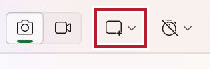
Step 1: Choose a screenshot shape
Open the Snipping mode menu. Choose Rectangle when capturing a menu and its surroundings, rather than including the whole desktop in the image.
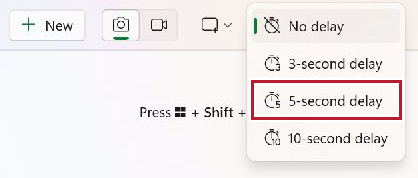
Step 2: Pick a delay long enough to reopen the menu
Click the Delay menu and choose 5-second delay for a simple menu. Choose a longer option if you need several clicks to reach the right screen.
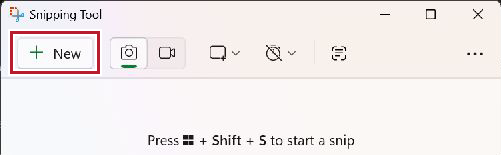
Step 3: Click New, then bring up your target
Select New, switch back to the target app, and open the menu before the countdown ends. When the screen dims, drag a rectangle around the menu.
Review the image in Snipping Tool, then select its Save as button if you need a copy in a specific folder.
Before you share the image
Check the edges for account names, notifications, browser tabs, or nearby documents. If any private detail is visible, retake a tighter capture or redact it before sharing.
If the menu keeps closing, start from the app window again and use a longer delay. The timer must be set before you select New.
Microsoft’s Windows instructions cover the controls and supported options.

Join the discussion
0 commentsShare your experience or ask a question about this article.
Discussion
Start the conversation
Have a question or something useful to share? Add the first comment.