

Elon Musk is one of the most influential and innovative entrepreneurs of our time. He is the founder and CEO of SpaceX, Tesla, Neuralink, and The Boring Company. He is also a visionary who wants to make humanity a multi-planetary species, revolutionize transportation, and solve global problems.
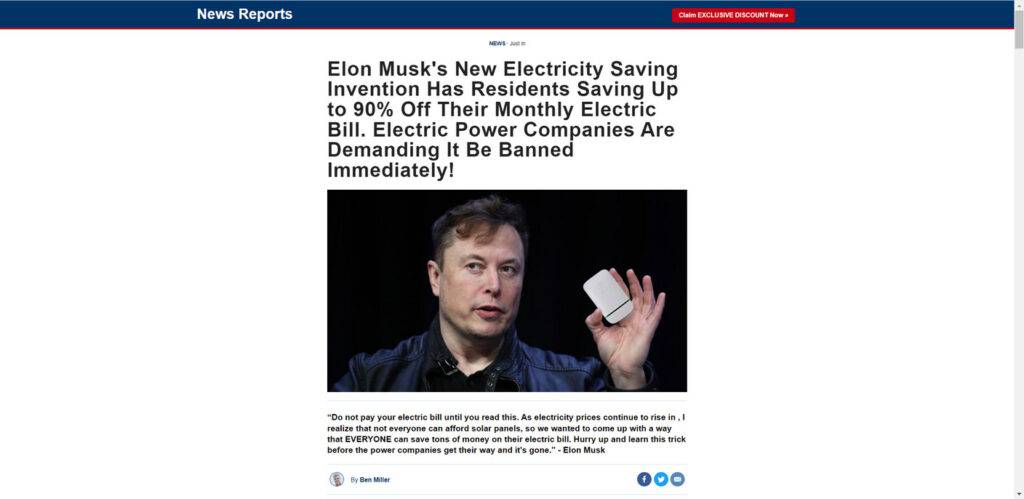
However, his fame and popularity also make him a target for scammers who want to exploit his name and reputation to sell fake or low-quality products. One of the most common scams that use Musk’s name is the “Elon Musk’s New Electricity Saving Invention” scam, which claims that he has invented or endorsed a device that can reduce your electric bill by up to 90%.
In this blog post, we will expose this scam and explain how it works, how to avoid it, and what to do if you have fallen victim to it.
What is the “Elon Musk’s New Electricity Saving Invention” scam?
The “Elon Musk’s New Electricity Saving Invention” scam is a type of online fraud that uses fake news articles and websites that look like reputable sources such as Fox News or CNN. These articles and websites claim that Elon Musk has created or endorsed a device that can save you tons of money on your electric bill by optimizing your power consumption.
The device is usually called Esaver Watt, StopWatt, RealWatt, or something similar. It is supposed to be a plug-and-play device that you can connect to any socket in your home or office and enjoy instant savings. The articles and websites also feature fake testimonials from satisfied customers who claim that they have saved hundreds or thousands of dollars thanks to the device.
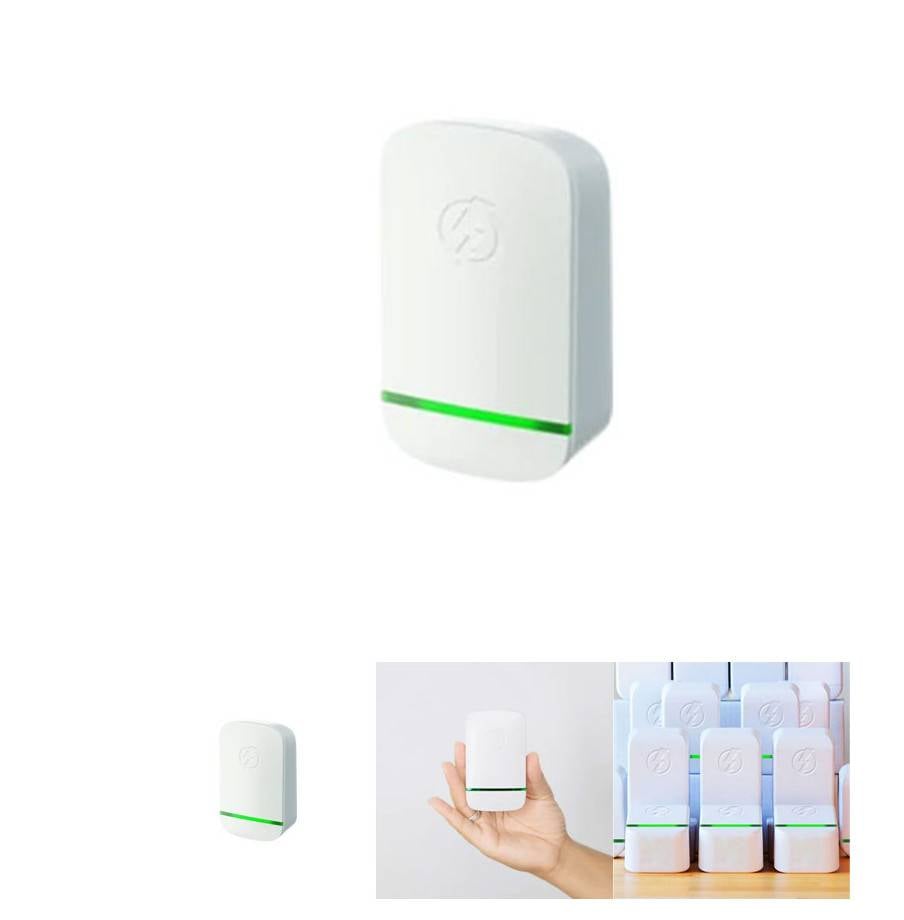
The articles and websites also include a link or a button that directs you to a website where you can order the device for a discounted price. However, this is where the scam begins. If you click on the link or the button, you will be taken to a website that looks like an official product page, but is actually a phishing site that will try to steal your personal and financial information.
How does the “Elon Musk’s New Electricity Saving Invention” scam work?
The “Elon Musk’s New Electricity Saving Invention” scam works by using social engineering techniques to trick you into believing that you are getting a great deal on a legitimate product that has been endorsed by a famous and trustworthy person. The scammers use fake news articles and websites that mimic reputable sources to create a sense of credibility and urgency. They also use fake testimonials and reviews to create a sense of social proof and popularity.
The scammers then lure you into clicking on a link or a button that takes you to a phishing site where they will ask you for your personal and financial information such as your name, address, phone number, email address, credit card number, expiration date, CVV code, etc. They may also ask you for other information such as your social security number, bank account number, etc.
The scammers will then use this information to charge your credit card for the device and other hidden fees or subscriptions. They may also use this information to commit identity theft or other fraudulent activities. The device that you receive (if you receive anything at all) will be either fake or low-quality and will not work as advertised. It may even damage your appliances or cause electrical hazards.
What to do if you have fallen victim to the “Elon Musk’s New Electricity Saving Invention” scam?
If you have fallen victim to the “Elon Musk’s New Electricity Saving Invention” scam, you should take the following steps as soon as possible:
- Contact your bank or credit card company and report the fraudulent transaction. Ask them to cancel your card and issue a new one. Also, ask them to dispute any charges or fees that were made by the scammers.
- Contact the Federal Trade Commission (FTC) and file a complaint online at https://reportfraud.ftc.gov/ or by calling 1-877-FTC-HELP (1-877-382-4357). The FTC can help you recover your money and protect your identity.
- Warn your friends and family about the scam and share this blog post with them.
- Delete any emails, messages, or calls from the scammers, and do not click on any links or attachments they send you.
- Scan your computer or device for malware or viruses that may have been installed by scammers. You can run a free scan with Malwarebytes Anti-Malware Free.
Conclusion
The ‘Elon Musk’s New Electricity Saving Invention’ scam is a common and dangerous scam that uses his name and fame to sell fake products that do not work and can harm you. Do not fall for this scam and do not buy any energy-saving devices that claim to have his endorsement or invention. Always do your research before buying anything online and check the credibility of the sources, reviews, and testimonials. Remember, if something sounds too good to be true, it probably is.

Join the discussion
0 commentsShare your experience or ask a question about this article.
Discussion
Start the conversation
Have a question or something useful to share? Add the first comment.