

A familiar login page can become less familiar overnight. When a bank updates its design, customers expect buttons, colors, and layouts to move, which creates a brief moment when almost anything new can feel plausible.
Phishing operators understand that gap. A text or email does not need to copy yesterday’s NetBank screen if it can claim that today’s unfamiliar screen is the official redesign.
This report looks at why the timing matters, what the copied page is built to collect, and how to verify the real service without trusting the message that brought you there.
Overview
What CommBank is warning about
Commonwealth Bank began rolling out a refreshed NetBank experience in September 2026. The bank warned that scammers may copy the new look to make fake login pages more convincing.
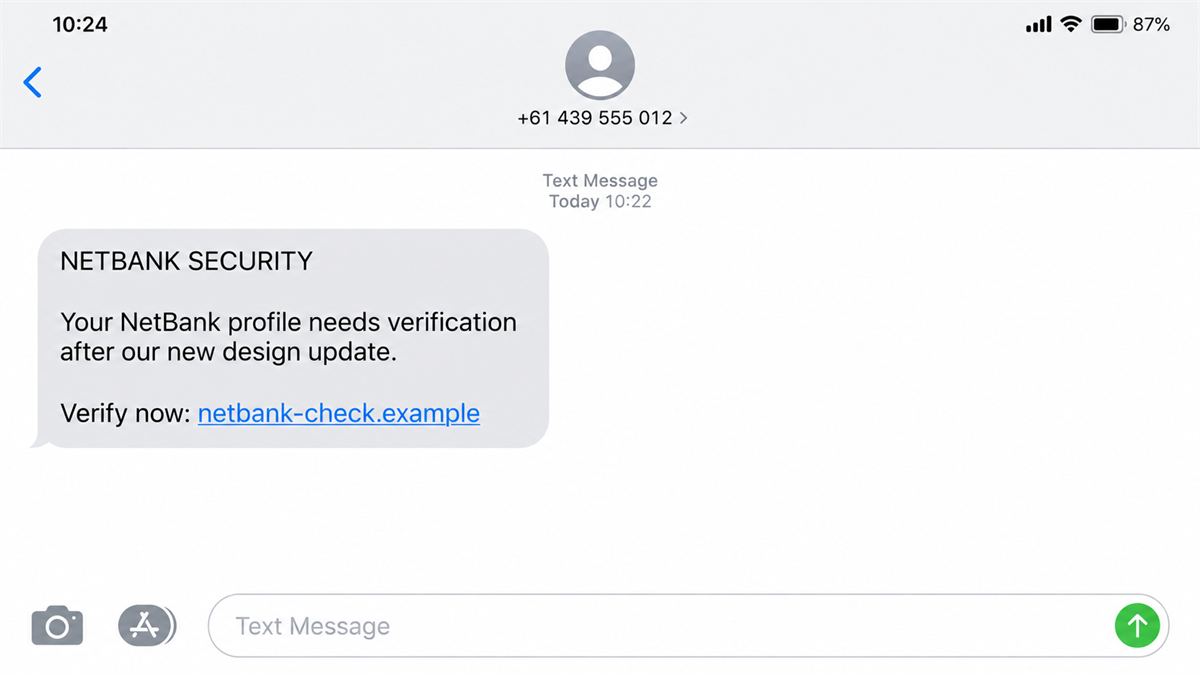
The lure can arrive through an email or text message containing a link. The destination resembles NetBank and encourages the recipient to enter login or other sensitive information.
Why the redesign helps the phisher
People often spot phishing because something looks wrong. A redesign weakens that instinct temporarily. A different sign-in panel, unfamiliar wording, or moved security notice may seem like part of the bank’s update rather than evidence of a fake page.
The scammer does not need an exact copy. The victim may fill in the missing credibility by remembering that the bank announced a new experience.
The safe route to NetBank
CommBank’s advice is direct: do not use a link in an email or text to log in. Open the official app, type the bank’s address yourself, or use a trusted bookmark created from the genuine site.
- A message link is not a safe NetBank shortcut.
- The visible page design does not prove who controls the domain.
- NetBank credentials, card details, and security codes should not be entered after an unsolicited message.
- A copied redesign may still send information directly to a criminal.
- If details were entered, contact CommBank through the app or official website immediately.
The Real Redesign Is Not an Invitation to Click
The bank’s update is genuine. The message that references it may not be. That distinction is the center of the scam.
Phishers frequently build their stories around real events because those events survive a quick search. A customer who searches “new NetBank design” will find authentic CommBank information, but that does not validate the link in the original text.
The official CommBank security alert says scammers may copy the new design and distribute fake login links through emails or text messages. The bank tells customers to navigate to the official website or netbank.com.au themselves.
A padlock icon is not enough. HTTPS only means the connection to that particular site is encrypted. It does not mean CommBank owns the site, reviewed the form, or will receive the information.
Search advertisements can add another problem. A sponsored result may appear above the genuine bank result. For account access, use a saved official app or a bookmark you created after independently verifying the address.
How the Fake NetBank Login Scam Works
Step 1: A message gives the redesign a reason
The email or text may say the customer must confirm a new login, migrate to the updated NetBank, review a security hold, accept new terms, or verify a recent transaction.
Each version creates a reason to sign in immediately. The redesign explains why the destination may not look exactly like the page the customer remembers.
Step 2: The link hides the real destination
The visible text can say CommBank or NetBank while the underlying address leads somewhere else. Shortened links, redirect services, compromised websites, and domains containing familiar words can make the route difficult to judge at a glance.
On a mobile screen, the complete address may be hidden. The page can also open inside an in-app browser that shows less of the normal browser interface.
Step 3: A copied page collects the first credentials
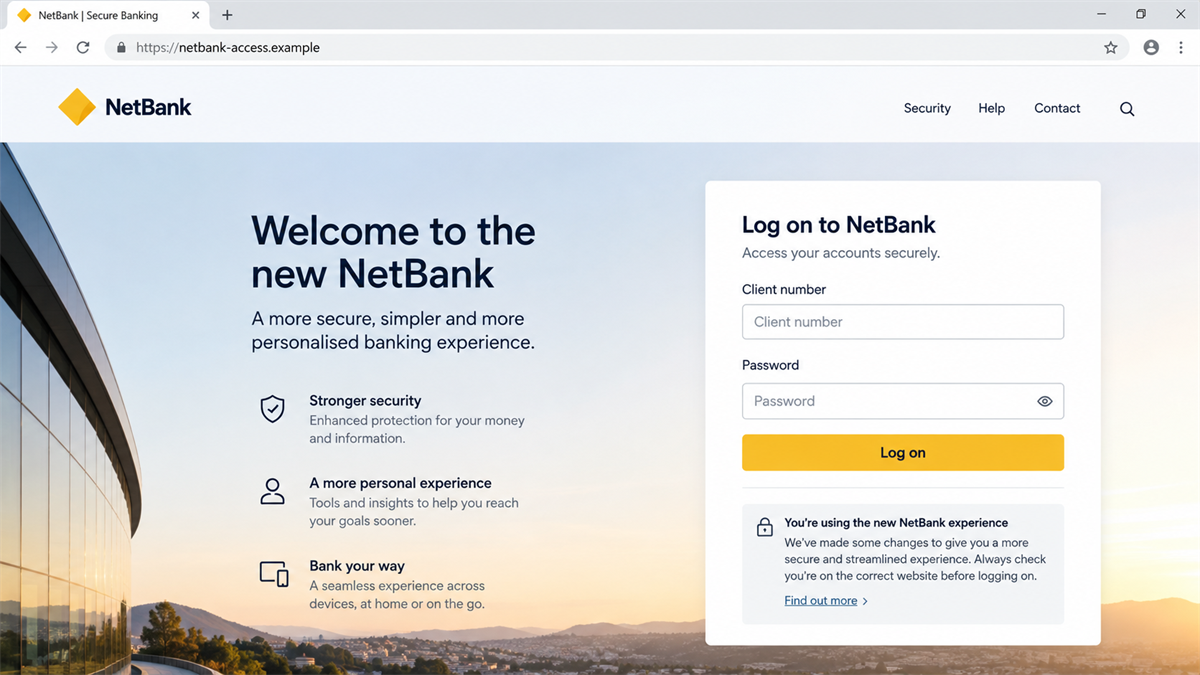
The fake page asks for a client number and password, or other identifying details. It may include professional spacing, help links, a security message, and a loading animation.
Pressing “Log on” sends the information to the operator. An error can then appear so the victim assumes the password was mistyped and enters it again.
Step 4: The second screen asks for stronger proof
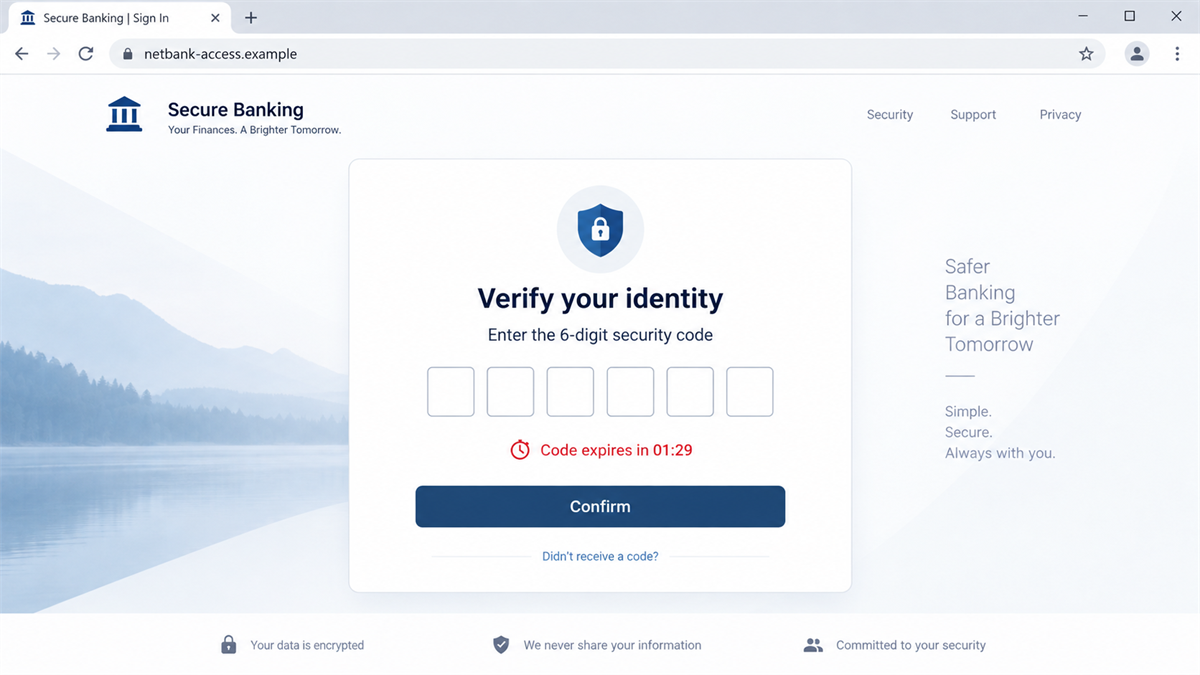
A phishing page may ask for a card number, PIN, security answer, NetCode, one-time code, or identity details. The exact request can change according to what the operator is trying to access.
A one-time code is especially valuable because it may expire quickly. That is why the page may show a timer or claim that verification is in progress.
Step 5: The victim is kept busy while access is attempted
The final page can display a spinner, maintenance message, or “verification complete” notice. That delay reduces the chance that the victim will immediately open the real app and notice unfamiliar activity.
Information captured from the page may be used to attempt account access, card transactions, identity fraud, or enrollment of another service. The outcome depends on what was entered and which protections the bank triggers.
Step 6: A follow-up call can continue the impersonation
If the operator also captured a phone number, a caller may pretend to be from the bank’s fraud team. The caller already knows that the victim saw a NetBank message and may repeat some of the details entered on the fake page.
The goal may be to obtain another security code, persuade the customer to approve an action, or move money. End the call and contact the bank independently.
The Domain Matters More Than the Design
A phishing kit can copy visible elements in minutes. It can reproduce headings, form labels, error messages, and security language. The browser address is harder to copy because the scammer does not control CommBank’s genuine domain.
Look at the registrable domain, not just a familiar word somewhere in a long address. A domain such as “netbank-secure-example.com” is controlled by whoever registered that domain, not by the owner of netbank.com.au.
Do not use a link checker as permission to log in. A new phishing page may not yet appear on blocklists. Independent navigation avoids the suspicious route entirely.
MalwareTips recently covered fake CommBank car giveaway ads that also sent people toward copied banking pages. The pretext changes, but the destination still depends on the customer trusting a login screen reached through an untrusted link.
A real interface change gives criminals a ready-made explanation for anything unfamiliar. A different color, a new button, or another verification screen no longer feels suspicious when customers already expect the service to look different.
The scam message may arrive soon after genuine news about the redesign. That timing does not prove the sender has access to a customer list. Phishers can send the same message widely and wait for real CommBank customers to respond.
They can also use public screenshots and marketing pages to copy visible details. A logo, font, or layout is not secret banking information. The copy may look convincing even when the criminal has never seen the victim’s account.
The most useful check happens before the page opens. Did you reach NetBank through a bookmark or the official app, or did a text create urgency and choose the destination for you?
Do not use the message as a shortcut, even if it says the account will be restricted. Open the app yourself and look for an alert there. If the issue is real, support can confirm it through a number you already trust.
This habit removes the scammer’s strongest advantage. The criminal can copy a screen, but cannot make a link in an unsolicited message become the bank’s official domain.
Red Flags in a NetBank Login Message
A polished message can still be fraudulent. Pay attention to the action it demands and the route it wants you to use.
- The message arrives unexpectedly and contains a sign-in link.
- It says the new design requires immediate account verification.
- The sender creates urgency around a lock, transaction, refund, or security deadline.
- The link opens a domain other than CommBank’s verified addresses.
- The page asks for a PIN, complete card details, or repeated one-time codes.
- The form displays an error regardless of what is entered.
- A caller follows up and asks the customer to read back a security code.
- The caller objects when the customer says they will use the official app instead.
Company and Checkout Checks
Confirm the domain independently
Do not compare the link with the message. Compare it with the address published by CommBank. Open the official app or type the known address yourself. Close the linked page rather than trying to prove it is genuine.
Check who sent the message
A display name can be forged, and scam messages may appear in an existing SMS thread. The sender name is not authentication. Treat every unexpected login link as untrusted even when the conversation looks familiar.
Separate bank support from the page
Use the phone number on the back of your card, the official app, or the contact page you reached independently. Do not call a number shown in the phishing message, pop-up, or fake login page.
Review what the form requested
Write down which credentials, card details, codes, and identity information were entered. This helps the bank protect the right services. Do not revisit the phishing page to collect that list if doing so may expose the device again.
What to Do if You Have Fallen Victim to This Scam
- Contact CommBank immediately. Use the official app, number on your card, or verified website. Tell the bank exactly what you entered and whether you approved any action.
- Lock affected cards and accounts. Follow the bank’s instructions for card replacement, password reset, digital-wallet review, and removal of unknown devices.
- Change the NetBank password from a clean route. Do not use the message link again. Replace any password reused on email, shopping, or other financial accounts.
- Review transactions and security notifications. Look for unfamiliar transfers, card charges, payees, wallet registrations, and changes to contact details.
- Protect your email account. Change its password, enable multi-factor authentication, review forwarding rules, and sign out sessions you do not recognize.
- Scan the device if anything was downloaded. A login form alone does not always install malware, but attachments and fake security apps can. Malwarebytes can help check for credential stealers and malicious browser extensions.
- Preserve and report the message. Save a screenshot, sender details, full URL, and time. Report it to CommBank and the messaging or email provider.
- Watch for follow-up impersonation. Criminals may call using the information already captured. Do not share a code or move money because a caller knows details about the incident.
AdGuard can help block known phishing domains, malicious advertisements, and some redirect chains. It provides another layer, but the safest habit is never to reach online banking through an unsolicited link.
How to Use NetBank Without Trusting a Message
Open the official banking app from the icon you already use. If you prefer a browser, type the address yourself or use a bookmark created from a verified page.
Once inside the real service, review alerts and recent activity there. If the message described a genuine issue, the bank’s authenticated environment should provide a safe route to investigate it.
Do not be embarrassed if the copied redesign looked convincing. The bank itself warned that scammers may exploit the new appearance. Speed matters more than blame after credentials have been entered.
Finally, keep the device and browser updated. Security updates and phishing protection cannot identify every new page, but they reduce the number of ways a malicious link can turn a credential theft attempt into a wider device compromise.
Frequently Asked Questions
Did CommBank really redesign NetBank?
Yes. CommBank began rolling out a refreshed NetBank experience in September 2026. That genuine change is why the bank warned about criminals copying the new design.
Can CommBank send legitimate messages?
Banks can send notifications, but an unexpected message should not be used as a login route. Open the official app or website independently to check the account.
Does HTTPS prove a NetBank page is real?
No. HTTPS encrypts the connection to the displayed domain. A phishing operator can also obtain HTTPS for a fraudulent domain.
What if I entered my password but no security code?
Contact CommBank and change the password immediately. Also change it anywhere else it was reused and review the account for unfamiliar activity.
What if the text appeared in a real CommBank thread?
Do not trust the thread placement alone. Sender IDs can be spoofed or messages can be grouped unexpectedly. Verify through the official app.
Should I call the number shown on the fake page?
No. Use the number on the back of your card or contact options in the official CommBank app or website.
The Bottom Line
The real NetBank redesign does not make a message link safe. It gives phishers a timely explanation for why their copied page may look unfamiliar.
Skip the link, open NetBank through a route you control, and contact the bank immediately if credentials or codes were entered. The design can be copied. The verified domain and official app are the checks that matter.

Join the discussion
0 commentsShare your experience or ask a question about this article.
Discussion
Start the conversation
Have a question or something useful to share? Add the first comment.