


FlixShow promised paid work reviewing Netflix movies from home. In practice, its Start Now button led into affiliate offers, not a job application.
If you’re searching for FlixShow, flixshow.cc or Netflix movie review jobs, here’s what the site was, where it sent visitors and how to spot the next version of it.
Overview
What FlixShow was
FlixShow.online was a landing page that offered Netflix movie reviewer jobs.
We reported it in April 2025, when ads were sending people there with promises of easy reviewing work.
Instead of an application, visitors were pushed through sign-ups, offers and downloads that paid the site’s operator.
What’s left of it now
The flixshow.online domain is no longer registered, and neither is flixshow.cc. Neither address loads a website today.
An archived capture from July 2025 shows flixshow.online forwarding visitors straight to an affiliate network’s tracking link tagged NETJOB.
Our verdict on FlixShow
FlixShow was a fake Netflix job offer that used Netflix’s name to collect clicks and sign-ups.
It had no connection to Netflix and no real job behind it.
If you see a similar offer, keep these points in mind:
- Netflix posts real jobs on its own careers site, not through ads promising easy money for watching films.
- A job offer that sends you to sign-ups, surveys or app downloads isn’t hiring you.
- The FTC says honest employers never ask you to pay to get a job.
- The FlixShow domains are gone, but the same pitch reappears under new names.
FlixShow Reviews: What the Netflix Reviewer Offer Promised
When we covered FlixShow in April 2025, ads described flexible, paid work watching and reviewing Netflix movies.
The pitch suggested anyone could start right away with no experience.
The page claimed reviewers could earn up to $40 per movie and that more than 280 people had been hired that day.
Neither claim came with any detail about who was hiring.
Our report found the ads running as search ads and on Facebook, with lines such as Netflix needs movie reviewers and earn $40 per Netflix movie review.
The landing page asked visitors to click Start Now to begin. That button didn’t lead to an application form or an interview.
It led into a chain of third-party offers, such as trial sign-ups, surveys and app downloads. Each completed offer earned the person behind the page a commission.
Some offers asked for card details for free trials that later turned into paid subscriptions. People looking for income ended up with charges instead.
At the end of the chain there was no Netflix job, no reviewing work and no payment.
Many people searching for flix review netflix are looking for exactly this kind of work, which is why the fake offer worked so well.
Where FlixShow Sent Visitors
An Internet Archive capture from July 19, 2025 shows what happened when someone opened flixshow.online. The site didn’t show a page at all.
It immediately redirected the visitor to a click-tracking link on an affiliate network domain, glstrck.com.
The link carried offer number 973, affiliate number 2451 and a source tag reading NETJOB.
Links like this are how affiliate networks count clicks and pay commissions.
The offer number identifies the product being promoted, and the affiliate number identifies who gets paid.
The link used a standard click format common to several affiliate tracking platforms. It records the click, then passes the visitor to the advertiser’s page.
NETJOB reads as shorthand for Netflix job, so the traffic was labeled with the same pitch the page used.
In other words, the job pitch was the bait, and the affiliate offer was the product.
The archive doesn’t show which offer sat behind the link. Affiliate links like this can rotate offers by country, device or time.
We don’t link to the tracking domain. Following it now could still lead to whatever offer is currently attached.
Is FlixShow.cc the Same Site?
Many searches mention flixshow.cc as well as flixshow.online. The .cc registry has no record of flixshow.cc today, so no site can be running there.
The Internet Archive holds no copies of flixshow.cc, so there’s no record of what it hosted or whether it ran the same reviewer offer.
If a FlixShow site appears again on any domain, treat it as new and untrusted. Names like this are cheap to register and are often reused.
Does Netflix Pay People to Review Movies?
Not through ads like this. Netflix lists its real vacancies on its own careers site at jobs.netflix.com, with standard applications and interviews.
Netflix has employed specialist taggers to describe its titles, but those were rare, skilled roles, as our report on the Netflix tagger job scam explains.
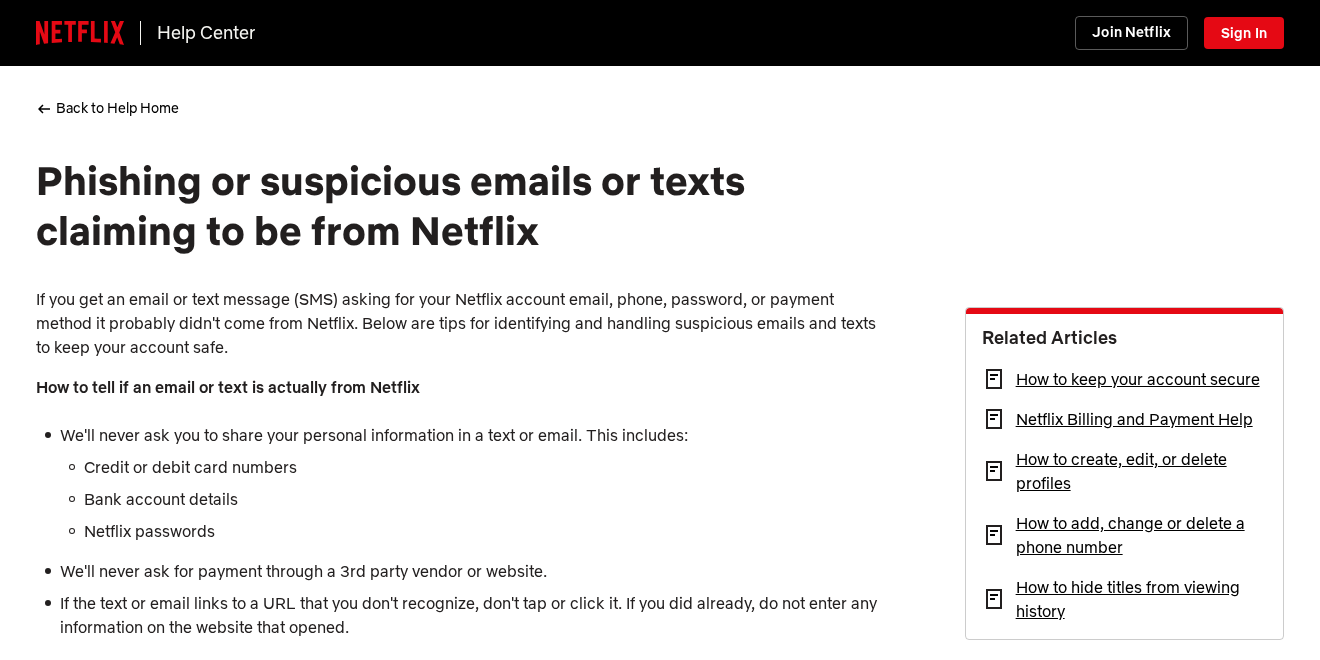
Netflix’s help page on phishing and suspicious messages says it never asks for card numbers, bank details or passwords by email or text.
The same page says Netflix never asks for payment through a third-party vendor or website.
A job that needs you to sign up for offers to qualify isn’t coming from Netflix.
The FTC’s job scams guide says honest employers will never ask you to pay to get a job. Anyone who does is a scammer.
It also warns about offers claiming you can make a lot of money in a short time, and suggests searching the company name with scam, review or complaint.
If you entered payment details on a site pretending to be Netflix, Netflix advises contacting your bank or card issuer, because the details may have been compromised.
Netflix asks people to email phishing@netflix.com with the address of any website, app or phone number pretending to be Netflix.
Its general advice is to go directly to a company’s own website instead of clicking links, and to hover over links on a computer to see where they really go.
How the FlixShow Netflix Reviewer Scam Worked
Step 1: An ad promising paid movie reviews
Ads and posts offered work-from-home jobs reviewing Netflix movies. They used Netflix’s name and colors to look official.
Easy remote work is a strong lure, especially for students, parents and anyone needing extra income.
Netflix is one of the best-known brands in the world, so a job tied to it sounds both exciting and believable.
Step 2: A simple landing page
The FlixShow page kept things short, with a few steps and a Start Now button. There was no company name, job description or contract.
Short pages give visitors little to examine before they click.
Claims like up to $40 per movie and hundreds hired today create urgency, suggesting the openings will be gone if you wait.
Step 3: A redirect to an affiliate network
By July 2025, opening flixshow.online sent visitors straight to an affiliate click-tracking link tagged as Netflix job traffic.
From there, the network decided which offer to show, so different visitors could see different sign-ups.
Step 4: Offers dressed up as qualification steps
Visitors were told to complete steps such as surveys, app downloads or trial sign-ups to qualify for the job.
Each completed step earned a commission for the affiliate, while the visitor got nothing in return.
Some of these steps also collect names, email addresses and phone numbers, which can lead to more marketing calls and messages later.
Step 5: The domain disappears
Once the campaign ran its course, the domain was dropped. Both FlixShow addresses are now unregistered.
The same pitch then returns under a new name, which is why we’ve seen so many near-identical reviewer sites.
Who Ran FlixShow?
Not Netflix
FlixShow had no connection to Netflix. It used Netflix’s name and branding to make an affiliate funnel look like a hiring page.
Netflix recruits through its own careers site, not through ads that send applicants into sign-ups, surveys and app downloads.
An affiliate tracking link, not a recruiter
The archive shows the site’s real job was to forward traffic to an affiliate network. The affiliate number in the link identifies whoever earned the commissions.
Affiliate networks pay for sign-ups and leads, so a fake job page is simply a way to generate that traffic.
Only the network behind the link could say who that affiliate is, which is why reports to the platform that ran the ad matter.
Domains that no longer exist
The .online registry has no record of flixshow.online, and the .cc registry has none for flixshow.cc. Both registrations have lapsed or been deleted.
That leaves no public record of who held either domain while the offer was running.
The timeline is typical. We reported FlixShow in April 2025, the archive caught it forwarding traffic in July 2025, and by October 2026 neither domain existed.
No company, contact or job listing
A real employer names itself, describes the role and explains how you’ll be paid. FlixShow did none of these.
The same gaps appear across every fake reviewer site we’ve covered, including ReviewerFlick and WatcherJobs.com.
How to Spot a Fake Movie Reviewer Job
Fake reviewer offers follow a pattern. These checks catch most of them, whatever name the site uses.
- Real jobs come with a company name, a job description, an application and an interview.
- No employer asks you to complete surveys, install apps or start free trials to qualify.
- A job ad that links to a site with a random or brand-new domain isn’t from Netflix or any major studio.
- If a page forwards you somewhere else the moment it opens, it’s passing your click to someone else.
- Check jobs.netflix.com for any Netflix role you see advertised.
Our guide to the wider fake Netflix movie reviewer scam covers more versions of this offer.
If an offer still seems real, search for the same job title on jobs.netflix.com. A genuine posting will be there, with the team, location and application steps.
Why Fake Job Offers Keep Using Netflix
Netflix reviewer offers have appeared under many names, from ReviewerFlick to WatcherJobs and FlixShow. The brand changes little, but the domain changes often.
Jobs that pay you to watch films sound like a dream, which makes people less likely to question them.
The same claims return each time: a set fee per movie, a counter of people hired today and a single button to get started.
Netflix’s name also brings instant recognition. A red logo and the word Netflix are enough to make a basic landing page look official at a glance.
Affiliate networks pay for each sign-up or lead, not for honesty. That gives operators a reason to send traffic with whatever story works best.
Once a domain collects complaints or gets blocked, a new one replaces it. That’s why searching a site’s name before you click is so useful.
What to Do If You Used FlixShow
What you need to do depends on what you signed up for or installed while following the steps.
- Check your card and bank statements. Look for charges from trials or subscriptions you signed up for during the qualification steps.
- Cancel any trials or subscriptions. Cancel with each company, or in the App Store or Google Play for app subscriptions. Deleting an app won’t cancel it.
- Dispute charges you didn’t agree to. Contact your card issuer soon about charges from offers that hid their terms. Card issuers often allow about 120 days, so don’t wait.
- Change reused passwords. If you created accounts with a password you use elsewhere, change it on those other sites.
- Ignore follow-up job messages. Emails or texts saying you’ve been hired, or asking for a fee to start, are part of the same scheme.
- Report the ad or message. In the US, report job scams at ReportFraud.ftc.gov, and forward Netflix-branded phishing to phishing@netflix.com.
- Protect your identity if you shared more. If you gave a Social Security number, follow the steps at IdentityTheft.gov. If you shared bank details, contact your bank.
- Remove anything an offer added. If the steps had you install an app, add an extension or allow notifications, remove it with the steps below.
How to Remove Anything a FlixShow Offer Installed
Opening FlixShow or clicking Start Now doesn’t install anything by itself. Each step below undoes one kind of change a later offer can make, from notifications to installed apps.
Step 1: Revoke notification permission
Job and reward pages often ask to send notifications, then use them for fake job alerts and prize messages. Take that permission back first.
In Chrome, open Settings, Privacy and security, Site settings, Notifications, and remove unfamiliar sites. In Edge, search its Settings page for Notifications.
In Firefox, open Settings, Privacy & Security, then Notifications under Permissions. On a Mac, Safari keeps the list under Settings, Websites, Notifications.
On Android, open Chrome, tap More, then Settings, Site settings, Notifications. Also check each app’s own notification switch in the phone’s Settings.
Step 2: Remove browser extensions you don’t recognize
In Chrome or Edge, open the Extensions page and remove anything added around the time you clicked Start Now. Firefox lists extensions under Add-ons and themes.
In Safari on a Mac, open Settings, Extensions, select the extension and click Uninstall. If Safari says it came with an app, remove that app in Step 3.
Step 3: Uninstall apps the offers asked you to add
On Windows 11, open Settings, Apps, Installed apps, and uninstall anything added after you clicked Start Now. On a Mac, drag the app from Applications to the Trash.
On Android, open Settings, then Apps, select the app and tap Uninstall. On an iPhone, touch and hold the app icon, tap Remove App, then tap Delete App.
Step 4: Run an optional free Malwarebytes scan
If an offer installed something, a free on-demand scan can look for leftovers. It’s optional, and no scanner can promise a threat-free device.
- Windows: download the free Malwarebytes installer, run a scan and quarantine anything it flags.
- Mac: download the free Malwarebytes for Mac installer, open it and run a scan.
- Android: install Malwarebytes from Google Play or through our Malwarebytes for Android link, then run a scan.
Step 5: Add optional paid protection only if you want it
Paid real-time protection isn’t needed to recover from a fake job page. If you want it anyway, Malwarebytes Premium is an optional paid product for Windows and Mac.
An ad blocker such as AdGuard can cut down on aggressive offer pages and pop-ups. Its apps are paid and optional, and they don’t remove anything already installed.
Step 6: Don’t reset a device because of a job page
A factory reset erases your photos, files and settings, and clicking a fake job ad doesn’t call for one. If a reset ever seems necessary, back up everything first.
If problems continue after these steps, ask for free help in our Windows, Mac or mobile malware removal forums.
Frequently Asked Questions
Is FlixShow legit?
No. FlixShow used a fake Netflix reviewer job to send visitors into affiliate offers. It had no link to Netflix, and both of its domains are now unregistered.
If you see the FlixShow name again, check the address bar and search for reviews before you click anything.
Is flixshow.cc the same as flixshow.online?
They share a name, but flixshow.cc left no archived pages to compare. Neither domain is registered today, so treat any new FlixShow site as untrusted.
Does Netflix hire people to review movies?
Not through ads promising easy money. Netflix lists real vacancies on jobs.netflix.com, and specialist roles such as taggers have been rare and skilled.
Any Netflix role you see advertised elsewhere should also appear on that site. If it doesn’t, treat the offer with suspicion.
Why did FlixShow ask me to complete offers?
Each completed offer, survey or download earned a commission for the person behind the page. The job was only the bait.
The archived redirect, tagged as Netflix job traffic, shows the page existed to pass visitors to an affiliate network.
I signed up for a free trial through FlixShow. What now?
Cancel the trial with the company that runs it before it renews, keep the confirmation, and check your statements for any charge you didn’t expect.
If the company won’t cancel or refund a charge you didn’t agree to, contact your card issuer and explain how you signed up.
How do I report a fake Netflix job offer?
Report the ad on the platform where you saw it. In the US, use ReportFraud.ftc.gov, and forward Netflix-branded emails or texts to phishing@netflix.com.
The Bottom Line
Don’t follow FlixShow or any similar site offering paid Netflix movie reviews. These pages sell your clicks and sign-ups, not a job.
If you signed up for anything through it, cancel trials now and dispute charges you didn’t agree to. Remove any app, extension or notification an offer added.

Join the discussion
0 commentsShare your experience or ask a question about this article.
Discussion
Start the conversation
Have a question or something useful to share? Add the first comment.