

Trader Joe’s has cultivated a loyal following of customers who can’t get enough of their unique grocery finds. So when an opportunity pops up promising $750 in Trader Joe’s gift cards in exchange for product reviews, fans take notice. But the enticing GiftedJoes.com website is a fraudulent affiliate marketing scheme, not a rewards program. This comprehensive guide will uncover how this scam really works so you can avoid manipulation.
GiftedJoes Scam Overview
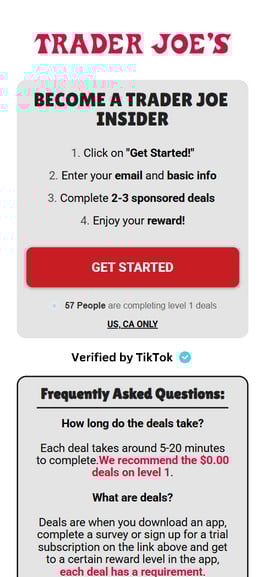
At first glance, GiftedJoes.com appears to offer an amazing chance to score free Trader Joe’s groceries. The site prominently displays the grocery chain’s logo and promises visitors can become a product tester to earn a massive $750 digital gift card.
To get started, you simply click “Get Started,” quickly enter some basic personal details like your email, and complete a couple of “deals.” These deals involve taking surveys, signing up for subscriptions, downloading apps, or watching videos.
In exchange, GiftedJoes claims they’ll send a $750 Trader Joe’s gift code for online grocery delivery or in-store use. But despite appearances, this website has absolutely zero affiliation with Trader Joe’s.
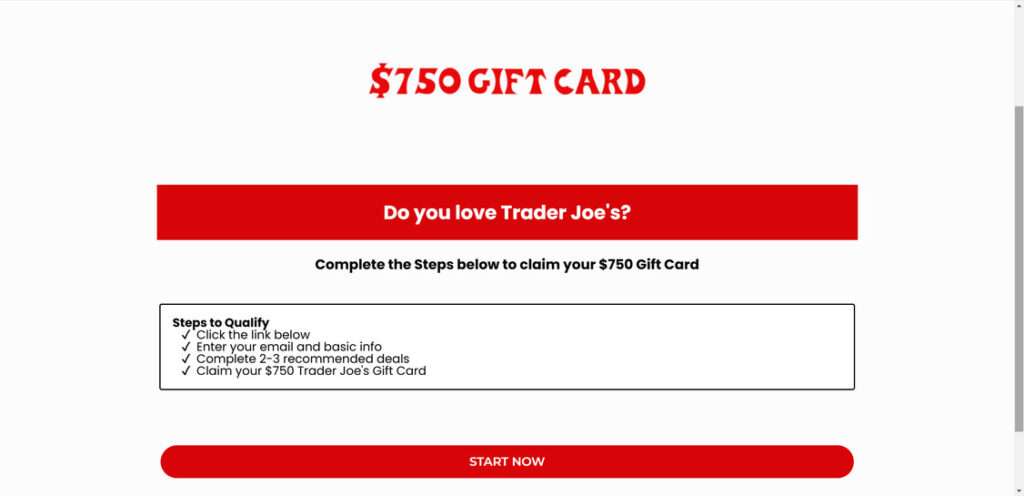
In reality, GiftedJoes.com is an elaborate affiliate marketing scheme disguised as a rewards program. By enticing Trader Joe’s fans with free groceries, scammers generate illicit commissions and harvest data from completed “deals.” Meanwhile, victims are left empty-handed.
When exposed, this ruse serves as a reminder to be wary of unbelievable brand offers requiring upfront activity. Let’s break down exactly how GiftedJoes operates so you can stay vigilant.
How the GiftedJoes Trader Joe’s Scam Works
Now that you understand the general premise, let’s walk through how this deceptive GiftedJoes.com scam unfolds:
1. You Encounter the GiftedJoes.com Website
The scam begins when a social media ad, email, search result, or text link leads potential victims to the GiftedJoes.com website.
The site appears at first glance to be an official Trader Joe’s domain. It uses the brand’s assets without permission to feign legitimacy. However, GiftedJoes.com has zero actual ties to Trader Joe’s.
Upon arriving, users see promises of a $750 Trader Joe’s digital gift card in exchange for becoming a product tester. Given Trader Joe’s affordable prices, this seems like an unbelievable deal.
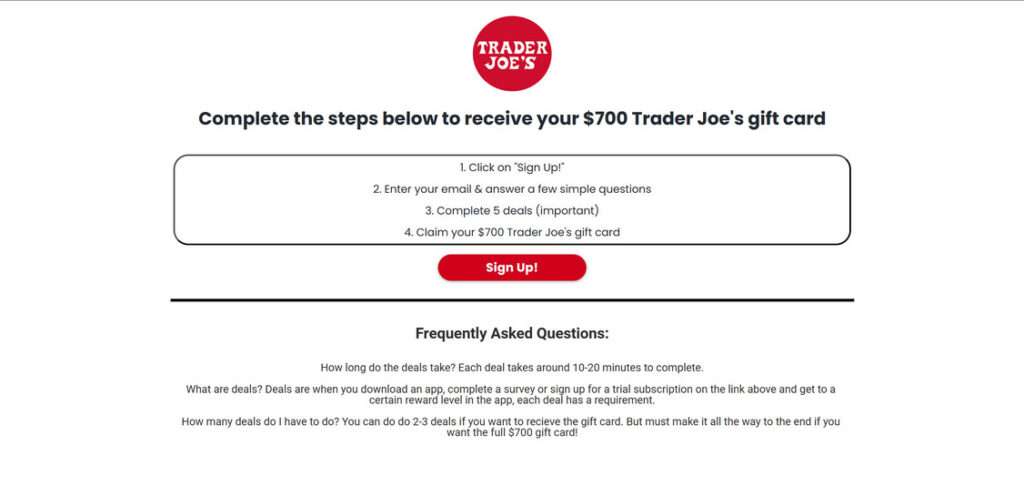
2. You Click “Get Started” and Provide Your Email
Enticed by free groceries, users click the prominent “Get Started” button to begin.
3. You’re Redirected to Complete Additional “Deals”
Users are redirected via affiliate links to third-party websites to complete extra “deals.”
These deals typically include signing up for subscriptions, taking surveys, downloading apps, or watching videos. Each deal earns affiliate commissions for scammers while users still haven’t received any reward.

4. You Provide More Personal and Financial Information
Completing the required deals necessitates handing over more personal and financial information.
Signing up for subscription offers often requires inputting credit card information. Downloaded apps request access to contacts, messages, and more data. Surveys collect location, demographic, and interest data.
This sensitive information enables financial fraud and expands scammers’ ability to profile and target victims.
5. No Gift Card Arrives After Completing Deals
After investing time and information completing “deals,” users await their promised $750 Trader Joe’s gift code.
But unsurprisingly, no reward ever materializes. GiftedJoes.com is not associated with Trader Joe’s and never intended to actually send gift cards. The entire premise is a ruse to manipulate shoppers into generating affiliate commissions.
6. Scammers Vanish or Try Again
Having successfully swindled commissions and data, the GiftedJoes scammers disappear. The website may be abandoned now that they’ve gotten what they want.
In some cases, victims report receiving more texts or emails weeks later with the same fake Trader Joe’s gift card offers. Persistent scammers may reuse stolen contact lists to replicate their scam.
Without caution, these online scams can escalate to take advantage of thousands more unsuspecting victims.
What to Do If You Are a GiftedJoes.com Victim
If you suspect you’ve fallen prey to the GiftedJoes.com ruse, take these steps immediately to protect yourself:
- Report It – File a scam complaint with the FTC at ReportFraud.ftc.gov and notify Trader Joe’s about the brand misuse.
- Monitor Accounts – Check bank statements and credit reports closely for any signs of personal information misuse. Enable text/email alerts.
- Change Passwords – If you reused GiftedJoes passwords anywhere else, change them now. Use a password manager to ensure unique and complex credentials.
- Warn Contacts – Let friends, family, and social media connections know about this scam website so they can avoid it too. Preventing further victims will undermine these schemes.
- Learn From It – Use this as motivation to be more discerning and cautious moving forward. Never provide payment or personal information to unfamiliar third-party websites.
Remaining vigilant and questioning suspicious offers helps disrupt these criminal enterprises thriving on consumer data and trust.
Frequently Asked Questions About the GiftedJoes.com Scam
1. What is GiftedJoes.com?
GiftedJoes.com is a fraudulent website claiming to offer $750 Trader Joe’s gift cards for completing surveys and “deals.” It uses the brand illegally to appear legitimate. There is no actual reward – it is an affiliate marketing scam.
2. How does the GiftedJoes.com scam work?
The site entices visitors by promising a $750 Trader Joe’s gift card to become a “product tester.” Users click “Get Started,” take a survey, then complete “deals” via affiliate links. These deals earn scammers commissions while users get nothing.
3. What happens when you click “Get Started” on GiftedJoes.com?
Clicking “Get Started” initiates a brief survey collecting your email and info. Then you are redirected via affiliate links to secondary scam websites to complete survey “deals” requiring personal data and sign-ups.
4. What “deals” does GiftedJoes.com want you to complete?
Typical deals include:
– Online surveys
– Subscription sign-ups
– App downloads
– Purchases
Each deal earns affiliate money while building profiles on victims.
5. What personal information do they obtain?
GiftedJoes collects:
– Full names
– Email addresses
– Phone numbers
– Home addresses
– Credit card details
This enables identity theft and future targeting.
6. What happens after completing the deals?
After providing all personal information and finishing “deals,” users never receive the promised $750 Trader Joe’s gift card. GiftedJoes is not associated with Trader Joe’s.
7. Why do they claim Trader Joe’s gift cards specifically?
Scammers leverage Trader Joe’s popularity – a $750 grocery gift card is highly enticing to fans. The brand makes the scam more irresistible.
8. How can I identify the GiftedJoes.com scam?
Warning signs include:
– Unbelievable gift card offers
– Requests for personal information
– Redirects to questionable third-party sites
– Unauthorized use of brand names
– Vague “deals” language
9. What should I do if I find GiftedJoes.com?
Avoid entering any information or clicking buttons. Report the site to Trader Joe’s and warn others it is fraudulent. Enable ad blockers too. Check bank statements for any unauthorized charges.
10. How can I avoid this scam type in the future?
Be wary of unsolicited brand offers requiring information or payments. Verify legitimacy through official brand channels and look for valid contact info. Avoid clicking affiliate links with free rewards. Use unique passwords everywhere and monitor accounts closely.
The Bottom Line on the GiftedJoes Scam
In summary, GiftedJoes.com is an elaborate affiliate marketing scheme disguised as an official Trader Joe’s rewards program. By falsely promising $750 gift cards for completing deals, scammers can generate illicit commissions and steal user data when no reward is ever provided.
When exposed, this scam demonstrates why we must think critically about online brand offers and exercise caution when asked for information or payments. If an opportunity seems too good to be true, approach with skepticism rather than blindly clicking.
By revealing how these scams operate, consumers can recognize warning signs and avoid enabling these deceptive practices. Being an empowered user who questions unbelievable deals is the best defense against those looking to profit on deception. Don’t let dreams of free groceries cause you to sweat over scam websites like this.








