


The countdown to Grand Theft Auto VI has created exactly the kind of online rush scammers enjoy. Players are searching for pre-orders, early access, rare editions, account upgrades, and anything that promises a head start.
Most traps look less like obvious malware and more like an exclusive opportunity that might disappear in minutes. That pressure is what turns excitement into an account takeover.
Overview
The real launch creates cover for several different scams
GTA 6 account scams use the real game’s popularity to promote fake pre-orders, counterfeit download keys, invented beta access, account boosting, fraudulent giveaways, and phishing pages. The individual pitch changes, but the destination is usually a stolen login, card number, or payment.
Rockstar’s official pre-order announcement lists digital pre-orders through the PlayStation Store, Xbox Store, and Rockstar Store, with select retailers available in supported countries. Official information places the launch on November 19, 2026.
A page that promises a secret PC build, instant playable download, private beta, or activation outside those official channels should be treated with extreme caution.
Account theft can be more valuable than the fake sale
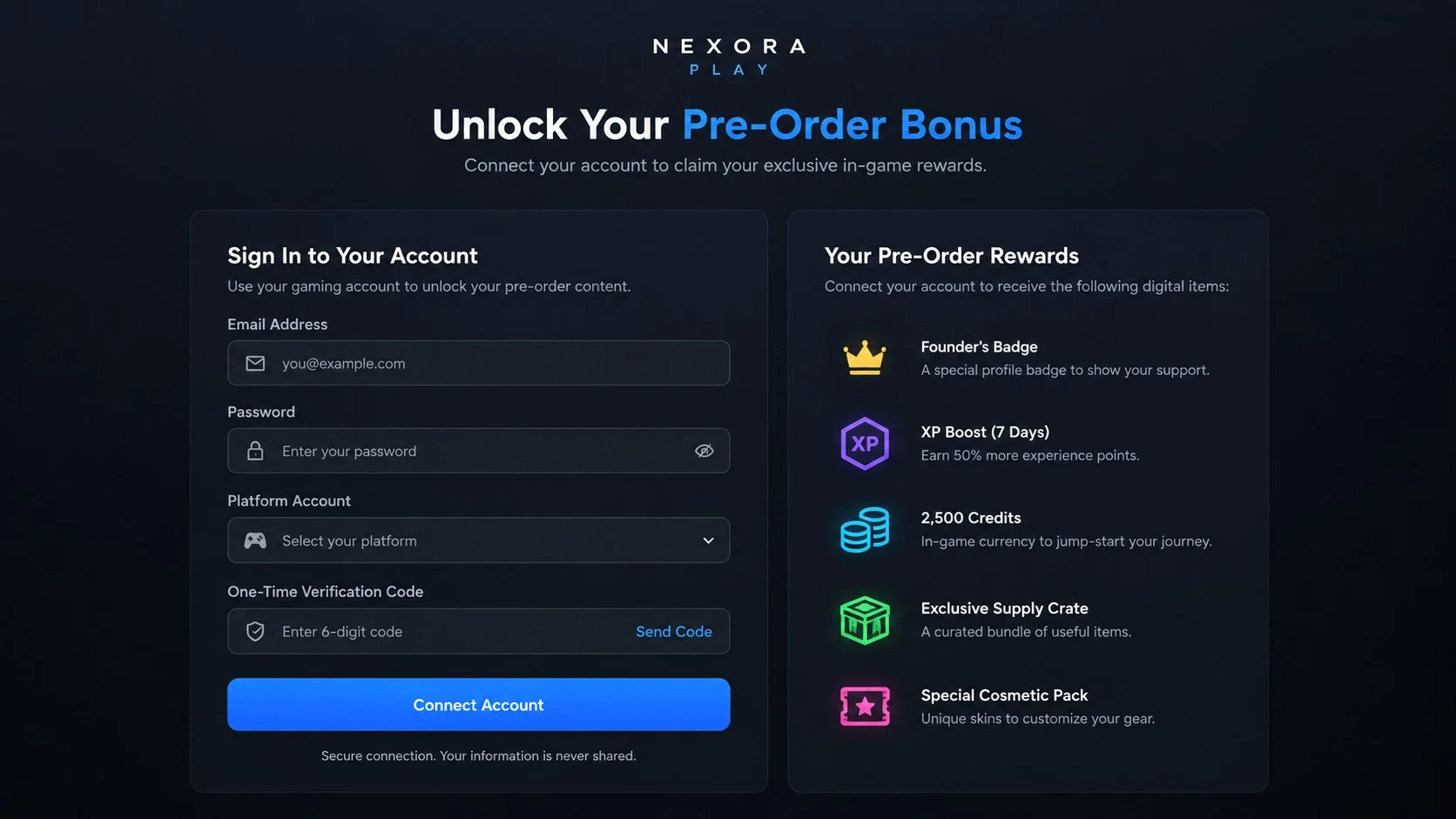
A scammer may advertise a low-priced key simply to bring the player to a cloned sign-in page. The victim enters a Rockstar, PlayStation, Xbox, email, or payment account password, and the page quietly forwards those credentials to the attacker.
Stolen gaming accounts can contain saved cards, purchase history, linked social accounts, rare items, and years of progress. Criminals may resell the account, drain linked payment methods, or use it to target the victim’s friends.
The most common lures include:
- Discounted GTA 6 Ultimate Edition keys from unknown stores.
- Invitations to a closed beta or early-access weekend.
- Free bonus currency, vehicles, skins, or launch rewards.
- Account boosting and progression services.
- Fake support notices claiming a pre-order failed.
- Counterfeit refund or order-confirmation emails.
- Downloads described as preload files, cracks, or launchers.
Official details make several fake offers easy to disprove
Rockstar currently lists GTA 6 for PlayStation 5 and Xbox Series X|S. A seller offering a Windows activation key, mobile version, PlayStation 4 edition, or Xbox One edition is not matching the official platform information.
Rockstar also says physical copies will contain a digital download code rather than a disc. Scammers can exploit that unusual detail by selling fabricated code cards, but an image of a code or sealed-looking box proves nothing.
Official digital purchases and upgrades should appear in the buyer’s platform account. A legitimate order does not require the buyer to disclose a password, verification code, recovery phrase, or remote-access session.
What Official GTA 6 Pre-Orders Actually Look Like
Rockstar directs customers to its official site, Newswire, and support pages for pre-order information. The supported storefront depends on the buyer’s country and platform.
PlayStation and Xbox purchases should be visible inside the corresponding console store account. Rockstar Store purchases should be handled through the official store and its named payment or support partners.
Third-party retailers may be legitimate, but the customer must verify the retailer independently. A sponsored social post, search result, Discord invitation, or influencer comment is not proof that a shop is authorized.
Why Fake GTA 6 Offers Feel Convincing
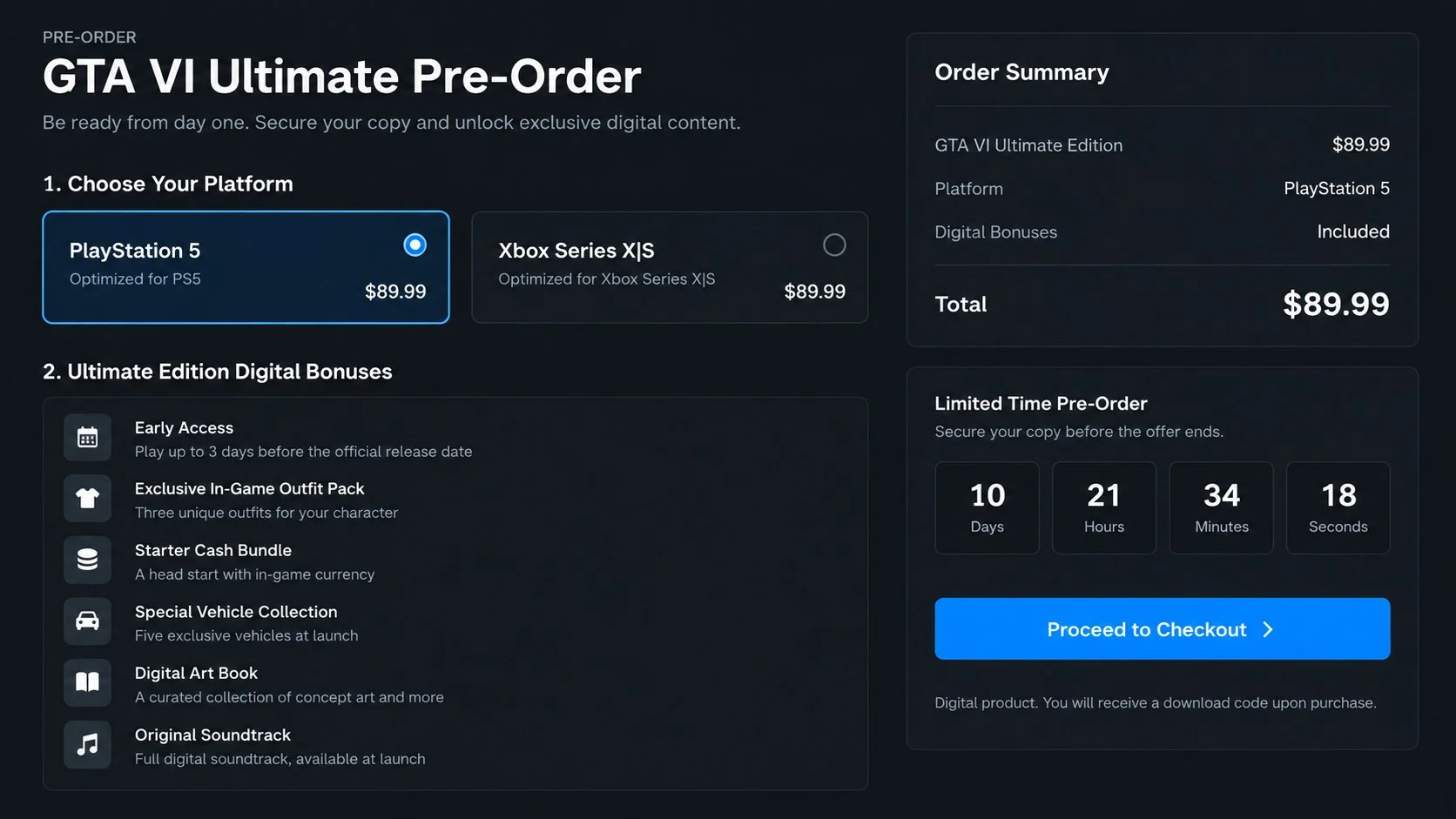
Scammers build their pages around real release information. They copy official artwork, edition names, countdown dates, trailers, rating graphics, and platform badges. The accurate material lowers the reader’s guard before the false offer appears.
Scarcity does the rest. A banner may claim only a few keys remain, a private beta closes tonight, or a preorder bonus expires in ten minutes. The countdown may reset whenever the page reloads.
Community language also adds credibility. Fake comments, Discord messages, streaming clips, and supposed order confirmations make it seem as though other players already received access.
How GTA 6 Account Scams Work
Step 1: A limited offer reaches an excited player
The bait may appear in a search advertisement, short video, livestream chat, Discord server, marketplace listing, email, or direct message. It promises a discount, beta invitation, downloadable build, bonus pack, or upgraded account.
The offer is framed as time-sensitive so the player will click before checking the official store.
Step 2: A copied page imitates a trusted gaming service
The destination reproduces Rockstar, PlayStation, Xbox, or retailer branding. It may include real trailers and product descriptions copied from official pages.
The domain is the important detail. A convincing design hosted on a newly created or unrelated address remains an unaffiliated page.
Step 3: The victim is asked to sign in or connect an account
To claim the offer, the page requests a gaming login, email password, platform credentials, or a one-time verification code. Some versions display a QR code that links an attacker’s device to the account.
The form may report an error after submission. That error gives the criminal a chance to collect a second password or verification code while the victim keeps trying.
Step 4: A payment or download creates additional damage
A fake checkout collects card details, billing address, and security code. Other pages demand cryptocurrency, gift cards, payment apps, or a direct bank transfer because those methods are difficult to reverse.
A supposed installer, preload, crack, or bonus generator may deliver password-stealing malware, browser data theft, remote-access tools, or adware instead of a game.
Step 5: The attacker takes over connected accounts
Stolen credentials are tested against the player’s Rockstar account, platform account, and email. If passwords were reused, the compromise can spread beyond gaming.
The attacker may change the recovery email, enable a new authentication method, spend saved payment details, and message friends with the same offer.
Step 6: Fake support turns the theft into a second scam
When the buyer complains, a fake support agent requests more codes, identity documents, or a refundable verification payment. Account recovery may be offered for another fee.
The same criminal can appear as both seller and helper. Paying again does not restore the account and often exposes additional financial information.
Store, Support, and Seller Checks
The game logo is not the legal seller
Official artwork can be copied in seconds. Identify the company named in the checkout terms, receipt, merchant descriptor, and refund policy rather than trusting the logo at the top of the page.
A seller that hides its legal name or uses several unrelated names across the site is difficult to hold accountable.
The web address matters more than the page design
Use the official Rockstar page to reach approved storefronts. Do not rely on a shortened link, sponsored result, QR code, or domain sent in a private message.
Extra words such as bonus, beta, rewards, launcher, keys, or support do not make an address official. Slight misspellings and unusual domain endings are common phishing signs.
Real support does not need your password or one-time code
Support may ask for order information or account verification through an official ticket. It should not ask you to read out a one-time password, install remote-access software, or send money to unlock an account.
Open support from the platform’s official application or type the known address yourself. Never continue through the contact link supplied by the questionable seller.
A real code must be traceable to an authorized purchase
A screenshot, code image, or seller review does not establish where the key came from. Fraudulent or stolen keys may fail immediately or be revoked later.
Keep the retailer receipt and verify that the edition, platform, region, and redemption instructions match Rockstar’s official details.
Red Flags That Expose a Fake GTA 6 Offer
GTA 6 scams often borrow one accurate detail and surround it with invented benefits. A page may mention a real release date while falsely promising early access, a PC edition, a secret beta, or an account upgrade.
Stop and verify the offer if you notice any of these signs:
- The seller promises immediate gameplay before the official release.
- A PC activation key is offered without an official PC release announcement.
- The page asks for a console, email, or social account password.
- A verification code must be sent to a supposed seller or support agent.
- The offer is available only through cryptocurrency, gift cards, or direct transfer.
- A download is described as a launcher, unlocker, beta tool, or key generator.
- The domain adds words or characters around a recognizable brand name.
- A countdown timer resets after the page is refreshed.
- The seller refuses to identify the authorized retailer behind the code.
A heavily discounted price is not the only warning. Some fake stores deliberately charge a believable amount because a realistic price makes the checkout page feel more trustworthy.
- The page offers a playable PC, mobile, PS4, or Xbox One edition.
- A beta invitation arrives from an unknown account or Discord server.
- The discount is far below official storefront pricing.
- The seller requests a gaming password or email password.
- A verification code must be shared with a support agent.
- Payment is limited to cryptocurrency, gift cards, or direct transfers.
- The download is an executable from a file-sharing service.
- The countdown resets or the claimed stock never changes.
- Refund support operates only through Telegram, WhatsApp, or Discord.
- The domain was not reached through an official Rockstar page.
How to Buy or Pre-Order GTA 6 Safely
Start from Rockstar Games’ official website or open the PlayStation Store, Xbox Store, or Rockstar Store directly. Do not use a sponsored search result, social media reply, private message, or video description as your starting point.
Confirm that the edition, platform, release information, seller, and delivery format match the official listing. A product image copied from a real store does not prove that the checkout beneath it is genuine.
Use a payment method that provides a clear dispute process and keep the order confirmation. Avoid marketplace sellers who insist on moving the conversation or payment outside the platform.
Protect the gaming and email accounts with unique passwords and multi-factor authentication. Your email account is especially important because an attacker who controls it may be able to reset several connected gaming accounts.
Do not install files that claim to generate keys, unlock bonuses, improve an account, or provide early access. Even when the program appears to do nothing, it may be stealing browser sessions, saved passwords, or cryptocurrency wallet data in the background.
Begin at Rockstar’s official GTA 6 page, then follow its storefront links. On a console, searching directly inside the PlayStation Store or Xbox Store removes the risk of a lookalike web address.
Use a unique password for the gaming account and enable two-step verification. Protect the connected email account with its own unique password and authentication method because email access can be used to reset the gaming login.
Ignore account boosting, early-unlock, and shared-account offers. Rockstar specifically warns that third-party services may request credentials and can place the account at risk.
What to Do if You Have Fallen Victim to This Scam
- Secure the email account first. Change its password from a trusted device, sign out unfamiliar sessions, and enable multifactor authentication. Whoever controls the email may be able to reset every linked gaming account.
- Recover the gaming and platform accounts. Use the official Rockstar, PlayStation, or Xbox recovery page. Review linked accounts, recovery addresses, devices, and recent purchases.
- Revoke suspicious sessions and connections. Remove unknown third-party links, app permissions, passkeys, QR-linked devices, and authentication methods added after the scam.
- Contact the card issuer. Report any purchase made through the fake checkout, replace the exposed card, and ask about disputing unauthorized charges. Do not reuse that card on the suspicious page.
- Preserve evidence. Save the advertisement, URL, messages, seller profile, receipt, transaction ID, downloaded filename, and screenshots. These details help the platform and financial institution investigate.
- Remove suspicious downloads. Disconnect from the internet if a fake installer or remote tool is running. Uninstall the unknown program and run a complete Malwarebytes scan to look for credential stealers, remote-access software, and other malware.
- Block malicious redirects. AdGuard can help block known phishing domains, deceptive ads, and tracking requests that lead to counterfeit gaming pages. Continue using official storefronts even when a blocker shows no warning.
- Change reused passwords. If the stolen password was used anywhere else, replace it on every account. Start with banking, payment, email, cloud storage, and social media.
- Warn friends who received messages from your account. Tell them not to use the offer or download. Attackers frequently use a stolen gaming or chat identity to make the next message look trustworthy.
- Report the seller and domain. Report the account to the advertising platform, marketplace, Discord server, payment provider, and official gaming support. Financial theft can also be reported to the appropriate national fraud authority.
Frequently Asked Questions
Where can GTA 6 be pre-ordered safely?
Rockstar lists the PlayStation Store, Xbox Store, Rockstar Store, and select authorized retailers. Start from Rockstar’s official GTA 6 page instead of an advertisement.
Is there an official GTA 6 PC pre-order?
Rockstar’s current official platform list names PlayStation 5 and Xbox Series X|S. Treat PC keys or playable PC downloads offered now as unverified.
Can a real support agent ask for my verification code?
No. A one-time code is designed to authorize access. Giving it to another person can let that person sign in, reset security, or link a device.
Are GTA 6 account boosting services safe?
They create substantial risk because the operator may request credentials, take the account, make unauthorized purchases, or trigger enforcement against it.
What if the fake store charged my card but sent a code?
Do not assume the transaction is safe. The code may be stolen, invalid, region-locked, or later revoked. Contact the card issuer and verify the retailer independently.
Can simply visiting a fake pre-order page steal my account?
Most theft requires a login, payment, download, or permission. Close the page, avoid further interaction, and scan the device if anything downloaded or unusual browser prompts appeared.
The Bottom Line
GTA 6 account scams turn launch excitement into fake scarcity. The offer may promise a rare edition, early access, or a dramatic discount, but the real product is often a stolen login or card number.
Use Rockstar’s official pages to reach approved stores, keep gaming and email passwords unique, and never share a verification code. A legitimate preorder does not require surrendering control of your account.
If an offer asks you to move faster than you can verify it, let the offer expire. The official game will still be there, while a stolen account can take weeks to recover.

Join the discussion
0 commentsShare your experience or ask a question about this article.
Discussion
Start the conversation
Have a question or something useful to share? Add the first comment.