

A little projector promises to turn an ordinary car window into a Christmas scene. It looks like an easy gift, especially when the checkout offers a holiday discount.
Before the package goes under the tree, a few details deserve a slower look. The offer raises questions that cheerful product photos cannot answer.
Overview
What the JollyCast offer actually sells
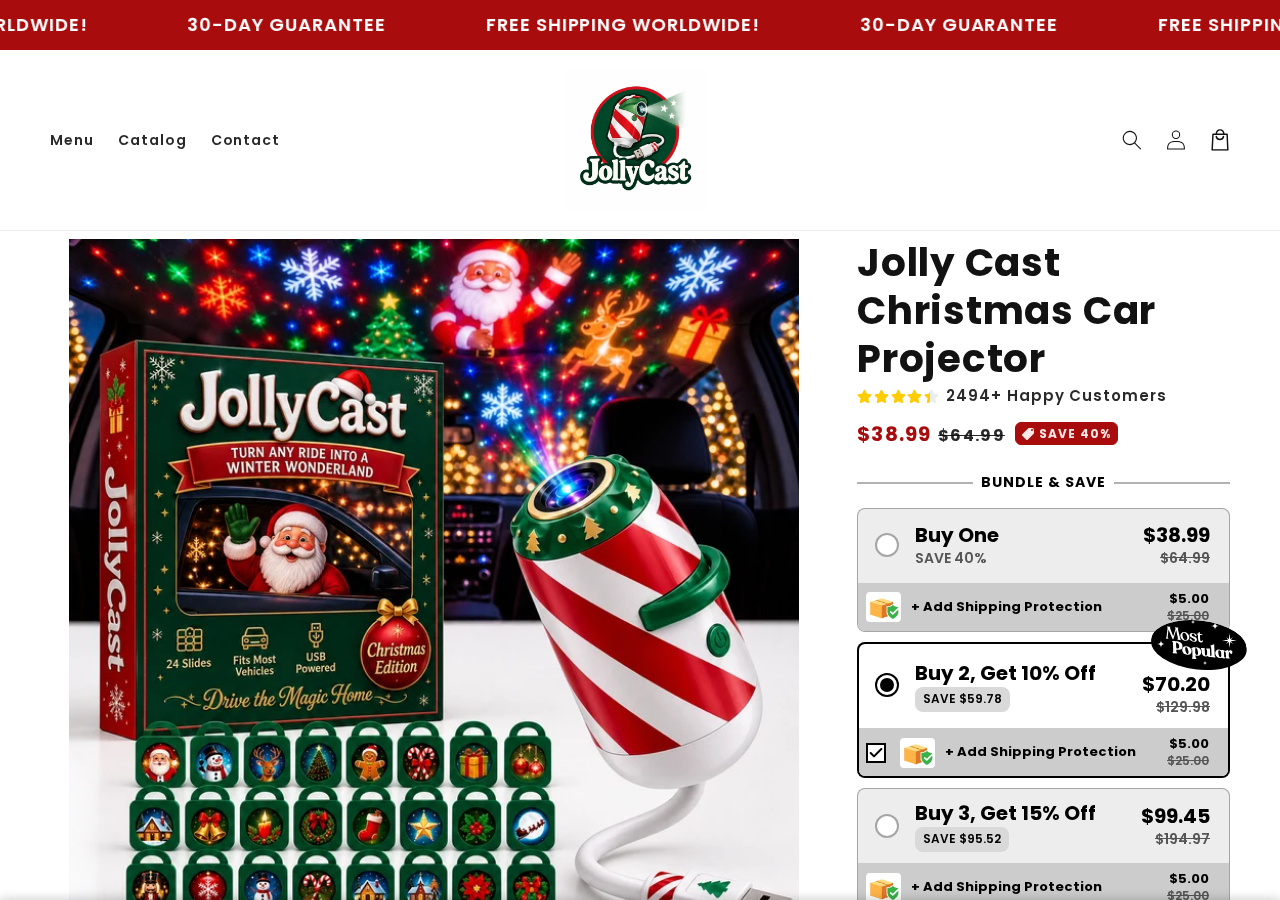
JollyCast is advertised as a USB-powered Christmas projector for a vehicle window. PawClaus says it includes twenty-four festive designs and works with cars, SUVs, and trucks.
The product page showed a $38.99 selling price beside a crossed-out $64.99 comparison price. It called the difference a 40% saving.
That presentation makes the purchase feel small and time-sensitive. Yet neither the crossed-out price nor the claimed saving establishes how often the item sold for $64.99.
The same page displayed “2494+ Happy Customers” and named testimonials. We could see those claims, but could not independently verify the count or buyers.
A real physical projector may still arrive. The buyer-risk questions concern the exact quantity charged, add-on costs, delivery timing, refund terms, and advice about using it in traffic.
The guarantee and optional warranty are different promises
PawClaus advertises a 30-day money-back guarantee. Elsewhere on the same listing, it describes a 30-day warranty that protects against defects only if added to the order.
Those statements are not automatically incompatible. A satisfaction guarantee could cover unwanted purchases while an optional warranty could address defects through a different process.
The page does not clearly explain that relationship. Buyers should ask whether the advertised guarantee works without purchasing the extra warranty, and whether return postage is covered.
The difference matters when a holiday gadget arrives late or performs differently from the demonstration. “Contact us and we’ll make it right” is reassuring, but operational details decide the outcome.
Save the exact offer and checkout before paying. If the language changes later, your dated screenshots can show what you reasonably expected.
A holiday gift has a deadline
The listing says processing usually takes 24 to 72 hours. After dispatch, it estimates roughly six to fifteen business days for delivery, depending on location.
Those are two stages, not alternative estimates. Processing can grow during heavy order volume, which the seller acknowledges on the page.
A mid-December purchase could therefore arrive after the event it was meant to celebrate. We did not establish that PawClaus routinely ships late.
We did establish that its own delivery range deserves attention. Count business days from dispatch, add the processing period, and leave room for carrier delays.
- The reviewed product price was $38.99 for the advertised entry offer.
- The page showed a 40% discount and an unverified customer total.
- Processing and delivery estimates must be combined.
- The 30-day guarantee needs to be distinguished from an optional defect warranty.
- The FAQ says the projector can be used while driving, a claim requiring special caution.
These observations support a careful buyer-risk review. They do not prove that JollyCast itself is counterfeit or that every buyer is denied a refund.
Why This Christmas Car Projector Listing Needs a Closer Look
Bundles can change the order before it feels final
The captured listing presented quantity choices near the main purchase control. The visible selection favored a multi-unit option when we reviewed the page.
A shopper focused on the $38.99 headline could overlook a selected bundle. The amount charged should be checked against the quantity actually wanted.
We also observed an optional shipping-protection selection near the buying controls. Any selected add-on can increase the total, even if the product price stays unchanged.
Do not assume a highlighted “best value” box is harmless decoration. Read the cart line items and final charge before entering a card number.
Whether an option was intentionally selected or preselected affects how the checkout feels. The practical fix is the same: confirm each line before payment.
The discount is not evidence of independent value
A crossed-out price is persuasive because it gives the shopper an instant benchmark. That benchmark may or may not reflect a meaningful prior selling price.
Look for the same type of USB window projector at established retailers. Compare resolution, power needs, included slides, mounting accessories, and return rights.
Similar appearance does not prove identical hardware. It does show whether the claimed bargain remains attractive once the product is judged as a projector.
Check what is included in one package. “Twenty-four designs” may refer to slides, patterns, or projected scenes, not twenty-four separate accessories.
Ask how the projector stays secured inside a vehicle and whether installation requires a cable routed across passenger space. Those details matter more than the discount badge.
Testimonials do not replace a product demonstration
The page includes enthusiastic comments about children enjoying the display and neighbors noticing it. Such stories make the item seem proven in ordinary family use.
They are seller-published testimonials. We could not connect the names to independently verifiable purchases or confirm that the pictured results match the shipped unit.
For a light projector, request unedited footage showing brightness against a real window at night. Ask whether interior lighting and tinted glass change visibility.
Also check whether the product image depicts the actual supplied model. Stock illustrations and staged photos can make a low-output projector appear more dramatic.
A disappointing display is not necessarily a scam. It is still a reason to understand the guarantee before paying.
How the JollyCast Sales Funnel Works
Step 1: A festive image creates an impulse purchase
The offer begins with a simple scene: Christmas graphics shining through a car window. It is easy to imagine children laughing on a holiday drive.
That emotion can move attention away from ordinary shopping questions. Buyers may not stop to ask what projector model is shipped or who handles a return.
The page reinforces the mood with a satisfaction promise and stories of happy families. These are marketing devices, not independent proof of performance.
The sensible response is not to distrust every seasonal product. It is to separate the appealing idea from the specific transaction in front of you.
Step 2: Price framing makes the decision seem easy
The $38.99 offer appears against $64.99 and a 40% savings message. That contrast encourages a fast decision before the shopper compares alternatives.
A discount is only useful when the original price is a reliable comparison. The listing itself does not show a sales history supporting that figure.
Read the total with shipping, taxes, protection, and any warranty add-on. A low entry price cannot tell you what the transaction finally costs.
Compare the offer on features rather than a percentage badge. USB power, output brightness, image quality, and mounting instructions determine whether it fits your purpose.
Step 3: Quantity and extras deserve a separate check
Bundle selectors can be convenient if a family truly needs several projectors. They are not convenient when a buyer meant to order one.
In our capture, quantity choices and protection appeared close to the purchase controls. We did not place an order, so we cannot claim what every buyer sees at checkout.
The final cart is the decisive screen. Count the units, identify selected extras, and check the exact merchant amount before confirming payment.
After ordering, compare the confirmation email with that screen. Report a mismatch promptly while the seller may still be able to alter shipment.
Step 4: Delivery timing meets the holiday calendar
The seller estimates up to 72 hours of normal processing and up to fifteen business days of shipping after dispatch. Busy periods may extend that timeline.
Business days generally exclude weekends. A buyer who thinks “fifteen days” means two weeks can misjudge the expected arrival by a wide margin.
Keep the promised range and tracking updates. If a shipment misses the stated window, ask the seller for a specific location and revised arrival date.
Do not treat an order-status label as proof the parcel has reached a carrier. A tracking number can be created before a package moves.
Step 5: The return promise faces its practical test
If the projector disappoints, the listing invites contact under a 30-day money-back guarantee. The separate warranty language raises additional questions about defects.
Ask whether the guarantee begins at payment or delivery. Confirm whether opening or testing the projector affects eligibility, and who pays return shipping.
Request a written return address and instructions before mailing anything. The original packaging and tracking number may become essential evidence.
A prompt, clear answer would improve confidence. A reply that merely repeats “risk-free” without explaining the process would leave the central concern unresolved.
Can You Safely Use JollyCast While Driving?
The seller’s FAQ gives a permissive answer
The product FAQ says the projector may be used during driving if aimed at a side or rear window and kept from distracting the driver.
That is the seller’s advice, not a legal clearance. Rules for illuminated vehicles differ by place, and the actual effect depends on brightness and placement.
A moving image in a car can draw a driver’s glance even when it is outside the direct forward view. Reflections may also appear on glass unexpectedly.
Do not take “works with all cars” to mean the display is safe or lawful on a public road. Compatibility and permitted use are separate questions.
If you cannot establish that it is legal and non-distracting in your location, use the display only while parked on private property.
Fit, power, and heat are ordinary product questions
A USB power source does not guarantee an easy setup. Some cars have limited ports, and a cable can interfere with occupants or controls.
Ask about the projector’s size, mount, power draw, operating temperature, and recommended ventilation. These specifications should be available before purchase.
Check whether the display is visible through tinted glass. A demonstration filmed under ideal conditions may look brighter than real use.
A child should not have to handle a loose powered device in a moving car. Installation needs to be secure enough to avoid becoming a distraction.
These precautions apply to legitimate projectors too. They are not an accusation that this device has caused harm.
Company, Address, and Fulfillment Checks
Find the seller behind the PawClaus name
A brand name on a product page does not always identify the legal company taking payment. Look for that entity in the terms, checkout, and receipt.
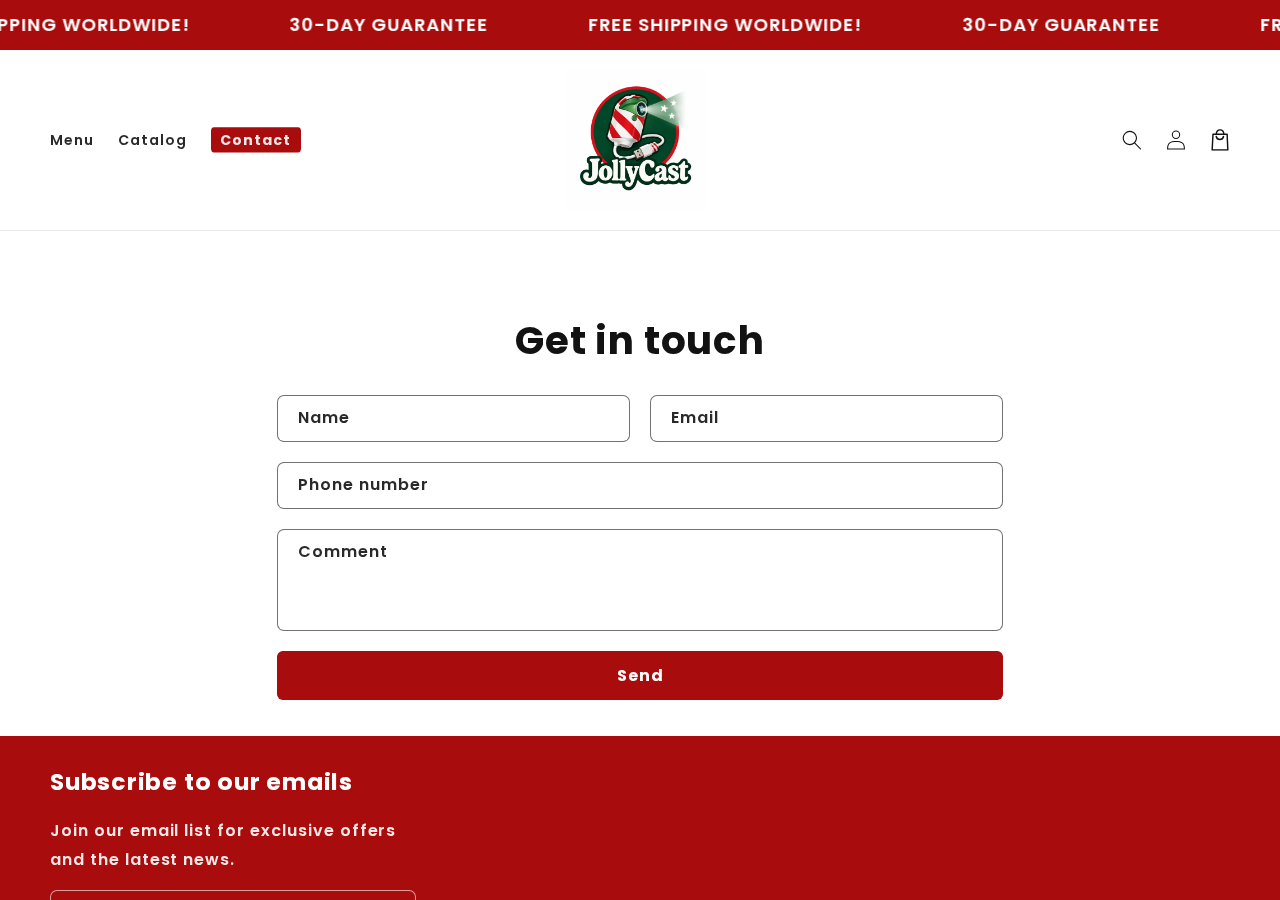
The contact page we captured showed a form. We did not find a clearly identified company name, telephone number, or public support email in that page text.
That limited contact presentation is a question, not proof of a fake company. Ask which legal entity sells the projector and where it is based.
Keep the answer beside the payment receipt. If the statement descriptor names another business, the seller should be able to explain the relationship.
Ask where orders and returns are handled
“Free worldwide shipping” does not tell you where the parcel starts. Delivery location affects transit time, customs exposure, and the cost of a return.
A return warehouse may be different from a headquarters or manufacturer. Its address alone cannot establish where the company operates.
Before ordering, ask where this particular projector ships from and where an unwanted unit must go back. Get the answer in writing.
If the item is fulfilled overseas, the return postage may be disproportionate to a $38.99 purchase. That possibility should be known before checkout.
Test whether support can answer product-specific questions
Use the contact form to ask about USB requirements, warranty versus guarantee, return shipping, and safe use while driving. A useful answer should address each point.
Save the submission confirmation and any reply. A generic response that avoids all specific terms gives you less protection than the guarantee headline suggests.
Check whether the order confirmation provides a working reply address. A form-only page can work, but buyers need a dependable record of communications.
If a support reply names a different brand or sends you to an unrelated checkout, pause. Ask the seller to explain before making another payment.
Do not turn an unknown supply chain into a claim of fraud
Many inexpensive gadgets are manufactured by third parties and shipped through fulfillment partners. That model is not automatically dishonest or dangerous.
The real issue is disclosure. Buyers should know what they will receive, who is responsible, how long delivery takes, and how remedies work.
We did not trace JollyCast to a specific factory or test its electronics. We also did not verify the seller’s customer total or review identities.
Those limits should be stated plainly. An evidence-based article can be firm about confusing terms without inventing a confirmed scam operation.
What to Do If You Ordered JollyCast
- Save the purchase record. Keep the listing, selected bundle, optional extras, cart total, confirmation, guarantee wording, and payment statement. Date every screenshot.
- Check quantity immediately. If you wanted one unit but the receipt shows several, contact PawClaus before dispatch and request written correction or cancellation.
- Watch actual movement. Compare the tracking history with the stated processing and delivery windows. A label alone does not establish that a parcel is moving.
- Do not use the display unsafely. Avoid operating it on a public road unless local rules and placement clearly permit it without distraction.
- Request return terms in writing. Ask whether the guarantee covers tested items, who pays postage, the exact deadline, and whether a separate warranty is required.
- Escalate a documented problem. If the item is not delivered or a written remedy is refused, contact the card issuer within its dispute deadline with your records.
Frequently Asked Questions
Is JollyCast a confirmed scam?
No. We found buyer-risk questions and confusing remedy language, not proof that every order fails or that PawClaus is a fraudulent business.
Does the 30-day guarantee require the optional warranty?
The page describes both offers but does not clearly reconcile them. Ask support whether the satisfaction guarantee applies without buying extra defect coverage.
How long can delivery take?
The listing mentions 24 to 72 hours of typical processing, followed by about six to fifteen business days after shipping. High volume may extend timing.
Will one order automatically include multiple projectors?
Bundle choices appeared near the purchase controls in our review. Check your own cart and confirmation, because selections and offers may change.
Can I legally project Christmas images while driving?
The seller says yes under certain conditions, but local vehicle-lighting and distraction rules govern. A parked display is the safer default when unsure.
Where should I send a return?
Ask PawClaus for written authorization and the exact address. Do not guess from a shipping label, because outbound and return facilities may differ.
The Bottom Line
JollyCast is an appealing seasonal idea, but the PawClaus listing leaves important buying questions around bundles, extras, timing, and overlapping 30-day promises.
Check the final charge and delivery window before ordering. If you already bought it, preserve the offer and ask for precise written answers while your options remain open.

Join the discussion
0 commentsShare your experience or ask a question about this article.
Discussion
Start the conversation
Have a question or something useful to share? Add the first comment.