

A customer seems ready to pay, but the usual card method is not working. They ask the cashier to type the details instead.
The keyed-in credit card scam can begin with a request that sounds like ordinary checkout troubleshooting. For a busy merchant, the distinction matters.
Overview
The fraud is stolen-card use, not manual entry itself
A keyed-in credit card scam involves using card details without the cardholder’s permission, often while persuading a merchant to process the payment manually.
Manual entry is also a legitimate payment method. Telephone orders and other approved business processes may use it, so a keyed transaction is not automatically fraudulent.
The important question is whether the person supplying the details is authorized to use them and whether the merchant follows the appropriate acceptance procedures.
A successful payment response does not answer every identity question. A transaction can be approved initially and later disputed as unauthorized.
Both the cardholder and the merchant can be affected
The cardholder may discover a purchase they never made. The business may discover a dispute after releasing merchandise or completing work for the person who ordered it.
How a dispute is handled depends on the transaction, evidence, network rules, and the merchant’s processor agreement. Do not assume one liability outcome applies to every case.
Visa’s merchant dispute guidance directs businesses to their acquirer or processor for applicable procedures and emphasizes responding promptly.
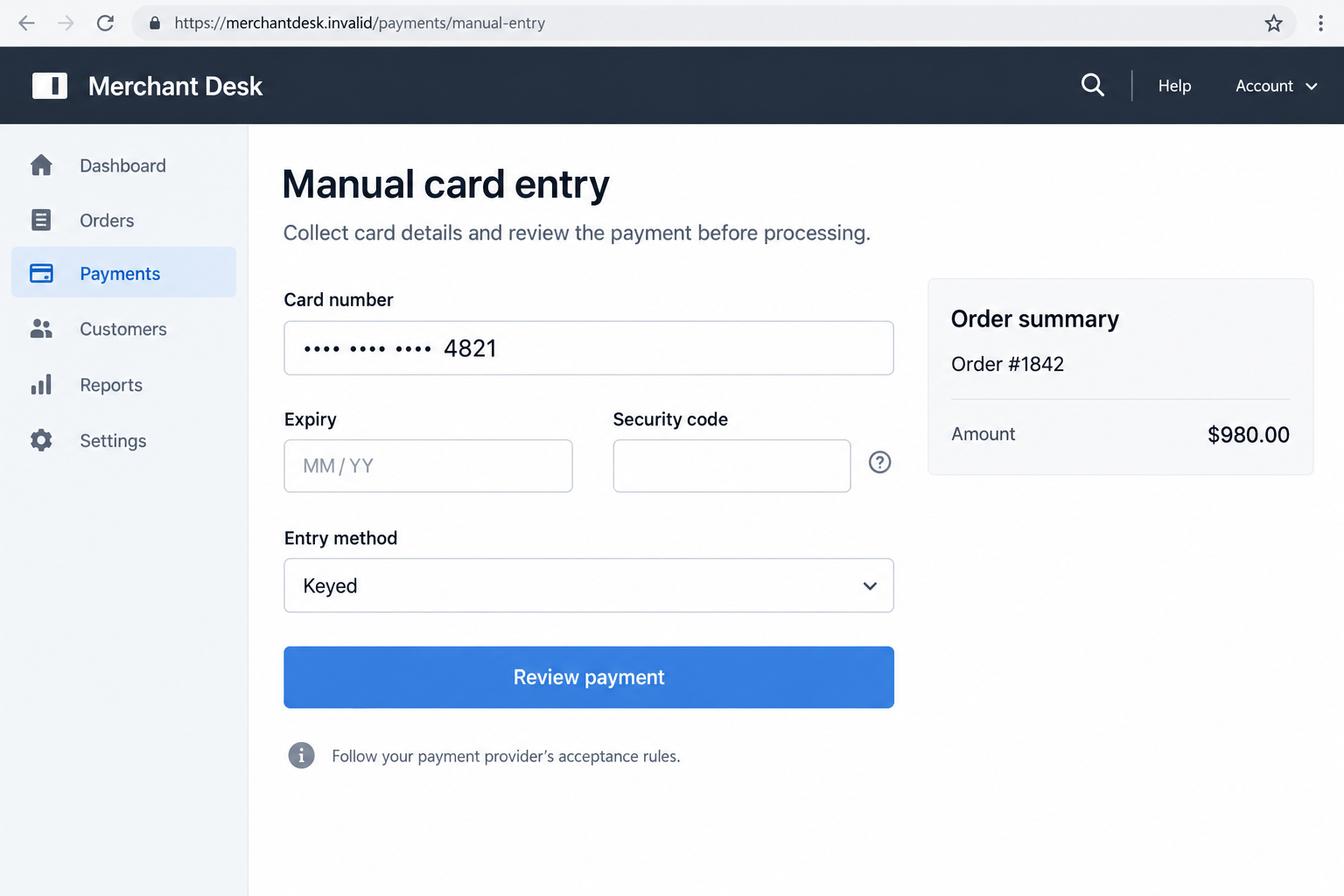
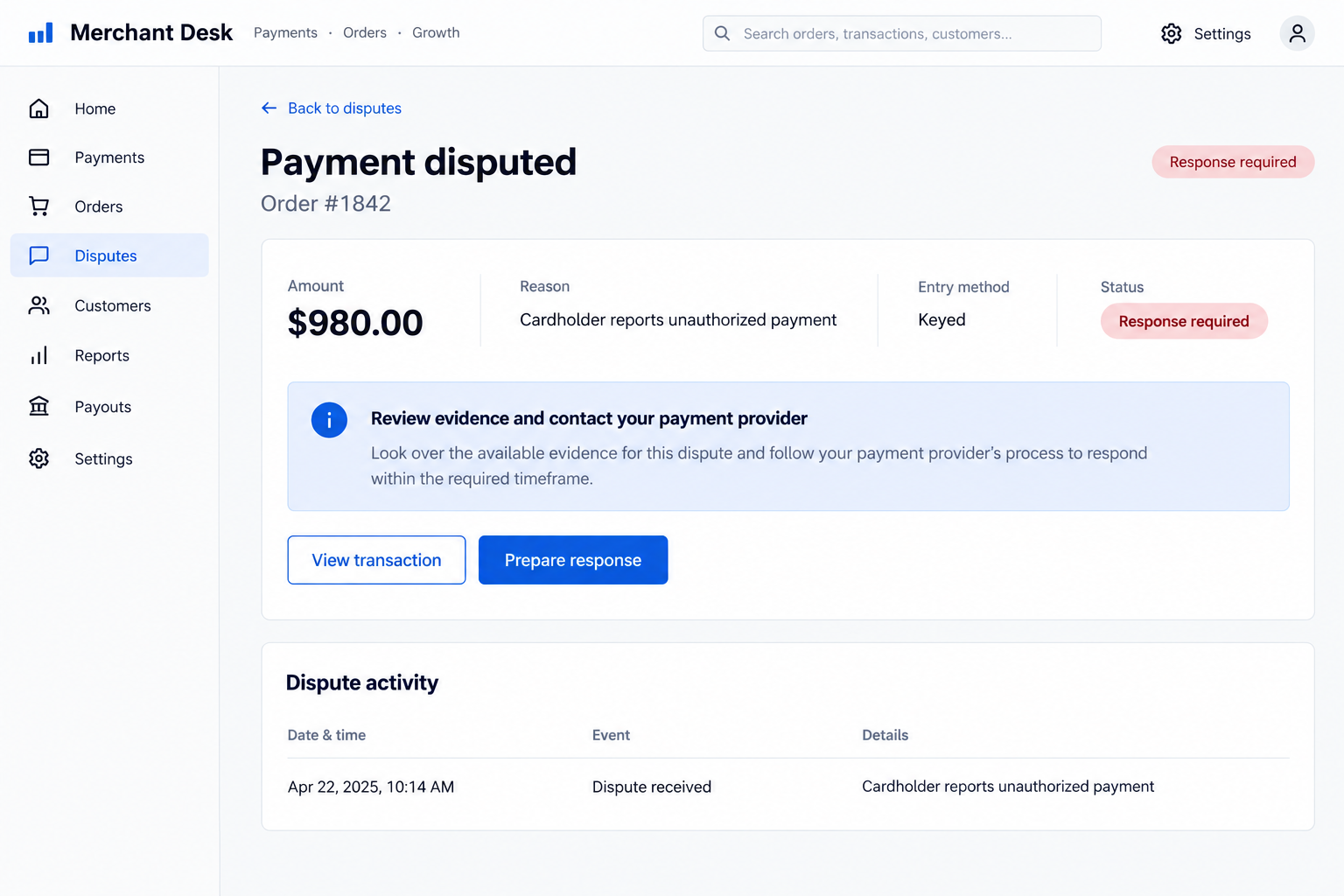
The illustrations depict a fictional payment interface and a later dispute. They do not identify a fraudulent merchant, real customer, or actual loss.
Warning signs involve pressure to bypass normal checks
Assess the whole interaction instead of treating one unusual detail as a verdict. A legitimate customer can have a damaged card or an unfamiliar payment arrangement.
- The customer insists on manual entry when the business has not approved that payment route.
- They resist the merchant’s standard verification or insist that an approval code settles every concern.
- The order changes abruptly, with pressure to release valuable goods before staff can review it.
- They ask staff to override a decline or depart from the processor’s established instructions.
- Information supplied during the order conflicts with the expected account, customer, or delivery details.
Pause and involve the appropriate manager or payment provider when those concerns arise. Do not confront someone physically or invent your own card-verification procedure.
What Keyed-In Payments and EMV Actually Mean
Typing a number is different from reading a chip
A keyed transaction uses card details entered into a payment system rather than obtaining them through the usual card-reading interaction.
A chip transaction involves security features that a typed account number does not reproduce. Entering the number does not clone the chip or prove physical possession.
This distinction is why merchants must understand their provider’s permitted transaction types. A workaround at checkout can change how the payment is classified and reviewed.
It does not mean chip cards are useless. It means their safeguards cannot be treated as proof for a separate manual-entry transaction.
Possession of details is not permission to spend
Someone may know card information without having the cardholder’s consent. Conversely, a legitimate customer may place a properly authorized remote order.
Neither confidence nor detailed knowledge settles that difference. Stolen information can appear accurate because it belongs to a real account.
The merchant’s role is to use its approved process, not to assume that anyone able to recite a number owns it.
An approval response is only part of the record
Authorization is an important payment step, but it is not a universal guarantee against disputes. A cardholder can still report that they did not authorize the purchase.
Merchants should retain the transaction and order records their provider requires. An employee’s memory of a plausible customer is much less useful than an accurate record.
Do not respond by collecting unnecessary sensitive card data. Improvised screenshots or copies can create a separate security problem while failing to resolve the dispute.
How the Keyed-In Credit Card Scam Works
Step 1: A person approaches the business with usable card details
The fraudulent customer has information belonging to someone else. The details may have been obtained through a separate compromise, theft, or deception.
A merchant usually cannot determine that original source from the checkout interaction. Avoid concluding that a particular device or wireless attack caused the exposure.
The person may appear to be making a normal purchase. Their behavior matters because the visible transaction is where staff can follow established controls.
Businesses should focus on verifying the order through their approved payment process, not on speculating about how the card information was acquired.
Step 2: An explanation makes manual entry seem necessary
The person may describe a damaged card, a reading problem, or a reason they cannot use the ordinary accepted method. They then request a manual workaround.
Such explanations can also occur during genuine purchases. They become concerning when the customer pressures staff to depart from the business’s acceptance rules.
A rushed checkout provides an opening for that pressure. Employees may feel they are providing helpful service rather than changing a security-sensitive payment decision.
The appropriate response is to follow the provider-approved alternative, if one exists. If the process is unclear, stop and ask a supervisor.
Step 3: The payment is submitted without resolving authorization concerns
If staff process the transaction, the system may return an approval. The person can point to that result as a reason to complete the purchase immediately.
An approval can make the earlier doubts seem irrelevant. However, the payment system’s response is not a personal confirmation from the genuine cardholder.
A declined transaction should not be turned into an improvisation exercise. Follow your processor’s instructions instead of accepting customer-supplied explanations for overriding the result.
Document any approved exception through the business’s normal procedure. Do not create an undocumented shortcut simply because the buyer seems knowledgeable about payments.
Step 4: Goods or services are released before the problem emerges
The fraudulent buyer receives the order or service. Once valuable goods leave the business, recovering them can be difficult even if the payment is later questioned.
For remote orders, discrepancies in contact or delivery details may create additional concerns. A last-minute change should receive the review your business requires.
The point is not to treat every change as proof of theft. It is to avoid letting urgency replace the controls designed for that transaction.
A manager can explain an alternative accepted payment method without accusing the customer. Safety and consistent procedures matter more than winning an argument at checkout.
Step 5: The cardholder reports the unauthorized charge
The legitimate account owner may notice an unfamiliar transaction through an alert or statement. They contact the issuer and explain that they did not make it.
The business can then receive a dispute asking for a response. The requested evidence and deadline come through the merchant’s payment provider.
This is when an initially successful payment can become a financial problem for the merchant. The final outcome depends on the facts and applicable process.
The fictional dispute screen below illustrates that later stage. Its example amount is not a documented loss or a claim about typical transaction values.
How Merchants Can Reduce Manual-Entry Fraud Risk
Make exceptions a policy decision, not a cashier decision
Ask your payment provider when manual entry is allowed and what documentation is required. Put that guidance into a procedure staff can actually follow.
Define who can approve unusual situations. A new employee should not have to invent a security decision while a customer insists the solution is simple.
Review Visa’s payment-fraud overview alongside your own processor’s requirements. Network advice does not replace the terms governing your specific account.
Include telephone, remote, and in-person orders in training. A method approved for one setting should not be assumed appropriate for every other setting.
Protect card data while protecting the sale
Use the payment tools your provider supports. Avoid collecting full card details through ordinary email, messaging apps, personal notebooks, or unapproved employee devices.
The PCI Security Standards Council explains that card verification codes cannot be stored after authorization, even when encrypted.
Do not retain that code as supposed evidence for a future dispute. Follow your provider’s guidance for permitted records and protect access to them.
Where the provider offers controlled permissions or transaction review features, ask how to use them appropriately. Restricting an exception is different from disabling normal checkout.
Give staff language for slowing down a suspicious purchase
An employee can explain that the business must use an approved payment method. They do not need to accuse the person of stealing a card.
If the customer becomes aggressive, follow the workplace safety procedure. Do not retain someone’s property, pursue them, or put staff at risk over a disputed sale.
For a remote order, hold fulfillment when your established review process calls for it. Ask the payment provider how to resolve concerns without making another unapproved transaction.
Record the reason for the review objectively. Facts such as a changed destination or refused procedure are more useful than assumptions about appearance or background.
What to Do if You Have Fallen Victim to This Scam
- Cardholders: contact the issuer through a trusted route.
Use your banking app or the number on your card to report the unfamiliar transaction. State clearly whether you authorized that purchase.
Ask about blocking or replacing the affected payment credentials and reviewing other activity. The fact that you still possess the physical card does not rule out misuse.
Do not ask the merchant for a separate refund while withholding an existing issuer dispute. Explain any parallel contact so the parties can avoid conflicting actions.
- Merchants: notify the processor and pause related fulfillment where appropriate.
Provide the transaction reference, entry method, order details, and your concerns. Ask whether any permitted action remains available before the order is completed.
If a dispute has arrived, confirm the response deadline and requested documentation. Do not treat the earlier approval as a sufficient answer by itself.
Avoid sending money to a new destination at the purchaser’s request. Discuss any refund through the provider’s established process and the original transaction.
- Preserve useful records without copying prohibited data.
Keep receipts, order correspondence, fulfillment records, timestamps, and the provider’s transaction information. Restrict access to staff who need it for the investigation.
Do not create new files containing complete card numbers or security codes. Ask the provider how to preserve relevant evidence safely.
For in-person incidents, follow your organization’s rules for retaining relevant security footage. Do not circulate customer images publicly as a substitute for a proper report.
- Separate a payment dispute from a possible data breach.
One stolen-card purchase does not automatically mean the merchant’s systems were compromised. The details may have been stolen somewhere else before the order.
If there are signs of unauthorized system access or multiple suspicious transactions, involve the provider and your security team. Describe the evidence without guessing its source.
Cardholders should also review where credentials were recently shared. Tell the issuer about any suspected exposure, even when the precise origin remains uncertain.
- Review procedures and permissions after the incident.
Determine how manual entry was approved and whether employees followed the current process. Correct a weak procedure without blaming staff for unclear instructions.
Ask the provider about appropriate controls, supported authentication, and recordkeeping. Do not enable new workarounds merely because the old one produced an approval.
Training should cover calm refusal, supervisor escalation, and staff safety. Consistent handling helps genuine customers as well as the business.
- Report confirmed fraud with an accurate account of events.
Coordinate with your issuer or processor first, then use appropriate official reporting channels. A merchant and cardholder may have different pieces of the same transaction record.
For US online fraud, IC3 accepts reports. Describe what happened, the payment reference, and the loss without exposing complete card credentials.
Keep case numbers and update the relevant institution when new information arrives. Reporting does not guarantee reimbursement or recovery of released merchandise.
- Reject paid guarantees to reverse the loss.
A service claiming it can erase a chargeback or recover goods with certainty deserves scrutiny. Do not send account access or another payment under pressure.
Use your existing issuer, processor, and independently chosen qualified advisers. The dispute should not become a second opportunity for an unknown party to collect money.
Frequently Asked Questions
Is every manually entered card payment a scam?
No. Manual entry can be legitimate when the cardholder authorizes the payment and the merchant follows its provider’s permitted process.
Does approval guarantee that the cardholder authorized the purchase?
No. An approval response does not eliminate every fraud or dispute risk. The issuer and payment provider may later review the cardholder’s complaint and transaction evidence.
Does typing a card number clone its EMV chip?
No. Manual entry and chip reading are different payment interactions. A typed account number does not recreate a chip’s security features.
Will the merchant always have to absorb the loss?
There is no universal outcome. Liability and available responses depend on the transaction circumstances, applicable rules, documentation, and processor agreement.
Should merchants keep the security code for evidence?
No. Card verification codes must not be stored after authorization. Ask the payment provider which transaction records should be retained and how to protect them.
Can the card be misused while I still have it?
Yes. Someone can misuse exposed details without taking the physical card. Report unauthorized activity to the issuer rather than relying on possession alone.
The Bottom Line
The keyed-in credit card scam exploits unauthorized card details and pressure around payment exceptions. Legitimate manual entry is not itself evidence of fraud.
Merchants should follow their processor’s acceptance and dispute procedures. Cardholders should report unfamiliar charges promptly, even when their physical card has never left their possession.

Join the discussion
0 commentsShare your experience or ask a question about this article.
Discussion
Start the conversation
Have a question or something useful to share? Add the first comment.