


LinkedIn is the world’s largest professional network, with over 700 million members worldwide. While it provides an invaluable platform for networking and career development, LinkedIn is also frequently targeted by scammers looking to exploit users. One prevalent scam to watch out for is the “LinkedIn Request To Buy From You” phishing scam.
This cleverly designed scam aims to steal login credentials and personal information by posing as a fake buyer interested in your products or services. With more businesses and entrepreneurs leveraging LinkedIn to find new sales opportunities, it’s important to be aware of this scam so you don’t fall victim.
In this comprehensive guide, we’ll break down exactly how the “Request To Buy From You” scam works on LinkedIn, what to watch out for, and most importantly, how to protect yourself.
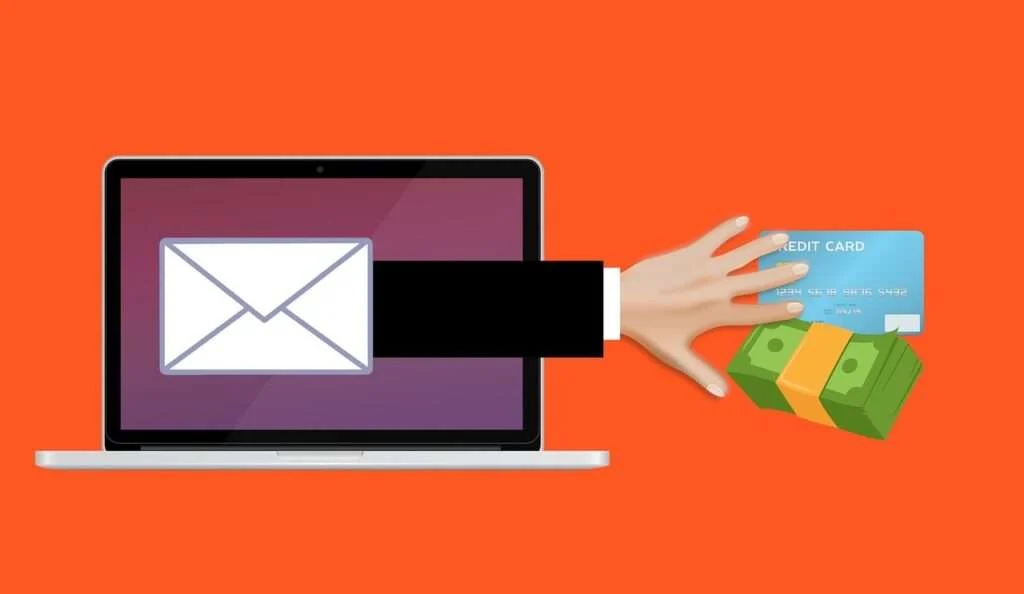
Scam Overview
The “Request To Buy From You” phishing scam typically starts with an email professing to be a buyer interested in purchasing your products or services. This is a tactic cybercriminals use to lure sales-focused recipients into a false sense of security.
The email will look like it comes directly from LinkedIn, with the sender’s name appearing as “Elizabeth J Moore” or another generic name. Their title claims they are an “Executive Sales Director” or related role to add legitimacy.
You’ll notice the email contains LinkedIn branding and a bright blue “Reply” button just like a notification from the real platform. This design is carefully orchestrated to replicate LinkedIn’s interface and convince recipients the message is authentic.
However, if you click on that enticing reply button, you won’t actually be responding to the sender. Instead, you’ll be redirected to a fake LinkedIn login page operated by the scammers. The sophisticated phishing site mirrors LinkedIn’s real login portal, down to the design, logo and security features.
This is how the “LinkedIn Request To Buy From You” scam email might look:
Subject: Please reply new business message from Elizabeth J
Elizabeth sent a request to buy from you.
Elizabeth J Moore
Executive Sales Director (Sourcing, Marketing, Merchandising)
January 4Reply
Hi
Hi dear friend, We would like to inquire about your products. send your catalog
to replytoc4c@
Once you enter your username and password, the criminals behind the scam can access your account and personal information. From there, they may leverage your compromised LinkedIn account for further nefarious activity.
This seamless process tricks even tech-savvy users into handing over their credentials. The email comes from a seemingly legitimate buyer, so your guard is down as you try to tap into a promising sales lead. Before you know it, the scammers have your login details without raising any red flags.
How the Scam Works
Here is a step-by-step breakdown of how the “Request To Buy From You” phishing scam operates on LinkedIn:
Step 1: You Receive the Baited Email
The scam starts with an email hitting your inbox just like any other message. The subject line will say something like “Please reply new business message from Elizabeth J.”
When you open the email, the LinkedIn branding is front and center. The message claims to be from someone named Elizabeth J Moore (or a similar innocuous name). Her title says she is an Executive Sales Director at an ambiguous company.
The brief message expresses interest in purchasing your products or services. It asks you to send over your catalog or offerings to a specific email address, which is designed to give the appearance of an authentic buyer inquiry.
Step 2: The Call-to-Action Reply Button
Like notifications from the real LinkedIn platform, the scam email contains an eye-catching blue “Reply” button. Since the message looks like a promising sales lead, your natural response is to click that button to respond and secure the deal.
But unlike LinkedIn’s actual “Reply” functionality, clicking this deceptive button leads to the third step of the scam…
Step 3: The Fake LinkedIn Login Page
Once you click the reply button, you are redirected away from your email inbox. Suddenly, you are prompted to log into LinkedIn before responding, which seems like a natural extra verification step.
However, in reality, this login page is a sophisticated phishing site engineered to mimic LinkedIn precisely. Everything from the layout to the colors to the logo perfectly mirrors the real LinkedIn login experience.
Because there were no obvious red flags up to this point, most users will enter their LinkedIn username and password without thinking twice. After all, the platform periodically requires you to log in again for security purposes.
Step 4: Criminals Steal Your Login Credentials
As soon as you input your LinkedIn username and password on the fake login page, the phishing site captures your credentials. The criminals behind the scam now have direct access to your account.
From there, the phishing site redirects you to the real LinkedIn platform. This helps eliminate any suspicion of wrongdoing. You are logged into your actual account, so it appears that nothing is amiss after responding to the “sales inquiry.”
Meanwhile, the scammers begin pillaging your account and private data behind the scenes, often utilizing your compromised profile to target your connections.
What to Do If You Have Fallen Victim
If you suspect you have fallen for the “Request To Buy From You” LinkedIn phishing scam, here are the steps to take right away:
- Reset your LinkedIn password immediately. As soon as you realize you entered your login credentials on a phishing site, change your password. Enable two-factor authentication if you haven’t already. This will block the criminals out of your account.
- Scan for any suspicious posts or messages. Check your LinkedIn activity for any signs of unauthorized access. Watch for posts you didn’t create or messages sent without your knowledge. The criminals may leverage your account to distribute malicious links or spawn new scams targeting your connections.
- Alert your connections. Let your LinkedIn connections know about the phishing attempt. Caution them not to click on any suspicious messages and to be on high alert for additional scams.
- Contact LinkedIn. Report the phishing attack to LinkedIn directly so they can investigate the scam attempt and bolster their platform defenses. Provide as many details as possible to help identify and stop the criminals.
- Run antivirus software. Scan your devices for malware, spyware or viruses. The phishing site may have downloaded malicious software onto your system in order to capture passwords and other private data.
- Change passwords on other accounts. If you reuse the same password across multiple accounts, the criminals could gain access to your email, bank accounts or other online profiles. Reset all common passwords immediately.
- Monitor accounts closely. Keep an eye on your LinkedIn activity as well as your email, financial accounts and credit reports. Look for any suspicious behavior indicating your identity or data has been compromised. Act quickly to report unauthorized activity and lock things down.
- Learn from the experience. Phishing scams are evolving quickly. Use this scam attempt as motivation to be more vigilant against the signs of phishing across all your online accounts. Stay informed about the latest techniques to protect yourself in the future.
Frequently Asked Questions About the LinkedIn “Request to Buy From You” Scam
1. What is the LinkedIn “Request to Buy From You” scam?
The “Request to Buy From You” scam is a phishing attack targeting LinkedIn users by posing as a buyer interested in purchasing products or services from your business. The email contains LinkedIn branding and a “Reply” button that redirects to a fake LinkedIn login page designed to steal your credentials.
2. How does the LinkedIn “Request to Buy From You” scam work?
The scam starts with an email pretending to be from someone interested in becoming a customer. If you click the “Reply” button, it takes you to a phishing site disguised as the real LinkedIn login page. Entering your username and password hands your account over to cybercriminals.
3. What does the phishing email from this scam look like?
The email appears to come directly from LinkedIn. The sender uses a generic name like “Elizabeth J Moore” and claims to be an Executive Sales Director. The brief message asks you to send your product catalog to an email address provided.
4. How can I tell if a LinkedIn email is legitimate or a phishing scam?
Carefully inspect the sender’s name, company, email address, and grammar. Hover over any links to see if they direct to LinkedIn.com. Signs of phishing include misspellings, urgency cues, request for sensitive information.
5. What happens after I enter my information on the fake LinkedIn login page?
The criminals capture your username and password to access your account directly. They may leverage your compromised profile to post malicious links or further target your connections.
6. What should I do if I entered my LinkedIn credentials on a phishing site?
Immediately change your LinkedIn password and enable two-factor authentication. Check for unauthorized activity and alert your connections. Contact LinkedIn to investigate. Scan devices for malware and reset passwords on other accounts.
7. How can I keep my LinkedIn account secure against phishing scams?
Use unique complex passwords, enable two-factor authentication, and watch for red flags like poor spelling or grammar, unknown links, and requests for sensitive data. Avoid clicking links in unexpected emails.
8. How can I protect my customers and connections from this LinkedIn phishing scam?
Spread awareness about this scam to warn others not to click suspicious links or provide information. Report any phishing emails directly to LinkedIn to help shut down these threats. Share best practices for identifying scams.
9. Where can I learn more about the latest LinkedIn phishing scams?
Check LinkedIn’s security blog and help center for updates. Follow trusted cybersecurity sources like the FTC and BBB for phishing alerts. Search online for recent scam reports and tips to stay vigilant across all online accounts.
The Bottom Line
The “LinkedIn Request To Buy From You” phishing scam highlights how even tech-savvy professionals can be duped into compromising personal data. By understanding the red flags, you can avoid falling victim and warn your connections.
Here are key takeaways on recognizing and combating this prevalent scam on LinkedIn:
- Be suspicious of any LinkedIn message claiming to be interested in buying from you, especially if it contains a reply button.
- Never click directly on links in unexpected emails. If a “buyer” is legitimate, respond directly through the LinkedIn platform.
- Fake LinkedIn login pages are rampant. Before entering credentials, check that the URL matches LinkedIn exactly and look for the secure lock symbol.
- If you did fall for the scam, act quickly. Reset your password, alert connections, scrub for malware and monitor account activity diligently.
- Learn how to identify phishing attempts through telltale signs like urgency cues, generic greetings and incorrect spellings.
Staying vigilant is crucial when scourers are actively targeting professional networks like LinkedIn. But with greater awareness of the “Request To Buy From You” scheme, you can keep your accounts, data and reputation secure.

Join the discussion
0 commentsShare your experience or ask a question about this article.
Discussion
Start the conversation
Have a question or something useful to share? Add the first comment.