

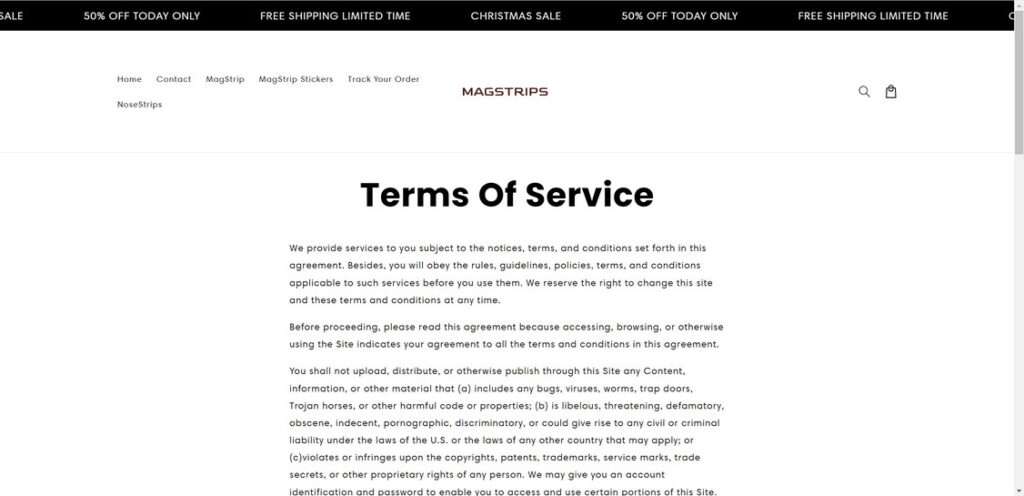
Magsstrips.com is an e-commerce website that sells magnetic strips called “Magstrips”, which supposedly help with breathing, snoring, and sleep quality. The Magstrips have been heavily marketed on social media, enticing consumers with seemingly positive reviews. However, there are a number of red flags that indicate Magsstrips.com is likely a dropshipping operation website. This article will provide an in-depth overview of Magsstrips.com, explain how the dropshipping scam works, and offer advice for consumers who may have fallen victim.
Overview
At first glance, Magsstrips.com appears to be a legitimate online store selling an innovative product that can improve sleep and breathing. However, upon closer inspection, there are several suspicious elements that point to this being a dropshipping scam operation designed to take advantage of consumers.
Fake Reviews and Testimonials
The website showcases numerous 5-star reviews praising the Magstrips. However, the images used do not match the “Magstrip” product name. It appears these positive reviews were fabricated using stock photos and stolen testimonials. Legitimate businesses do not use fake reviews.
Lack of Company Transparency
There is no company address or background information provided on the Magsstrips.com website. Omitting basic company details is a common tactic among scam websites seeking to remain anonymous.
Short-Term Website
Records show the Magsstrips.com domain was registered in October 2024 but set to expire in October 2025. Legitimate ecommerce businesses register domains for multiple years, not just a single year. This indicates the site was designed for a temporary scam operation.
Limited Communication
The site only provides a web form for contacting them. No phone, email, or other ways to directly reach the company are given. This makes it nearly impossible to verify anything about the business.
Copied Website Content
The policies and other website text appear to be copied from other sources, not originally created. Legal policies are typically custom-made when a business is authentic.
How the Magsstrips Dropshipping Scam Works
The scam takes advantage of consumers in several ways:
- Fake social media marketing – The Magstrips have been heavily promoted on social media with positive reviews, videos, and ads. However, these are fabricated to trick consumers into trusting the brand.
- “Free trial” offers – Special deals are promoted that offer a free trial of the Magstrips. But in the fine print, these trials enroll you in expensive monthly subscriptions.
- Upsells during checkout – Additional products and special bundles are added during checkout to drive up the total cost. These are pre-selected but customers can unintentionally agree to them if not paying close attention.
- Difficult refund process – Getting a refund for unused products or canceled orders is made nearly impossible with strict policies and poor customer service.
- Credit card charges without consent – Some customers report unauthorized credit card charges even after they decided not to complete the purchase.
What To Do If You Are A Victim
If you placed an order with Magsstrips.com and suspect you have been scammed, take the following steps:
- Call your credit card company – Report unauthorized charges or cancel future recurring charges with your credit card company immediately. They can block the merchant.
- Check bank statements – Monitor bank and credit card statements closely for any fraudulent charges from the company. Dispute them promptly with your bank.
- Beware phishing attempts – Scammers may try to trick you into providing personal information via phone, email or text to “process a refund.” Do not fall for these phishing scams.
- Report complaints – File complaints with the FTC and BBB to help warn others about this scam website. The more complaints submitted, the higher the likelihood action will be taken.
- Spread awareness – Post on social media and tell your friends and family about this scam so others do not fall victim. Report fake ads and reviews when you see them.
The Bottom Line
Based on multiple red flags and warning signs, consumers should avoid purchasing from Magsstrips.com. It is most likely a scam website that will take your money without sending any real product in return. Be cautious of online reviews and flashy ads promoting sketchy websites like Magsstrips. If an offer seems too good to be true, it very well may be a scam. Always research unfamiliar ecommerce sites thoroughly beforehand. Spreading awareness about online scams can help protect consumers from falling victim.
This article is for educational purposes only and does not constitute professional, financial or legal advice. The content is intended for general information and should not be construed as definitive guidance. Information contained herein is subject to change without notice.  For concerns, please contact us via the provided form.
If you are the owner of the website or product in question and wish to offer clarifications regarding your business or website, please reach out to us through the provided Contact Form.

Join the discussion
0 commentsShare your experience or ask a question about this article.
Discussion
Start the conversation
Have a question or something useful to share? Add the first comment.