


What pulls buyers in at Makeapply.com is the price tag: discounts so steep that no ordinary shop could match them.
What you see in the photos looks great. What you get in the mail is often different, and undoing the purchase can be much harder than making it.
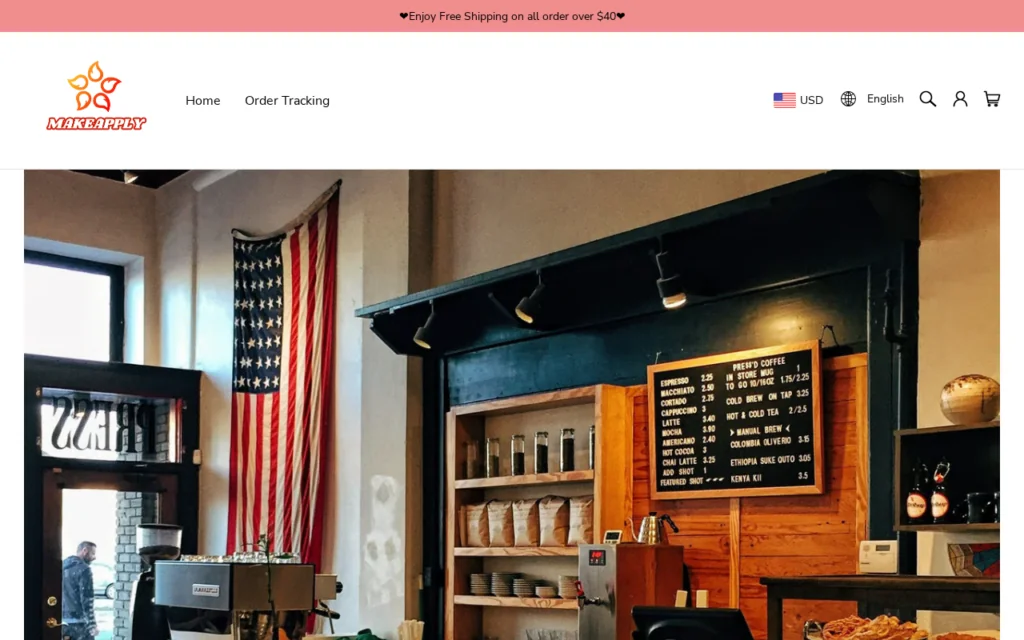
Overview
A dropshipping storefront, not a brand
Makeapply.com doesn’t manufacture anything. It works like thousands of similar shops, listing items from low-cost suppliers that ship them directly from warehouses in China.
The store’s role stops at pricing, ads and payments. It never touches the goods; a supplier you’ll never hear from packs your order and sends it.
If Makeapply.com feels familiar, there’s a reason. It’s part of a scam network of lookalike stores built on shared templates, product photos and return policies, reopening under new names.
Very low quality and nothing like the ads
You won’t receive the product in the pictures. They’re usually borrowed from other sellers or brands, and the very low quality items that do arrive look nothing like the ads.
Sending it back can cost more than you paid
Skim the refund policy and you can come away reassured. Read it properly and you’ll find this:
- The return address is overseas. In most cases, items go back to China, and the postage is at your expense.
- You can lose money returning. Sending a $25 item abroad can cost more than the item itself.
- Partial refunds replace full ones. Request a return and the usual reply is 15% to 30% back to keep the item, rather than a full refund.
- Don’t expect quick help. Support usually runs through email only, and a single reply can take days.
Do not buy from Makeapply.com. This is a high-risk store: what you pay will likely be far more than the item is worth, and a return isn’t practical.
What We Found on Makeapply.com
Here’s what stands out about Makeapply.com:
- Makeapply.com was registered on May 12, 2025, about a year ago.
- The MalwareTips URL scanner gives Makeapply.com a Safety Score of 15/100, rated Dangerous (full report).
- On VirusTotal, 2 of 93 security vendors flag Makeapply.com as malicious or suspicious.
What Happens When You Order from Makeapply.com
The way most orders unfold is predictable. Knowing it up front can save you the money and weeks of emails back and forth.
Step 1: You spot an ad with an unusually cheap price
Usually, it begins on Facebook, Instagram or TikTok. You see a short video or a polished photo showing the product at a steep discount, often tagged “limited time.”
The video you saw often shows up in ads for dozens of other shops too. They all order from the same suppliers and borrow the same marketing material.
Step 2: The store looks larger than it really is
Makeapply.com’s categories, star ratings and friendly About Us page give it an established feel. Strip those away and you often find a store template and a supplier list.
It’s the same with the About Us story. A small family business or a founder driven by passion sounds personal, but it’s usually a template shared by many unrelated shops.
Step 3: You wait, and keep waiting, for delivery
Your order ships from China, so the promised 5 to 7 days can stretch into three or four weeks. Tracking can also stall on a single update for days.
Some buyers get their order in several small packages, each with a different tracking number. When one never arrives, it can be hard to prove what’s missing.
Step 4: The photos and the product don’t match
The ad showed one thing. The package that finally arrives holds something smaller, thinner or simpler, the kind of item that sells for pocket change elsewhere.
The same problems come up again and again: cheap materials, items that break or wear out quickly and sizes that have nothing to do with the listing.
Step 5: Postage makes the return a bad deal
Support wants photos before it will talk about money. After that, the instruction is to send the item to China, and postage alone can swallow the refund.
Their usual way out is a 15% to 30% refund, provided you keep the item. Fair at first glance, except most of your money went on something you didn’t want.
That’s where many buyers give up, and the policy is written precisely to get that result.
Red Flags at Makeapply.com
Before you pay, spend a minute on each of these signs. Each points to Makeapply.com being less of a bargain than it looks.
Too cheap for what’s in the photo
Deals this steep aren’t a stroke of luck. That kind of price buys a much cheaper version than the photos promise.
The struck-out “original” price is another trick. It’s rarely real in the first place; it’s there to make an ordinary price read like a discount.
Photos that aren’t exclusive to this store
A quick reverse image search often reveals these photos on other stores and marketplaces, or on a brand’s own website.
Where the image belongs to a brand, the product you receive won’t be from it. Where it belongs to a marketplace, the same item often costs less there.
No registered company details to verify
Ask yourself who you’d contact if the order went wrong. On these stores the answer is unclear, since a registered company name, tax number or local address rarely shows up.
Customer support limited to email
Don’t expect a phone number or live chat. Support usually comes down to an email address or a contact form, and anything needing a fast answer can stretch for weeks.
While you wait, the clock on a bank or PayPal dispute keeps running. Slow replies eat into that time, so watch the deadlines.
Timers that tick down and stock that never runs out
Genuine stock doesn’t look like this, and real deadlines don’t restart. Here, timers reset on reload and “only 2 left” covers every product, because the point is to hurry you.
Close the tab for now. A truly limited offer would be gone when you return, so a “sale” that’s still running never was one.
Add-ons slipped in at checkout
Don’t trust the total at a glance. Shipping protection, priority handling or a second item can already be ticked in your cart, so read each line first.
Those add-ons rarely make delivery faster or offer real cover. Instead, they increase the bill for an order that may already be worth far less than its price.
Paying a company that isn’t the store
Did checkout bounce you to a payment page with an unrelated name? Stop. The card details you type there go to a company you’ve never heard of.
Same scam network, different lookalike storefront
Dozens of other shops reuse the same About Us story, policies and product photos. One closes, another opens under a new name, and the catalog doesn’t change.
How to Check an Online Store Before You Buy
A few minutes of checking can tell you whether an online shop is worth your money. Start with these questions before you pay:
- Who is selling to you? Look for a company name, a registration or tax number and an address. A shop that names nobody is hard to hold to a promise.
- Where do returns go? Find the return address in the refund policy. If it’s overseas or missing, assume a return will cost more than it’s worth.
- How old is the website? Paste the address into the MalwareTips Website Scanner. It shows the domain’s age and any known warning signs in seconds.
- Are the photos original? Run a reverse image search on a product photo. If the same picture appears on many sites, the item is a generic product.
- What do buyers say elsewhere? Search the store on Trustpilot and in search results, not just the reviews on the shop itself.
- Is the ad real footage? Many shop ads now use AI-generated videos and photos. If the product only ever appears in slick renders, expect something plainer.
- Does the price make sense? Compare it with the same item on a major marketplace. A huge markdown on an unknown shop is a reason to slow down.
- Can you reach a person? A phone number or live chat is a good sign. An email address alone means problems will take a long time to solve.
If several answers come back wrong, close the tab. There’s almost always a seller with a clearer return policy and a company you can actually look up.
For extra protection while you browse, Malwarebytes Browser Guard warns you about many known scam and phishing sites before they load.
Where to Buy Instead
If Makeapply.com showed you something you really want, get it a safer way:
- Find the same product on a large marketplace. Buyer protection and honest reviews come standard there, and the price is often much lower.
- Go for sellers with a local return address. A return you can mail cheaply is a return you’ll actually bother to make.
- Hunt for customer photos in the reviews. Real buyers show you the item that arrives, not the one the ad promises.
- Find the shipping location. Marketplaces display where a seller is based. When an order leaves a local warehouse, you get quicker delivery and a return you can realistically make.
- Pay with protection. Use a credit card or PayPal, which lets you file a dispute if you need to.
The trade-off is simple. You may pay a little more, and you’ll get the item you ordered from a seller that actually honors refunds.
What to Do If You Already Ordered from Makeapply.com
Ordering from a shop like this doesn’t mean the money is gone. Acting early gives you the best chance of fixing the order or getting a refund.
- Save everything. Keep the order confirmation, the tracking number, every email from the store and screenshots of the product page as it looked when you bought.
- Photograph what arrives. Take clear photos of the item, the label and the packaging, especially anything that doesn’t match the listing.
- Ask the store in writing. Email support, describe the problem plainly and say what you want: a full refund or a replacement. Give them a short deadline.
- Don’t pay for an overseas return yet. If the store asks you to ship the item to China, check with your card issuer or PayPal first.
- Don’t accept a token refund. Offers of 15% to 30% back to keep the item are common. If the item isn’t as described, a dispute may get you more.
- Open a dispute if the store stalls. Use “item not received” or “not as described” with your card issuer or PayPal, and attach your evidence.
- Watch the deadlines. Card disputes often allow around 120 days, and PayPal generally accepts claims within 180 days of payment. Don’t let weeks of unanswered emails use them up.
- Ignore “customs fee” texts. Fake delivery messages asking you to pay a fee or update your address often follow online orders. Don’t pay or click.
- Leave an honest review. A short review on an independent site, with photos, helps the next shopper decide.
If you paid by bank transfer, contact your bank right away and ask whether the payment can be recalled. The sooner you call, the better the odds.
If the store won’t cooperate, file a complaint at econsumer.gov, which handles cross-border shopping complaints, or at ReportFraud.ftc.gov in the US.
Frequently Asked Questions
Is Makeapply.com a scam?
Do not buy from Makeapply.com. It’s a high-risk store in a scam network, and while orders may ship, the items are very low quality and returns cost too much.
Where does Makeapply.com ship from?
Most products leave a supplier in China and come straight to you. That long trip can mean several weeks of waiting, with tracking that often updates slowly.
Why does the product look so different from the photos?
Short answer: the pictures usually belong to other sellers or brands. The product in the box is a cheaper version made to reach a low price.
Can I return an item to Makeapply.com?
Shipping it back to China at your own cost is usually the only option. When the item is cheap, the refund can be smaller than the postage.
Ship nothing yet. Ask your card issuer or PayPal whether you’d be covered by a “not as described” dispute instead.
My order never arrived or isn’t as described. What now?
Go to the store first, in writing. Stalling or a flat no is your cue to open a card issuer or PayPal dispute, attaching item photos and listing screenshots.
Are the reviews on Makeapply.com real?
Be wary. Glowing ratings on the shop’s own pages are easy to produce in bulk, so look elsewhere: independent sites where buyers post their own photos and comments.
The Bottom Line
Makeapply.com is a high-risk store in a scam network of lookalike shops. Behind the ads sit very low-quality items that look nothing like them, and returns rarely make sense.
The decision is clear: do not buy from Makeapply.com. Shopping for something you spotted there? A marketplace with buyer protection is the safer place to look.
Already ordered? Keep your order email, product screenshots and photos of what arrives. That’s the evidence a card or PayPal dispute needs if the store won’t fix it.

Reviews & discussion
1 commentShare a firsthand experience, or ask a question.
Community reviews
makeapply.com
1 approved reviewSee rating breakdown
Moderated reader experiences, not an editorial verdict.
Reader experience
It really is a scam. I ordered an anniversary Hot Wheels car and received a rubbery toy, which looked like a 3 year old painted it. The “company’s” fix was to send me 2% of what I paid as a refund. And they said their “warehouse” confirmed they shipped to me what I ordered. I’m laughing a LOT. I’m thankful I didn’t lose more than $26.00. My fault for not reading the reviews of the company. Live and learn.