


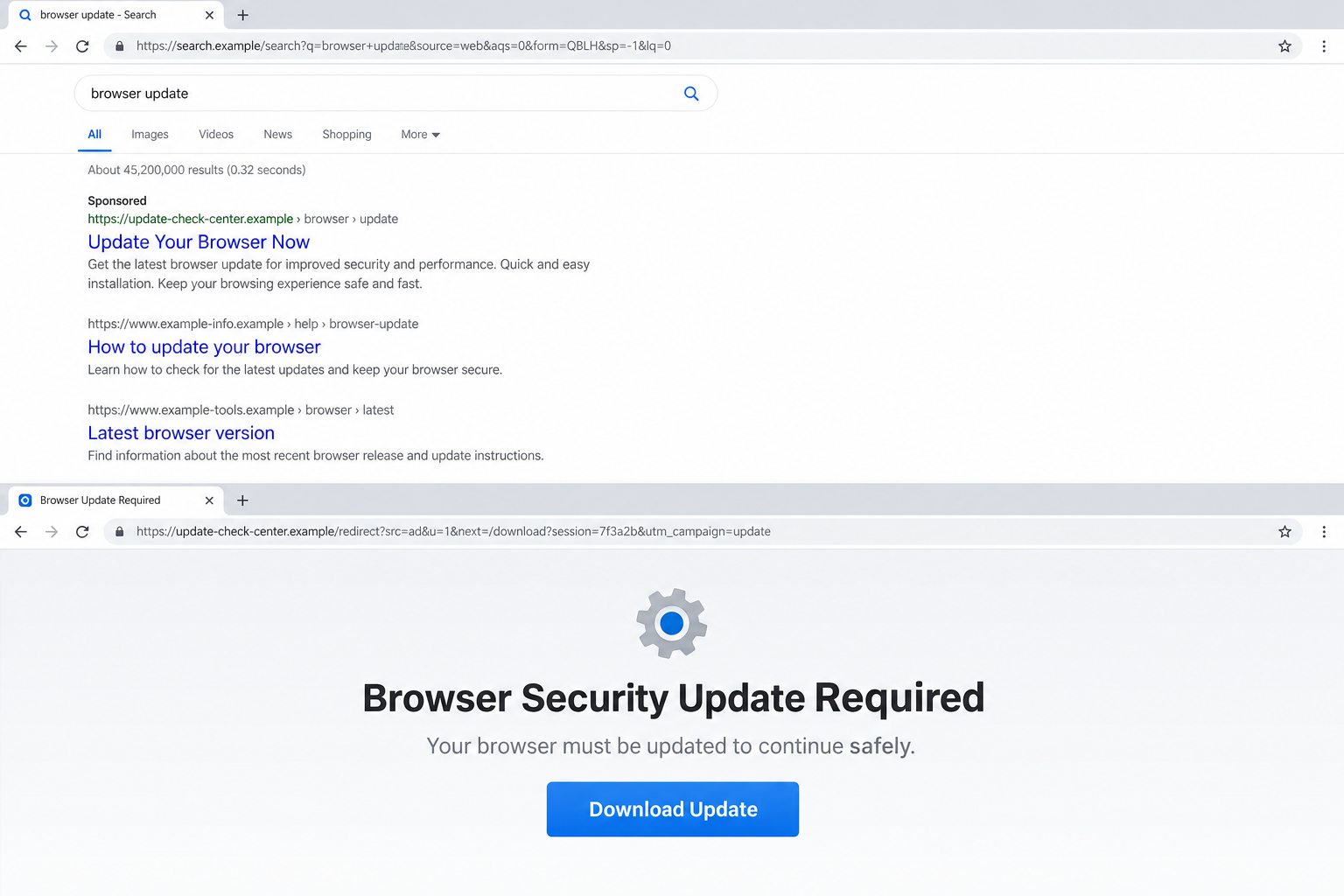
A malicious ad redirect scam often begins with something completely ordinary: a search for software, a discount, a bank login, or a familiar service. The result at the top looks polished and the address appears close enough.
One click later, the browser may pass through several invisible stops before landing on a login page, update warning, or support notice. The dangerous part is not always the ad you saw. It is the destination selected for you.
Overview
The ad is an entrance to a hidden routing system
Criminals buy advertisements, poison search results, compromise legitimate websites, and place links in phishing messages. The first page or link may look harmless because it is only the entrance to a traffic distribution system.
A traffic distribution system, usually shortened to TDS, decides where each visitor should go. Legitimate advertisers use routing technology for language, device, and location choices. Criminals abuse the same idea to separate victims from researchers and deliver different scams to different people.
The FBI issued a public warning on June 18, 2026 about cybercriminals using malicious traffic distribution systems to send users to fake login pages, fraudulent financial sites, malicious software updates, and malware.
The same link can show different pages
A victim may see a bank login while a security analyst sees a blank page or an ordinary shop. The routing service can check country, browser, time, referring website, device type, previous visits, and other signals before choosing a destination.
This is called filtering or cloaking. It helps the campaign survive because a reviewer who tests the advertised link may not receive the scam at all.
The destination can also change over time. A fake update may run in the morning, a crypto offer in the afternoon, and a harmless page after complaints begin. That flexibility is why a screenshot of one landing page does not describe the entire campaign.
The final page steals credentials, money, or device access
The last stop may copy a bank, email provider, cloud drive, retailer, government portal, or software vendor. Other versions display a browser update, CAPTCHA, security alert, or telephone number for fake technical support.
A phishing page collects passwords and one-time codes. A download can install an information stealer or remote-access tool. A fake support page encourages the victim to call a criminal who asks for payment and control of the device.
Warning signs include:
- A sponsored result that uses a familiar name but opens an unfamiliar domain.
- An address bar that changes several times after one click.
- A page that demands a browser update before showing expected content.
- A login screen opened from an advertisement rather than a saved official address.
- A download with an unexpected file type or instructions to bypass security warnings.
- A site that behaves differently on another device, network, or private browsing session.
Why a Malicious Redirect Is Hard to See
Most redirections happen quickly. A visitor may notice a flash in the address bar but never see the intermediate domains. By the time the page loads, the chain can already have recorded useful information and selected a lure.
The first link can use a legitimate advertising platform or a compromised website. That does not make the final destination safe. Trust in the first domain is deliberately carried across the rest of the chain.
Search behavior adds another advantage. A person who typed the name of a bank, password manager, remote-work tool, or software download is already prepared to sign in or install something. The scammer does not need to invent a new desire.
Criminals can bid on misspellings and urgent searches such as account locked, download update, customer support, or invoice login. The ad then mirrors the language the victim just used.
The landing page may contain correct logos, menus, legal links, and a valid HTTPS padlock. Those elements are easy to copy. HTTPS protects the connection to the displayed domain; it does not prove that the domain belongs to the company being impersonated.
Some campaigns compromise an otherwise legitimate site and insert redirect code only for selected visitors. The site owner may not see the malicious behavior during routine checks.
The routing system can exclude known security-company networks, cloud servers, or repeat visitors. It can also stop serving the scam after a campaign limit is reached.
This explains a frustrating report pattern: one person sees a credential page, another sees a store, and a third cannot reproduce the problem. Different results do not mean the victim imagined the page.
How the Malicious Ad Redirect Scam Works
Step 1: Criminals place or hijack a high-intent link
The campaign begins with a paid ad, poisoned search result, compromised website, phishing email, discount promotion, or download link. The wording is chosen for people who are ready to click and act.
An advertisement may impersonate a known company directly or use generic language such as official download, secure login, or limited offer.
Step 2: The first page collects routing signals
The visitor enters a redirect service that can inspect the referring page, IP region, browser, device, cookies, language, and time. These signals help decide whether the visitor looks valuable and whether the campaign should expose its malicious page.
A researcher or automated scanner may be sent elsewhere. A likely consumer in the target region receives the fraud.
Step 3: Several domains hide the final operator
The browser moves through tracking, affiliate, or disposable domains. Each hop can add a campaign identifier, replace the destination, or send traffic to another broker.
This chain makes reporting harder. Removing one landing page does not necessarily remove the advertisement, redirect service, or other destinations still connected to it.
Step 4: A familiar page asks for a normal action
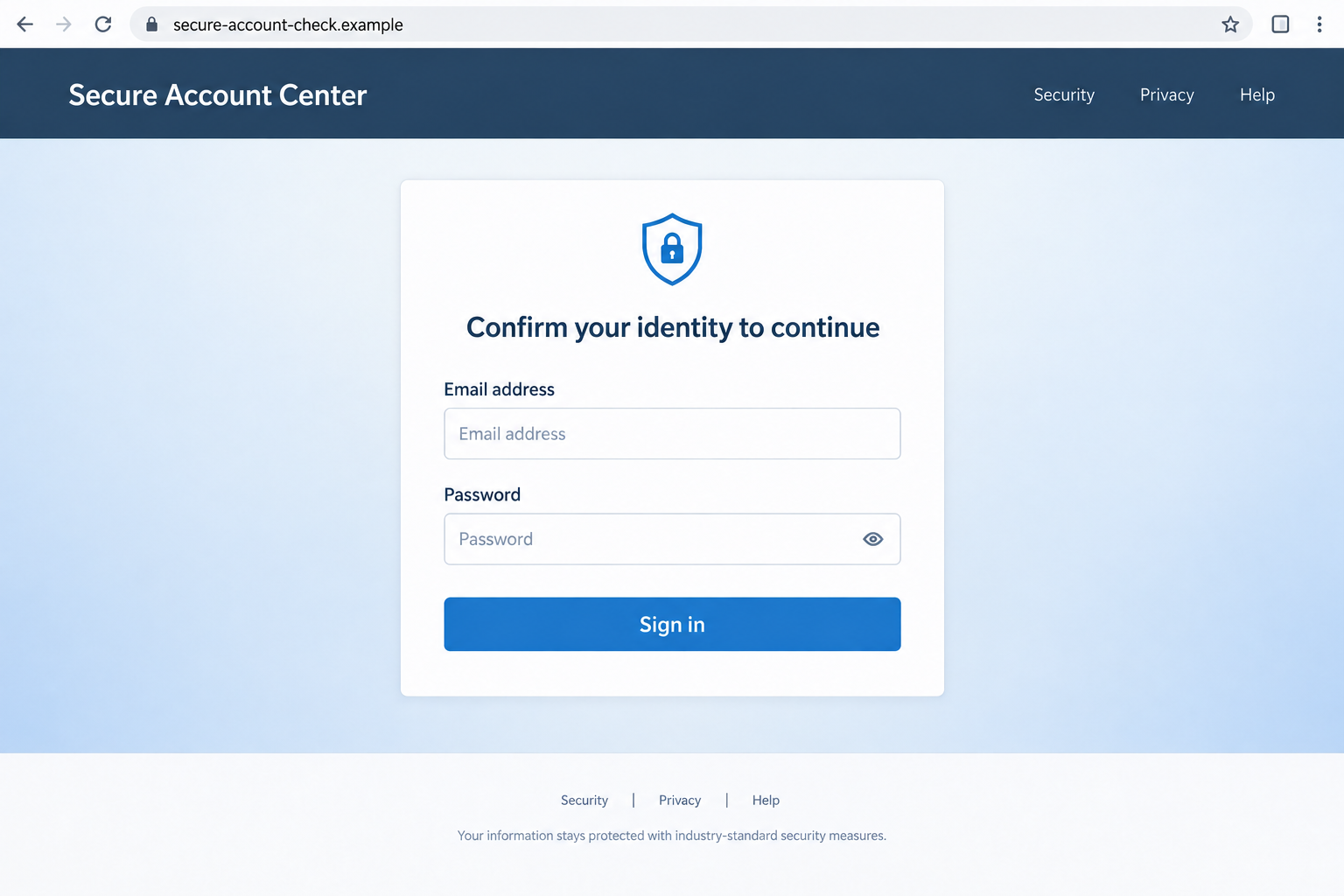
The victim sees a copied login, checkout, download center, security warning, or customer-service page. The action fits the original search, so entering a password or downloading a file does not feel unusual.
The domain is the critical clue. A copied visual design can be nearly perfect while the registered domain belongs to no recognized provider.
Step 5: The page captures credentials or delivers malware
A phishing form may transmit each field as it is entered. The criminal can immediately test the password and trigger a real one-time code while the victim remains on the fake page.
A fake update can install an information stealer, remote-control tool, browser extension, or other malware. Instructions may tell the victim to ignore warnings or paste a command into a system dialog.
Step 6: The browser displays a harmless ending
After collecting the information, the page may claim the password was wrong and redirect to the real service. A download may show an error while the malware runs in the background.
The normal-looking ending reduces suspicion and gives the criminal time to use the account.
Step 7: The campaign rotates before it is blocked
Domains, advertisements, page templates, and payloads are replaced frequently. The same routing infrastructure can begin promoting a different brand or scam without changing the initial method.
Blocking one URL helps, but recognizing the chain is more useful than memorizing a single domain.
How to Check a Search Result or Advertisement Safely
Do not use an advertisement to reach a sensitive account. Type the known official address, open a saved bookmark, or use the provider’s installed application.
On a search page, the first result is not automatically the official result. Look for an ad or sponsored label and read the complete displayed domain before clicking.
When a site requests a download, leave and obtain the software from the vendor’s official download page or a trusted application store. Browsers normally update through their built-in settings, not a random webpage.
A page can claim that a file is signed, verified, or recommended. Check the actual digital signature and publisher through the operating system after downloading, before opening it.
If the browser suddenly asks for an email login while you are shopping or reading an article, stop. The request may have been injected at the end of a redirect chain.
Read the registered domain from right to left. In login.bank.example.bad-domain.test, the owner controls bad-domain.test, not the familiar words placed before it.
Do not rely on the padlock, professional design, or absence of spelling errors. Modern phishing kits reproduce clean interfaces and use valid certificates.
Close the page if it asks you to copy a command, press Windows and R, open a terminal, disable antivirus protection, or install a remote-support tool.
Why the Same URL May Test Clean Later
A malicious redirect is not a fixed road. The operator can change the final destination, pause a campaign, or show a harmless page to visitors who no longer match the target profile.
The browser may also carry campaign cookies from the first visit. Opening the address again from a different network or device can produce a different result without changing the original risk.
This makes evidence important. A screenshot of the final page, the complete address, the time, and the original advertisement can show what happened even after the route stops reproducing.
Do not conclude that a page was safe merely because it later disappeared. Credential theft and malware delivery can happen during the first visit.
Company, Address, and Fulfillment Checks
The visible ad is not the final operator
The name shown in a sponsored result may belong to the impersonated company, an affiliate, or a compromised advertising account. Save the ad details and every visible address instead of assuming one name controls the entire chain.
A legitimate platform carrying the ad does not certify the advertiser or the destination.
The destination can change by visitor
Test results may differ by network, country, browser, or time. If you need to report the incident, preserve screenshots, the exact time, the original link, and the final address while avoiding further interaction.
Do not repeatedly revisit a suspected malicious chain on important devices.
Fake support keeps the victim inside the funnel
A telephone number or chat box on the destination may connect to the same operation. Locate the company’s support details through its verified website, account app, receipt, or card issuer.
Never let an unknown support caller take remote control simply because the webpage displayed an error.
The download must be independently verified
Compare the filename, publisher, and digital signature with the vendor’s official release. An update obtained from an unrelated domain should not be opened.
If the site claims the download is required to view content, leave. That is not a normal browser security process.
What to Do if You Have Fallen Victim to This Scam
- Disconnect from the suspicious page. Close it without downloading more files or entering additional information. Preserve the original ad, redirect URLs, and screenshots first if it is safe.
- Change exposed passwords from a trusted device. Start with email, banking, cloud storage, and any account that reused the same password.
- End unknown sessions and revoke access. Review signed-in devices, forwarding rules, recovery methods, connected applications, and multifactor authentication settings.
- Contact the bank or card issuer. If payment or account details were entered, report phishing, replace affected cards, and review pending transactions.
- Read one-time code messages carefully. If a code was entered, tell the relevant provider what action it may have approved and ask them to secure the account.
- Remove suspicious software. Uninstall unexpected browser extensions, profiles, remote-support tools, and applications installed after the redirect.
- Run a full Malwarebytes scan. This can identify many information stealers, unwanted extensions, and remote-access tools delivered by fake updates.
- Use protective filtering. AdGuard can block many known malicious ads and scam destinations before they load, though no filter can replace checking the domain.
- Report the chain. Send the ad and URLs to the advertising platform, search engine, impersonated company, hosting provider, and the FBI Internet Crime Complaint Center if you are in the United States.
- Watch for follow-up contact. Stolen contact details can lead to fake security calls, account-recovery messages, or additional login attempts.
If you opened a file or pasted a command, treat the device as potentially compromised even if nothing visible happened.
For an account used at work, notify the security team promptly. A stolen cloud or email login can affect colleagues and company data.
Frequently Asked Questions
Can a sponsored search result be a scam?
Yes. Criminals can buy ads, compromise advertiser accounts, or hide the final destination behind redirects. A sponsored placement is not a safety certificate.
Why did the link look safe when someone else opened it?
A malicious traffic distribution system can serve different content based on location, browser, network, cookies, time, or whether the visitor resembles a security researcher.
Does HTTPS make the login page legitimate?
No. HTTPS encrypts traffic to the displayed domain. A phishing site can obtain a valid certificate too.
What if I typed a password but did not press Sign in?
Assume it may have been captured. Some forms transmit data as fields are completed. Change it from a trusted device and review the account.
Are browser update pages ever legitimate?
Browsers normally update through built-in settings or the official vendor installer. A random page that blocks access until you download an update is unsafe.
Can blocking one domain stop the whole campaign?
It helps, but these campaigns rotate domains and destinations. Report the original ad and full redirect chain, then use safer navigation habits rather than relying on one block.
The Bottom Line
A malicious ad redirect scam hides the real destination behind advertising, tracking, and visitor filtering. The page that finally appears may steal a password, demand money, or install malware.
Do not sign in or install software from a page reached through an unexpected ad chain. Open the official service separately, verify the complete domain, and treat sudden update prompts as a reason to leave.

Join the discussion
0 commentsShare your experience or ask a question about this article.
Discussion
Start the conversation
Have a question or something useful to share? Add the first comment.