

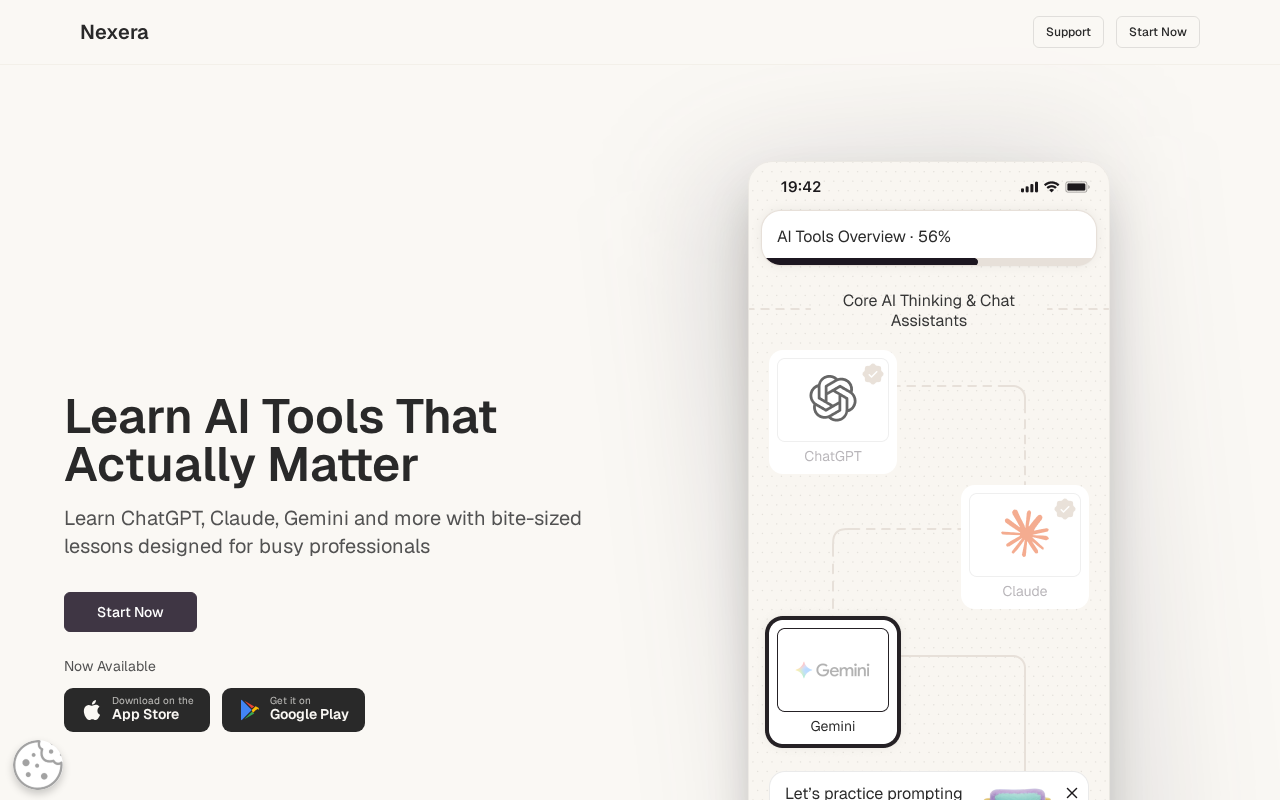
The ad slides between commute clips and productivity tips, promising that busy adults can learn ChatGPT, Claude, and Gemini through a tidy twenty eight day path without becoming full time students overnight.
Phone frames show bite sized lessons, progress bars, and an AI certificate waiting at the finish line, which makes the pitch feel closer to a gym challenge than a software class. What stays quieter is how thin those minutes of content can feel once the subscription calendar starts rolling past the first enthusiastic week.
Nexera is a real learning app in the major stores with structured beginner modules that many people can open and use. The overhype lives in income growth language and career theater wrapped around short lessons that rarely justify months of automatic renewal for anyone past the absolute basics.
Overview
Nexera markets itself as a practical AI tools learning app for professionals, freelancers, creators, students, and beginners who feel behind on everyday assistants. Store listings describe a twenty eight day structured challenge, AI literacy modules, prompt practice, workflow tips, creative tool tours, and an AI certification you can display after finishing the path with a personalized looking certificate screen.
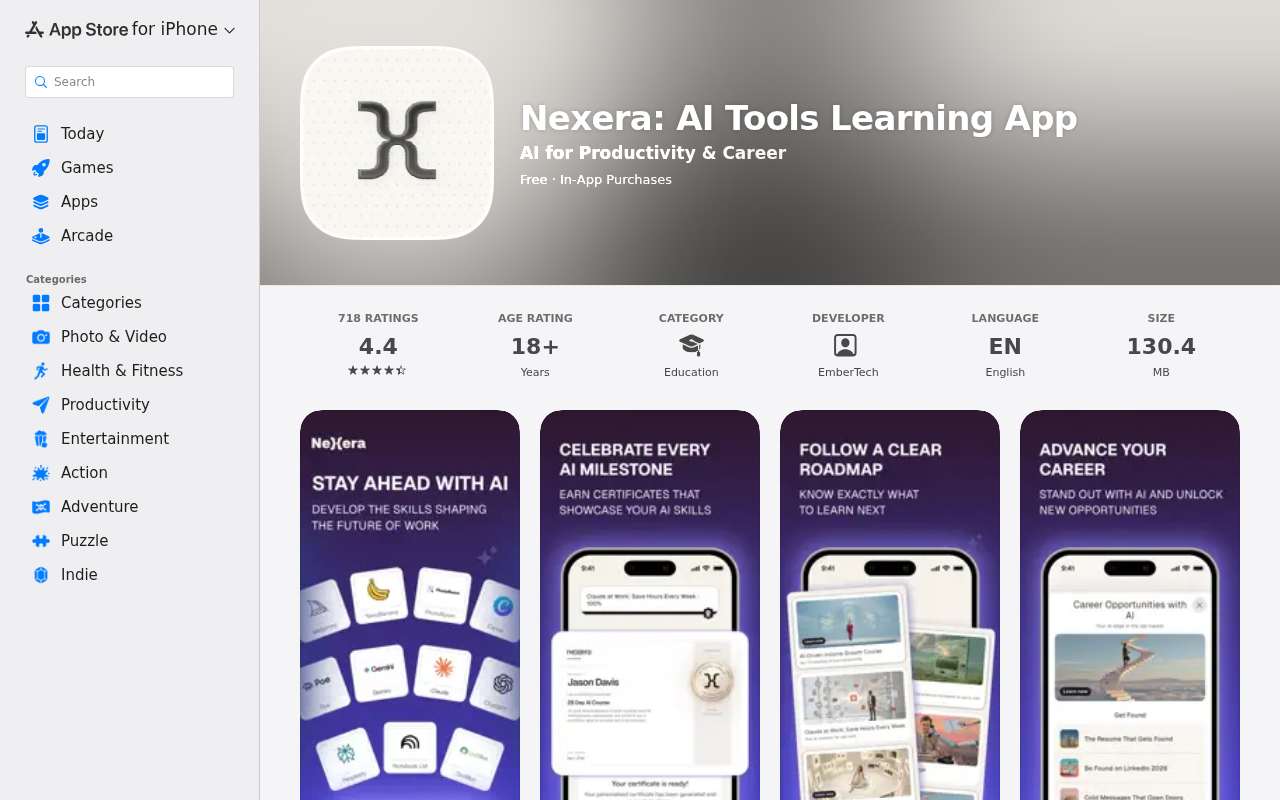
The public web home for that pitch sits at the Nexera site, with companion listings on the App Store and Google Play under titles such as Nexera: AI Tools Learning App. Developer naming on Apple points to EmberTech, and the product is free to download with in app purchases that open the paid curriculum once the soft sell inside the onboarding flow finishes.
Pricing that surfaces on regional storefronts often lands near a monthly subscription around $9.99 or a local currency equivalent, though checkout numbers can shift by country, tax, and promotional windows that change without warning. The important detail is not the exact cents on one afternoon of browsing. It is whether a shallow beginner library deserves months of automatic renewal once the novelty of Day One fades and the lessons start repeating familiar advice you could have found for free.
Content wise, the promise covers ChatGPT workflows, Claude mastery, Gemini orientation, prompt engineering, light automation mentions such as Zapier or Copilot style tools, and creative apps like Canva or similar generators that already publish their own tutorials. Hands on exercises and a curated prompt library round out the marketing copy, which sounds comprehensive until you notice how many of those topics already have free official docs, help centers, campus workshops, and creator tutorials that update faster than a consumer course pack can ship.
Independent walkthroughs of the in app lessons commonly describe five to ten minute sessions that stay at a surface level: what a model is good for, how to write a clearer prompt, how to reuse a template, and how to feel less lost in a chat window during a busy weekday. That pacing can help a true beginner start without shame and without drowning in jargon. It is a weak foundation for ads that imply income growth, career breakthroughs, LinkedIn visibility, and a certificate that hiring managers will treat as meaningful proof of professional skill.
The certificate creative is especially sticky because it looks like academic theater inside a polished phone screenshot with a name filled in and a course title celebrated. Completing a consumer challenge can be personally satisfying after a month of taps, yet it does not replace portfolio samples, client results, supervised projects, or verified professional credentials that employers already know how to evaluate. When income course tiles sit beside that badge in the same carousel, the funnel quietly upgrades a prompting orientation into a side hustle promise without showing the messy middle of finding buyers who pay.
Skeptical reviews and walkthroughs tend to cluster around the sales push arriving quickly after install, the generic feel of business oriented basics, and disappointment that the library does not match the transformation language that brought people in from social ads. Those reactions fit an overhyped product better than a missing application, because people receive content they can tap through yet often do not receive the career leap the creatives sketched with salary uplift vibes and future of work urgency.
None of this requires calling Nexera a fake shop. The apps are listed, the lessons launch, and the challenge path exists as a product you can subscribe to through ordinary store billing. The trap is economic and narrative: optimistic income framing plus shallow minutes of teaching plus renewals that continue after the useful beginner window has already closed for most motivated adults.
This article treats Nexera as an overhyped challenge and income story wrapped around a real beginner app. You can receive lessons, streaks, and a completion badge if you finish. The risk is paying recurring money for shallow sequencing while believing the challenge alone will convert curiosity into side income, a promotion, or a resume line that carries weight outside the app.
How This App Works
1. Career anxiety opens the door before the syllabus does
Creatives lean on fear of falling behind at work rather than on a detailed course outline with hours, prerequisites, and outcome metrics. Headlines insist you need practical AI skills now, that busy people can learn in short sittings between meetings, and that the future of hiring already favors people who sound fluent with assistants and copilots in ordinary office language.
That framing is effective because many adults already feel embarrassed about prompting tools their younger coworkers use casually while finishing slides. The Start Now button feels like catching up on a social skill rather than shopping for another subscription, which softens the later price decision and makes a monthly fee feel like professional hygiene instead of a purchase you should interrogate.
2. A twenty eight day challenge packages familiar tips as a transformation
The structured challenge is the emotional product more than any single lesson title in the catalog. A calendar path from beginner to confident user sounds measurable, social, and finishable, which is more persuasive than an open ended course dump that asks you to wander alone through folders of vague modules without a finish line.
Twenty eight days of short modules can build a habit of opening an app after coffee and checking a progress bar. Habit is not the same as depth, and depth is what income and career claims quietly borrow when they sit next to that calendar without showing client acquisition, quality control, niche expertise, or the time real freelancing actually consumes.
3. Lessons stay short and stay near free prompting basics
Inside the modules, shoppers commonly find overview screens, model introductions, prompt drills, rewriting tasks, and light productivity stories that mirror what free video playlists already cover in longer form with more examples. Five to ten minute sittings keep friction low and make daily streaks easy to protect on a commute when attention is already fragmented.
Low friction is useful for onboarding people who would otherwise bounce off dense documentation and never try a tool at all. It becomes a mismatch when the same funnel sells AI driven income growth and professional confidence as if those outcomes lived inside the timer rather than in repeated practice on real documents, real clients, and real feedback loops.
4. The certificate and income course stretch beginner content into career theater
Store creatives show personalized certificates for completing a twenty eight day AI course and course tiles that name AI driven income growth beside resume and LinkedIn style promises about being found. Those assets look like career evidence in a thumbnail, which is why they convert so well when people feel late to the AI wave and want a visible finish line.
A completion certificate from a consumer app is not a regulated credential, and income outcomes depend on clients, portfolio quality, market timing, niche knowledge, and patience far beyond a week of prompting templates. The overhype is treating the badge and the income tile as proof that money follows automatically from finishing micro lessons on a phone while commuting.
5. Tool tours create breadth without forcing mastery of any single workflow
Marketing lists a wide map of names, from ChatGPT and Claude to Midjourney, Perplexity, NotebookLM, Zapier, and creative utilities that change features every quarter. Breadth looks premium in a feature list because it suggests you bought a whole professional toolkit instead of a prompting primer with a calendar skin.
In practice, short lessons cannot make you fluent in every named product across writing, research, images, and automation. They can only introduce what the button does and how a sample prompt looks on a demo screen. That introduction has value once for orientation, and paying monthly for repeated introductions is how overhype turns into quiet waste on a card statement.
6. Long subscriptions outlast the useful beginner window for most adults
Once you understand how to ask clearer questions, compare model strengths, and reuse a few workflows on your own documents, the marginal value of another month of the same beginner library drops quickly for motivated learners. People who stay subscribed out of inertia are paying for a path they already finished in spirit during the first stretch of lessons.
That is why long renewals feel pointless for much of this catalog even when the app itself is real and functional. The opening weeks can be a guided orientation that reduces overwhelm for someone who has never prompted seriously. Months two and three often become an expensive reminder icon that guilt trips you about streaks you no longer need to protect.
7. Billing lives in the store rails, not inside the lesson player streak screen
Like most mobile learning apps, cancellation usually belongs in Apple or Google subscription menus when those stores handled checkout and tax. Deleting the icon does not stop billing, and in app Cancel buttons can be easy to miss when you are mid streak and still emotionally attached to finishing Day Twenty Eight for the certificate glow.
Ads sell the challenge, the certificate, and the feeling of catching up before your industry leaves you behind. Statements sell the renewal with a merchant name you may not connect to the cute lesson path. Reading the payment screen slowly, including the auto renew language, is the real skill the funnel never teaches while it celebrates milestones.
What To Do If You Already Subscribed Or Feel Overcharged
1. Confirm which rail charged you before you email anyone about a refund or a cancellation favor. Apple, Google, and any direct web checkout each control different cancellation and refund doors, and mixing them wastes the short dispute window that card issuers and stores expect you to use promptly with clear records.
2. If Apple billed you, open Settings, tap your name, open Subscriptions, find the Nexera style title, and cancel with a screenshot of the confirmation and end date saved to a folder. Keep that image until the next statement clears cleanly so you are not arguing from memory if a charge posts anyway.
3. If Google Play billed you, open the Play Store account menu, open Payments and subscriptions, open Subscriptions, select the app, and cancel with the same screenshot habit. Store records resolve later arguments faster than chat transcripts that never mention the exact product name or the exact renewal date.
4. Request refunds through the same store that took the money, using their official request tools and a short note that the content was beginner level and not aligned with income or career expectations set by the ads and store previews you tapped through.
5. Export or screenshot any prompts and workflows you still like, then stop treating the subscription as unfinished homework you must complete to justify the first charge on principle. Sunk cost is not a syllabus, and finishing weak modules does not create stronger credentials for a hiring conversation.
6. Replace the challenge with a free practice plan for two weeks that forces real work instead of streak theater on a progress bar. Use one daily prompting drill from official docs, one task from your actual job or side project, and one short note about what failed so the learning sticks outside the app.
7. Treat certificates from consumer apps as personal milestones rather than hiring credentials you place near degrees on a resume. If you need AI proof for applications, build a portfolio sample that shows before and after output quality instead of listing a twenty eight day badge from a store learning app.
8. For the next AI hustle ad, ask three questions before tapping Start Now and feeling briefly productive about your future. Confirm the post trial or monthly price in writing, confirm where cancellation lives on your device, and confirm which income claim is measurable without the marketer’s story about overnight career lift.
The Bottom Line
Nexera is a real storefront app that sequences short AI tool lessons, a twenty eight day challenge aesthetic, and a completion certificate into a mobile package aimed at busy beginners who feel late to ChatGPT era tools at work.
The overhype is income growth language and career theater sitting on top of five to ten minute modules that largely restate free prompting basics already published by the tool makers themselves. A short orientation can be useful when you want a checklist and a nudge. Long automatic renewals rarely match the depth the ads imply about income and professional transformation.
Learn the tools on purpose with real tasks from your own life instead of chasing streaks for their own sake. Pay only while the sequencing still reduces overwhelm and teaches something you cannot find in five minutes of official documentation. Cancel through the store that billed you before a shallow challenge becomes an expensive monthly habit that confuses streaks with skill.

Join the discussion
0 commentsShare your experience or ask a question about this article.
Discussion
Start the conversation
Have a question or something useful to share? Add the first comment.