

Qbittorrent.exe is a file associated with the popular BitTorrent client, qBittorrent. This article aims to provide a comprehensive understanding of what qBittorrent.exe is, its purpose, and whether or not it should be removed from your system. We will explore the features and benefits of qBittorrent, address any potential concerns related to the file, and provide recommendations based on expert opinions and user experiences.
What is qBittorrent?
qBittorrent is a free and open-source BitTorrent client that allows users to download and share files using the BitTorrent protocol. It provides a user-friendly interface, extensive customization options, and a wide range of features that make it a popular choice among torrent enthusiasts.
Some key features of qBittorrent include:
- Support for multiple platforms, including Windows, macOS, Linux, and FreeBSD.
- Integrated search engine for finding torrents.
- Support for sequential downloading, which allows users to preview media files before they are fully downloaded.
- Bandwidth scheduler to prioritize downloads and uploads.
- IP filtering and encryption for enhanced privacy and security.
- Remote control through a web interface or mobile app.
Understanding qBittorrent.exe
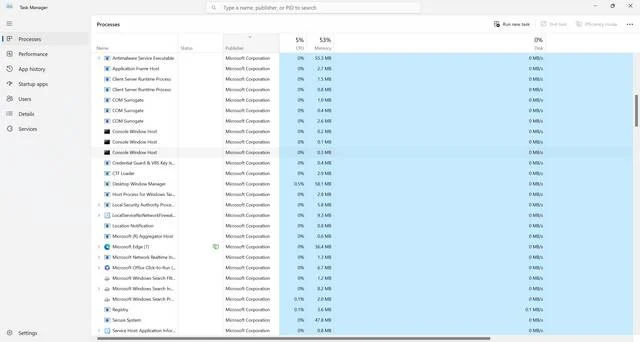
Qbittorrent.exe is the main executable file of the qBittorrent client. It is responsible for launching and running the application on your computer. When you install qBittorrent, the qBittorrent.exe file is placed in the installation directory and is typically located in the “Program Files” or “Program Files (x86)” folder.
It is important to note that qBittorrent.exe is not a virus or malware. It is a legitimate file associated with the qBittorrent software. However, like any executable file, it is possible for malicious actors to disguise malware as qBittorrent.exe. Therefore, it is crucial to ensure that you download qBittorrent from official sources and regularly scan your system for viruses and malware using reputable security software like Malwarebytes Free.
Should I Remove qBittorrent.exe?
Whether or not you should remove qBittorrent.exe depends on your personal preferences and usage of the qBittorrent client. Here are some factors to consider:
1. Legitimate Use:
If you actively use qBittorrent to download and share files through the BitTorrent protocol, there is no need to remove qBittorrent.exe. It is an essential component of the software and required for its proper functioning.
2. System Performance:
Some users may be concerned about the impact of qBittorrent.exe on system performance. While qBittorrent is designed to be resource-efficient, running any torrent client can consume system resources, especially if you have multiple active downloads or uploads. If you notice a significant slowdown in your system while using qBittorrent, you may consider limiting the number of simultaneous downloads or uploads or adjusting the bandwidth settings within the client.
3. Security Concerns:
As mentioned earlier, qBittorrent.exe itself is not a security threat. However, downloading torrents from untrusted sources can expose your system to malware and other security risks. It is crucial to exercise caution and only download torrents from reputable sources. Additionally, regularly scanning your system for viruses and malware using security software like Malwarebytes Free can help mitigate any potential security concerns.
Expert Opinions and User Experiences
To provide a well-rounded perspective, let’s take a look at what experts and users have to say about qBittorrent.exe:
Expert Opinion:
According to various cybersecurity experts and software review platforms, qBittorrent is considered a safe and reliable BitTorrent client. It has a strong reputation for being open-source, regularly updated, and free from adware or bundled software. The qBittorrent community actively monitors and addresses any reported security vulnerabilities, ensuring a secure user experience.
User Experiences:
User experiences with qBittorrent.exe are generally positive. Users appreciate its simplicity, stability, and extensive customization options. Many users also highlight the absence of intrusive ads or unwanted software, which is often a concern with other torrent clients. However, it is important to note that individual experiences may vary, and it is always recommended to exercise caution when downloading and sharing files through any torrent client.
Conclusion
Qbittorrent.exe is the main executable file of the qBittorrent client, a popular and reliable BitTorrent client. It is not a virus or malware, but it is essential to download qBittorrent from official sources and regularly scan your system for security threats. Whether or not you should remove qBittorrent.exe depends on your legitimate use of the software, system performance concerns, and adherence to security best practices.
Remember to prioritize security by downloading torrents from trusted sources, using reputable security software like Malwarebytes Free to scan your system, and keeping your qBittorrent client up to date. By following these practices, you can enjoy the benefits of qBittorrent while minimizing any potential risks.

Join the discussion
0 commentsShare your experience or ask a question about this article.
Discussion
Start the conversation
Have a question or something useful to share? Add the first comment.