


Seaool advertises free returns and secure checkout on a storefront that sells dresses alongside items such as appliances and collectibles. The details do not match across the pages we checked.
We would skip the purchase. If you already entered payment information, save what happened and check with the card issuer instead of trying a second card.
Overview
The free return banner does not cover every return
The homepage advertises free returns for 30 days. Seaool’s separate policy starts the clock at purchase and says customers pay a $5 shipping fee for returns based on customer preference.
That is different from a free month to try the item after delivery. Time spent waiting for the package can reduce the return window available under the written policy.
A payment promise is not proof of a processed payment
A dress listing says buyers can use PayPal or a major card. The listing’s claims do not verify the processor or what will happen after you enter payment information.
- Save the payment methods displayed on the specific product page. A badge or even a named provider does not prove that the provider handled your transaction.
- Check the amount and actual merchant descriptor through your card issuer. Do not turn a declined checkout into a second attempt with another card.
- Separate any known purchase from later transactions you did not authorize. The facts you give the issuer will differ depending on which charge you are reporting.
There is a specific report worth knowing about
One shopper described trying a prepaid Mastercard, seeing the payment method rejected, then noticing other activity later. The account does not establish how those later charges occurred.
We reviewed public pages and did not submit payment information or place an order. Treat the checkout language as an advertising claim, not an assurance we have tested.
How the Seaool Offer Looks Before You Pay
Step 1: Compare the product page with the store’s wider catalog
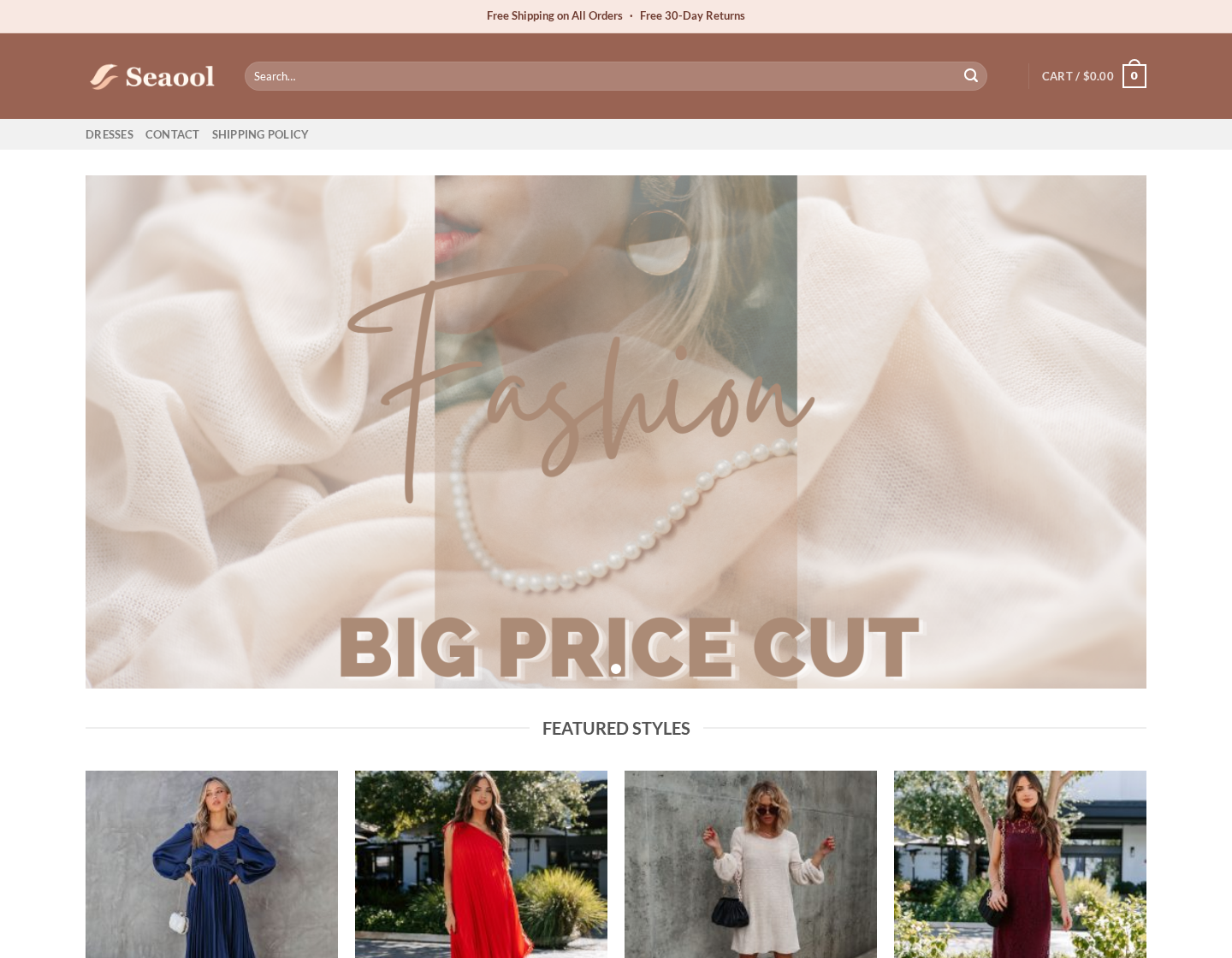
The homepage looks like a dress shop. The same domain also has pages for a compact refrigerator and a collectible figure, with similar language reassuring buyers about payment and returns.
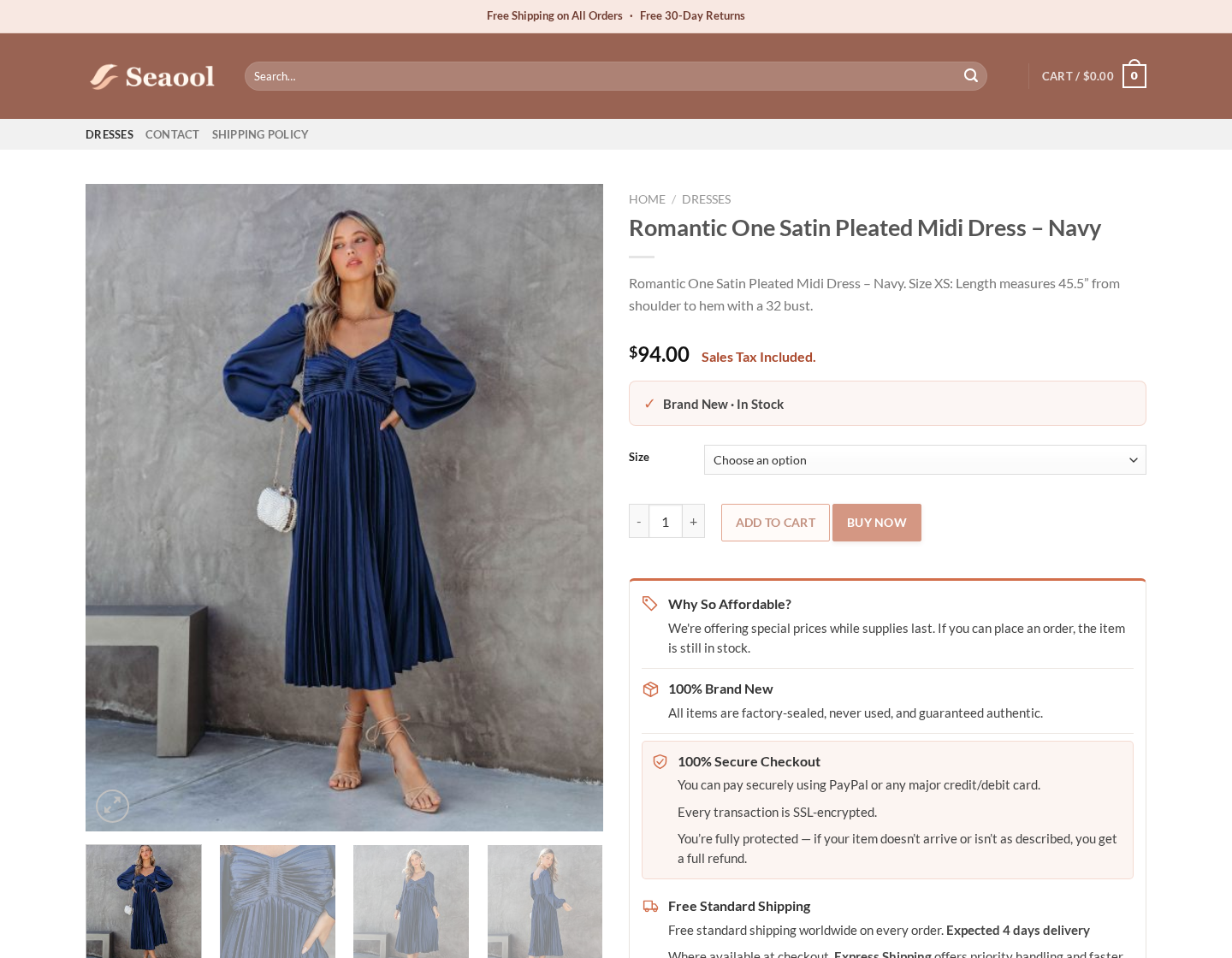
The navy Romantic One Satin Pleated Midi Dress showed $94 including sales tax when captured. Its stock label was a store claim, not proof of a stocked warehouse.
For comparison shopping, use the full style name and the exact size or model. Similar product names can lead you to a different item or variation at another retailer.
The navy listing advertises worldwide standard shipping and gives an expected delivery time of four days. Other listings describe free U.S. shipping instead, so confirm what your own order promises.
Step 2: Check whether the return language matches your item
The navy dress listing says you are protected if the item does not arrive or is not as described. That promise does not explain the timeline for opening a claim.
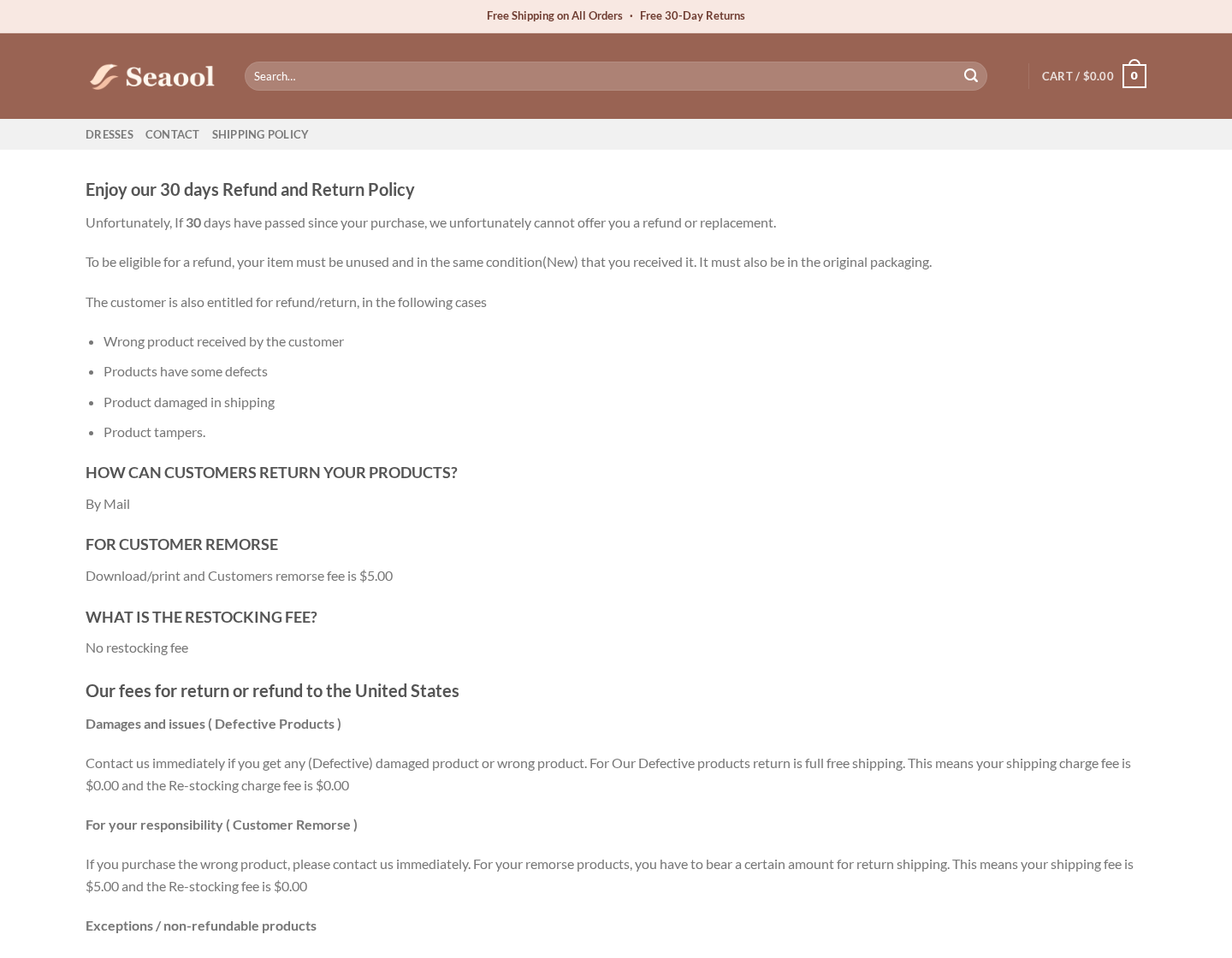
The standalone policy uses 30 days from purchase and requires unused items in their original packaging. It provides different treatment for a defective item and for an unwanted item.
One collectible page offers free returns in the purchase information but says all sales are final in the item description. Those statements should not both determine the same purchase.
Before paying, get the applicable rule in writing. If a product page is still contradictory, choose a seller that tells you clearly when a return would be accepted.
Step 3: Stop if the payment flow is not what you expected
A product page can advertise several ways to pay. PayPal need not be available simply because its name appears beside the listing, and a card box is not PayPal.
If you expected to use your payment account and do not recognize the payment flow, leave the page. Do not enter your account password into the merchant’s own form.
If a page declines a card after entry, check with your card issuer through its app or the number printed on the card. Do not retry with another payment method.
A failed purchase can leave no order email. Ask the issuer to check for an authorization or posted transaction rather than using your inbox as proof.
Who Handles Seaool Orders, Returns and Payment Disputes?
The storefront and the card issuer have different roles
Seaool controls what the product page promises and whom it tells you to contact for a return. Your payment provider can see transaction information the product page cannot show.
Use the invoice to identify the merchant. If that name differs from the transaction descriptor, ask the issuer what the descriptor represents before assuming they match.
Do not rely on an unsolicited message offering to resolve the discrepancy. Check the payment provider directly, especially if the message asks for a code or a card number.
A warehouse address on a policy is not return authorization
The policy prints a shipping address in Corona, California, and describes returns by mail. That does not verify who operates the premises or accepts packages there.
Ask the seller for the mailing instructions for your order and keep the authorization. If your payment provider has opened a case, follow its instructions as well.
Photograph the order paperwork, packing label and item before returning it. If an address is not confirmed, do not give up the item just because a page lists a location.
No restocking fee is different from no return postage
The policy says no restocking fee applies, but it sets a $5 shipping charge for customer-remorse returns. For defective, damaged or wrong products, it describes different shipping terms.
If you received the wrong item, say which product you selected and show what arrived. Calling it a change of mind can send the request down a different route.
Ask what amount is refundable and whether the merchant supplies a return label. Do not spend more than you expect to recover without understanding the claim you are making.
A refund promise describes an offer, not an outcome
The fact that a refund is advertised does not show that a particular buyer received one. Our public-page review did not include a purchase, shipment or return test.
A written refund confirmation may still take time to appear in your account. Keep its date, amount and reference, and check it against your original payment.
If someone says you must pay a separate fee before they can credit your card, verify with the issuer. Do not send more money through a separate payment route.
Check the Exact Offer Before Comparing Prices
The navy dress listing describes an extra-small measurement in the product summary. Check the measurements for your selected size rather than assuming that summary applies to every option.
For an appliance, write down the manufacturer and complete model number. Two refrigerators with the same capacity may differ in dimensions, warranty coverage and the parts available for repair.
The miniature figure listing identifies a particular character and version. A low price on a similar collectible tells you little if it is a loose, used or differently packaged item.
Check whether the manufacturer offers a warranty on the exact item. A seller’s claims about condition do not tell you whether the manufacturer will handle a claim.
Review the wording around expedited delivery before relying on it. An estimate on a product card is not a written promise that an order will arrive for a specific event.
If an item is both discounted and nonreturnable, work out what you risk losing before focusing on the saving. Keep the order total and individual item price.
Do not rely on a search snippet if the current page says something different. Save the actual product page and the policy from the day you bought the item.
Look at who would handle a warranty question and who handles a return. The answer can be different, particularly when a catalog has clothing, appliances and licensed collectibles.
Check that any price comparison treats delivery, tax and condition consistently. A storefront can advertise an attractive headline price without making it clear how it will resolve a faulty purchase.
If you cannot identify the seller or how to get a refund, move on to a different listing. The product itself can be real even if the offer is risky.
Take the Payment Report Seriously Without Guessing What Happened
A November shopper report describes a prepaid card rejection followed by unrecognized spending. The report documents what the shopper says happened, not a finding by the issuer.
We found no public issuer statement identifying how the card details were obtained. The reported timing does not establish that Seaool caused the later transactions.
You do not need to settle that question before calling your issuer about your own card. Report what you typed, what the page displayed and what your account shows.
For a prepaid card, find the issuer through the packaging or a prior verified record. Keep the activation receipt if available, and ask whether the remaining balance can be protected.
For a card linked to your bank account, check pending and posted activity. Your bank can explain an authorization hold and how its reporting process differs for posted transactions.
If a known purchase appears twice, report a possible duplicate charge. If a different purchase appears that you never made, explain that distinction instead of marking both as duplicate.
Put the original order amount, any authorization time and each later charge in a short timeline. That will help the issuer evaluate multiple entries with a similar name.
Save what your banking app shows, but do not post account images or complete payment numbers publicly. Give the issuer sensitive information only through its own verified channel.
The FTC’s card-security guidance recommends reporting unfamiliar card activity promptly. Ask your provider what protections and deadlines apply to the type of card you actually used.
What to Do After an Attempted Purchase or Missing Order
- If you only browsed the catalog, close the site. Do not place an order just to find out whether the advertised payment method is available.
- If you entered card details, contact the issuer through a verified channel. Explain whether payment appeared to fail and ask whether a hold, block or replacement is appropriate.
- If you see a charge you do not recognize, report it separately. Save the amount, date and displayed merchant name without sharing your full card number publicly.
- If you intentionally paid and did not receive the item, keep the receipt and delivery promise. Request a written resolution and ask your payment provider about its dispute deadline.
- For a wrong item or defect, photograph the package and product and request written return instructions. Save the original listing so you can show what was promised.
- Report suspected fraud through a verified consumer-protection channel if appropriate. A report helps document a pattern, but does not replace working with your issuer on a disputed charge.
Keep the dates from the actual messages instead of relying on relative times shown on a status screen. That matters if the merchant and issuer start their clocks differently.
If you paid through a wallet, confirm the transaction by opening the wallet directly. Do not sign in through a message that says it can find a missing Seaool order.
The FTC’s shopping checklist recommends checking shipping, returns and payment methods before purchase. On Seaool, the gap between the banner and return policy is already a reason to walk away.
For an existing dispute, preserve the screenshots you already have. You do not need to return to the checkout or enter card details again to prove which page you saw.
Frequently Asked Questions
Is Seaool’s free 30-day return banner accurate for every order?
The policy says preference returns have a $5 shipping charge and starts the time limit at purchase. It describes separate treatment for covered defects and wrong items.
Does the PayPal text prove PayPal handled my payment?
No, the product listing advertises PayPal as an option, but that is not proof of routing. Check your own payment account for a matching transaction.
What should I do if the site rejected my card?
If you already entered the card information, ask the issuer whether there is any activity and whether to secure the card. Do not retry with another card.
Did Seaool cause the unauthorized activity described in a review?
The publicly reported sequence does not establish who made the later transactions. If you are affected, give your issuer your own dates and transaction details so it can investigate.
Does the Corona address prove the store has a local warehouse?
The written policy lists an address, not verified control of the premises. Get instructions for the specific order instead of assuming the location accepts returns.
Should everyone who looked at Seaool replace their card?
No, browsing without entering payment data is different from submitting card information. If you did share payment details, describe exactly what happened to your issuer and follow its guidance.
The Bottom Line
We would avoid buying from Seaool. The purchase page advertises broad protections, yet the refund terms charge for some returns and a separate listing contradicts its own return promise.
If you attempted to pay, consult the card issuer promptly and keep a record of what happened. If you already have an order dispute, preserve the receipt and listing.

Join the discussion
0 commentsShare your experience or ask a question about this article.
Community experiences
Did this happen to you?
Your experience could help someone recognize the same scam. Submit a private report for our team to review.
I experienced this tooReports are reviewed before publication. Sharing publicly is always your choice.
Discussion
Start the conversation
Have a question or something useful to share? Add the first comment.