


A Black Friday ad shows a compact satellite kit and talks about internet plans. If you’ve been comparing prices for a camper or a place with poor reception, it fits.
The name above the offer isn’t spelled the way you remember. The bigger question is who would take your order and whether they can activate the kit.
Overview
The real Starlink Mini has an unauthorized lookalike ad
The Starlink Mini is a real compact satellite internet kit. The Black Friday “St4rlnk Mini” promotion documented by Bitdefender was not a promotion from Starlink.
The campaign report describes a U.S. social ad that used a misspelled version of the brand and talked about internet plans and holiday offers.
The report doesn’t document a price, completed purchase or successful activation for that ad. It confirms the impersonation, not what every visitor would see after opening the offer.
A portable dish and internet service are two things
Buying a kit gets you equipment. Using it requires access to service under a suitable plan. A picture of the dish doesn’t settle whether that arrangement is included or available.
“Mini” describes the actual hardware, not a special buying route. An unfamiliar page can repeat a real product specification while having no permission to sell you the plan it mentions.
Verify both parts independently before buying. This matters even when you’re shopping for a genuine device, because the wrong seller or kit can leave you with activation problems.
Check the offer, the seller and the kit separately
- Compare the full name in the ad with the name on Starlink’s own site.
- Check who would take payment and whether the claimed retailer is authorized in your location.
- Find out who bills for service after activation and which plan the kit can use.
- Don’t submit your Starlink login or card to check whether the impersonating promotion works.
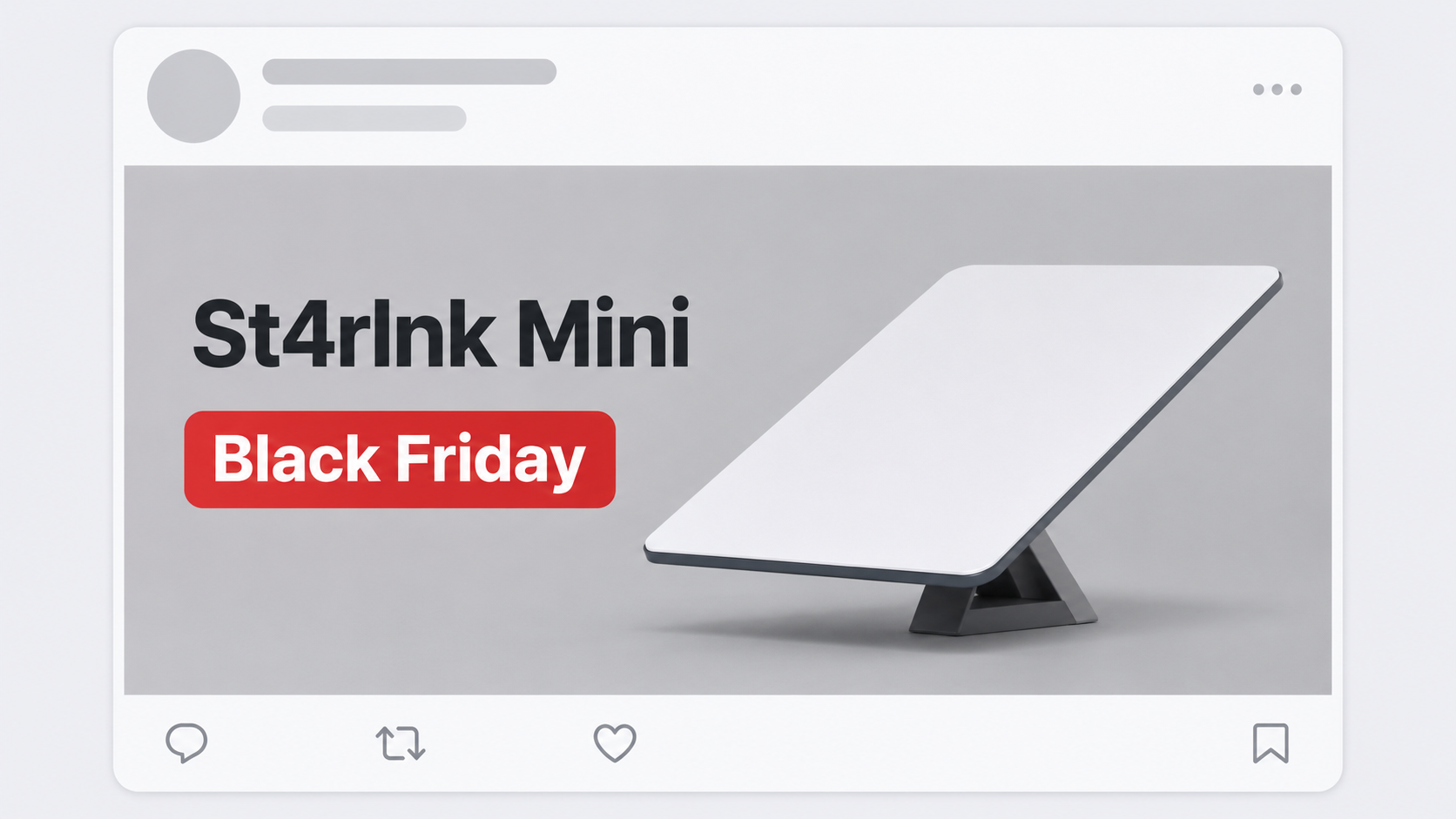
The illustrated post above isn’t a capture of the ad. It shows why the altered name is easy to miss when your attention is on the product and sale.
How the St4rlnk Mini Black Friday Scam Works
Step 1: A familiar product catches your eye
Satellite equipment is expensive enough that a holiday offer feels worth looking at. Finding one in the same social feed as legitimate retailer ads helps it blend in.
The documented promotion used the recognizable Mini name and the promise of internet plans. That gives it a real product category without showing that Starlink placed the ad.
Check who paid for the promotion before you open it. The name in the product image isn’t necessarily the name of the business behind the advertisement.
Step 2: A small change hides in a familiar word
The false spelling is “St4rlnk,” not “Starlink.” Read quickly on a small screen, and your eye may fill in what you expect to see.
Misspellings aren’t the only way a brand can be imitated, and correct spelling wouldn’t make an ad safe. Here the altered spelling helps identify the particular reported version.
If a friend sends the ad and calls it Starlink, look at the actual message rather than their summary. They may have recognized the intended name without noticing the change.
Step 3: An offer sounds like a way to start shopping
The campaign mentions different internet needs, which sounds like a reasonable reason to click. You’re thinking about a kit and plan, not who will get the information you type next.
Stop before the page asks which region, address or payment method you want to use. Check the seller separately while you can still walk away without handing over anything.
There isn’t a verified finish to the reported sale. Don’t infer from the advertisement that a box is in stock, a charge is legitimate or the kit can be transferred.
Step 4: The uncertainty shifts to the buyer after payment
With an unauthorized offer, a checkout confirmation would show only that a merchant processed an order. It wouldn’t show that the merchant can deliver or activate the kit.
Some risky listings can also send the wrong equipment or pass a used kit off as new. Those are practical checks for buyers, not outcomes established for this ad.
If you already paid, don’t send another amount for an activation or refundable release fee. Find out which company received the first payment and contact the provider that handled it.
What to Check Before Buying a Genuine Starlink Mini
Start with a seller you can identify
Go to Starlink independently, rather than searching the odd spelling to rediscover the deal. If a retailer is taking the order, check its exact name and country.
Starlink distinguishes an authorized hardware retailer from a reseller that supplies service itself. That distinction can determine who handles billing and support after the sale.
Don’t assume somebody is authorized because they share the exact name of a listed store. Start at the retailer’s known website and look for the same offer there.
Ask what you are paying for today and later
The hardware total, service charge, possible taxes and any shipping fees answer different questions. A sale price next to a photograph usually doesn’t explain the ongoing cost.
Look at the current plan options for your location and the way you intend to use it. A fixed home setup and a kit used on trips aren’t identical needs.
If the advertisement implies you won’t need a plan, verify that claim directly before buying. Don’t rely on a line in social media comments or a seller’s private messages.
If it’s used, check the transfer before money changes hands
A kit can be real but attached to another account. Before paying for a used unit, check Starlink’s transfer requirements and ask the seller to confirm release.
A photo of a serial label doesn’t prove the seller controls the kit. A visible invoice also doesn’t automatically prove the equipment is eligible for use at your location.
Find out who accepts returns if activation fails. A recognized retailer and someone who contacted you on social media may give very different answers.
What to Do If You Followed the Starlink Mini Ad
-
If you only saw the ad: Leave it alone and report the misleading promotion through the platform where it appeared. Look up the hardware separately if you’re still interested.
Don’t post the ad’s link to ask whether a relative thinks it looks real. A description of the spelling and seller is enough to warn them.
-
If you entered a Starlink password: Use the genuine account route to change it. Check contact details, billing, orders and service changes for anything you don’t recognize.
If that password also opens other services, replace it there as well. Start with any email account tied to your Starlink account recovery.
-
If you entered card information: Contact your issuer from a known number or its app. Tell it the checkout came from an unauthorized Starlink-themed advertisement.
Ask what protection is appropriate before a charge appears, and whether any pending or posted payment needs a dispute. Card disclosure can matter even without an order confirmation.
-
If you ordered something: Save the listing, merchant name, amount and promised delivery. Compare those details with the receipt and the merchant name on the card statement.
If the product doesn’t arrive or isn’t what you ordered, explain that distinction to your payment provider. Don’t describe an intentionally submitted order as wholly unknown.
-
If a box arrived but won’t activate: Keep it and its packaging while you verify the exact kit. Use the genuine provider’s support if the seller’s instructions seem wrong.
Do not send a password or additional payment to a stranger who says the unit needs an unlock. Ask whether the order can be returned or disputed.
-
If somebody promises an off-platform refund: Don’t give them a new card number or access to your account. Keep the promise alongside the original receipt as evidence.
Use the actual merchant and issuer’s established support routes. A refund should not require an unrelated transfer to somebody who found you in the ad’s comments.
What an Order Confirmation Can and Cannot Tell You
A genuine receipt should identify the seller and show the device or package you paid for. It should give you an independent way to check the order or contact support.
Don’t confuse a marketing name with that seller identity. A checkout can use the product name prominently while the receipt and card statement identify a company you weren’t expecting.
If a tracked package is late, check the tracking number directly with the carrier. A message saying a parcel moved doesn’t establish that it’s the equipment you ordered.
For a U.S. purchase dispute, the FTC’s online shopping guidance explains the records to keep and when to contact your card issuer about an order problem.
Save a record before the ad disappears. The offer, receipt and activation promise can explain a mismatch after the seller stops linking to the original page.
Why Owning a Dish Doesn’t Settle Where You Can Use It
If you’re buying for a trip, the kit needs to work at your destination. A hardware photo can’t confirm which service plans and locations it supports.
Check the country and service area on Starlink’s official site before paying. Don’t treat an ad shown in your feed as proof that the service is available on your route.
Check the plan’s travel terms before taking a kit across borders. Buying from another country may mean different activation rules or an additional charge.
Ask what happens if the official activation screen refuses the equipment. A retailer return window can close while you wait for a private seller to fix an account problem.
Don’t post the serial label publicly while asking for activation help. Give the actual identifier only through the provider or authorized retailer’s established support route, as needed.
Keep the service account in your control. If an unknown seller says it will activate equipment by asking for your existing login or payment code, pause and verify the arrangement.
How to Compare a Legitimate Sale With the Impersonation
Open the genuine site or retailer separately and find the specific kit. Compare the device, condition and included accessories before deciding that two advertisements describe the same thing.
Ask which parts of the offer could change between the listing and checkout. A page showing a kit price may not include shipping or the first service payment.
Read the identity next to the payment button. A marketplace listing can say it is fulfilled by one business while a different seller will handle the order and refunds.
Find the merchant’s return terms without relying on a screenshot somebody sent in a chat. Give yourself enough time to verify the order before the claimed holiday clock runs out.
For a gift, ask who will own the service account and whether the kit can be activated where the recipient lives. The recipient’s actual use is the useful test.
If you can’t find the deal outside its ad, let it go. You aren’t losing a kit you own or service you’ve already activated.
Keep separate notes for the kit, its seller and the service plan. That makes it harder for an impressive price on one part to hide unanswered questions about the others.
Be especially skeptical of anyone calling after you fill out an inquiry form. They may know which model you wanted, but that doesn’t make them Starlink support.
Frequently Asked Questions
Is the Starlink Mini itself a scam?
The genuine Mini is a real product. The warning applies to the documented Black Friday ad using “St4rlnk Mini,” not to a kit sold through Starlink or an authorized retailer.
Does the ad prove the advertised price is available?
The published sample doesn’t establish a genuine price or order. Check the price of the exact kit and plan independently before handing over payment information.
Can a real retailer sell the hardware?
Starlink lists authorized retailers by market. Verify the actual title and website of the business taking your order rather than relying on a familiar logo on the promotion.
Does buying a kit automatically start the service I want?
Hardware and service are separate questions. Confirm eligibility, activation and the plan terms for your location through the genuine provider or the verified authorized reseller managing that service.
Should I use the ad to log in and see if the discount applies?
Don’t enter account details through the ad. Open the genuine Starlink account directly and ask whether an offer actually applies to the account, kit and address you’re using.
What if I saw a similar ad with the correct spelling?
The misspelling identifies one documented version, not every dangerous offer. Confirm advertiser identity and find the same promotion outside the ad, through a known retailer or the brand directly.
The Bottom Line
Do not order from the “St4rlnk Mini” Black Friday ad. The genuine hardware exists, but it doesn’t make this impersonation a safe route to buy it or activate service.
Check both the kit and plan through an authorized channel. If you already paid or entered information, preserve the order and contact the payment provider or Starlink through verified support.

Join the discussion
0 commentsShare your experience or ask a question about this article.
Community experiences
Did this happen to you?
Your experience could help someone recognize the same scam. Submit a private report for our team to review.
I experienced this tooReports are reviewed before publication. Sharing publicly is always your choice.
Discussion
Start the conversation
Have a question or something useful to share? Add the first comment.