

A page promises the game code you wanted for free. The button looks easy, and the first task appears to take only a few minutes. Then another task appears where the code should be.
If you found TheCodeChest while looking for a free game or gift card, slow down before installing an app or sharing your details. The difficult part is figuring out what the offer actually requires.
Overview
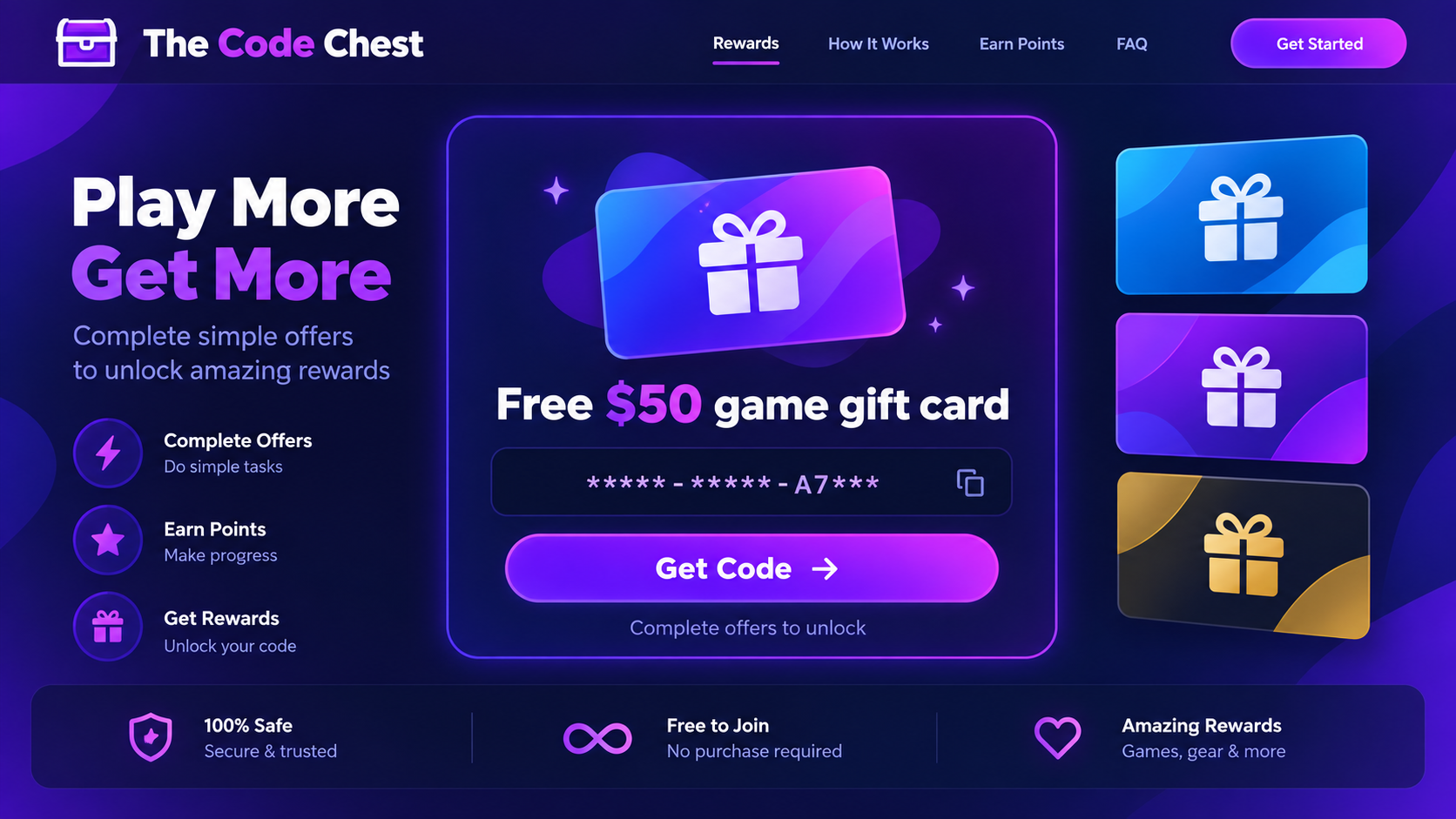
What TheCodeChest appears to offer
TheCodeChest.com presents visitors with offers for game-related rewards, including free codes and gift cards. A visitor chooses a reward and is asked to complete activities before receiving it. The site can make the reward feel close, even though the conditions are not obvious from the first screen.
The site was accessible when we reviewed it. That matters: this is not merely a dead link copied from an old warning. The concern is whether the route from an enticing offer to an actual code is clear, proportionate, and reliably completed.
Where the risk begins
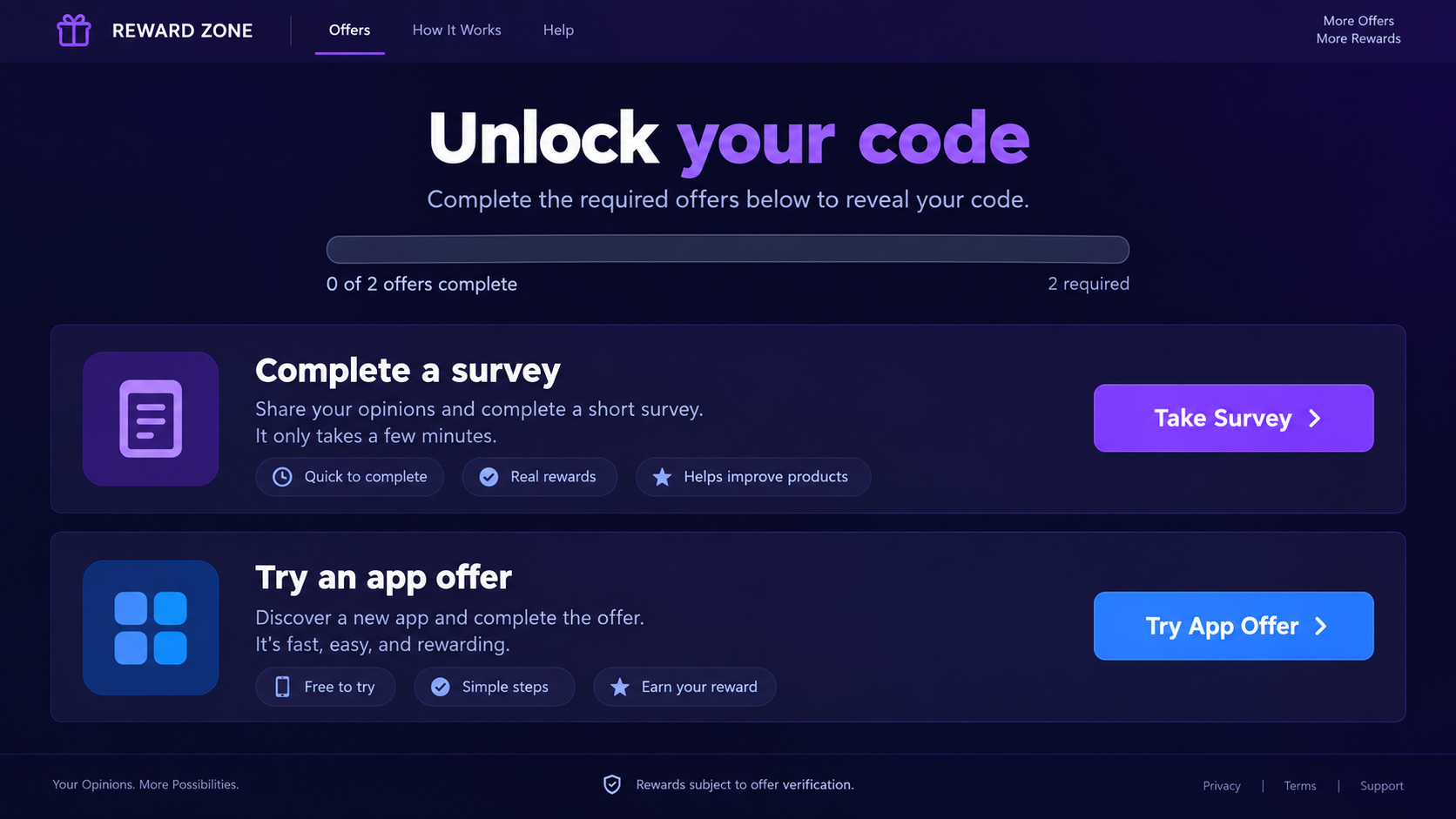
Instead of a straightforward purchase or a platform-run giveaway, the visitor may be sent through an offer wall. Tasks can involve surveys, app installations, registrations, or trial signups. Some may ask for personal information or payment details, while others consume time without a clear finish line.
Public user reviews of TheCodeChest include complaints from people who say they completed offers but did not receive the expected codes. A review is a report of an individual experience, not proof that every offer fails. It is still a reason to demand specific terms before participating.
What to keep in mind before clicking
The word “free” describes the advertised price, not necessarily the cost to you. An offer can require time, personal data, a subscription, or a payment card before it counts as complete. The site and any third-party offer provider may also apply different eligibility rules.
Here are the questions worth answering before you start:
- Which exact game code or gift card will you receive, and in which region will it work?
- How many offers must be completed, and what counts as completion?
- Does any task start a paid trial or recurring subscription?
- Who receives the information you enter on a third-party page?
- Is there a clear support and dispute process if credit never appears?
Why “Free Code” Offers Can Feel So Close
Most people would not hand over a payment card in exchange for a vague promise of a game code. An offer wall changes the calculation. You have already chosen a reward, so each new task feels like the last small step before collecting it.
That feeling can become stronger after you spend time on a survey or install an app. Walking away now feels like wasting what you already did. The next offer may seem easier than admitting the earlier work produced nothing.
There is also a visibility problem. The reward page can look like one experience, while the tasks are handled by separate advertisers or offer networks. If a task fails to track, the visitor may be told that the provider did not record completion. The customer then has little practical control over the chain.
This does not mean every reward website is identical or that every installation is malicious. It does mean you should not infer a guaranteed code from a progress bar, a countdown, or a screen that calls a task “almost complete.” The actual written terms matter more than the feeling of progress.
A legitimate game key has details that can be checked: the publisher, product, platform, region, expiration conditions, and delivery method. A generic image of a gift card without a specific fulfillment promise gives you far less to rely on.
If a page keeps replacing one requirement with another, stop and count the total commitment. The price may be paid in attention, data, and subscriptions rather than at checkout.
How This Offer-Wall Works
Step 1: A free reward attracts a search or social visitor
Someone looking for a discounted game, Steam code, or gift card reaches a page that makes the prize the main visual element. The reward may be presented in a familiar retail style. At this point the visitor has not established that a particular code is in stock or assigned to them.
Be wary of search snippets and social posts that describe the reward more confidently than the page’s terms do. A headline can say “free” while the actual path requires work that is neither simple nor free of side effects.
Step 2: A button moves the visitor into the offer flow
The next screen may ask the visitor to verify eligibility or unlock the code. This reframes the tasks as a security or anti-bot step. The wording makes a survey or app installation sound like a minor confirmation rather than the core exchange.
Read the conditions at this point. If the number of required offers, the deadline, or the reward’s delivery method is vague, you cannot make an informed decision about the work ahead.
Step 3: Third-party tasks collect engagement or information
Offer walls commonly send visitors to another advertiser’s page. That page may ask for an email address, phone number, demographic answers, an app install, or a trial signup. Some tasks require a purchase or payment card to be eligible for credit.
Each outside page has its own terms and privacy practices. Information shared there may not stay with the original reward site. Do not assume closing the original tab cancels a subscription or deletes data already supplied elsewhere.
Step 4: Completion becomes hard to verify
After a task, the visitor returns expecting the code. They may instead see that the task is pending, untracked, or insufficient. A missing credit can be caused by tracking rules, eligibility restrictions, browser settings, or a dispute between platforms. From the visitor’s perspective, the promised reward is still absent.
That is the key pattern behind complaints about this type of site. A person can comply with what appeared to be the visible instruction and still be asked to do more. The site should be judged by whether it clearly explains these conditions beforehand and delivers what it promises.
Step 5: More offers encourage a second commitment
Once time has been spent, the visitor may try another task in the hope that one will register. Each attempt can expose more data or start another account. If an offer involves a paid trial, the risk grows beyond disappointment over a missing game code.
Do not chase the reward by entering the same card on multiple pages. A code with a modest face value cannot justify open-ended billing exposure. Stop and document what you have already done instead.
Step 6: The reward remains uncertain while costs continue
Some users report that they never received the code they expected. We cannot verify each reviewer’s full task history or every advertiser’s tracking record. The important warning is the mismatch between a simple promise on the front page and a complex path with uncertain fulfillment.
Even if a code eventually arrives for some users, that would not make every offer safe. A paid trial can renew, an email address can collect spam, and a downloaded app can retain permissions after the reward hunt ends.
Four Checks Before You Complete a Reward Offer
Read the full reward conditions
Look for the exact number of required offers, eligibility by country and age, time limits, and how the code is delivered. If the site only says “complete offers” without a stable, complete list, assume the effort may be larger than the first screen suggests.
Take a screenshot of the terms before starting. If the rules change or a task fails to credit, you will have a record of what was presented when you made the decision.
Price every trial at its renewal cost
A $0 introductory charge can become a larger recurring payment. Read the merchant’s own checkout screen, not just the reward site’s summary. Note the renewal date and cancellation method before entering a card.
For a game code, the simplest comparison is with the official platform price. If the effort and possible charges exceed that price, the “free” route offers no meaningful saving.
Limit what outside advertisers receive
Do not give a third-party survey your primary password, government ID, or full payment details simply to unlock a prize. An advertiser’s page is a separate relationship. Check its name, privacy notice, and requested permissions.
An app install deserves the same care. Read the permission prompt, avoid sideloaded files, and use the official app store where possible. A reward page is not a reason to disable device security warnings.
Check delivery and support before investing time
Find the support route, refund policy where relevant, and proof-of-completion procedure before doing a task. If the site has no practical way to investigate a missing code, you are taking nearly all the fulfillment risk.
Public reviews can provide context, but read a range of them. Look for recent accounts with specific details rather than relying only on a star rating or a single glowing testimonial.
What the Complaints Do and Do Not Establish
TheCodeChest has drawn negative user reports about tasks and missing rewards. Those reports are useful warnings, but they do not let us independently inspect every user’s account, verify all offer completions, or declare that no one has ever received a code.
The more defensible conclusion is narrower and more useful: the reward path can ask visitors to commit time and data before the outcome is certain, and some users report that the promised result did not arrive. That is enough reason to approach the site cautiously.
Do not confuse a visible brand image with authorization from the game publisher. A page showing a Steam or console gift card is not automatically run by that platform. If you want a code, the platform’s own store and known retailers provide clearer terms and customer support.
Likewise, not every third-party offer is inherently fraudulent. The problem is the combined experience: an attractive “free” claim, difficult-to-audit requirements, separate advertisers, and uncertain credit for completed work.
What to Do
- Stop completing offers and save what you saw. Capture the reward page, each offer’s terms, the time you completed it, confirmation emails, and any missing-credit messages. Write down the exact code or gift card promised. This record is more useful than repeatedly retrying tasks.
- Check for subscriptions and card charges. Search your email for trial confirmations and review recent card transactions. Cancel any unwanted trial with the merchant that actually billed you. If cancellation fails or charges are unauthorized, contact your card issuer promptly and ask about a dispute or card replacement.
- Secure accounts created during the process. Change a password immediately if you reused one on an offer page. Turn on multifactor authentication for your email and payment accounts. An email account is especially important because it receives password resets and billing notices.
- Remove apps you installed only for the reward. Review their permissions and uninstall what you no longer need. If you downloaded a file outside an official store or notice unusual device behavior, run a reputable scanner such as Malwarebytes. A scan is a sensible check, not proof that every offer installed malware.
- Reduce follow-up spam and deceptive prompts. If you gave away an email address or phone number, expect marketing messages and possible copycat offers. Do not click their unsubscribe links blindly. AdGuard can help block some ads and malicious destinations, but it cannot undo information already shared.
- Ask for support with evidence, then report the problem. Give the reward site and the individual offer provider the task ID, completion time, and screenshots. If the promised reward does not arrive or billing was misleading, report the experience to the relevant consumer-protection body and the payment provider.
- Warn others without overstating your case. Describe the steps you completed, what you were promised, and what actually happened. A precise account is more credible and more helpful than claiming facts you cannot verify about every user or advertiser.
Frequently Asked Questions
Is TheCodeChest.com definitely a scam?
The site is active and promotes free game-related rewards through offers. Public reviewers have reported completing tasks without receiving codes. We cannot verify every transaction or say that no one ever receives a reward. The uncertain fulfillment and potentially costly tasks justify treating the offer with caution.
Will I get a free Steam code after one survey?
Do not assume so from a headline or button. Read the exact current terms for the reward you selected. The offer may require multiple qualifying tasks, and a completed survey may not be credited if an eligibility or tracking condition is not met.
Can a reward offer charge my card later?
Yes, if you sign up for a trial or subscription that renews. The charge would come from the merchant associated with that offer, not necessarily under the reward site’s name. Keep the checkout terms and cancel through the billing merchant before the renewal date.
Is an app install from the offer wall safe?
An app’s safety depends on that specific app and how it is distributed. Read permissions, reviews, and the store listing. Avoid installation files supplied outside normal stores, and do not disable security features to satisfy a reward task.
What if I finished an offer but received no code?
Save the offer details and confirmation, contact the stated support channels, and avoid repeating paid tasks while the first is unresolved. If a subscription or purchase was misrepresented, ask the merchant or card issuer about cancellation and dispute options.
What is a safer way to get game codes?
Use the game platform’s own store, official promotions, or established retailers with clear delivery and refund terms. That may cost money, but it lets you see the full price and know who is responsible if a code does not work.
The Bottom Line
TheCodeChest’s free-code pitch can turn a simple reward hunt into a chain of surveys, installs, registrations, and possibly paid trials. Some users say they did that work and still did not receive a code. The sensible response is to read every condition, avoid open-ended commitments, and stop if the path keeps shifting.
A genuine bargain should be understandable before you give up your time, data, or card details. If you have already entered information, secure the relevant accounts, review charges, and document the offer you saw. The missing game code is frustrating; an unnoticed subscription or exposed password can be far more costly.

Join the discussion
0 commentsShare your experience or ask a question about this article.
Discussion
Start the conversation
Have a question or something useful to share? Add the first comment.