

An unexpected Uber verification code can look like a harmless wrong number. Minutes later, someone may call or message with a convincing reason why you should read that code back to them.
The code is not theirs. It is the last barrier protecting an account, and sharing it can turn a brief text into an account takeover, fraudulent rides, stolen payouts, or a much wider identity attack.
Overview
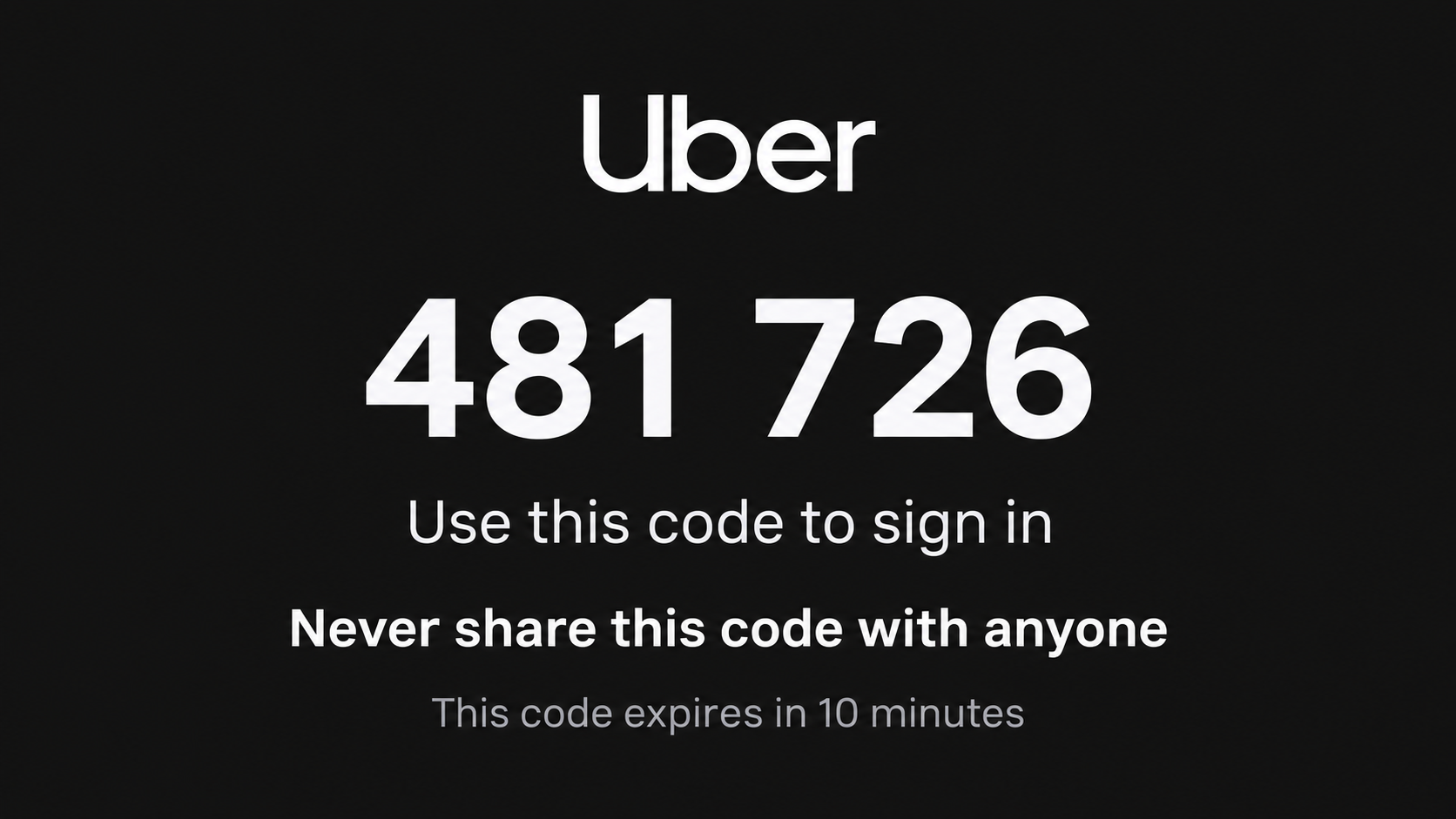
The code usually means someone started a login
Uber sends a one-time verification code when an account action needs confirmation. If you did not request it, someone may have entered your phone number by mistake, attempted to create an account with it, or tried to access an account connected to it.
The text alone does not mean the attacker has succeeded. The danger grows when the recipient shares the code, follows a phishing link, approves a prompt, or gives away enough information to complete account recovery.
Scammers invent a reason to ask for the code
A caller may pose as a driver, rider, Uber employee, fraud agent, or person who entered the wrong number. They claim the code is needed to verify a trip, cancel a charge, confirm a driver, protect an account, or correct their mistake.
Uber’s own account-security guidance says not to share a password, verification code, or personal account information. It also says Uber will not ask for that information.
Riders and drivers can both be targeted
A stolen rider account can be used for trips, delivery orders, payment fraud, refund abuse, or access to saved personal information. A stolen driver account can expose earnings and may be used to redirect payouts.
The same social-engineering pattern can begin during a live ride, through an unsolicited call, or with a random text while the victim is at home.
- An Uber code arrives even though the recipient did not request one.
- A caller or message quickly creates a reason to share it.
- The scammer may already know a name, trip detail, or phone number.
- The code completes a login, registration, or recovery action.
- The attacker changes account details and attempts fraudulent activity.
- Follow-up phishing may target email, banking, or mobile accounts.
Why an Unexpected Uber Code Can Be Confusing
Not every unexpected code proves a targeted attack. Someone may mistype a phone number while signing up. Automated systems may also test whether a number is linked to an account.
That uncertainty helps scammers. A calm caller can say the code belongs to them and ask the recipient to “send it back,” making the request sound like a small favor.
One-time codes are designed to prove control of a phone number. The service cannot tell whether the legitimate owner typed the code or was manipulated into handing it to another person.
The message may explicitly say not to share the code. In a rushed moment, the victim may focus on the caller’s story rather than the warning printed in the same text.
During a real ride, the situation can feel even more credible. A person posing as a driver or support representative may know a pickup location, rider name, or trip timing because they are participating in or observing the transaction.
Drivers face a related scheme. A supposed Uber support agent calls about a complaint, bonus, verification review, or payment issue and asks for credentials or a code. The goal may be to take over the driver profile and redirect earnings.
Caller ID offers little protection. Numbers and display names can be spoofed, and in-app calling can make a stranger appear connected to a real trip.
The correct response is simple even when the explanation is uncertain: never disclose the code. If another person’s number was entered by mistake, they can restart the process using their own number.
How the Uber Verification Code Scam Works
Step 1: The scammer identifies or tests a phone number
The number may come from a data breach, public listing, previous fraud, marketplace conversation, or information gathered during a ride. The attacker enters it into an Uber login, signup, or recovery flow.
Uber sends the genuine code to the phone. Because the message truly comes from Uber, the scammer does not need to forge that part of the attack.
Step 2: A believable contact follows
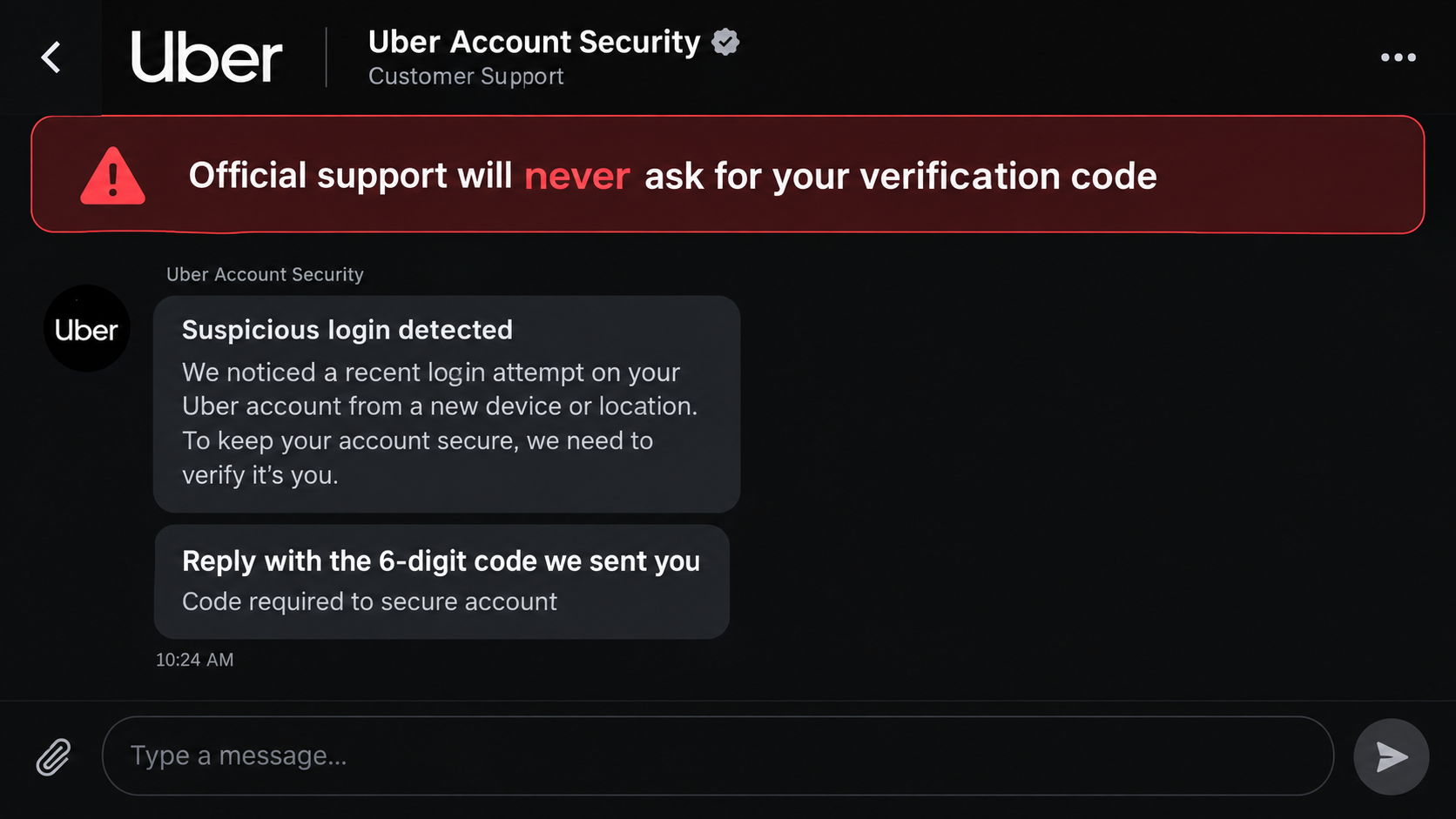
The attacker calls or messages while the code is fresh. They may claim to be Uber support investigating fraud, a driver confirming the passenger, or an ordinary person correcting an accidental signup.
Urgency matters because one-time codes expire. The scammer keeps the victim talking and discourages them from opening the app or contacting official support.
Step 3: The victim is asked to read or forward the code
The request may be hidden inside a longer verification script. The caller asks for the last four digits, a confirmation number, or the code “Uber just sent to prove your identity.”
Whatever wording is used, the code belongs only in the official Uber screen that the account owner intentionally opened.
Step 4: The attacker enters the code immediately
While still communicating with the victim, the scammer types the code into the genuine login or recovery page. The service sees a valid code and may grant access or allow the requested action to continue.
If another password or email step is required, the attacker may send a phishing page, ask additional questions, or trigger a second code.
Step 5: Recovery details and payment settings are changed
Once inside, the attacker may change the email, password, phone number, or payout information. They may remove evidence, add a new payment method, or use saved account data in other attacks.
Drivers can lose access to earnings. Riders may see unauthorized trips or orders, and both groups may struggle to recover the account after contact details are replaced.
Step 6: The stolen account is exploited or resold
The account can support fraudulent rides, delivery orders, refund claims, promotional abuse, identity impersonation, or onward sale. A well-established account may be more valuable than a new one.
The attacker may also reuse the phone number and known personal details against email, bank, mobile-carrier, or social-media recovery systems.
Common Stories Used to Obtain the Code
The “wrong number” story is disarming. The caller says they accidentally used your phone and simply need the code that arrived. A legitimate user can correct their own number without accessing a code sent to yours.
The “driver verification” story appears during a ride. The caller claims a new safety rule requires the rider to confirm their phone number or read a code before pickup.
The “fraud department” story says suspicious activity has been found and the code will cancel it. In reality, the code can authorize the very login the caller claims to prevent.
The “refund” story promises money back for a canceled ride or overcharge. The victim is told that identity verification is required before the refund can be released.
Drivers may hear about a complaint, account suspension, vehicle-document review, or special bonus. The caller uses the possibility of lost income to make immediate compliance feel necessary.
A phishing text can skip the conversation and include a link claiming the account is locked. The page copies Uber branding and asks for a phone number, password, and verification code.
Some attackers ask the victim to approve a prompt rather than read a code. The principle is the same: an unsolicited person should not direct a security action on your account.
Others keep the victim on the phone while attempting several logins. Multiple codes can create confusion, and the attacker may falsely label one of them as a cancellation confirmation.
How to Protect Your Uber Account
Never share a verification code. Not with a driver, rider, caller, text sender, or person claiming to work for Uber. Genuine support can investigate without asking you to surrender a login factor.
Keep communication inside the Uber app whenever possible. Uber advises riders not to share their personal phone number with drivers because the app can handle contact while masking it.
Use a unique password for the email account associated with Uber. If that email is compromised, the attacker may be able to reset Uber access even without the original phone conversation.
Review account details, recent trips, orders, saved payment methods, and active sessions after any unexpected code. Look for small changes as well as obvious charges.
Do not use a link in a security message. Open the installed app or type uber.com yourself. Check the full domain before entering any information.
Protect the mobile-carrier account with a unique PIN. A SIM-swap attacker who takes control of the phone number may receive future one-time codes directly.
Hide verification-message previews on a locked screen if other people can see the device. A one-time code is sensitive even though it expires quickly.
For drivers, confirm payout information regularly and enable every available account protection. Treat calls about bonuses or urgent document issues as unverified until checked in the driver app.
Report suspicious in-app contacts promptly. A compromised driver or rider account may target several people before the platform restricts it.
If you repeatedly receive codes without any contact, do not engage with unknown callers. Secure the account and ask official support to review the activity.
Company, Address, and Fulfillment Checks
Use only Uber’s official app and website
Open the app from your device or manually type uber.com. Do not use a link supplied by a driver, caller, text, social-media account, or search advertisement.
Uber’s published security guidance says to check the domain and avoid external links that do not belong to Uber.
Verify support through the account you control
End the unsolicited call and contact support through the app. Do not call a number the suspicious person provides or trust a caller ID label.
A legitimate representative should not need your password, full verification code, or banking security code to locate a support case.
Check the claimed trip, order, or payout
Review the real activity list. If the caller mentions a ride or delivery that is not present, the story is false.
Drivers should compare payout destinations with their own bank details and investigate any change they did not make.
Reject off-platform verification requests
A driver does not need a rider’s one-time login code to complete pickup. A rider does not need a driver’s code to resolve a trip problem.
If someone claims the process is mandatory, cancel the interaction and report it through Uber’s official help flow.
What to Do if You Have Fallen Victim to This Scam
- Attempt account recovery immediately. Open the official Uber app or website, reset the password, and restore the correct phone and email before the attacker changes more settings.
- Contact Uber support. Report the account takeover, unauthorized trips, orders, or payout changes. Include the time of the code and the suspicious contact.
- Call your bank or card issuer. Lock exposed cards, dispute unauthorized transactions, and ask whether a card was added to an unfamiliar digital wallet.
- Secure your email and phone number. Change email passwords, review recovery methods, sign out unknown sessions, and ask the mobile carrier to add or reset the account PIN.
- Check the device. If a link led to a download or remote-access app, remove it and run a reputable scan such as Malwarebytes. A code shared by voice does not itself infect the phone.
- Reduce phishing exposure. AdGuard can block many known fraudulent pages and malicious ads, but it cannot invalidate a code already shared or restore a stolen account.
- Preserve evidence. Save the original code text, phone number, chat, call time, phishing URL, trip details, bank alerts, and screenshots of account changes.
- Report related fraud. File reports with the appropriate police or cybercrime service if money, identity information, or driver earnings were stolen.
Warn close contacts if the attacker gained access to information that could help them impersonate you. Do not let the scammer’s promise to “fix everything” keep the conversation open.
Frequently Asked Questions
Why did I receive an Uber code I did not request?
Someone may have mistyped your number, tested whether it is linked to an account, or started an unauthorized login or signup. Do not share the code.
Can an Uber driver legitimately ask for my verification code?
No driver needs your account-login code to pick you up. Keep contact in the app and report anyone who asks for it.
Is the account already hacked if a code arrives?
Not necessarily. The code may be blocking the attempt. Review the account and secure it, but do not help the requester complete the action.
What if the caller says the code was sent by mistake?
Do not give it to them. They can restart registration with their own number. A genuine mistake never requires access to a code sent to your phone.
Can sharing one code expose my saved card?
It can help an attacker access the Uber account, where they may attempt unauthorized activity involving saved payment options. Contact Uber and the card issuer quickly.
Should I reply STOP to an unexpected verification code?
Do not rely on replying as a security fix. Leave the message alone, open Uber independently, secure the account, and use official support if codes continue.
The Bottom Line
The Uber verification code scam turns a genuine security message into a social-engineering tool. The attacker creates the login attempt, then convinces the rightful phone owner to unlock it.
Never read or forward the code, approve an unexpected prompt, or use a link provided by the caller. Check Uber through the official app, secure connected accounts, and act immediately if any code was shared.

Join the discussion
0 commentsShare your experience or ask a question about this article.
Discussion
Start the conversation
Have a question or something useful to share? Add the first comment.